web
You’re offline. This is a read only version of the page.
close
Skip to main content

Notifications

Announcements

No record found.

Community site session details

Community site session details

Session Id :
Microsoft Dynamics NAV (Archived)

Control Add-In C/AL Events

(0) ShareShare
ReportReport
Posted on by 60

Hello,

I am trying to implement a new control add in in NAV 2016 following this tutorial: msdn.microsoft.com/.../dn182584(v=nav.90).aspx Steps

My Problem: When I want to edit the events defined in the C# file, they do not show up in the C/AL editor inside NAV Development. I don't know why?

Here is my C# code:

using Microsoft.Dynamics.Framework.UI.Extensibility;

namespace ThreeJSControlAddIn
{
    [ControlAddInExport("ThreeJSControlAddIn")]
    public interface IThreeJSControlAddIn
    {
        [ApplicationVisible]
        event ApplicationEventHandler ControlAddInReady;

        [ApplicationVisible]
        event ApplicationEventHandler ThreeJSLoaded;

        [ApplicationVisible]
        void LoadData();
    }
}

Here's the C/AL Editor window:
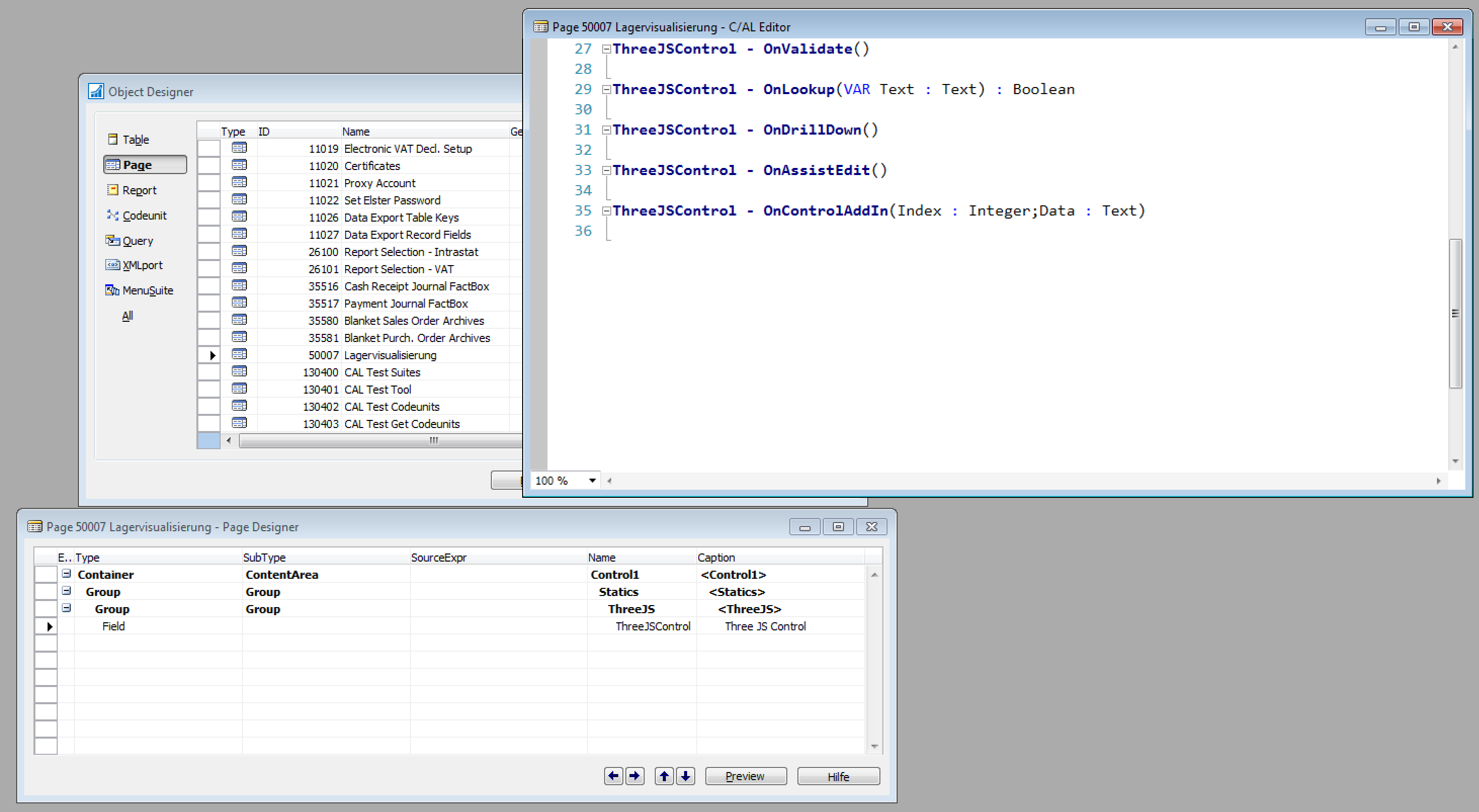

Bildschirmfoto-2016_2D00_11_2D00_09-um-16.42.50.png

*This post is locked for comments

I have the same question (0)
  • Nareshwar Raju Vaneshwar Profile Picture
    5,596 on at

    Hi,

    You have to copy the dll which will be on your \Visual Studio 2015\Projects\<Your App>\bin\Debug folder to C:\Program Files (x86)\Microsoft Dynamics NAV\90\RoleTailored Client\Add-ins this folder.

    Hope it helps.

  • Nareshwar Raju Vaneshwar Profile Picture
    5,596 on at

    Also,

    Follow this video tutorial, which is fantastic for a beginner: www.youtube.com/watch

  • ManishS Profile Picture
    86 on at

    I too had the same issue, i had deleted all the code & recreated every thing from scratch.

    Methods & constructor shows up but then it gives error of variable not defined.

    Looks like some thing is missing in the tutrioal.

  • DynamicsDevBeginner Profile Picture
    60 on at

    Hello,

    thanks for your help. The tutorial you suggested works, but it does not implement any C/AL events.

    Like Manish Sharma, I retried following this tutorial:

    I copied the .dll file into NAV and also inserted the control add in into the control add in page. But unfortunately, the events do not show up inside C/AL.

    Therefore I think that something has changed between 2013 and 2016, and something is missing.

    Bildschirmfoto-2016_2D00_11_2D00_10-um-09.30.15.png

    Bildschirmfoto-2016_2D00_11_2D00_10-um-09.30.15.png

  • Verified answer
    Nareshwar Raju Vaneshwar Profile Picture
    5,596 on at

    Hi,

    Check this.

    As your C# interface code, try to keep the same naming "ThreeJSControlAddIn" for the Control Add-in name in NAV too and also the dll. Check the screenshots.

    [ControlAddInExport("ThreeJSControlAddIn")]

    dfhg.pngdfhg.png

    Also, check the field property Control Add in the field of the page.

    Capture23.PNG


  • ManishS Profile Picture
    86 on at

    I tried that now you get the addin controls triggers.

    But when opening the page the addin box shows error (Control addin not configured).

  • Suggested answer
    DynamicsDevBeginner Profile Picture
    60 on at

    Hi,

    the name differs because I built everything from scratch, following the tutorial.

    I've checked everything more than once and it still didn't work.

    I've deleted the control add in in the field of the page and added it again - now it's working!

  • Community Member Profile Picture
    on at

    Solution is very easy. Change AssemblyFileVersion in AssemblyInfo.cs.

    When importing Add-In to NAV, it compare file versions.

  • Community Member Profile Picture
    on at

    To Which version?

Under review

Thank you for your reply! To ensure a great experience for everyone, your content is awaiting approval by our Community Managers. Please check back later.

Helpful resources

Quick Links

Responsible AI policies

As AI tools become more common, we’re introducing a Responsible AI Use…

Neeraj Kumar – Community Spotlight

We are honored to recognize Neeraj Kumar as our Community Spotlight honoree for…

Leaderboard > 🔒一 Microsoft Dynamics NAV (Archived)

Last 30 days Overall leaderboard

Featured topics

Product updates

Dynamics 365 release plans



