I want two option set field as a check box in the BPF stage gate. How can I achieve this? There is no any way to make the field check box if you want to make check box you can do on form not BPF. BPF stage always take as a list value.
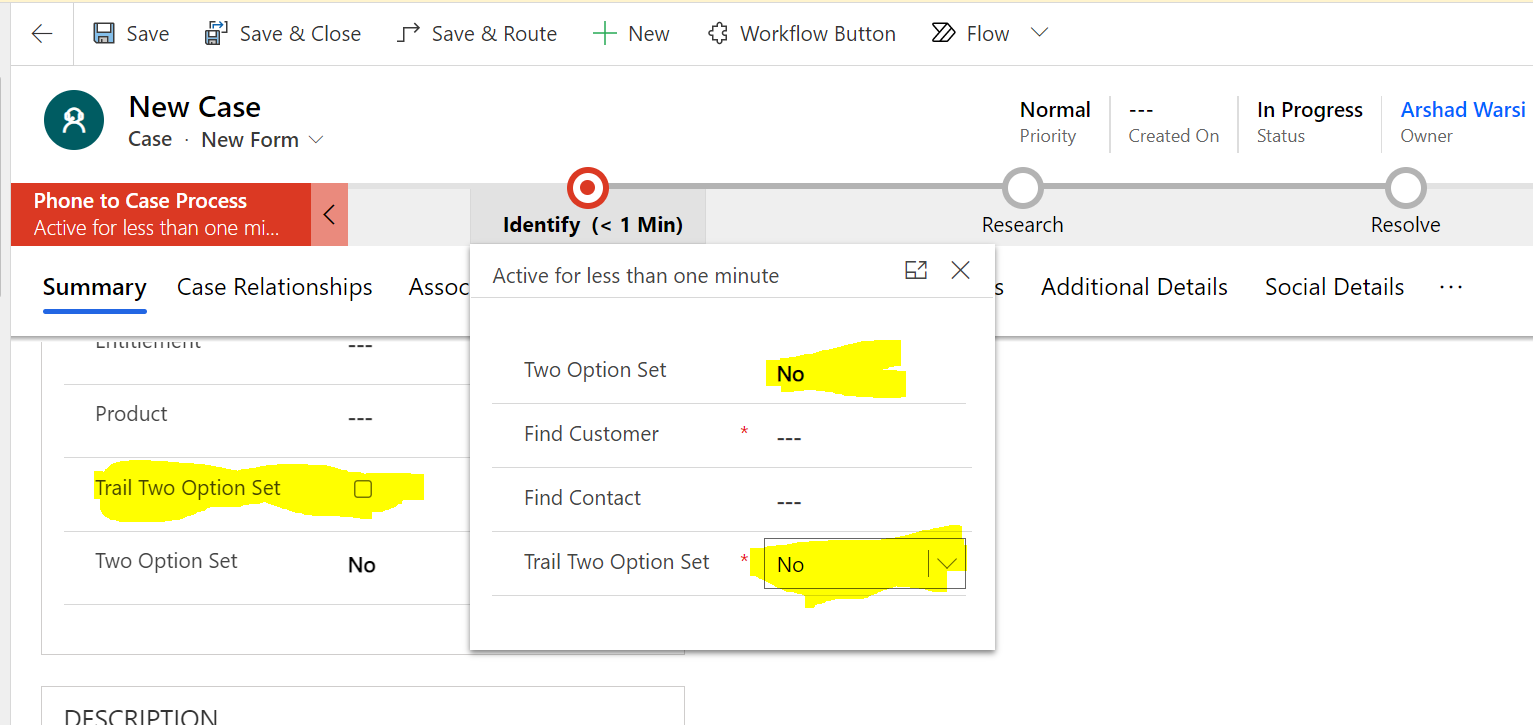
In my understaing two option set field can be changed to check box by changing the field properties on the form. It is correct you can change the properties in form.
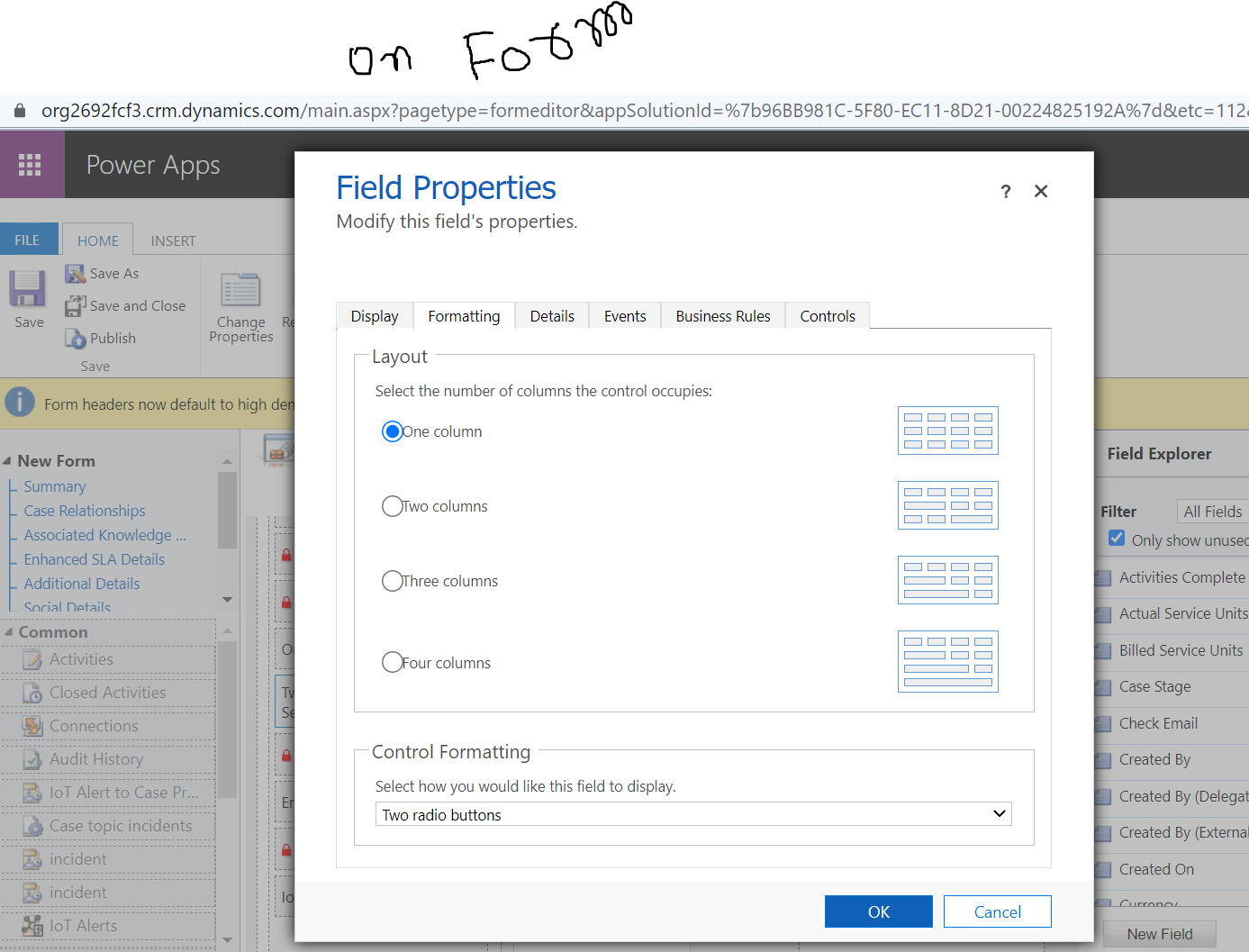
Creation of check box field.
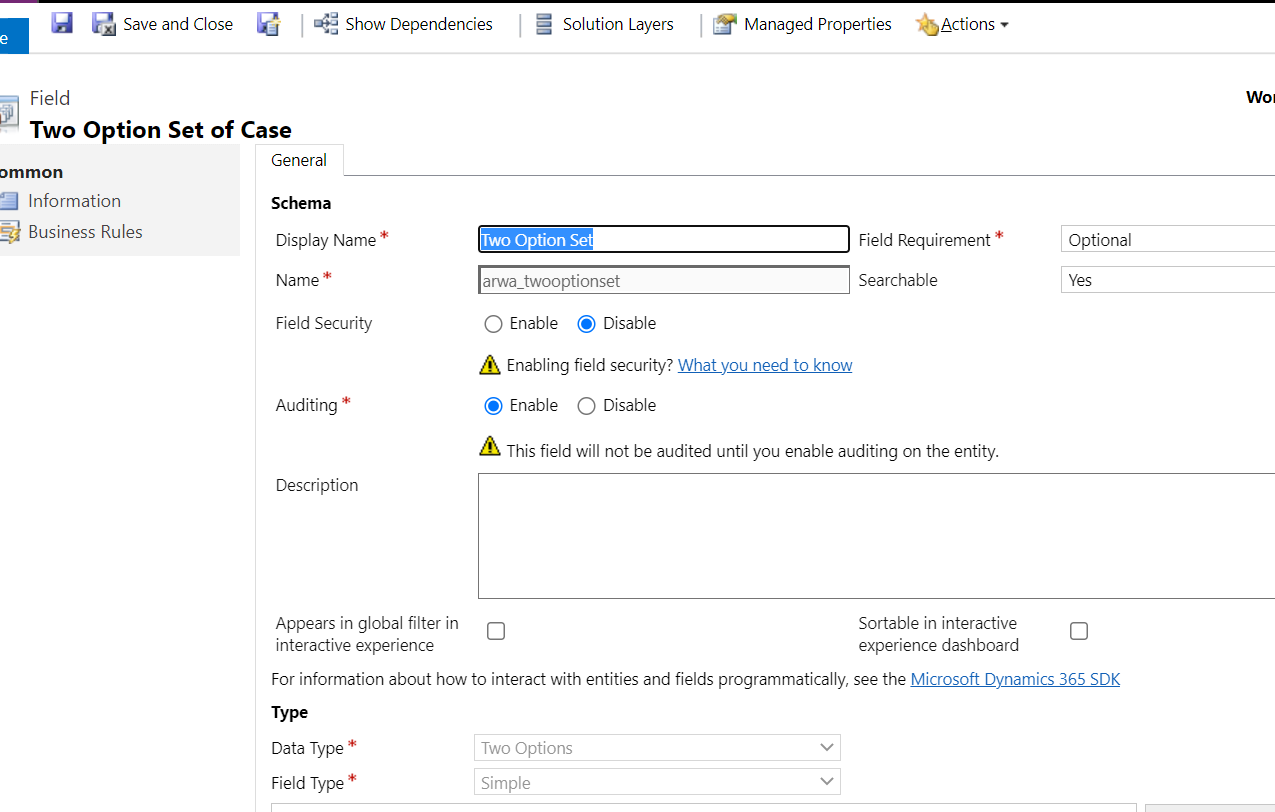
First Crete one Field with data type as a two option set value. Then go to form take that field value into the from area and double click on that and click on the formatting see the blow control formatting now you will get three option like radio, check box , list.
Use in BPF:
Open you BPF click on the particular stage where you want to add the data step. Update your BPF if it is activated otherwise activated it.

juniorcrmblog.blogspot.com/







