web
You’re offline. This is a read only version of the page.
close
Skip to main content

Notifications

Announcements

No record found.

Community site session details

Community site session details

Session Id :
Customer experience | Sales, Customer Insights,...
Unanswered

Case auto-reply to include the body of the original email that's entered a queue

(0) ShareShare
ReportReport
Posted on by 2,175

Hi all,

I'm not sure if this is possible as I've been combing through the forums but I have a workflow that sends a auto-reply email to created cases. The problem is that the auto-reply email does not contain the content of the original email below it.

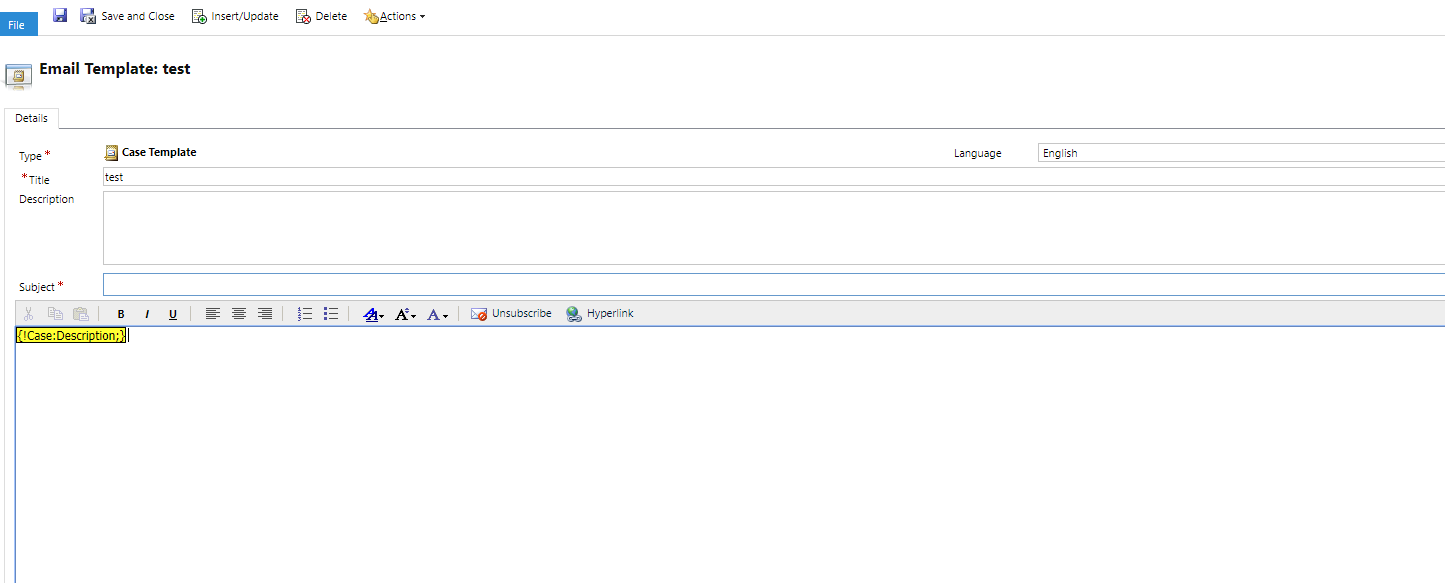
I then tried to go to the auto-reply email template and tried to just below the auto-reply content add in the case description field as dynamic content, as cases created from queues will include the full HTML content of the received email. The problem with this is that it seems to add all these additional spacing. Upon further investigation it looks like it added additional <br> tags and <p> tags where it didn't before.

Is there any supported method of having a case auto-reply that essentially includes the content of the original email that created the case just below the auto-reply?

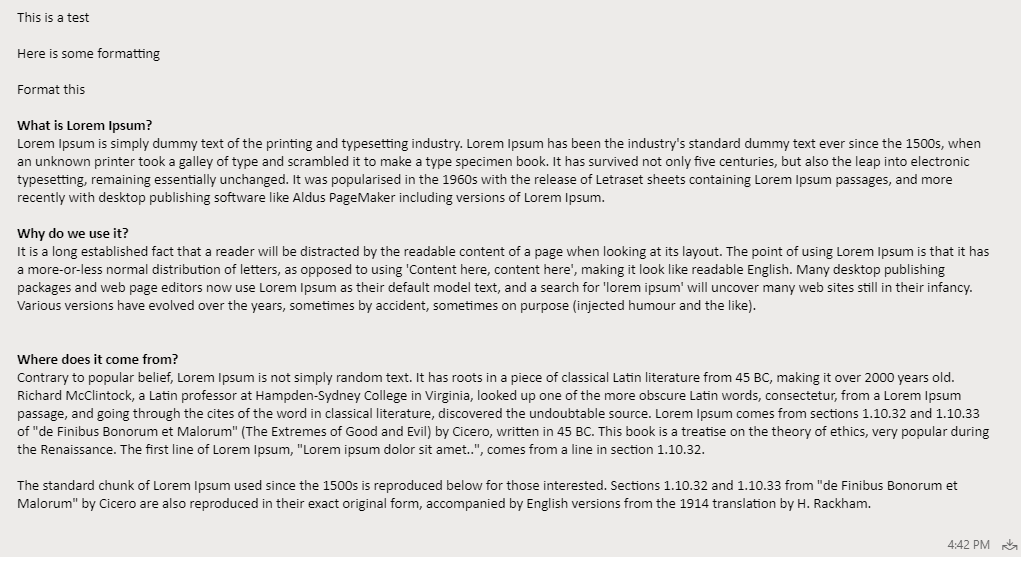
Just as an example. This is what the email that created the case looks like in terms of the content of the email, formatted with html.
pastedimage1579585623187v1.png

The content also appears in the description field of the case. I then create a template with the below dynamic content:
pastedimage1579585666932v2.png

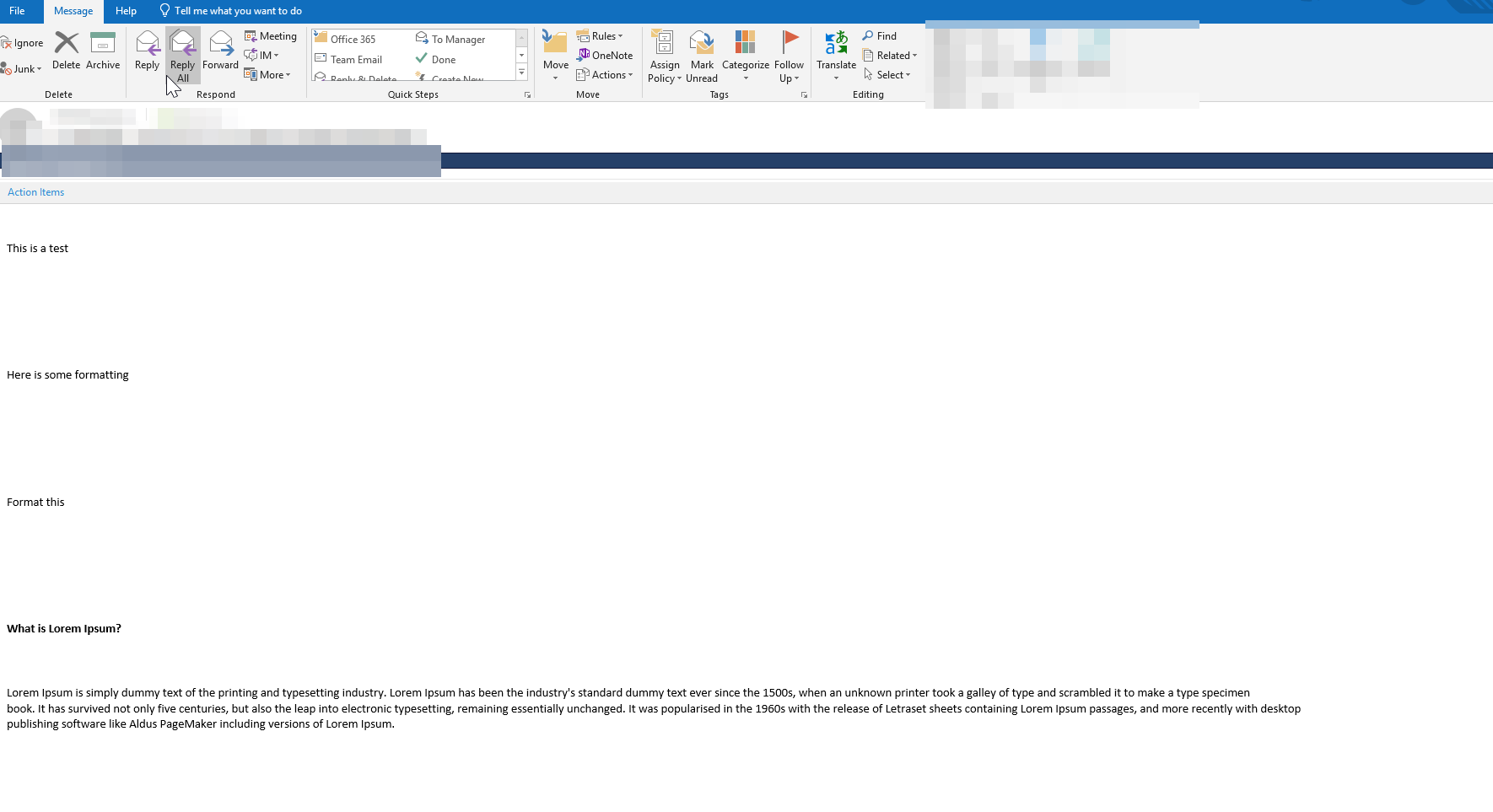
This is what I receive:

Note the gigantic spacing.
pastedimage1579585765342v3.png

Kind regards,

Mike

I have the same question (0)
  • Simon Niederkircher Profile Picture
    217 on at

    Maybe Microsoft Flow (Power Automate) is an alternative to your problem, if you do not need E-Mail templates (because of true auto-reply without user interaction and no necessity to include into the timeline).

    But even then Flow could solve your issue.

  • MikeC282 Profile Picture
    2,175 on at

    So I did a quick test with Flow to retrieve the value of the description field of the first email that created the case and then have it create another draft email in Dynamics with the body. It seems if I copy the body of the original email, it seems to format properly (at least not as extreme as the formatting issues I get when trying to grab the content from the description of the case).

    So what I might need to do is have the flow create the email and then a Dynamics workflow will need to send it off for it to appear in the timeline.

  • Simon Niederkircher Profile Picture
    217 on at

    If you want to use the e-mail entity of Dynamics, that is very annoying to use with flow:

    -) Adding recipient and sender is a pain in the ass (participating party entity)

    -) Adding Attachments (hope you do not need them).

    The only way I managed to achieve adding sender and reciever in flow is by invoking the Dynamics Webservice and passing over the JSON with all the stuff I need.

    Therefore I use the Connector HTTP with Azure / Invoke HTTP request (because it handles authentication easily)

    Let me know if you need more help on that.

  • Zap Objects Profile Picture
    924 on at

    If you are open to using a third party app then can check ZapObjects: Helpdesk  - Email to Case App:

    It can send an auto-reply back to the sender of the email with the original email details formatted correctly (Case Description)...optionally can also include the attachments that were originally sent.

    Further it could also dynamically add the Case Owner in the CC of the email.

    For more details, please refer: https://zapobjects.com/apps/zap-helpdesk/

Under review

Thank you for your reply! To ensure a great experience for everyone, your content is awaiting approval by our Community Managers. Please check back later.

Helpful resources

Quick Links

Responsible AI policies

As AI tools become more common, we’re introducing a Responsible AI Use…

Neeraj Kumar – Community Spotlight

We are honored to recognize Neeraj Kumar as our Community Spotlight honoree for…

Leaderboard > Customer experience | Sales, Customer Insights, CRM

#1
Tom_Gioielli Profile Picture

Tom_Gioielli 146 Super User 2025 Season 2

#2
#ManoVerse Profile Picture

#ManoVerse 59

#3
Gerardo Rentería García Profile Picture

Gerardo Rentería Ga... 52 Most Valuable Professional

Last 30 days Overall leaderboard

Product updates

Dynamics 365 release plans
