web
You’re offline. This is a read only version of the page.
close
Skip to main content

Notifications

Announcements

No record found.

Community site session details

Community site session details

Session Id :
Microsoft Dynamics NAV (Archived)

Unable to view Requests to Approve

(0) ShareShare
ReportReport
Posted on by

Hi, 

I have already set up an approval workflow for Purchase Order, where I set it as PO must be sent for approval. 

I get a notification saying "An Approval Request has been sent". However, under the Requests to Approve window, I am unable to view any documents to approve (refer to screenshot below). 

May I know why is it such? Thank you for your kind attention. 
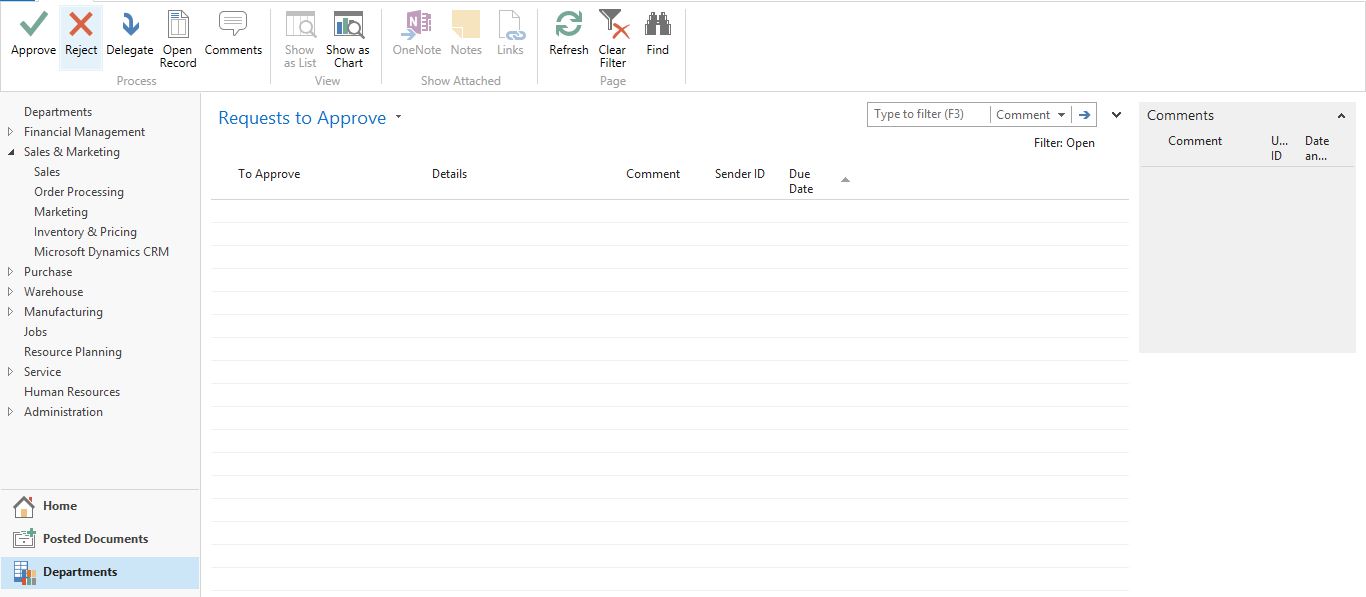
Approval.JPG

*This post is locked for comments

I have the same question (0)
  • Verified answer
    Mohana Yadav Profile Picture
    61,001 Super User 2025 Season 2 on at

    I guess you are checking by logging in as Approver user and not with same user who sent to approval

  • Suggested answer
    Suresh Kulla Profile Picture
    50,243 Super User 2025 Season 2 on at

    Are you setup as Approver ID for the user who sent the request ? Have you enabled any notifications and do you see any notifications ?

  • Suggested answer
    Binesh Profile Picture
    7,885 on at

    Hello Sree,

    Make these setup first [If not setup]

    1. Users
    2. Approval User Setup (In that also Notification Setup)
    3. Setup your workflow
    4. Setup job Queue.
    5. Testing

    For reference,  visit bellow link

             Vendor Approval Workflows added in NAV 2017

  • Suggested answer
    Amol Salvi Profile Picture
    18,698 on at

    Check the approval setup as well as check whether you have not set yourself as approver

  • Suggested answer
    Yogesh Kulkarni_ Profile Picture
    1,762 on at

    Sree,

    In NAV, if Approver is the Requester then the Document gets approved automatically.

    Please check once whether document is been approved or pending for approval.

    If pending for approval then to which user the request is pending.

    -Yogesh Kulkarni

    Please verify, if you find answer helpful.

  • Community Member Profile Picture
    on at

    Hi everyone, 

    thank you for helping. Managed to solve the error. 

  • Suggested answer
    Binesh Profile Picture
    7,885 on at

    Hello,

    If you solved then close this thread by verifying, so other members not going to open.

  • Suggested answer
    Mohana Yadav Profile Picture
    61,001 Super User 2025 Season 2 on at

    can you share the solution please.. it could help someone in future.

  • Suggested answer
    Maneesha Profile Picture
    5,891 on at

    login from your "Approver User ID"  and Check

Under review

Thank you for your reply! To ensure a great experience for everyone, your content is awaiting approval by our Community Managers. Please check back later.

Helpful resources

Quick Links

Responsible AI policies

As AI tools become more common, we’re introducing a Responsible AI Use…

Neeraj Kumar – Community Spotlight

We are honored to recognize Neeraj Kumar as our Community Spotlight honoree for…

Leaderboard > 🔒一 Microsoft Dynamics NAV (Archived)

Last 30 days Overall leaderboard

Featured topics

Product updates

Dynamics 365 release plans



