web
You’re offline. This is a read only version of the page.
close
Skip to main content

Notifications

Announcements

No record found.

Community site session details

Community site session details

Session Id :
Finance | Project Operations, Human Resources, ...
Unanswered

How to perform a multiselection in Menu item function

(0) ShareShare
ReportReport
Posted on by 668

Hi All,

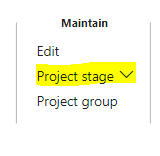
In All projects form, there is a button "Project Stage" in Action pane "Project" which is used to update the project stage of the selected record (multiselection is disabled). Now the requirement is to make a new button which allows multiselection and can update the project stage of multiple selected records.

As per the standard, A menu item functions are used under this button and a parameter value and menu item is been called. Now in customized button, done with the same menu item functions and make Multi select as Yes and override the OnClicked event handler to call it multiple times for ProjTable
pastedimage1652861109950v2.png

But it is not working as the menu item is calling twice.

Could you please help to get this functionality achieved or by through other way. As I need to update multiple records

I have the same question (0)
  • Gunjan Bhattachayya Profile Picture
    35,423 on at

    Hi D365FO Avatar,

    You will need to write a new class for this so that you can loop through the selected projects and update them to the desired value. You might also need to include validation to check the update to the selected project stage is permitted as per the current stage of the selected projects.

  • D365FO Avatar Profile Picture
    668 on at

    Hi Gunjan,

    Thanks for the response.

    where should I call this class, as I m override the Clicked method of the menu item function but as they are not working s required.

    Now there is one more way to create a button and call a class which create a dialog for these required stages, but here also the question is how can I display the required lookup of project stages in that dialog form.

  • Gunjan Bhattachayya Profile Picture
    35,423 on at

    Hi D365FO Avatar,

    All the stages are already present as menu item buttons under the menu button CtrlStages. So, there is no need for a dialog to display these. But, the options will be shown as per the highlighted project record that you are trying to update.

    pastedimage1652871556892v1.png

    As for the class you could try duplicating the ProjStatusUpd class and change the code to so that it could handle updating multiple records instead of a single record.

  • D365FO Avatar Profile Picture
    668 on at

    Hi Gunjan,

    By duplicating ProjStatusUpd class, I have add multiselection code in its main() but still there are many errors are coming as there are many other classes which are been used in ProjStatusUpd class. So to overcome this issue, I have extends the duplicated class with ProjStatusUpd but still there are some protected and private methods which are giving issues.

  • Gunjan Bhattachayya Profile Picture
    35,423 on at

    Hi D365FO Avatar,

    Could you share the errors you are getting and the code changes you made you get this working.

Under review

Thank you for your reply! To ensure a great experience for everyone, your content is awaiting approval by our Community Managers. Please check back later.

Helpful resources

Quick Links

Responsible AI policies

As AI tools become more common, we’re introducing a Responsible AI Use…

Neeraj Kumar – Community Spotlight

We are honored to recognize Neeraj Kumar as our Community Spotlight honoree for…

Leaderboard > Finance | Project Operations, Human Resources, AX, GP, SL

#1
Martin Dráb Profile Picture

Martin Dráb 660 Most Valuable Professional

#2
André Arnaud de Calavon Profile Picture

André Arnaud de Cal... 549 Super User 2025 Season 2

#3
Sohaib Cheema Profile Picture

Sohaib Cheema 307 User Group Leader

Last 30 days Overall leaderboard

Product updates

Dynamics 365 release plans



