web
You’re offline. This is a read only version of the page.
close
Skip to main content

Notifications

Announcements

No record found.

Community site session details

Community site session details

Session Id :
Customer experience | Sales, Customer Insights,...
Unanswered

Rich Text Control on portal

(1) ShareShare
ReportReport
Posted on by

Hi,

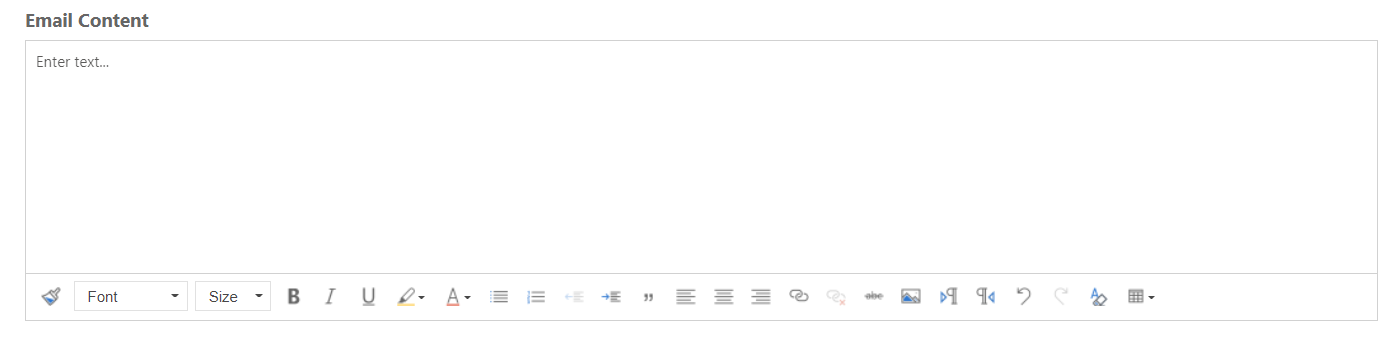
I have added the rich text editor control on one multi line text field on partner portal. 
pastedimage1651067681761v1.png

But after doing that, when I am trying to populate this field programmatically It is not happening.

I am using the below code to set value in this field.

$("#new_emailcontent").val("hello");

When I have tried this code before applying rich text editor control to that field, it is working fine. 

So Any suggestions on how to programmatically populate the rich text enabled field on portal. Are there any different syntax for that.

Thanks.

I have the same question (0)
  • dxshyam Profile Picture
    230 on at

    Giving additional background to Akash's post

    Version: D365 CRM Version 9.2 + Partner Portal

    Requirement:

    1. Need to provision sending emails from Partner Portal
    2. Requires the format to be rich text ( font, color, logo etc)
    3. Apart from sending regular email, users should also have a provision to choose templates from a drop down, which when selected  should auto populate the subject and the body (rich text) with the template's subject and template's body (including the logo)
    4. Need to have the email content captured in Opportunity's timeline
    5. Need to have the "From" email address be set as the logged in partner portal user's email address so that the recipient knows who sent the email

    Challenge:

    Not sure which of these are achievable, which are not.

    1. Not able to programmatically set the email template' body to the rich text editor, as explained by Akash in the original post.
    2. Portal users are Contact's and for a mailbox to be configured in CRM, there should be a CRM license associated to that user. Do not know how to have the FROM set as logged in portal's user's email address.

    Any leads on this is appreciated.

    -Shyam

  • CRMJetty Profile Picture
    3,512 on at

    Hi Akash,

    To bind data properly in rich text editor, you need to first unbind rich text editor from textarea control then bind value in textarea then rebind rich text editor in textarea.

    Code:

    var TextWidgetarea = $('#para_text').clone();
        var textWidgetparent = $('#para_text').parents('.richText').first().parent();
        $('#para_text').parents('.richText').first().remove();
        textWidgetparent.append(TextWidgetarea);
        $('#para_text').val(Element.html());
        $('#para_text').richText();

    Or you can bind value by finding editor div.

    Code:

     $('#para_text').parent().parent().find('.richText-editor').html("Hello!!");

    I hope it helps,

    Thanks.

    Please mark as verified if the answer is helpful. Welcome to join hot discussions in Dynamics 365.

Under review

Thank you for your reply! To ensure a great experience for everyone, your content is awaiting approval by our Community Managers. Please check back later.

Helpful resources

Quick Links

Responsible AI policies

As AI tools become more common, we’re introducing a Responsible AI Use…

Neeraj Kumar – Community Spotlight

We are honored to recognize Neeraj Kumar as our Community Spotlight honoree for…

Leaderboard > Customer experience | Sales, Customer Insights, CRM

#1
Tom_Gioielli Profile Picture

Tom_Gioielli 144 Super User 2025 Season 2

#2
#ManoVerse Profile Picture

#ManoVerse 59

#3
Gerardo Rentería García Profile Picture

Gerardo Rentería Ga... 52 Most Valuable Professional

Last 30 days Overall leaderboard

Product updates

Dynamics 365 release plans



