Hi all,
please could someone help me?
I have three SLA's each with four levels *including a triage, each connected to a corresponding KPI field
React
Triage
Low priority - Investigate Problem, Agree resolution, Complete resolution
Medium priority - Investigate Problem, Agree resolution, Complete resolution
High priority - Investigate Problem, Agree resolution, Complete resolution
Critical Priority - Investigate Problem, Agree resolution, Complete resolution
Pro
Pro Triage
*Repeats React, React keyword replace with Pro
Gold
Gold Triage
*Repeats React, React keyword replaced with Gold
Of course, every name has a variation of each other to avoid clashing, but there is a pattern that I want each to follow.
Each SLA has thirteen different SLA items, each with a corresponding action flow,
example below: *draft mode

I viewed responses in the below:
(+) SLA Set as Default error Exception occured in SLAInstance management custom action : system.ServiceModel.FaultException`1[Microsoft.Xrm.Sdk.OrganizationServiceFault] - Dynamics 365 Customer Service Forum Community Forum
Below is the calendar, which is pointed at customer service and does not observe holidays.
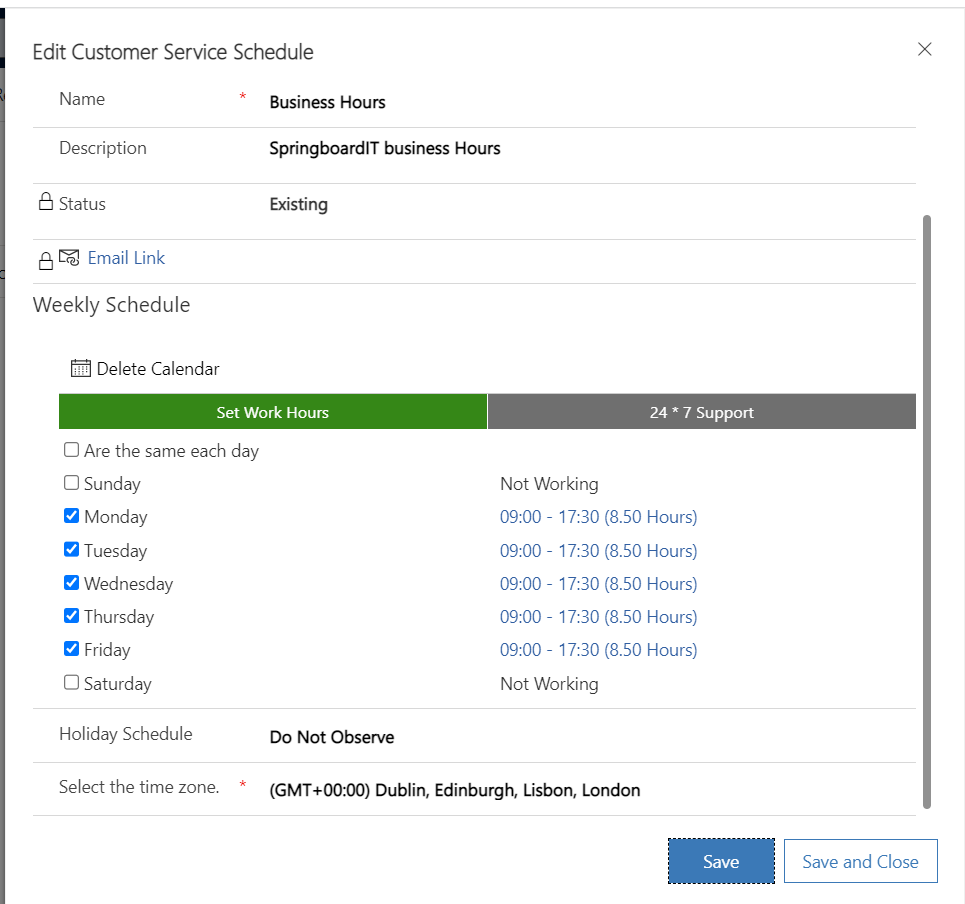
However, my issue is that this only occurs with some of the SLA items.
For example, it works absolutely fine for:
Gold - Investigate Problem, Medium priority, but not React Investigate Problem, Medium Priority.
Or even when I remove this item& add it again, initial testing works, but a day later it throws the error.
This occurs with also both Pro& Gold SLAs, also at different levels:
Latest notes:
Errors returned from latest testing each level -
React -
Medium
Pro
Low
Critical
Gold
medium
high
Each SLA does have a custom action, that simply updates the SLA status and sends an email to my address.
SLA flow action example:
Update case row, get the specific case instance
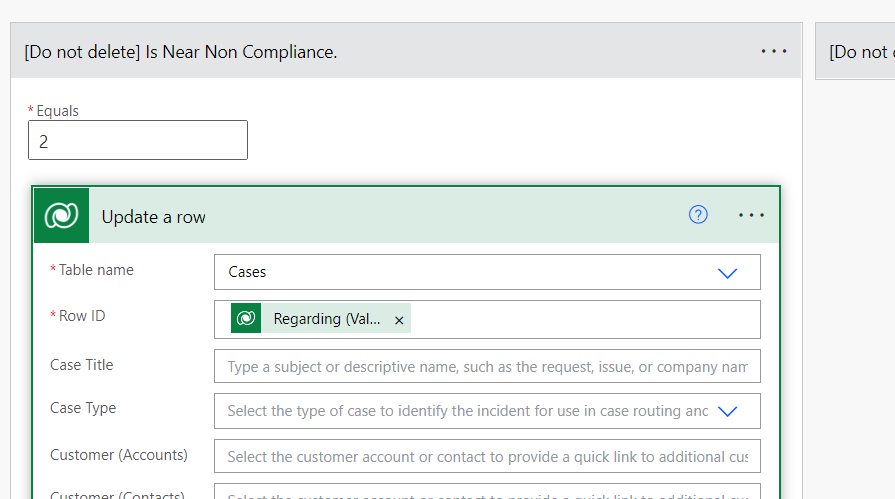
Update First response SLA Status

Next step - send email
This is done if the item is nearing non-compliant or non-compliant.
Video of SLA working: *Both medium priority level
https://vimeo.com/750897159/598c84ab29
Video of error:
https://vimeo.com/750879848/f3a974b487
See error message below:
[View:/cfs-file/__key/communityserver-discussions-components-files/763/7725.ErrorDetails.txt]
Video testing each SLA at each level:
https://vimeo.com/750880533/60878dfde6
The above clip is an extreme example of testing each SLA, as it would be highly unusual for both an SLA and Priority level to change in a single case instance, let alone multiple changes.
Yet it showed be very robust despite me not following the standard business process flow, which makes the erroring items, that much more frustrating to narrow down.
As you'd think if one set of conditions works for one SLA item at the same stage& priority level works, why does it error for the same stage priority level& priority level, but a different SLA?
Perhaps there are two many items/parts moving.
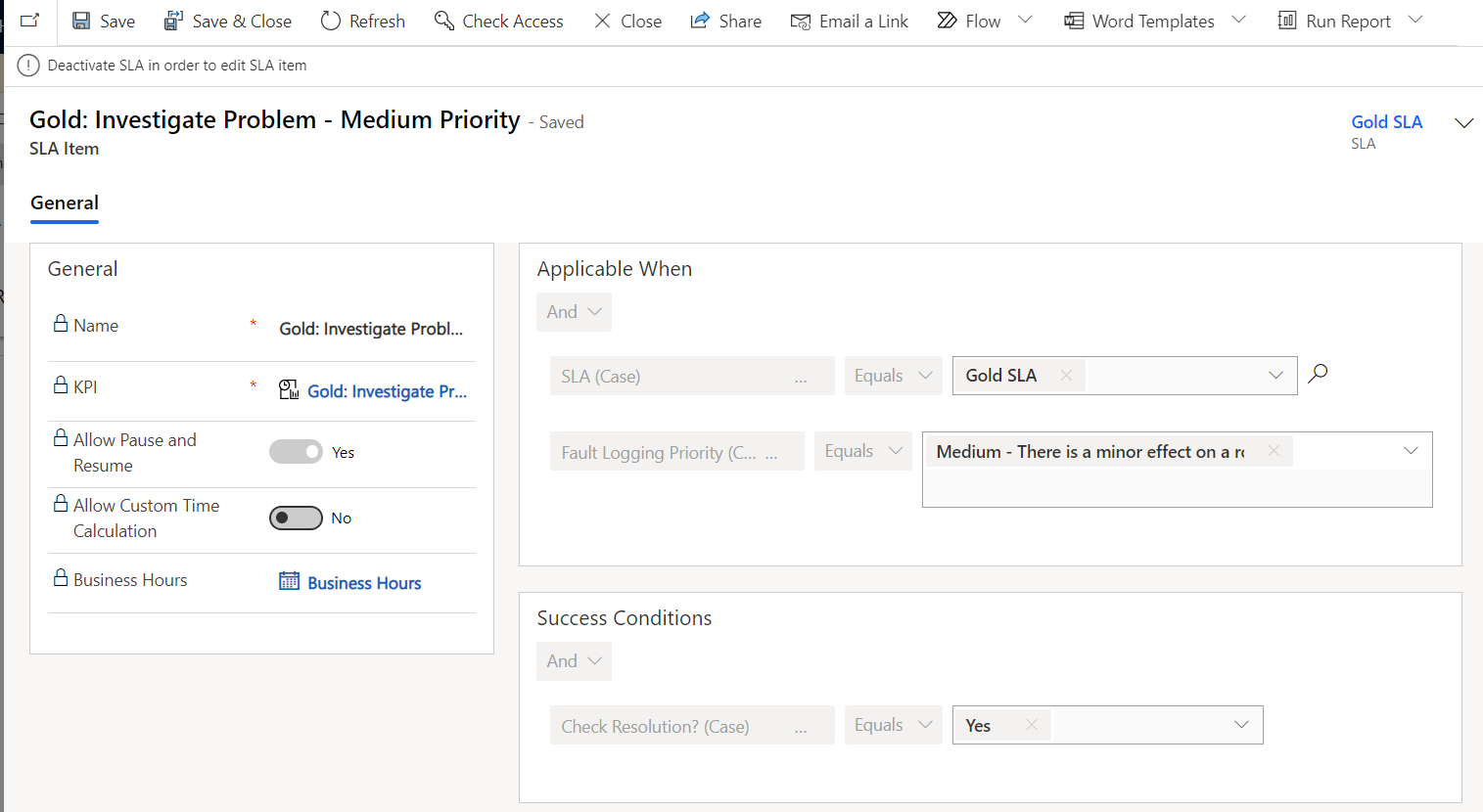
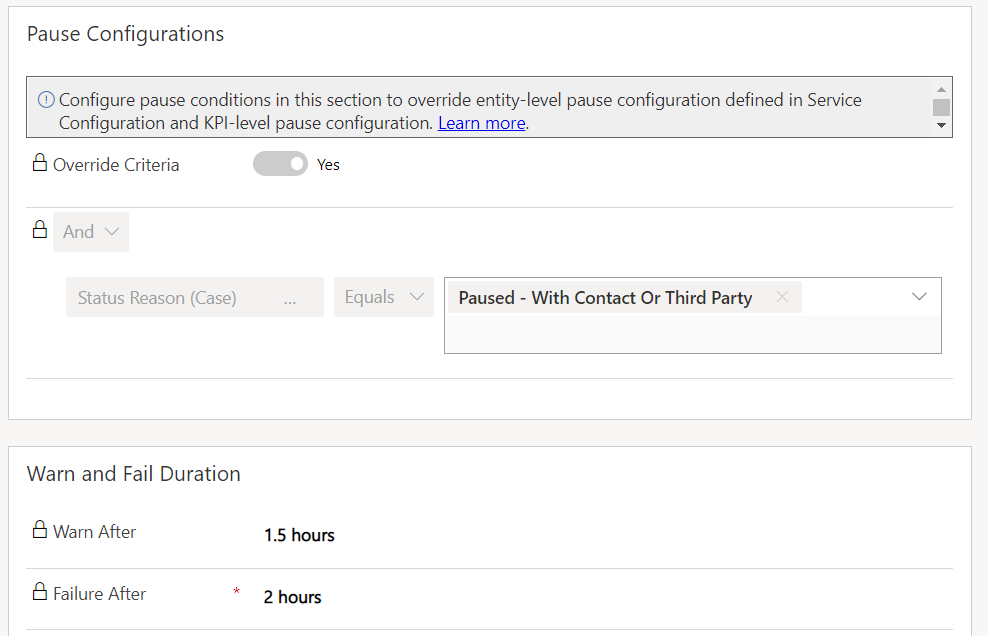
See comparison of Working Gold investigate Problem - Medium priority conditions:
Then see Erroring React investigate Problem - Medium priority conditions:
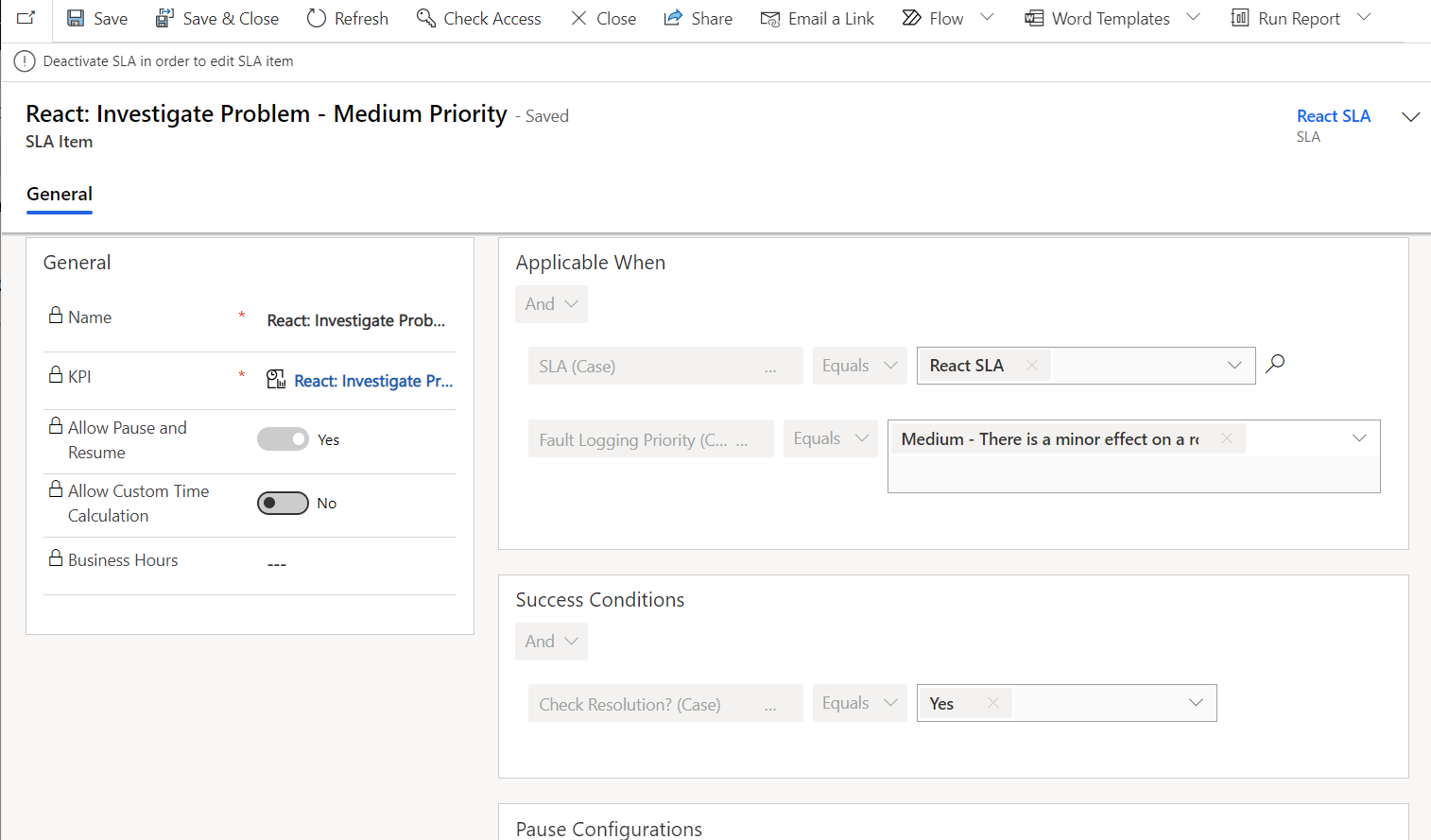
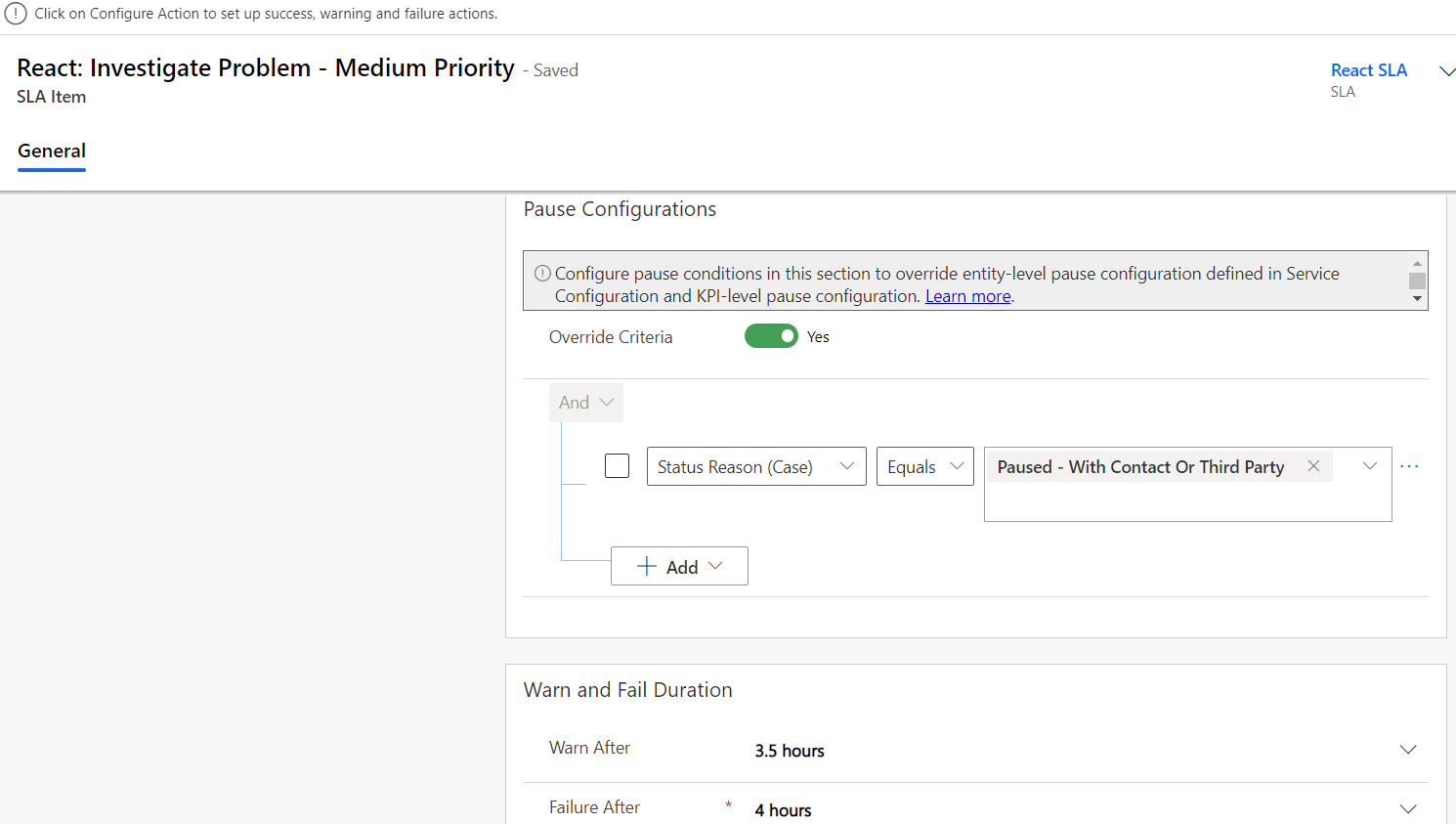
As you can see they are almost identical - see KPI's below:
React investigate Problem medium priority *erroring
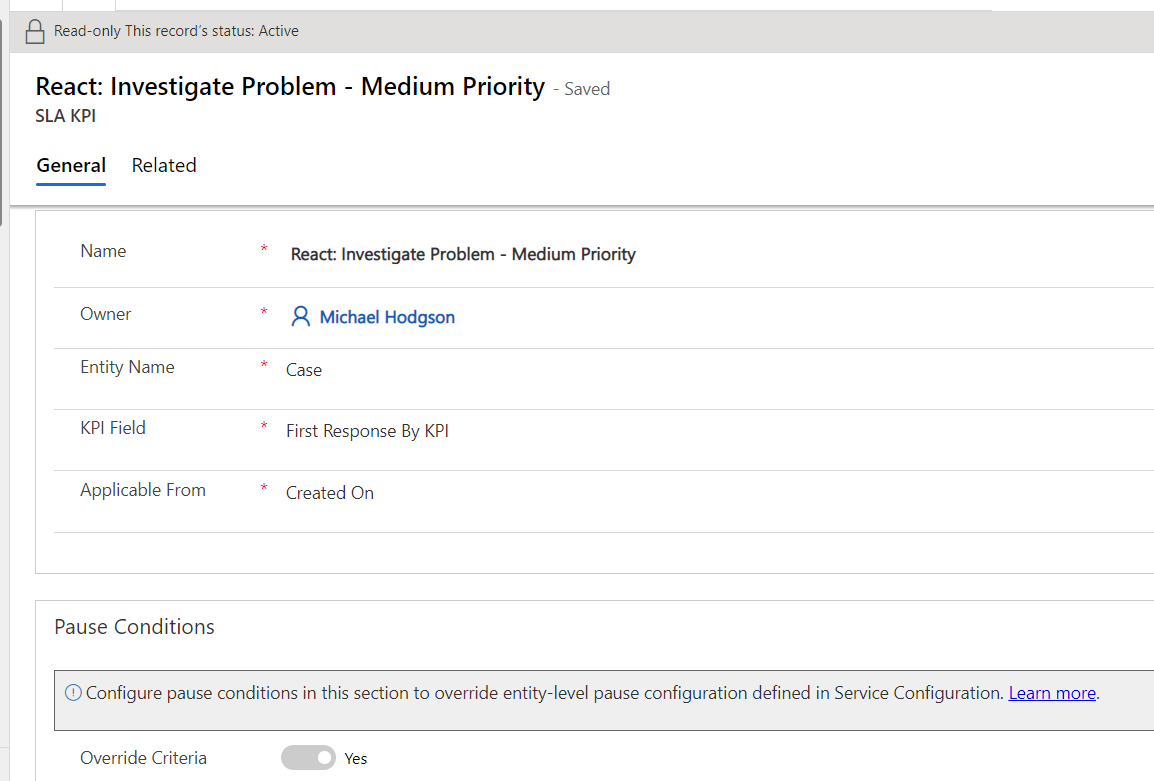
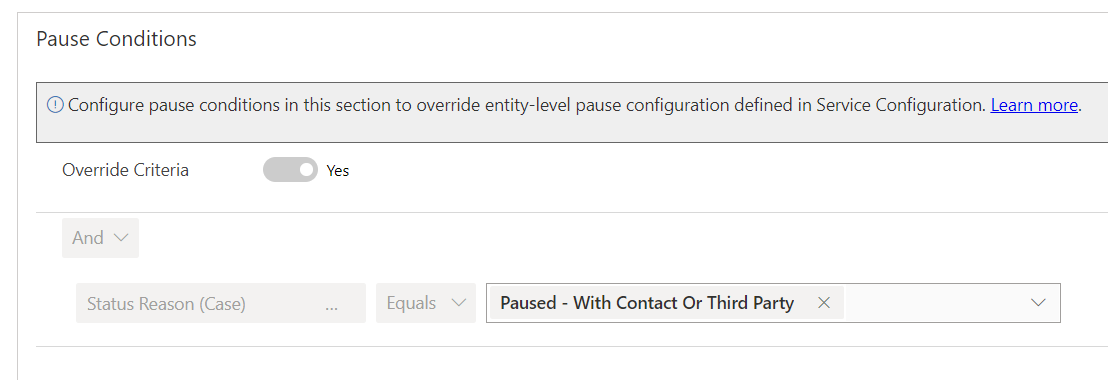
Gold Investigate problem - Medium Priority * working
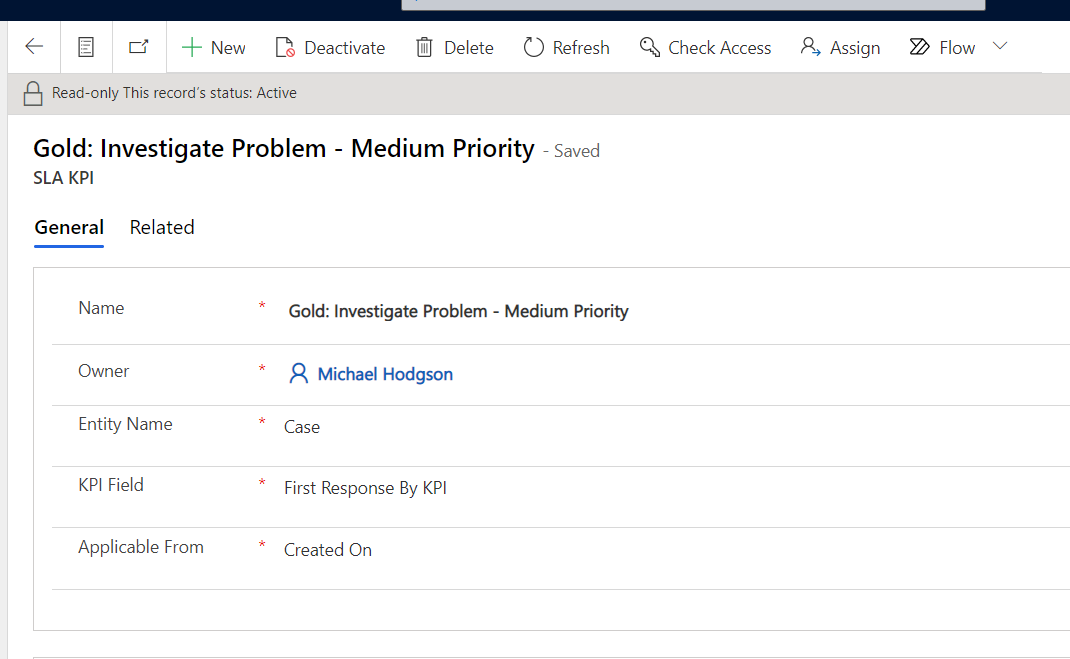
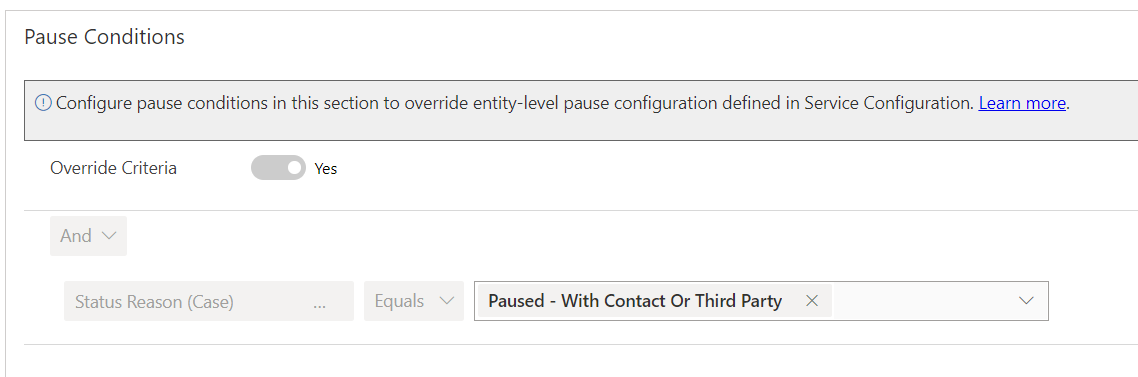
I have tried removing offending items *mainly investigate problem item, which initially it works but after a couple of tests does not.
What I don't understand is how it can work for one level but not for another.
A Pro investigate problem - low priority can have the same conditions, looks at the same calendar, the same KPI as a React investigate problem - low priority.
And the error occurs for one of them.
I have tested one at a time with the same result.
Apologies for the long explanation, I have burnt many hours trying to solve this issue. Could anyone help?
Thanks again.


