web
You’re offline. This is a read only version of the page.
close
Skip to main content

Notifications

Announcements

No record found.

Community site session details

Community site session details

Session Id :
Microsoft Dynamics AX (Archived)

Can't View Report From Purchase Manager Role

(0) ShareShare
ReportReport
Posted on by 202

Dear Experts,

I've been working with a report recently in AX 2012 R3. the report is working fine when opened using an user with System Administrator role. the problem is, when i'm using an user with Purchasing Manager role, the report can't be opened. here's the screenshot related to the error :
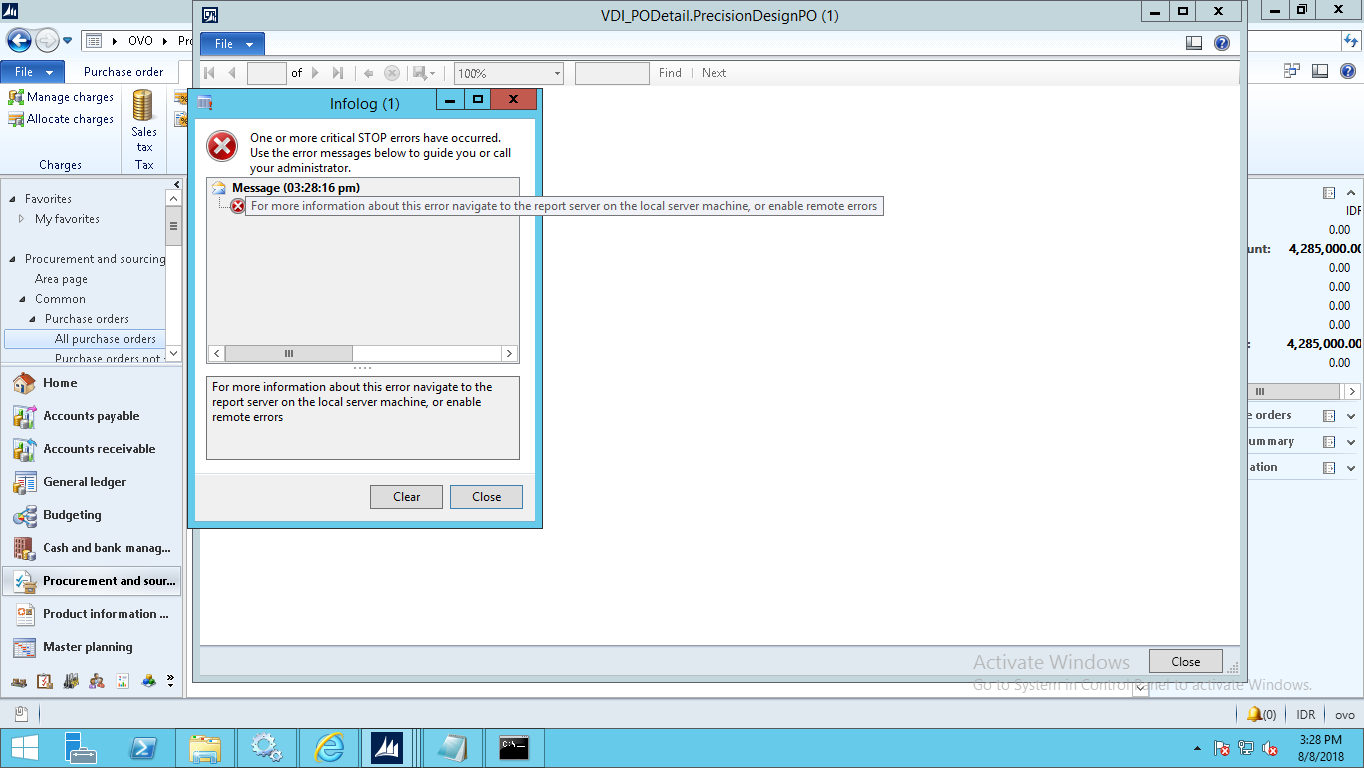
eror-PO-doc.png

is it related to the table? or anything else i don't know?

Please tell me what i can do to solve this problem? i appreciate any kind of answer.

Regards,

Chaidir Ali Assegaf

*This post is locked for comments

I have the same question (0)
  • nmaenpaa Profile Picture
    101,162 Moderator on at

    Please follow the instructions that you see in the infolog. Then you will find more information, that you can share with us. Basically you should navigate to the report server and check the messages from the event log. Or enable remote errors on SSRS, which allows you to see the actual error messages in the infolog, instead of the current message that you are seeing.

    Please note that this report is a custom report, so Purchasing Manager role doesn't have any access to it by default. Could you please share all security changes that are related to this customization? (Changed/new privileges, duties, roles).

  • Suggested answer
    Sefa Duman Profile Picture
    1,167 on at

    Hi Chaidir,
    Firstly it would be useful to enable remote errors on SSRS as Nikolaos mentioned. So that you will be able to see detailed error messages.
    Probably you have developed this report via data provider class. A temp table is used for report in dp class type reports. Adding report menu item is not enough for dp type reports. You must add this temp table to your privilege addition to menu item.

Under review

Thank you for your reply! To ensure a great experience for everyone, your content is awaiting approval by our Community Managers. Please check back later.

Helpful resources

Quick Links

Responsible AI policies

As AI tools become more common, we’re introducing a Responsible AI Use…

Neeraj Kumar – Community Spotlight

We are honored to recognize Neeraj Kumar as our Community Spotlight honoree for…

Leaderboard > 🔒一 Microsoft Dynamics AX (Archived)

#1
Martin Dráb Profile Picture

Martin Dráb 4 Most Valuable Professional

#1
Priya_K Profile Picture

Priya_K 4

#3
MyDynamicsNAV Profile Picture

MyDynamicsNAV 2

Last 30 days Overall leaderboard

Featured topics

Product updates

Dynamics 365 release plans



