Hi Everyone,
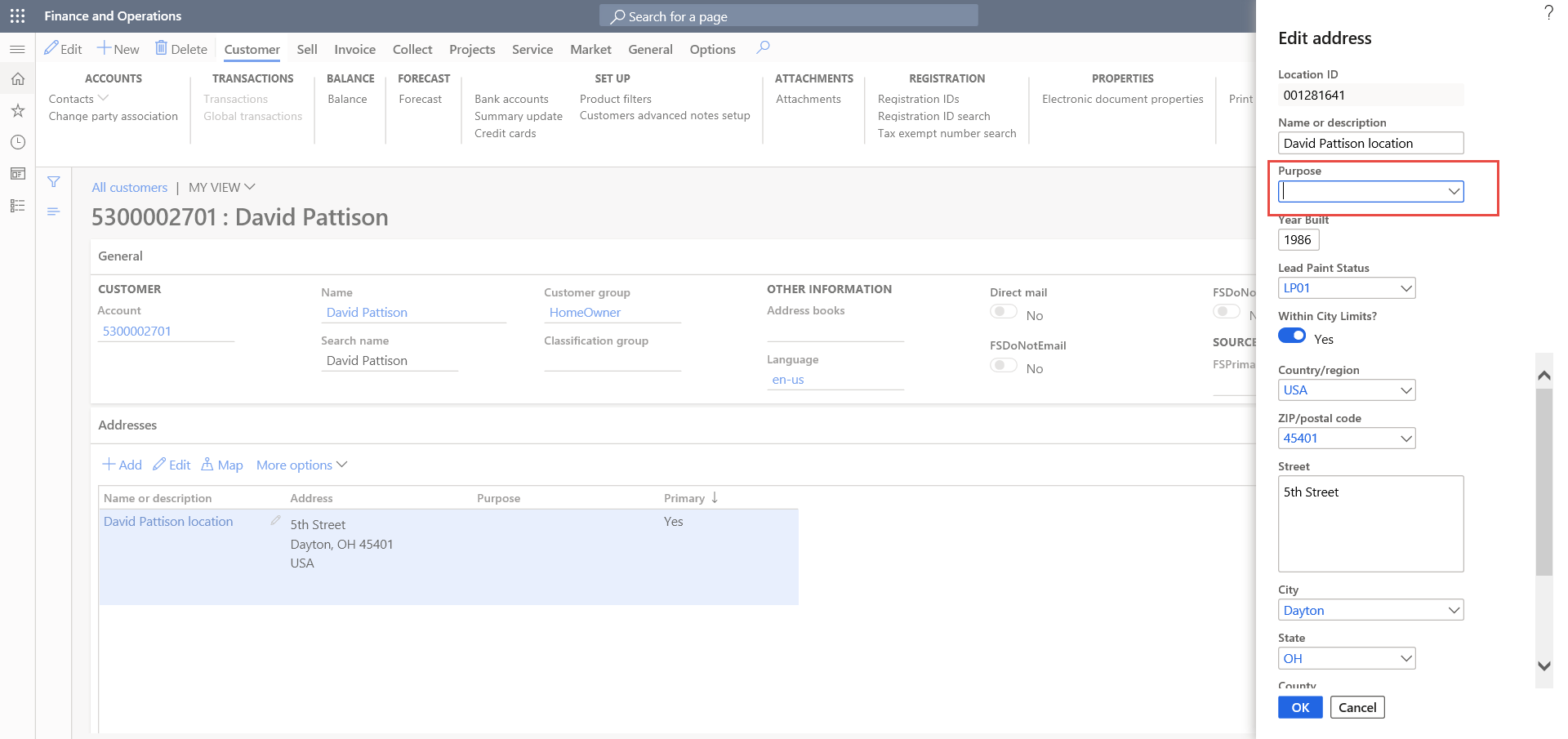
With below code I am able to create address on Customer. But I want to set the Purpose as well.
Can anyone help me to modify my code? How can I pass parameter for setting purpose of Address that is, Business/Delivery/Invoice .. etc.
 private void createAddress(SIAddressParameter			_address,
                              SICustomerAddressParameter	_custAddressParam,
                              CustTable						custTable)
    {
        dirPartyPostalAddressView     dirPartyPostalAddressView;
        DirParty                      dirparty;

        dirParty = DirParty::constructFromCommon(custTable);

        dirPartyPostalAddressView.LocationName          = _address.parmAddlocationName();
        dirPartyPostalAddressView.City                  = _address.parmCity();
        dirPartyPostalAddressView.Street                = _address.parmStreet();
        dirPartyPostalAddressView.CountryRegionId       = _address.parmCountryId();
        dirPartyPostalAddressView.State                 = _address.parmState();
        dirPartyPostalAddressView.zipcode               = _address.parmZipCode();
        dirPartyPostalAddressView.IsPrimary             = (_address.parmShipto())?NoYes::Yes:NoYes::No;
        dirPartyPostalAddressView.FSWithinCityLimits    = (_address.parmWithinCity() == 'Yes')?NoYes::Yes:NoYes::No;
        dirPartyPostalAddressView.FSYearBuilt           = _address.parmYearBuilt();
        dirPartyPostalAddressView.FSLeadPaintStatusId   = _address.parmLeadPaintStatusId();
        dirPartyPostalAddressView.CHI_CRMAddressId      = _address.parmCRMAddressId();

        dirParty.createOrUpdatePostalAddress(dirPartyPostalAddressView,str2con(_address.parmAddRoles()));
    }