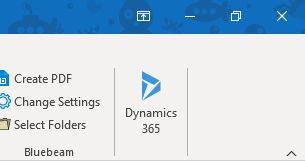
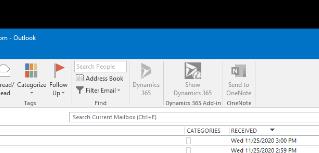
I have configured 100+ users for the Dynamics 365 app for Outlook this is the newest app that requires only that the user login to the app in Outlook after being configured in Settings > Email Configuration and Settings > Dynamics 365 App for Outlook. These configuration and deployments were successful and it shows installed. However, the user's Outlook displays an odd block in the Ribbon. Show Dynamics 365 add-in versus the Dynamics 365 that shows the other users Outlook. Nothing has been installed, nothing in programs and features, no add-ins in Outlook (disabled or enabled). It is grayed out. After reconfiguring the user he will get prompted to sign in to our ADFS server, however, he gets a 404 error. Any thoughts?
Correct
Incorrect
Any suggestions would e greatly appreciated.!







