web
You’re offline. This is a read only version of the page.
close
Skip to main content

Notifications

Announcements

No record found.

Community site session details

Community site session details

Session Id :
Customer experience | Sales, Customer Insights,...
Answered

Send in-app notification when user is mentioned in timeline

(0) ShareShare
ReportReport
Posted on by 17

Hey everyone, 

I am looking for a Power Automate Flow that will send an in-app notification to a User when she/he is mentioned in a post on a Timeline. 

Can someone help me with that? Can't seem to find anything on the forum... 

In-app functionality is activated and I have successfully created a different flow that will notify when a new task is assigned. I just don't know how to set the trigger to "when a User is mentioned in a post" ... 

Thank you!!! 

I have the same question (0)
  • Viktor Johansson Profile Picture
    on at

    Hi,

    To my understanding there is no trigger on timeline mention unfortunatly.

    But you can try to trigger on post create, and then parse the body of the post for mentions.

    I cant test myself right now but it should be possible to then extract the systemuserid from the mention in the message, to use with the inapp notification.

  • Verified answer
    Community Member Profile Picture
    on at

    Hi yvka123,

    As Viktor suggested, you can set up a trigger for when a new record (Post) is created, user's id stores in the text of the post.

    How to filter the text of the post to get the ID of the mentioned user?

    --Using split() function twice in the flow:

    Overview:
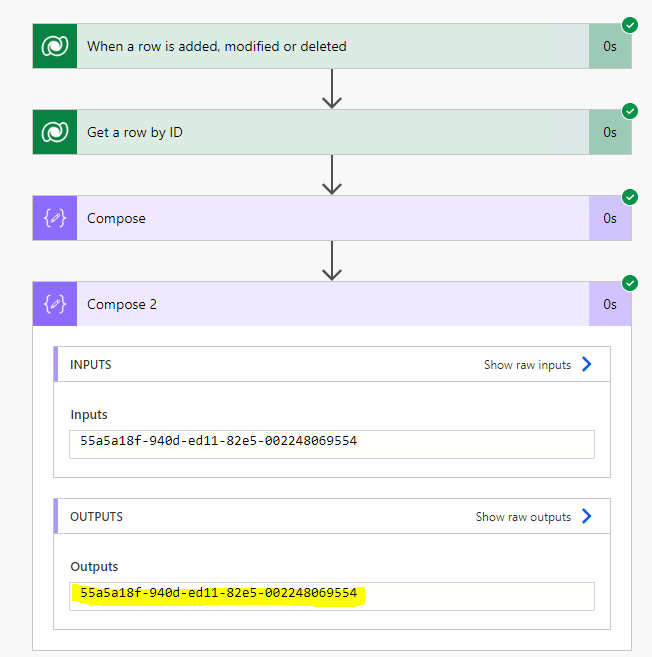
    pastedimage1665126325604v1.png

    Steps:

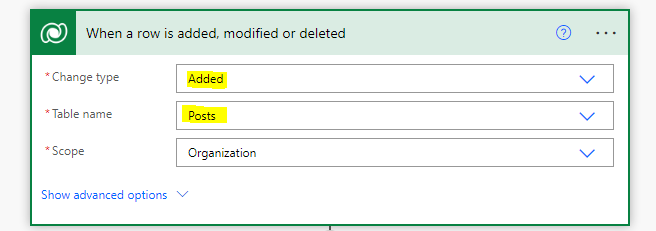
    1.Trigger:

    pastedimage1665126461418v3.png

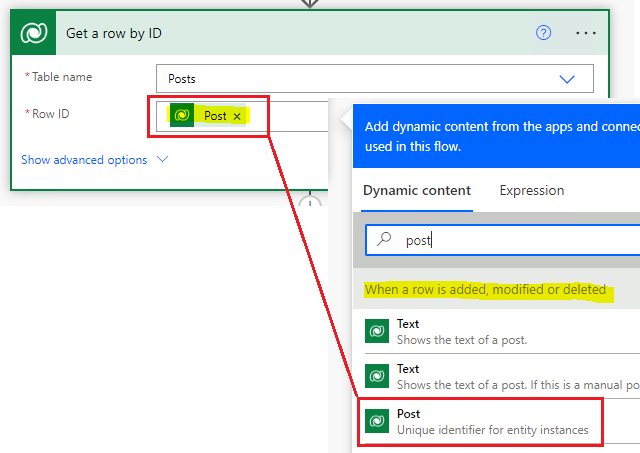
    2.Get a row by id:

    pastedimage1665126534299v4.png

    Then you can test run the flow to view format of the text:
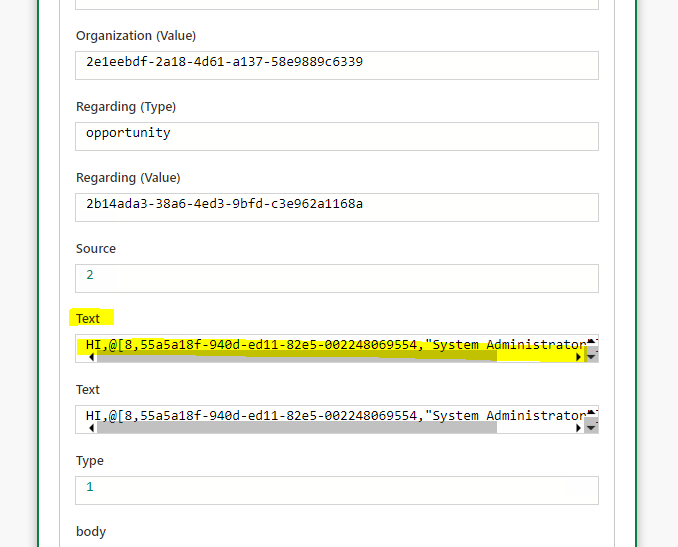
    pastedimage1665126440705v2.png

    Special format: @[8,userid,username,...], So you can use these special characters to split the text.

    3.Using split() firstly to split text got from last step:

    split(outputs('Get_a_row_by_ID')?['body/largetext'], '@[8,')[1]
    pastedimage1665126844726v5.png

    4.use split() again to split output got from last step:

    split(outputs('Compose'),',')[0]
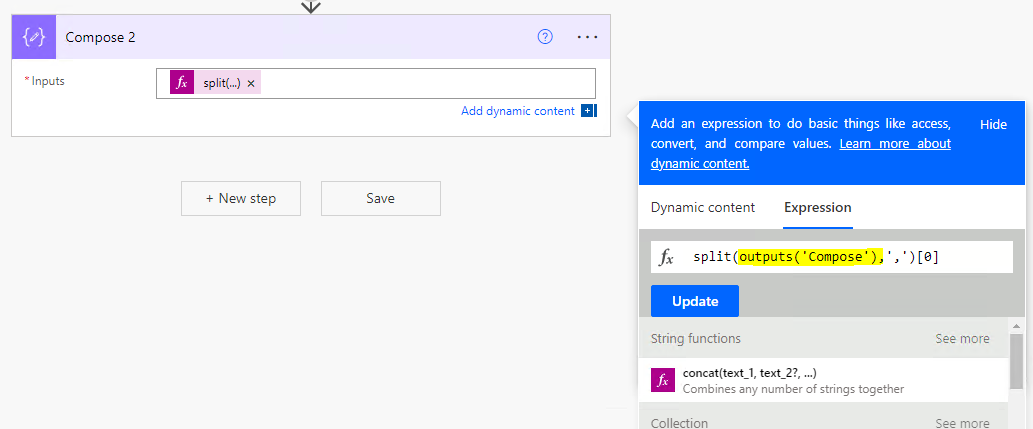
    pastedimage1665126888565v6.png

    Reference(usage of split() function in power automate):

    https://www.enjoysharepoint.com/power-automate-split-string-into-an-array/ 

    Then you can use the id of the user in your following steps to send in-app notification.

  • Community Member Profile Picture
    on at

    Hi yvka123,

    Have any updates?

    Could you click 'Yes' to close the thread if my answer is helpful?

  • yvka123 Profile Picture
    17 on at

    Finally got to test it - it works perfectly, thank you so much!!

    I added a link to the regarding dataset in the notification. Super useful now :-)

  • Christian K Profile Picture
    144 on at
    Hi,
     
    could you post how you got the user id or used the result of compose 2? I am somewhat stuck there....
  • yvka123 Profile Picture
    17 on at
    Hi Christian, 
     
    this is all I did after Compose 2 and it works fine: 
     
    ( "Verfassen" means compose, and "Neue Zeile hinzufügen" is "Adding a new row" ) 


    Hope that helps. 
     
    Best regards
    Yvonne 
     

Under review

Thank you for your reply! To ensure a great experience for everyone, your content is awaiting approval by our Community Managers. Please check back later.

Helpful resources

Quick Links

Responsible AI policies

As AI tools become more common, we’re introducing a Responsible AI Use…

Neeraj Kumar – Community Spotlight

We are honored to recognize Neeraj Kumar as our Community Spotlight honoree for…

Leaderboard > Customer experience | Sales, Customer Insights, CRM

#1
Tom_Gioielli Profile Picture

Tom_Gioielli 70 Super User 2025 Season 2

#2
Gerardo Rentería García Profile Picture

Gerardo Rentería Ga... 33 Most Valuable Professional

#3
Daniyal Khaleel Profile Picture

Daniyal Khaleel 32 Most Valuable Professional

Last 30 days Overall leaderboard

Product updates

Dynamics 365 release plans