Hi Pani,
Maybe you can try to use power automate to add new value to option sets, which may be easier.
We will use the Common Data Service (Current Environment) connector and the "InsertOptionValue" Perform Unbound action to achieve this.
Add new values to CDS Option Sets using Power Automate (bythedevs.com)
For example, I have an local option set named ‘’
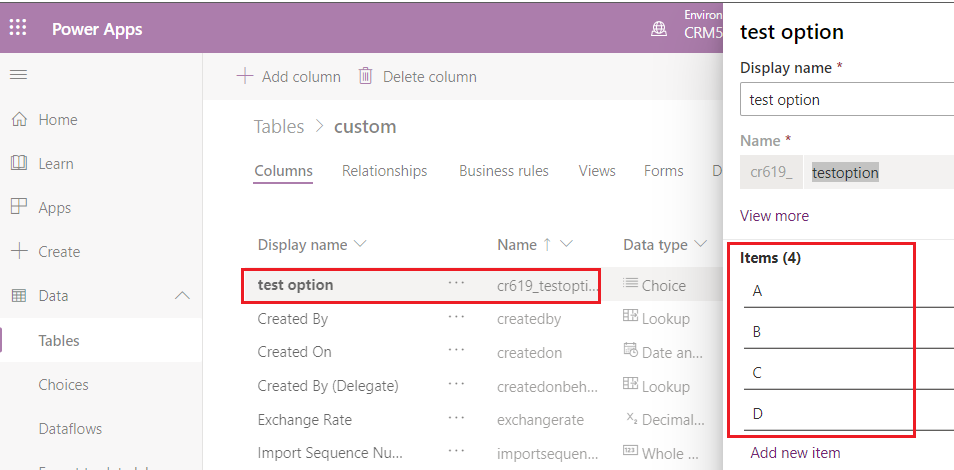
1.Go Power Automate(https://us.flow.microsoft.com/en-us/ ) to create an instant vflow.
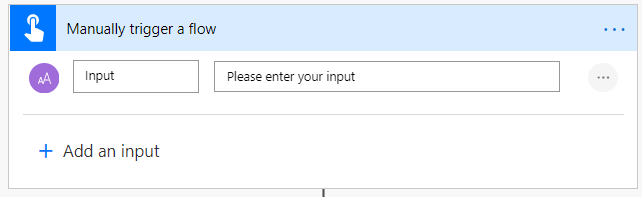
2.Trigger- Manual:
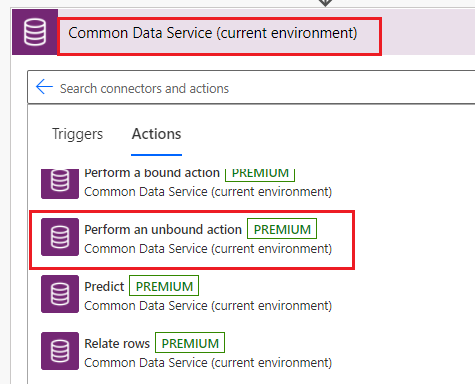
3.Action- Perform an unbound action using the Common Data Service (current environment).

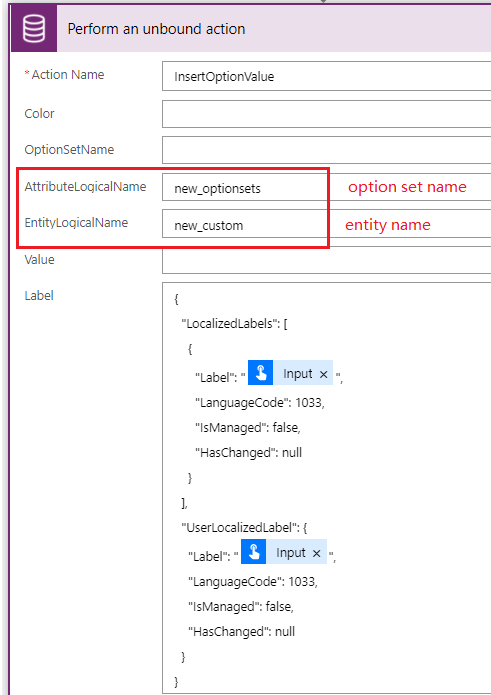
using following json:
{
  "LocalizedLabels": [
    {
      "Label": "@{triggerBody()['text']}",
      "LanguageCode": 1033,
      "IsManaged": false,
      "HasChanged": null
    }
  ],

  "UserLocalizedLabel": {
    "Label": "@{triggerBody()['text']}",
    "LanguageCode": 1033,
    "IsManaged": false,
    "HasChanged": null
  }
}
Test:
(1)Run the flow.

(2)Result:

Note: the option sets i test is global, if your option sets is local, you can refer following screenshot:
Filling AttributeLogicalName and EntityLogicalName, other setting is same.
Regards,
Leah Ju
Please mark as verified if the answer is helpful. Welcome to join hot discussions in Dynamics 365 Forums.


