Hi, I have customized the Schedule Board and added some fields and filters. I didn't have issues with combo-boxes or date filters, but interestingly enough, I'm having issues with a LIKE filter.
I have added a new text field to my filters area, here's a simple screenshot including only this field I called "Search Box":
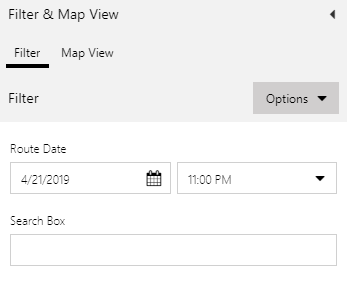
The idea is that the user enters any text in this text-box and my UFX query applies a LIKE to 2 or more fields. In this case, I'm having trouble with even one field. I added this field to the Scheduler:
<attribute name="fig_routenumber" alias="fig_routenumber" groupby="true"/>
This field is a custom field added to the Bookable Resource entity. So I would like to perform a LIKE operation to this new field:
<filter type="and">
<condition attribute="fig_routedate" operator="eq" ufx:if="$input/routedate">
<ufx:value select="$input/routedate" attribute="value" />
</condition>
<condition attribute="fig_routenumber" operator="like" ufx:if="$input/searchbox">
<ufx:value select="$input/searchbox" attribute="value" />
</condition>
</filter>
This filter does not seem to work. It seems to work as an EQUAL instead of a LIKE, and once I clear the SearchBox field, it just doesn't return anything, instead of clearing out the filter it keeps executing an EQUAL to an empty string and I get an empty board:
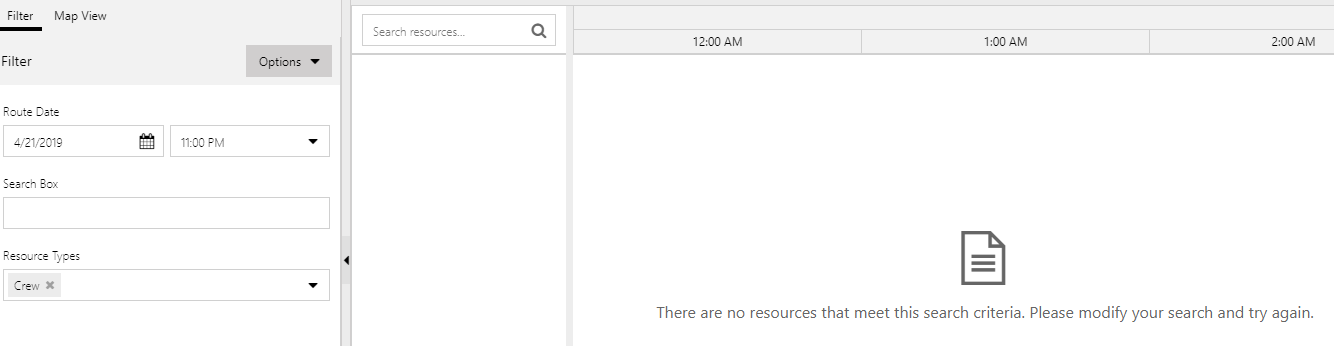
So basically my question is: How do I add a LIKE operator filter properly?
Thanks!


