Hi Nilesh,
I'm assuming you're using the out of the box Common Data Service connector in Power BI
 .
.
If you open the power Query Editor and select the table in question and click "Advanced Editor".
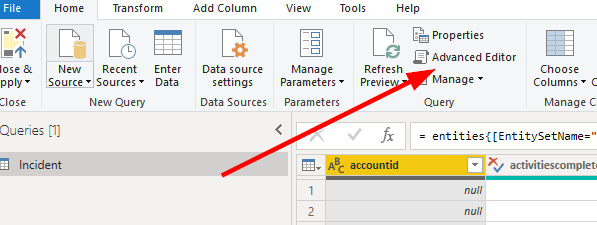
You'll see in the first step there's a area that contains your instance URL. Which you can change.
Having said that, it's not a efficient way to manage instances. I'd create another table which just holds the instance URL value and use it as a variable/parameter in all your other CRM tables/entities.
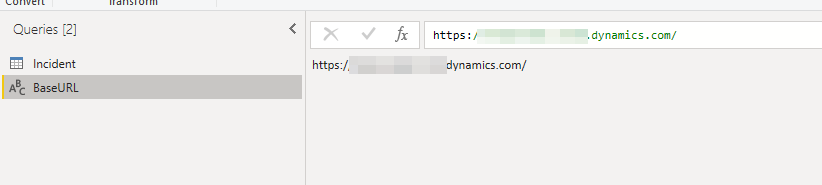
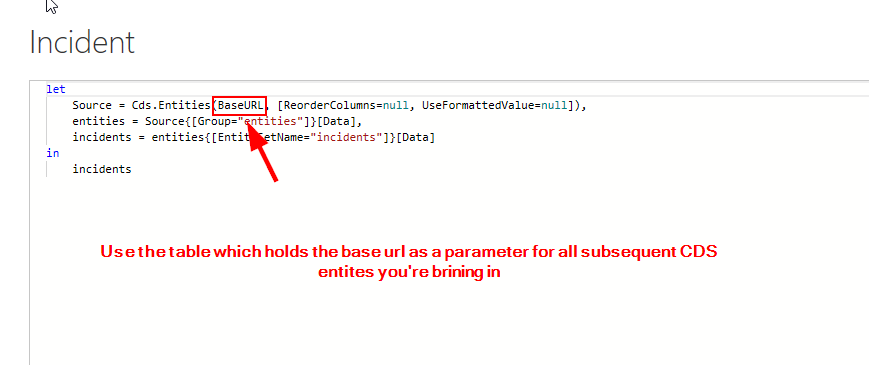
That way you only need to change the baseURL table to switch out the instance for all your other entities.
Another method is to use the Power M query builder in the XRM toolbox. Below is a good guide on how to use it:
https://crmchartguy.com/power-query-builder/
Kind regards,
Mike
If I've answered your question could you please mark this post as the answer?







