web
You’re offline. This is a read only version of the page.
close
Skip to main content

Notifications

Announcements

No record found.

Community site session details

Community site session details

Session Id :
Microsoft Dynamics AX (Archived)

Reinstall Synchronization proxy for Microsoft Project Server

(0) ShareShare
ReportReport
Posted on by 235

Hi folks!

I'm starting to work with Dynamics AX 2012 and I had a problem when installing the "Synchronization proxy for Microsoft Project Server" on DAX2012 setup.

All permissions and rights on local server/ databases are completed correctly before the Integration setup, following this guide:

go.microsoft.com/fwlink

So there's a problem at the end of the installation:
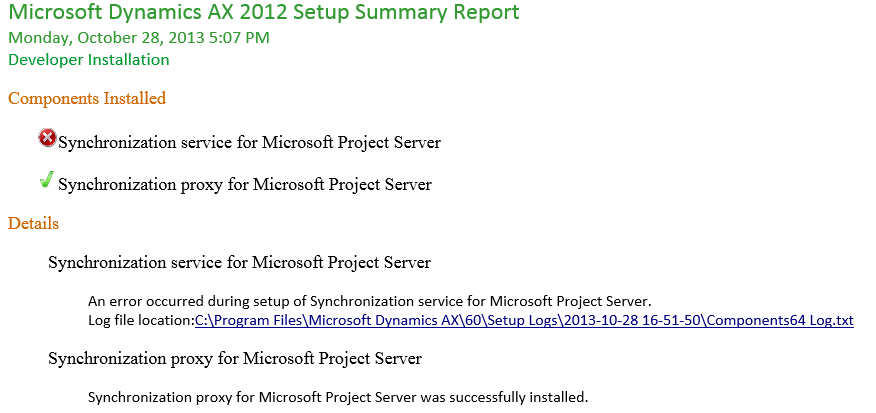
4024.DAXerror2.png


I'm pretty sure this problem is related to an Project Server instance on my SharePoint Server, so I provisioned a new fresh PWA instance and now I would like to point the integration to this new one. So there's another problem:
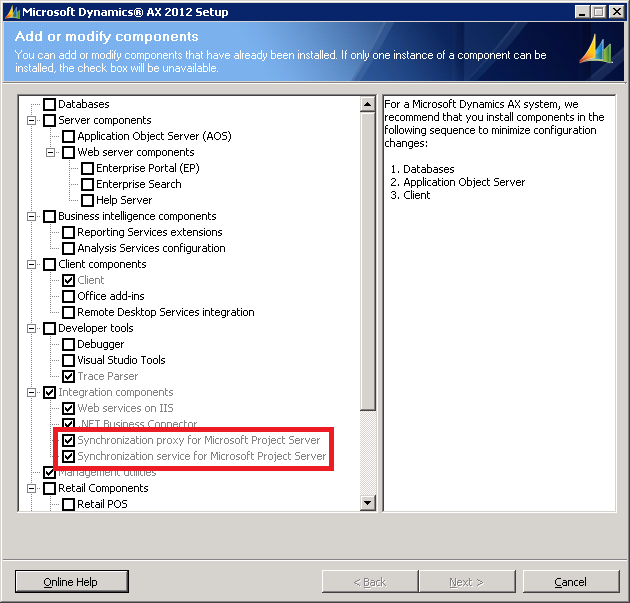
So, as I can understand, I can't "reinstall" or "reconfigure" these grayed configuration. Am I right?

Do I need to remove all componentes by "Add and Remove" programs from Control Panel, needing to reinstall all related components?


Thanks all your help ;)

*This post is locked for comments

I have the same question (0)
  • Verified answer
    fsilva-jr Profile Picture
    20 on at

    Run AX setup again choosing the "Remove..." option instead of "add..." than you'll be able to remove the PS componentes!

  • Tarcisio T. Gambin Profile Picture
    235 on at

    Thank you Francisco!! Easier, impossible ;)

    Just another tip:

    If you remove and try to install it again, you will receive an error message (code 1001) about the service and proxy.

    To correct this, just reboot the server and try to install it again!

  • fsilva-jr Profile Picture
    20 on at

    Good it helped you!

    Thanks for the tip.!!

Under review

Thank you for your reply! To ensure a great experience for everyone, your content is awaiting approval by our Community Managers. Please check back later.

Helpful resources

Quick Links

Responsible AI policies

As AI tools become more common, we’re introducing a Responsible AI Use…

Neeraj Kumar – Community Spotlight

We are honored to recognize Neeraj Kumar as our Community Spotlight honoree for…

Leaderboard > 🔒一 Microsoft Dynamics AX (Archived)

#1
Martin Dráb Profile Picture

Martin Dráb 4 Most Valuable Professional

#1
Priya_K Profile Picture

Priya_K 4

#3
MyDynamicsNAV Profile Picture

MyDynamicsNAV 2

Last 30 days Overall leaderboard

Featured topics

Product updates

Dynamics 365 release plans



