web
You’re offline. This is a read only version of the page.
close
Skip to main content

Announcements

No record found.

News and Announcements icon
Community site session details

Community site session details

Session Id :
Service | Customer Service, Contact Center, Fie...
Unanswered

Changing the URL after the Dynamics 365 On-premise Installation

(0) ShareShare
ReportReport
Posted on by 40

Hi there,

I had installed the Dynamics 365 8.2.2 CE (On-premise). Now I had to change the installed Dynamics365 URL to a new URL

The default Dynamics 365 install sprung up the following URL:

server_name/.../main.aspx

Now I want to change the URL to a fancy name like:

fancy_name/.../main.aspx

There is no need for us to configure the Claims-based authentication or the IFD as this Application will be used internally and no external access required.

pastedimage1610505825375v2.png

I have changed the Deployment Manager Properties (Web Address) to the new name (fancy_name) and also changed the IIS Name as well to the fancy_name (Domain_name\sysadmin)
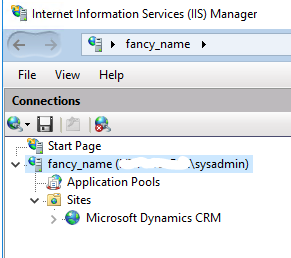
pastedimage1610506116818v3.png

But when I browse open the Application it errors as the following:
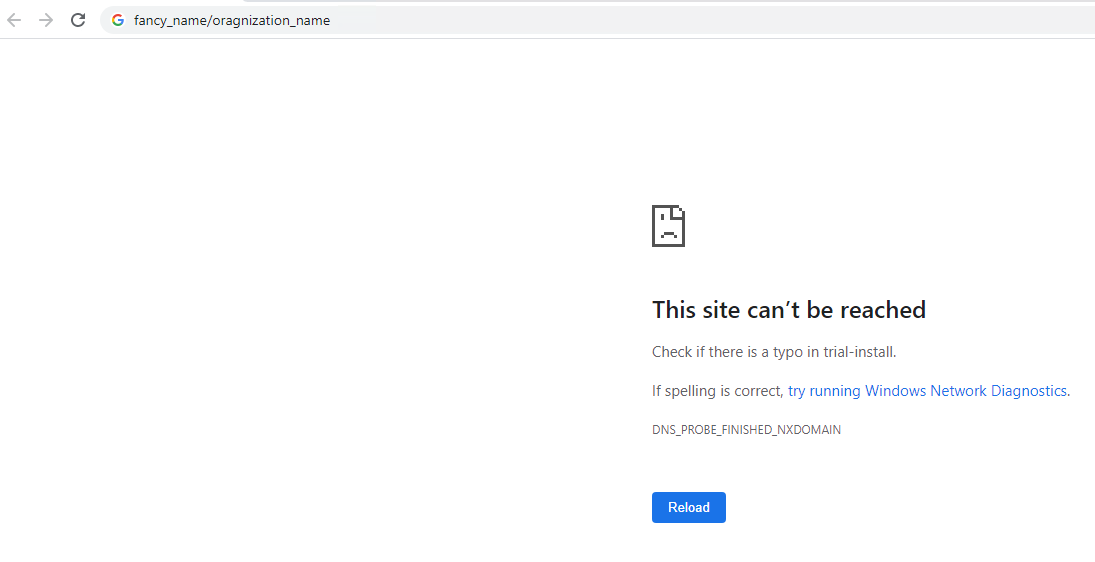
pastedimage1610506233416v4.png

Please help me to resolve this URL change post the Dynamics 365 installation.

Regards,

Raghu Bhupathiraju.

I have the same question (0)
  • Community Member Profile Picture
    on at

    Hi Raghu,

    You can refer following link to change web url:

    https://danielbergsten.wordpress.com/2014/03/21/dynamics-crm-20112013-change-web-address/

    Regards,

    Leah Ju

    Please mark as verified if the answer is helpful. Welcome to join hot discussions in Dynamics 365 Forums.

  • Raghu Bhupathiraju Profile Picture
    40 on at

    Hi Leah,

    Thanks a bunch for sharing me the link.

    I tried the listed steps but for some reason it did not work.

    I have few doubts in setting the SPN. Is it mandatory to set the SPN?

    I did use the following syntax while setting and did three entries in the Windows Powershell at (C:\Program Files\Microsoft Dynamics CRM\tools):

    SETSPN -A HTTP/Server_Name/OrganizationName.Domain.com Domain\CRMServiceAccount

    SETSPN -A HTTP/computername Domain\CRMServiceAccount

    SETSPN -A HTTP/computername:5555 Domain\CRMServiceAccount

    Can you please let me know if the following syntax is correct:

    SETSPN -A HTTP/computername/Org_Name.Domain.com Domain\CRMServiceAccount

    My original Application URL before the change was "computername/organizationname/main.aspx"

    Regards,

    Raghu Bhupathiraju.

  • Raghu Bhupathiraju Profile Picture
    40 on at

    Hi Leah,

    The above listed article by Daniel Bergsten did not resolve my issue.

    Could anyone in the group help me achieve this asap?

    Regards,

    Raghu Bhupathiraju.

Under review

Thank you for your reply! To ensure a great experience for everyone, your content is awaiting approval by our Community Managers. Please check back later.

Helpful resources

Quick Links

Introducing the 2026 Season 1 community Super Users

Congratulations to our 2026 Super Stars!

Congratulations to our 2025 Community Spotlights

Thanks to all of our 2025 Community Spotlight stars!

Leaderboard > Service | Customer Service, Contact Center, Field Service, Guides

#1
Tom_Gioielli Profile Picture

Tom_Gioielli 22 Super User 2026 Season 1

#1
Suriyanarayanan V Profile Picture

Suriyanarayanan V 22

#3
Eugen Podkorytov Profile Picture

Eugen Podkorytov 14

Last 30 days Overall leaderboard

Featured topics

Product updates

Dynamics 365 release plans



