web
You’re offline. This is a read only version of the page.
close
Skip to main content

Announcements

News and Announcements icon
Community site session details

Community site session details

Session Id :
Microsoft Dynamics CRM (Archived)

Creating phone calls to do activity based on status change

(0) ShareShare
ReportReport
Posted on by

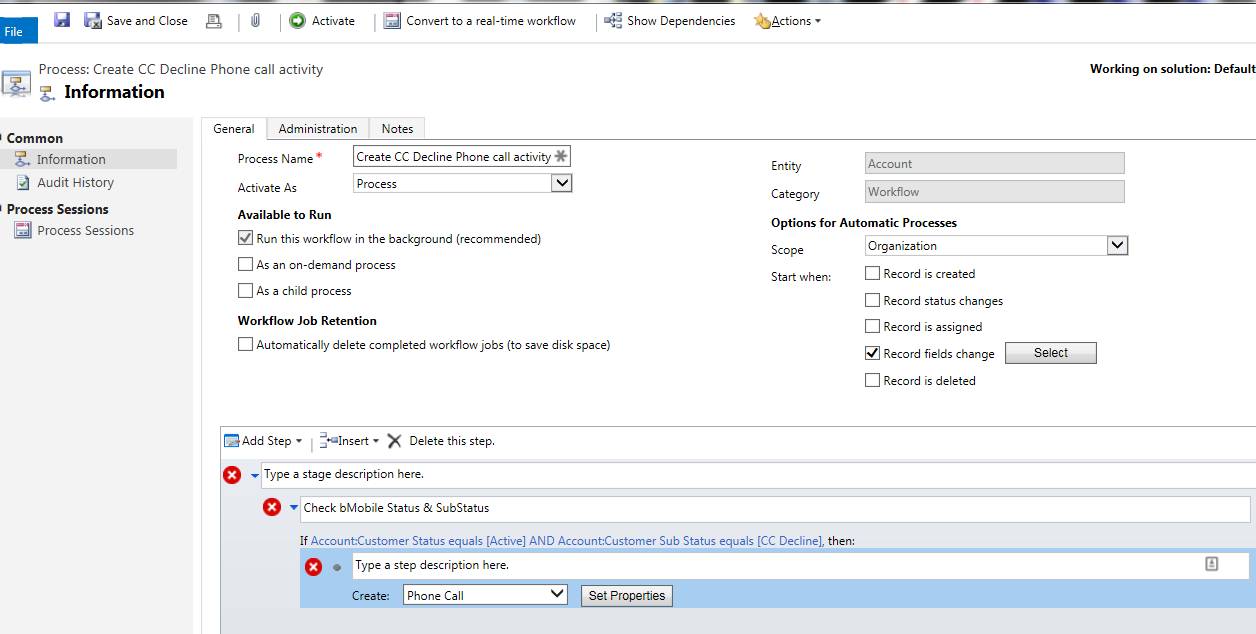
Here is the scenario.

Several hundred customers cards decline nightly and a team has to reach out and call all of these customers daily.


I was thinking a good way of doing this was with a workflow that would create a phone call based off of the automated account status change.  I could have a wait in the workflow and if the status changes again back to active and if the phone call is still pending to delete the activity.

This way if they haven't been called yet but the customer already updated their card they will be off the list and not get a phone call.

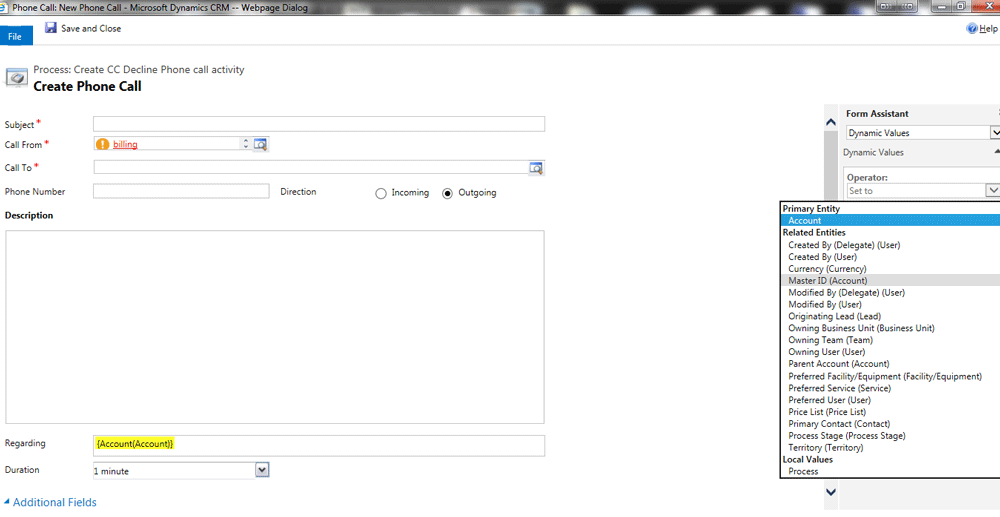
The problem is when I create the workflow and create a call I can't figure out how to not set the Call From or to set it to a team.  

The call to option also is requiring me to pick a particular customer, I can't seem to set this dynamic.

I would love to not set the Sender or set it to a Team.

I would love to set the recipient to the Account that is updated.
phone_2D00_call_2D00_workflow_2D00_2.png

*This post is locked for comments

I have the same question (0)
  • Suggested answer
    Community Member Profile Picture
    on at

    Dan,

    It doesn't appear that you can set a team as a "Call From" directly. I tried using dynamic values to set the Call From to the owner (a team) of an account. I don't see place in customization to change this, although someone may know of a workaround to enable this.

    As an alternative you could create a contact or account that appears with the team name and set your views for upcoming phone calls using that entity's information.

    I don't see anything that would cause a failure by setting to Call To to the {Account {Account}} using dynamic values.

  • Community Member Profile Picture
    on at

    Personally I would set the call to be "To" the Primary Contact of the Account - do you really call Accounts, or people who work there?

    In the form assistant, choose the primary entity>Account, then select Primary Contact from the list of fields (or choose the Account field if you really prefer to do it that way).

    I would also suggest fetching the phone number from the Account or Primary Contact so that the agent does not have to look that up every time.

    Note also that you cannot delete the Activity, but you can do your wait and then set the activity status to Cancelled. I would suggest to create the Phone Call activity then call a child workflow against that phone call to do the wait and cancellation.

  • Dan Oldenkamp Profile Picture
    on at

    We are using the account entity for our customers.

    I am just trying to find a way to work a call list and have call activities created as the list is worked.

    My approach was create the phone call activities in advance when the customer Account's credit card cancel's, but if 3 people are working the activity list of open phone calls their appears to be no way to get the correct user's name on the call from when they close the phone call.

Under review

Thank you for your reply! To ensure a great experience for everyone, your content is awaiting approval by our Community Managers. Please check back later.

Helpful resources

Quick Links

Season of Sharing Community Challenge Launch!

Jump in, show your community spirit, and win prizes!

Women in Power Builds Momentum

Expanding mentorship, skilling, and AI innovation

Congratulations to the May Top 10 Community Leaders

These are the community rock stars!

Leaderboard > 🔒一 Microsoft Dynamics CRM (Archived)

#1
ScottDurow Profile Picture

ScottDurow 2

#2
GJones Profile Picture

GJones 1

Last 30 days Overall leaderboard

Featured topics

Product updates

Dynamics 365 release plans