web
You’re offline. This is a read only version of the page.
close
Skip to main content

Notifications

Announcements

No record found.

Community site session details

Community site session details

Session Id :
Finance | Project Operations, Human Resources, ...
Answered

Workflow email notifications not working. PLEASE HELP!

(0) ShareShare
ReportReport
Posted on by 180

Hi,

I am trying to setup email notifications in Leave approval Workflow so when user submits time-off request WF should send email to manager. Have gone through several posts about setting up email notifications and tried everything but of no use. The issue is Email history and Batch email sending status remains empty so I can't figure out what is the issue.

So here is what i have tried so far:

Email parameters (SMTP settings) completed and Test Email works.

Email distributor batch job is in Waiting status (infact i set the recurrence duration to one minute and verified it is actually running after one minute. End date set to never ending).

"Send notifications in email" checkbox is marked under User Options > Workflow form.

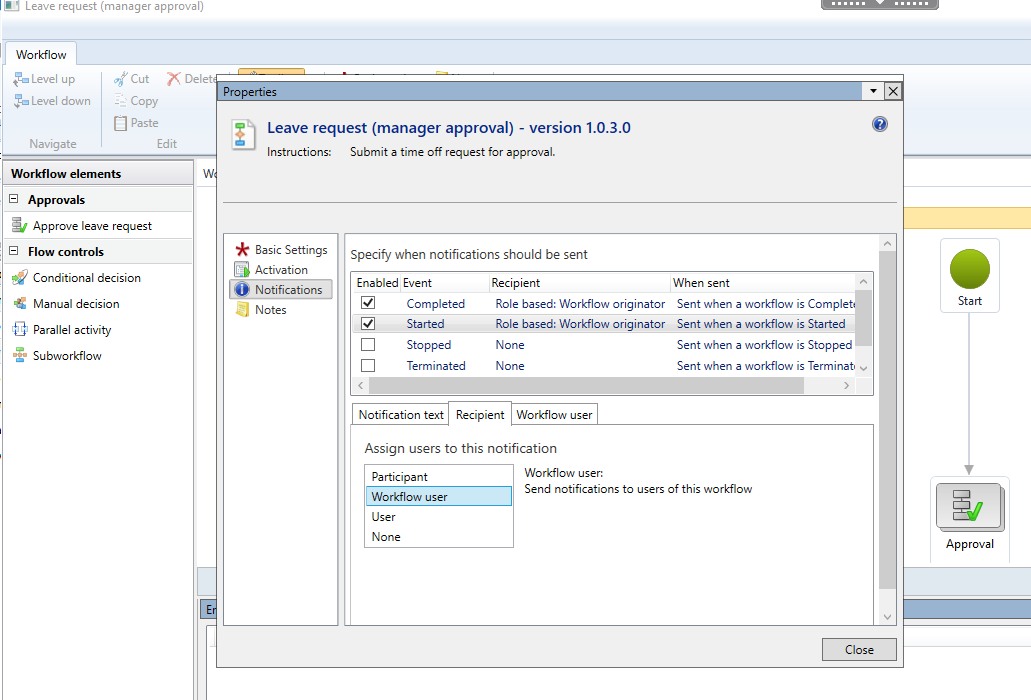
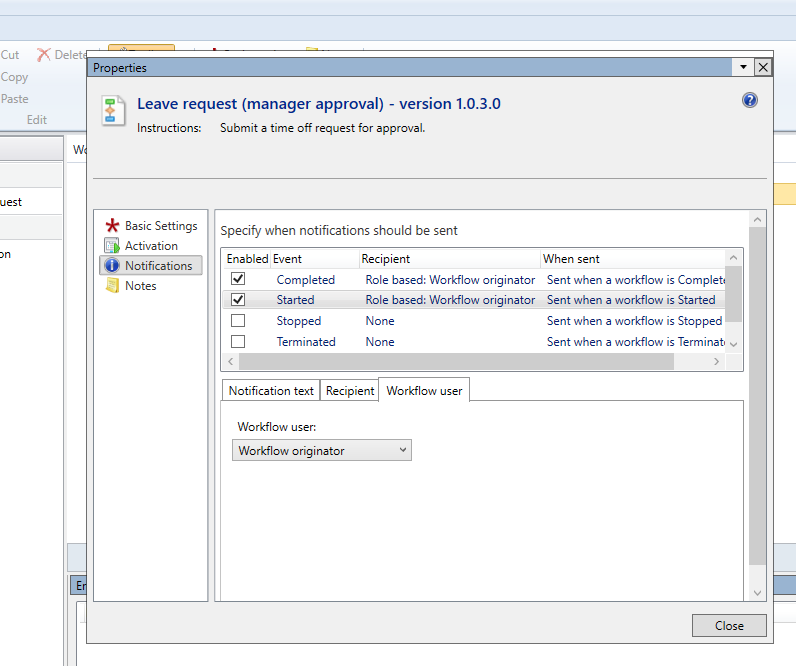
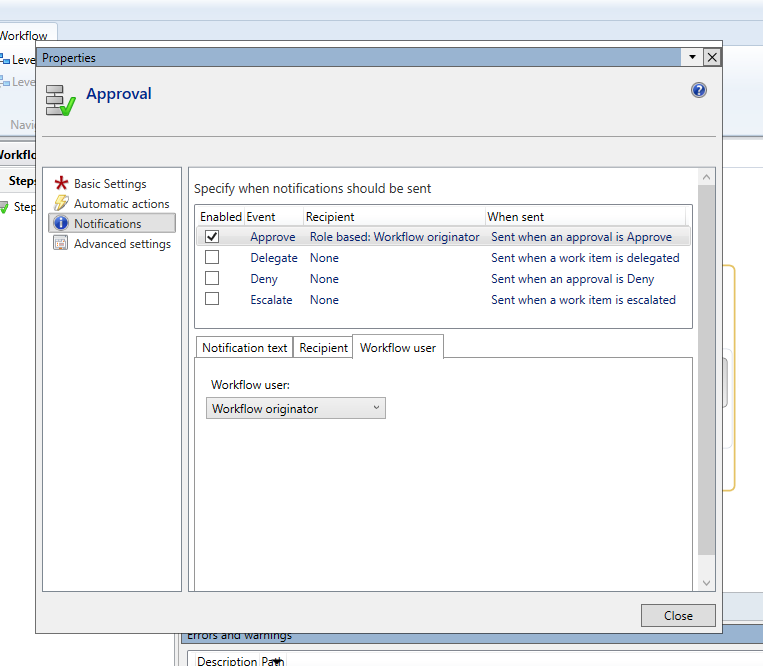
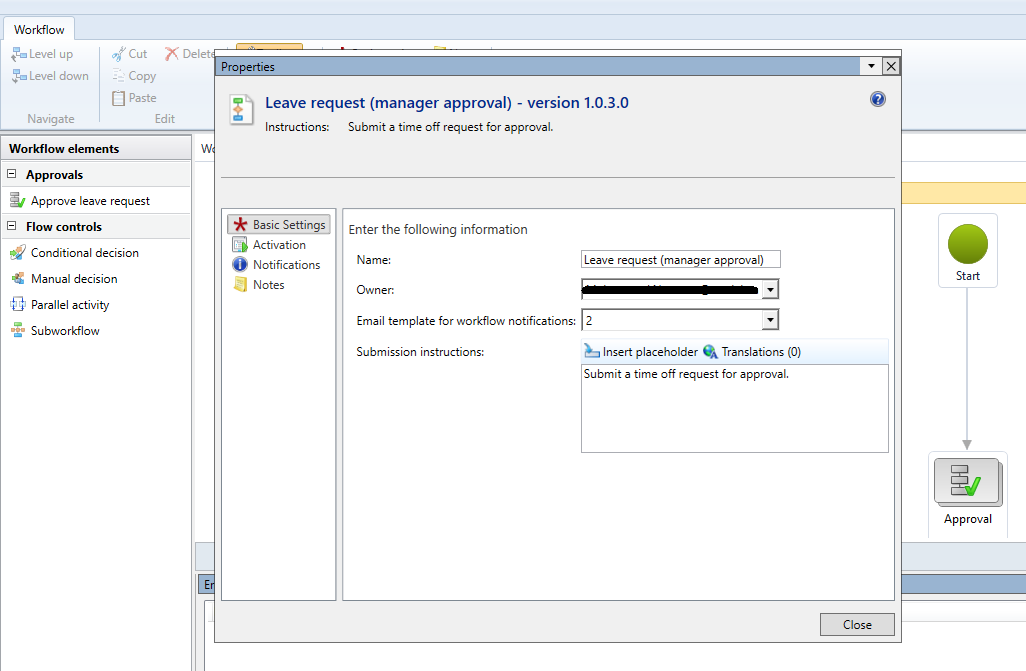
Below are the screenshots from leave approval workflow.
pastedimage1598562560868v1.png

pastedimage1598562618482v2.png

pastedimage1598562654276v3.png

pastedimage1598563193467v4.png

I have the same question (0)
  • Suggested answer
    André Arnaud de Calavon Profile Picture
    300,911 Super User 2025 Season 2 on at

    Hi CRMDeveloper1,

    On the User options, the users can enable workflow notifications by email. Have you verified if this is enabled for the manager?

  • Verified answer
    CRMDeveloper1 Profile Picture
    180 on at

    Hi André,

    Yes that option was enabled. Turned out to be issue with SMTP email account. I wrote a test console and found that email was not sending from the account. After fixing emails were working in HR, not sure why Test Email was working.

    On related note, I found this article which explains complete process of leave approval workflow and it helped a lot.

    www.tomelliott.co.uk/.../

    Thanks.

    Regards,

  • André Arnaud de Calavon Profile Picture
    300,911 Super User 2025 Season 2 on at

    Thanks for the feedback. As you mentioned in your first post that a test email was correct, I did not suggest to verify these settings again.

    Anyway, is it all working correctly now?

  • CRMDeveloper1 Profile Picture
    180 on at

    Hi André,

    In my opinion HR Test Email works irrespective of SMTP settings because when I tested it with incorrect SMTP settings (on purpose) it kept working and a test email was sent out surprisingly. That was actually misleading and I thought my email account was fine thus wasted lot of time.

    Yes all good now. Thanks!

Under review

Thank you for your reply! To ensure a great experience for everyone, your content is awaiting approval by our Community Managers. Please check back later.

Helpful resources

Quick Links

Responsible AI policies

As AI tools become more common, we’re introducing a Responsible AI Use…

Neeraj Kumar – Community Spotlight

We are honored to recognize Neeraj Kumar as our Community Spotlight honoree for…

Leaderboard > Finance | Project Operations, Human Resources, AX, GP, SL

#1
Martin Dráb Profile Picture

Martin Dráb 664 Most Valuable Professional

#2
André Arnaud de Calavon Profile Picture

André Arnaud de Cal... 522 Super User 2025 Season 2

#3
Sohaib Cheema Profile Picture

Sohaib Cheema 303 User Group Leader

Last 30 days Overall leaderboard

Product updates

Dynamics 365 release plans