web
You’re offline. This is a read only version of the page.
close
Skip to main content

Notifications

Announcements

No record found.

Community site session details

Community site session details

Session Id :
Microsoft Dynamics NAV (Archived)

Where I will see the list of all the access of the built in Profiles in MS Dynamic Nav 2013

(0) ShareShare
ReportReport
Posted on by

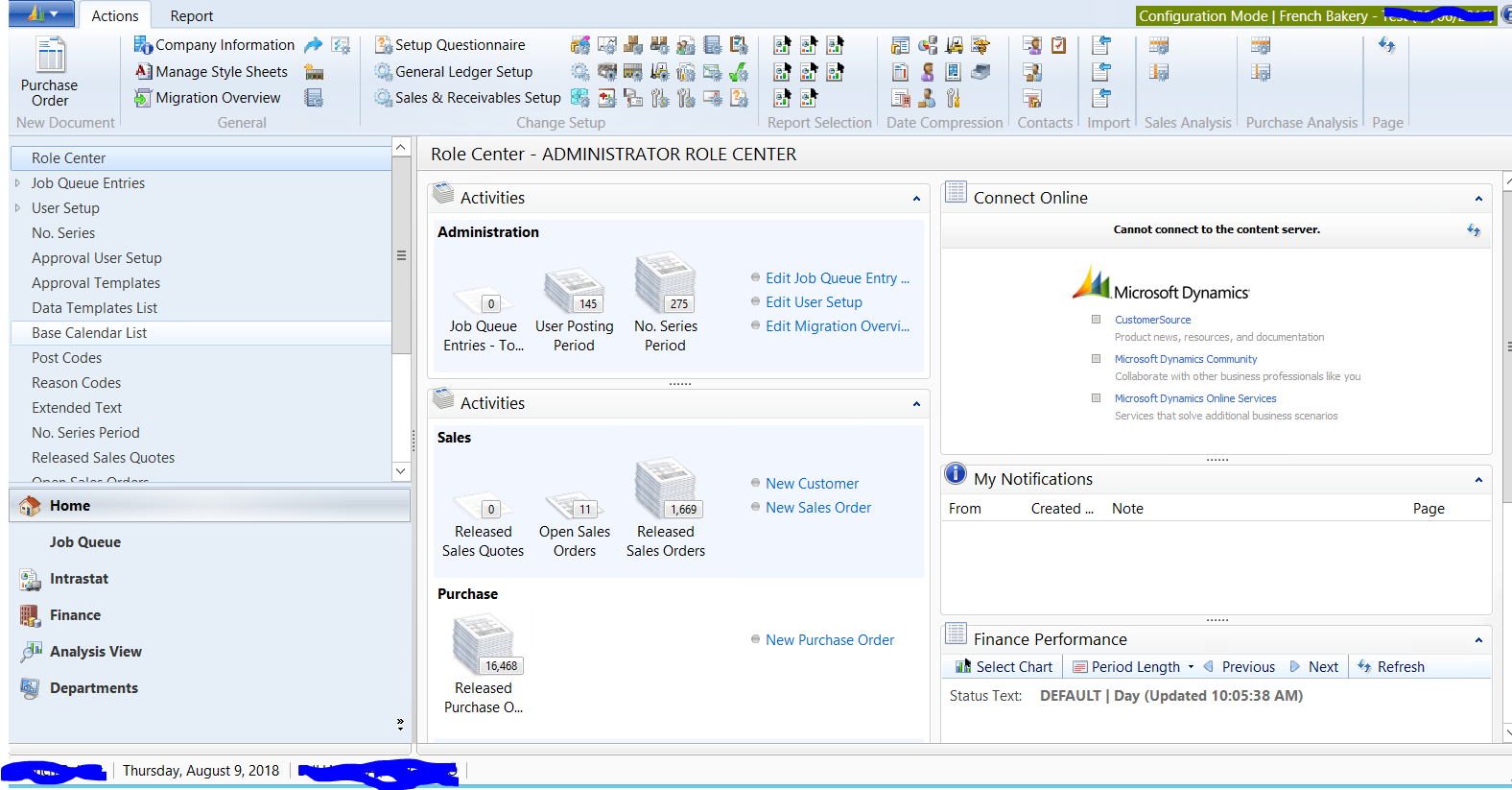
23313.Capture.PNG

I want to create a document of our company employees access and security that we are giving to them in the system.

I have checked the NAV and there are built in profiles in it and usually our support just assign the profile to the employee

I what want to know what are the pages, tables etc under each profile in the Nav for visibility purposes of the access of our employees.

I am worried we are giving them so much access because all employees are permission is SUPER but assigned in different profiles.

are the role center screen attached is the basis of all access for each user?

*This post is locked for comments

I have the same question (0)
  • Suggested answer
    Amol Salvi Profile Picture
    18,698 on at

    You can find all profiles CRONUS International Ltd./Departments/Administration/Application Setup/RoleTailored Client/Profiles

    For seeing details you can check role center pages assigned to each profiles and based on that open page in design mode and see all actions assigned to that role center.

  • Community Member Profile Picture
    on at

    how to go to this CRONUS International Ltd. ???

  • Suggested answer
    CDsilva Profile Picture
    4,188 on at

    Hi

    CRONUS International Ltd. is the company name. click on the blue drop down button on your extreme left of RTC. click on Select Company and select company of your choice.

  • Suggested answer
    CDsilva Profile Picture
    4,188 on at

    Hi,

    I believe you need to assign permission to users and not give super permission to all.

    refer docs.microsoft.com/.../ui-how-users-permissions

    docs.microsoft.com/.../managing-permissions-and-permission-sets

  • Suggested answer
    Amol Salvi Profile Picture
    18,698 on at

    This is standard database and company name provided as default

    In your case it will be French beckary company (as per screenshot)

    Go to Departments/Administration/Application Setup/RoleTailored Client --> Profiles

  • bharathkarunakaran Profile Picture
    475 on at

    Hi,

    Please check the below link.By this way you can assign your user the desired roles that they require.

    docs.microsoft.com/.../ui-how-users-permissions

    regards,

    Bharath K

  • Suggested answer
    Suresh Kulla Profile Picture
    50,243 Super User 2025 Season 2 on at

    Based on the profile the Cue Tables read permission is required for them to see the activities and other pages are common for every profile. Again based on profile you have different menu on the left.

Under review

Thank you for your reply! To ensure a great experience for everyone, your content is awaiting approval by our Community Managers. Please check back later.

Helpful resources

Quick Links

Responsible AI policies

As AI tools become more common, we’re introducing a Responsible AI Use…

Neeraj Kumar – Community Spotlight

We are honored to recognize Neeraj Kumar as our Community Spotlight honoree for…

Leaderboard > 🔒一 Microsoft Dynamics NAV (Archived)

Last 30 days Overall leaderboard

Featured topics

Product updates

Dynamics 365 release plans
