web
You’re offline. This is a read only version of the page.
close
Skip to main content

Announcements

No record found.

News and Announcements icon
Community site session details

Community site session details

Session Id :
Customer experience | Sales, Customer Insights,...
Answered

Unable to update customer journey using workflow

(0) ShareShare
ReportReport
Posted on by 50

Hi Community,

I am trying to set the suppression segment against the customer journey using a workflow. 
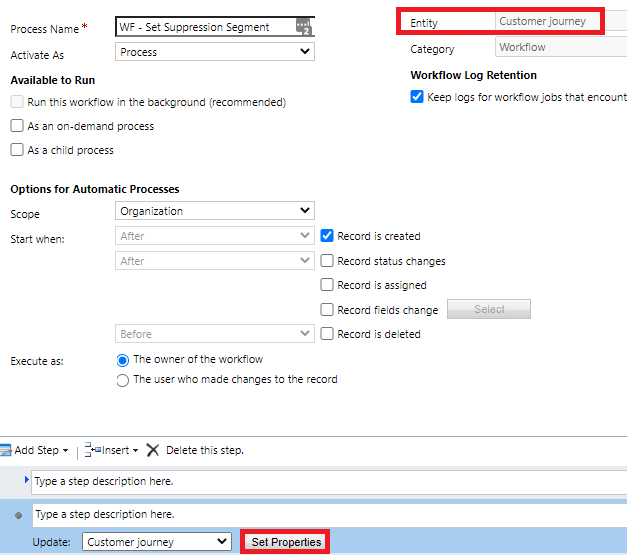
pastedimage1615655559581v4.png

When i click Set Properties i see the error below.
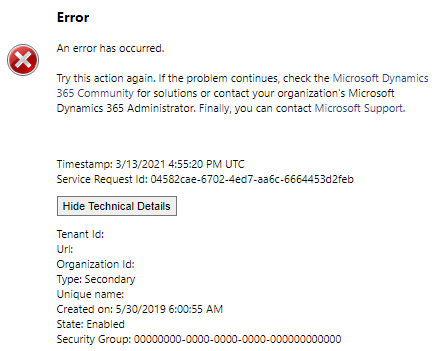
pastedimage1615655468585v3.png

We are on the latest version of Dynamics 365 online, i have a feeling this is due to a limitation of the marketing entities.

I have the same question (0)
  • Verified answer
    Nya Profile Picture
    29,060 on at

    Hi,

    Please follow the next steps to achieve your request.

    1. Copy the main form of the Customer Journey by saving as it with another name.

     pastedimage1615778200392v1.png

    1. Delete the sub grids in it such as Leads and the field “Lockdown Date in Milliseconds”.

     pastedimage1615778207246v2.png

    1. Publish the new main form and set it as the top in the Form Order of Main Form Set.

     pastedimage1615778215283v3.png

    1. Then the properties for the updating step in the Workflow can be shown normally.

     pastedimage1615778220355v4.png

    If this helped you, I'd appreciate it if you'd mark this as a Verified Answer, which may in turn help others as well.

    Best Regards,

    Nya

  • Shipu Miah Profile Picture
    50 on at

    Hi  Nya,

    I got it working following your instructions, however i had also remove the onform load events and also some of the subgrids on tabs.

    for other users who follow this the best option is to leave the fields you want to update and remove everything else plus the onload events.

Under review

Thank you for your reply! To ensure a great experience for everyone, your content is awaiting approval by our Community Managers. Please check back later.

Helpful resources

Quick Links

Introducing the 2026 Season 1 community Super Users

Congratulations to our 2026 Super Stars!

Congratulations to our 2025 Community Spotlights

Thanks to all of our 2025 Community Spotlight stars!

Leaderboard > Customer experience | Sales, Customer Insights, CRM

#1
ManoVerse Profile Picture

ManoVerse 161 Super User 2026 Season 1

#2
Jimmy Passeti Profile Picture

Jimmy Passeti 51 Most Valuable Professional

#3
NeerajPawar Profile Picture

NeerajPawar 42

Last 30 days Overall leaderboard

Product updates

Dynamics 365 release plans
