web
You’re offline. This is a read only version of the page.
close
Skip to main content

Notifications

Announcements

No record found.

Community site session details

Community site session details

Session Id :
Microsoft Dynamics AX (Archived)

Receipt List Split Into 2 When Creating Receipts List (Expecting It Merges Into One)

(0) ShareShare
ReportReport
Posted on by 202

Hi Experts,

I'm a Developer of Dynamics AX 2012, and I want to ask something about receipt list creation process.

here's the current situation.

Current Condition
I have multiple purchase orders.

The Goal
The goal is to post a receipt list with lines from all of those purchase orders, and i want to post it into one ReceiptListId. as we knows that this is the standard functionality of Dynamics AX 2012.

The Issue
The issue that i'm having right now is, when i try to post the receipt list from all of those purchase orders (3 Purchase Orders), the receipt list is split into two, thus creating two ReceiptListId

What I Have Done
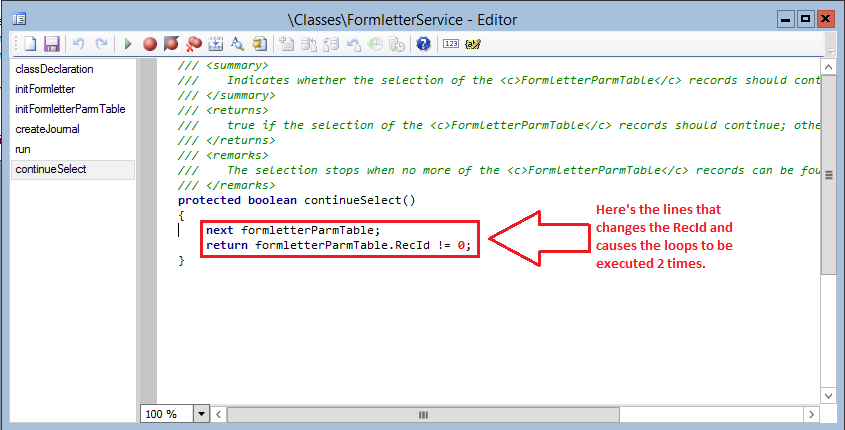
The thing that I've already tried is, debug the FormLetter Framework behind the process of posting the receipt list.
and I've found that the loops that creating the header of the receipt list is looping 2 times with the same ParmId, but with different RecId.
InitParm.png  InitParm2.png  Loops.png  Maps-Loops.png
and i found that the FormLetterParmTable is a Map Object. I don't know what to do with it cause i don't know about it and how to debug it.
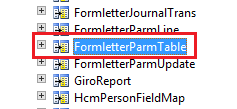
FormLetterParmTable.png

That explains my current situation.
Is there any suggestion to solve this issue? like adding a few lines of custom code into the standard class, changing the setup, etc.

Any kind of answer will be appreciated.

Best Regards,
Chaidir Ali


*This post is locked for comments

I have the same question (0)
  • Sohaib Cheema Profile Picture
    49,438 User Group Leader on at

    Do you want to see impact of summary posting parameters on your posting? See what has been setup there and how changing that impacts your loop.

    I wonder why you trying to look into this code, if summary posting can do these things.

  • Chaidir Ali Assegaf Profile Picture
    202 on at

    Hi Sohaib,

    Thanks for your answer.

    I want to try your suggestion, but where's the menu of summary posting function?

    Best Regards,

    Chaidir Ali

  • Sohaib Cheema Profile Picture
    49,438 User Group Leader on at

    It could be on Accounts Receivable >> Setup >> Parameters >> Summary update(Tab).

    Make sure to do appropriate selection while you post the PO(s)

    See next URL shows documentation from old version but I believe still valid to much extent.

    support.microsoft.com/.../how-to-set-up-microsoft-dynamics-ax-to-perform-an-automatic-summary-up

Under review

Thank you for your reply! To ensure a great experience for everyone, your content is awaiting approval by our Community Managers. Please check back later.

Helpful resources

Quick Links

Responsible AI policies

As AI tools become more common, we’re introducing a Responsible AI Use…

Neeraj Kumar – Community Spotlight

We are honored to recognize Neeraj Kumar as our Community Spotlight honoree for…

Leaderboard > 🔒一 Microsoft Dynamics AX (Archived)

#1
Priya_K Profile Picture

Priya_K 4

#1
Martin Dráb Profile Picture

Martin Dráb 4 Most Valuable Professional

#3
Ali Zaidi Profile Picture

Ali Zaidi 2

Last 30 days Overall leaderboard

Featured topics

Product updates

Dynamics 365 release plans