web
You’re offline. This is a read only version of the page.
close
Skip to main content

Notifications

Announcements

No record found.

Community site session details

Community site session details

Session Id :
Customer experience | Sales, Customer Insights,...
Suggested Answer

Add custom field to Quote

(0) ShareShare
ReportReport
Posted on by 1,511

Hi All,

I need to get the sum of the cost of all quote products and use it to calculate the total margin  and display on the quote form.
I have created a custom field on the quote form, but the available metadata doesnt include the fields I need to get the calculated value.

Please I need help on how to get that form the database

Regards

I have the same question (0)
  • LuHao Profile Picture
    40,892 on at

    Hi Michael,

    Could you tell me how the cost is calculated in your business environment? which entity fields are used?

    In general, we can set the cost of each type of product based on the quote line entity, and then create a rollup field for the quote entity to summarize them.

  • Michael Marmah Profile Picture
    1,511 on at

    Hi, thanks for the email.

    Its the current cost from the Product entity (currentcost) field, there is no custom calculation

    Regards

  • Suggested answer
    LuHao Profile Picture
    40,892 on at

    Hi Michael,

    We can use calculated field, rollup field and business rule to implement it without code.

    Since the relationship between the Quote line entity and the Product entity is N:1, and the relationship between the Quote line entity and the Quote entity is also N:1, we can

    create a calculated field for the Quote line to inherit the field 'current cost' of the Product.

    Then create a simple field to represent the total amount of the current cost of the quote line, calculated by business rule.

    Finally, create a rollup field for the Quote to summarize the total amount of current cost for all Quote lines.

    Here is a demo.

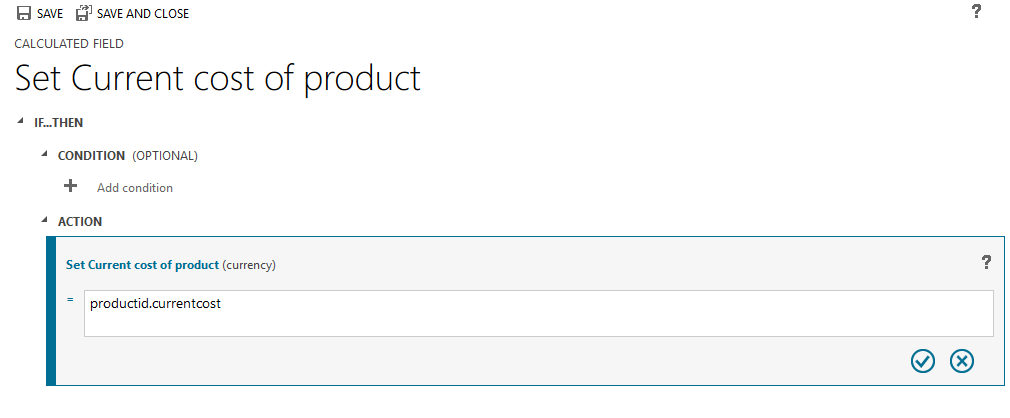
    1. I created a calculated field 'Current cost of product' for the Quote line entity, the calculated action is Set Current cost of product to productid.currentcost.

    pastedimage1571901541038v1.png    pastedimage1571901580609v2.png

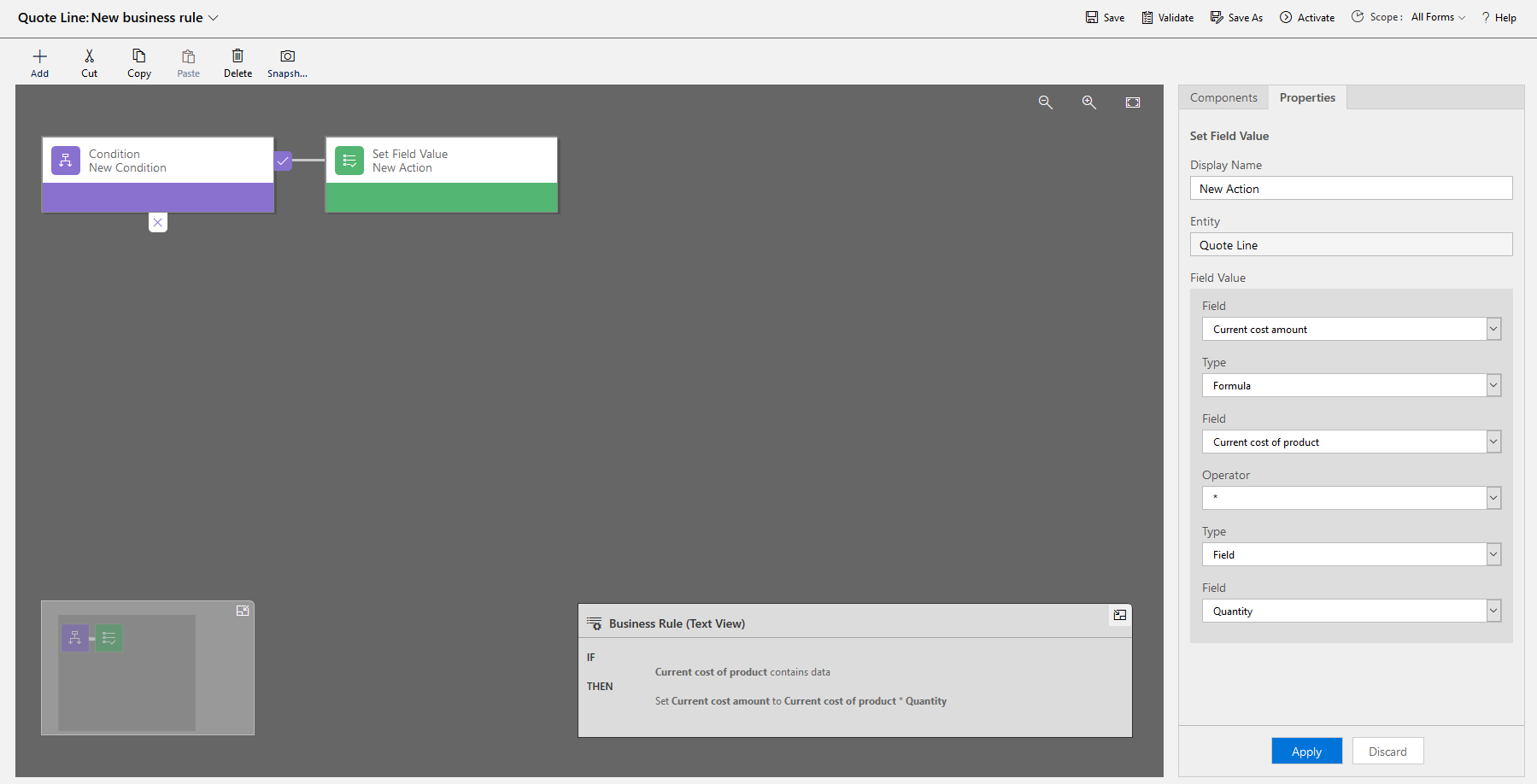
    2. I created a simple field 'Current cost amount' for the Quote line entity and create a business rule, activate it.

    If Current cost of product contains data,

    Then set Current cost amount to Current cost of product * Quantity

    pastedimage1571901776631v3.png    pastedimage1571901907226v4.png

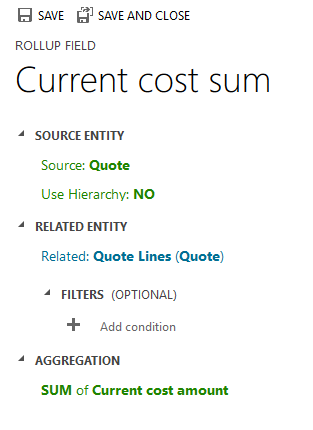
    3. I created a rollup field 'Current cost sum' for the Quote entity, set the RELATED ENTITY to Quote Lines (Quote), set AGGREGATION to SUM of Current cost amount.

    pastedimage1571902139271v5.png    pastedimage1571902160374v6.png

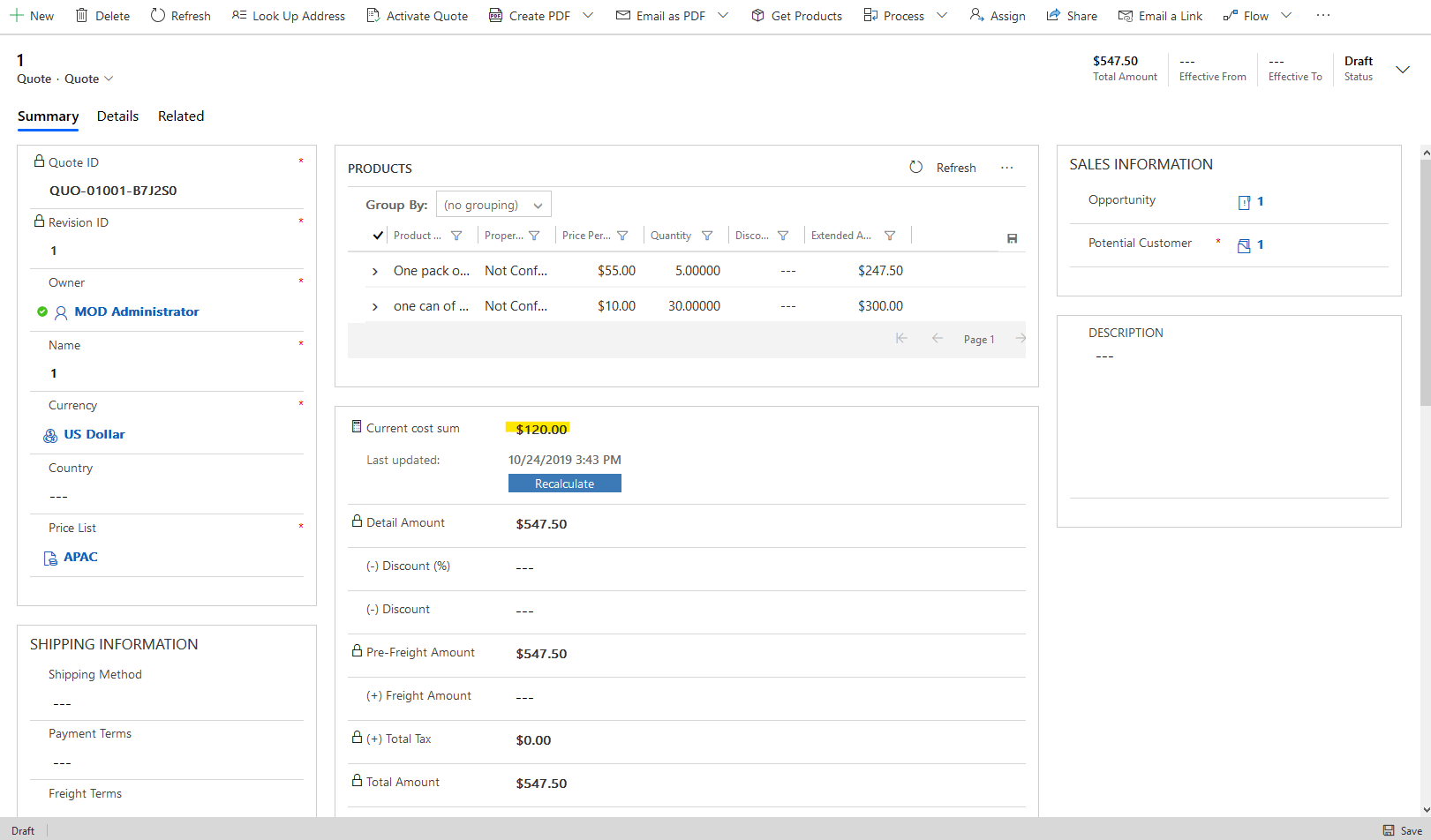
    4. Add all three fields to the form of the respective entity. The effect is as follows.

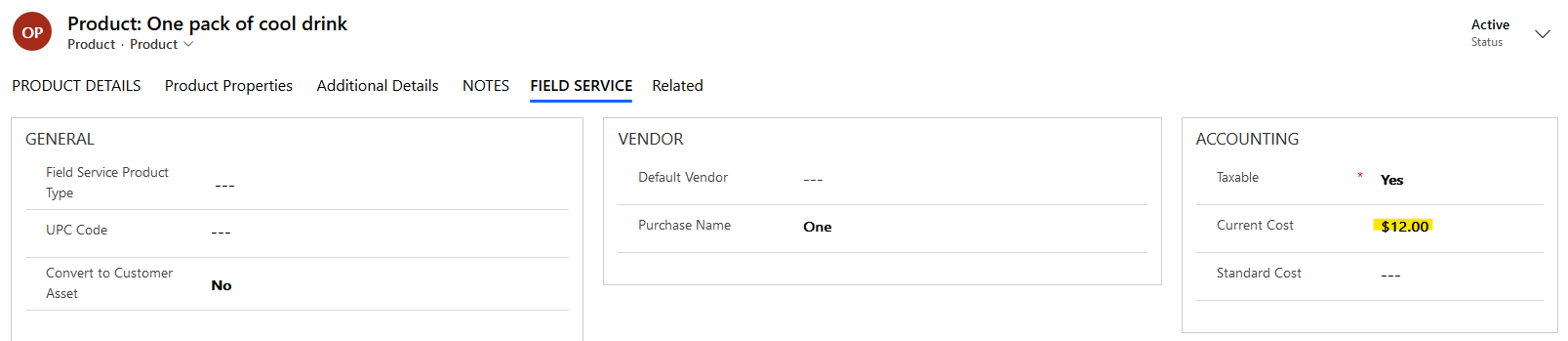
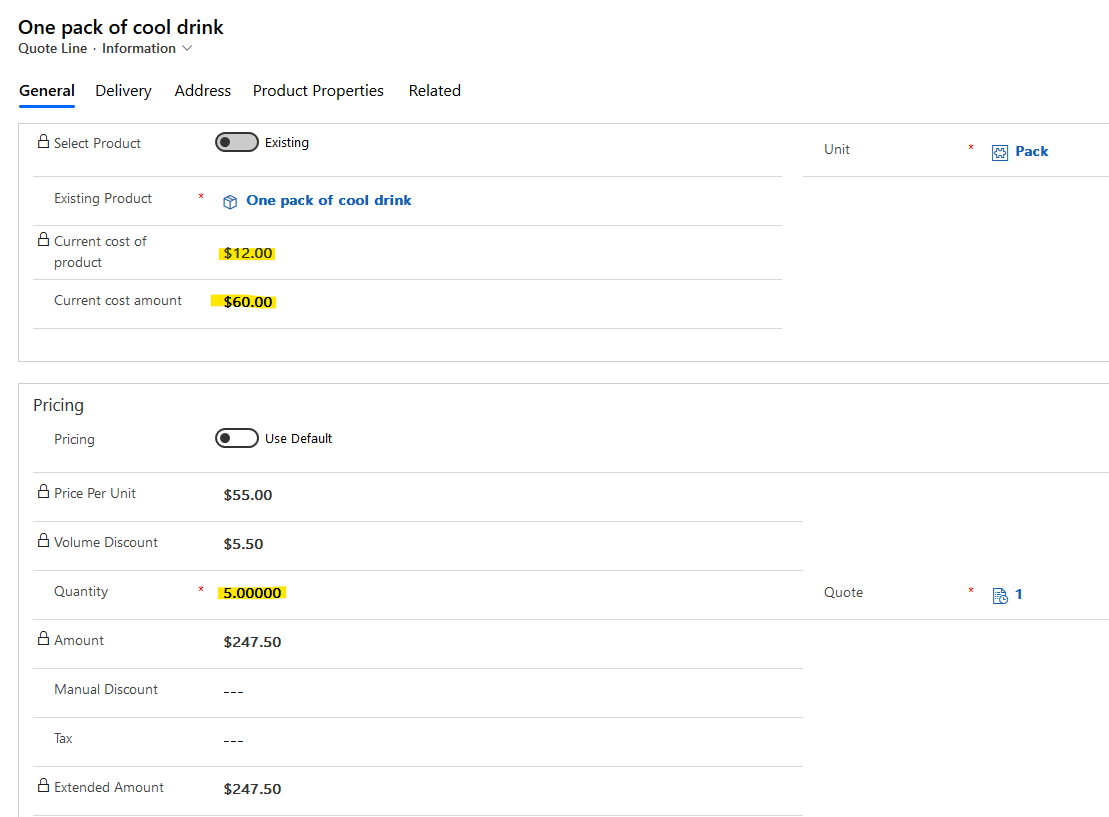
    I have two products ‘one can of cool drink’ and ‘One pack of cool drink’, and their field ‘Current Cost’ has values of 2 and 12. I added them to a quote as two quote lines. 

    Set its Quantity to 30 and 5, so the total cost should be 30*2+5*12=120.

    pastedimage1571902627691v7.png    pastedimage1571902656809v8.png

    pastedimage1571902949140v10.png    pastedimage1571902903343v9.png

    pastedimage1571903000414v11.png

    5. The rollup field is not refreshed in real time. It defaults to refresh every 12 hours. You can also manually refresh it by clicking on the calculator icon on the left and clicking the Recalculate button.

    We can set its automatic refresh interval to a minimum of 1 hour.

    Please refer to this blog for the setup steps: https://community.dynamics.com/365/b/sachinbansalmicrosoft/posts/dynamics-365-rollup-fields-important-points

    In addition, by customizing the workflow, the rollup field can be automatically refreshed whenever the quote is updated.

    But writing a custom workflow requires coding, please refer to these two blogs for details.

    https://www.plusconsulting.com/forced-calculation-of-a-rollup-field-using-custom-workflow-activities-in-microsoft-dynamics-365/

    https://technologyblog.rsmus.com/microsoft-dynamics/dynamics-365-customer-engagement/changing-rollup-calculation-frequency-microsoft-dynamics-crm-2015/

    Or you can download the workflow tool to use directly.

    Please refer to this theme: https://community.dynamics.com/crm/f/microsoft-dynamics-crm-forum/273683/word-template-sums-calculations

  • LuHao Profile Picture
    40,892 on at

    Hi partner,

    Don't forget to mark the verified answer by clicking Yes.

    pastedimage1572571705501v1.png

    This will help other users quickly navigate to this post.

    Thanks.  :)

Under review

Thank you for your reply! To ensure a great experience for everyone, your content is awaiting approval by our Community Managers. Please check back later.

Helpful resources

Quick Links

Responsible AI policies

As AI tools become more common, we’re introducing a Responsible AI Use…

Neeraj Kumar – Community Spotlight

We are honored to recognize Neeraj Kumar as our Community Spotlight honoree for…

Leaderboard > Customer experience | Sales, Customer Insights, CRM

#1
Tom_Gioielli Profile Picture

Tom_Gioielli 70 Super User 2025 Season 2

#2
Gerardo Rentería García Profile Picture

Gerardo Rentería Ga... 33 Most Valuable Professional

#3
Daniyal Khaleel Profile Picture

Daniyal Khaleel 32 Most Valuable Professional

Last 30 days Overall leaderboard

Product updates

Dynamics 365 release plans