web
You’re offline. This is a read only version of the page.
close
Skip to main content

Announcements

News and Announcements icon
Community site session details

Community site session details

Session Id :
Microsoft Dynamics CRM (Archived)

Format Company GUID to Company Name in a Workflow

(0) ShareShare
ReportReport
Posted on by 29

Hi,

I have the current workflow:

When a contact is created/modified in Dynamics 365,  the contact is added to a sharepoint list.

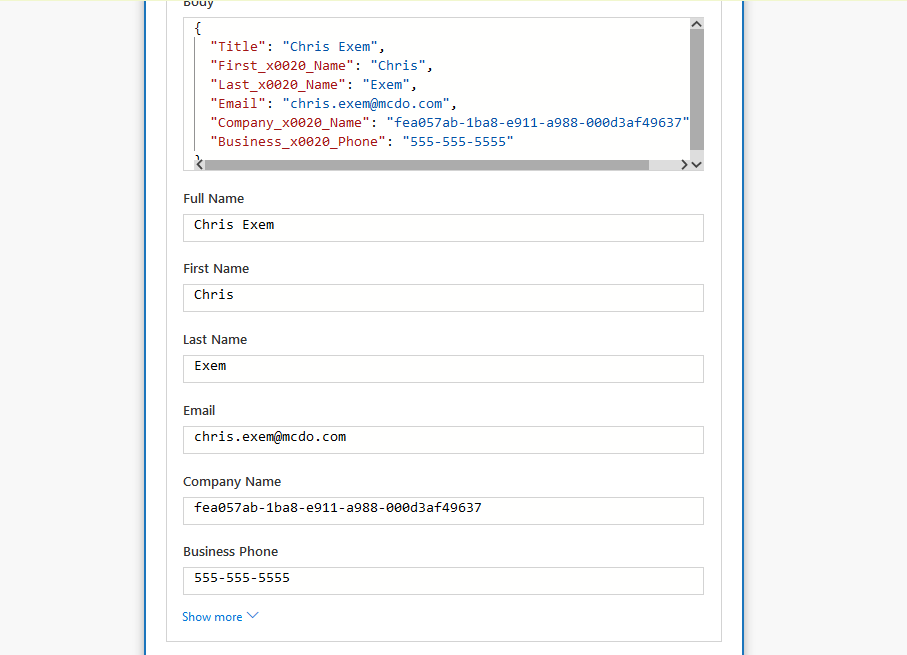
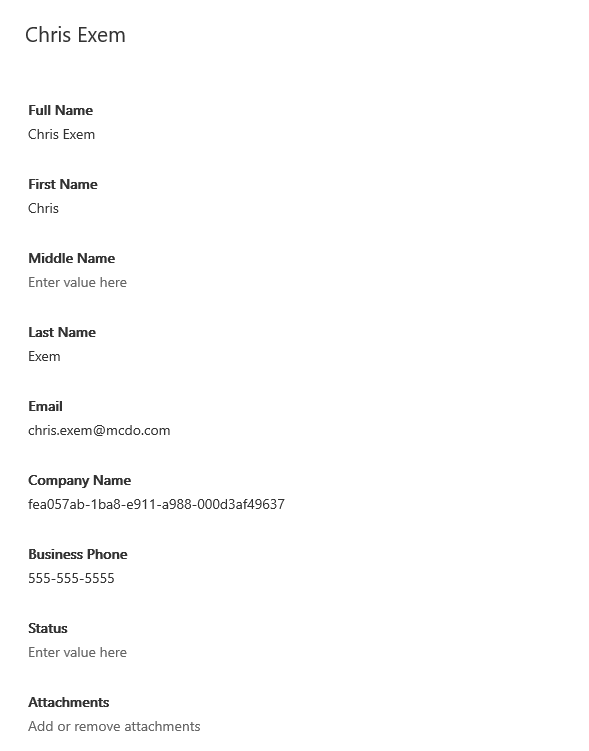
But when the contact is added to the sharepoint list, in the company name's field it is the company's unique ID. Even if in my workflow setting, the dynamics content selected is the company name.

 How can I format it in order that we see the company's name and not the company's ID?
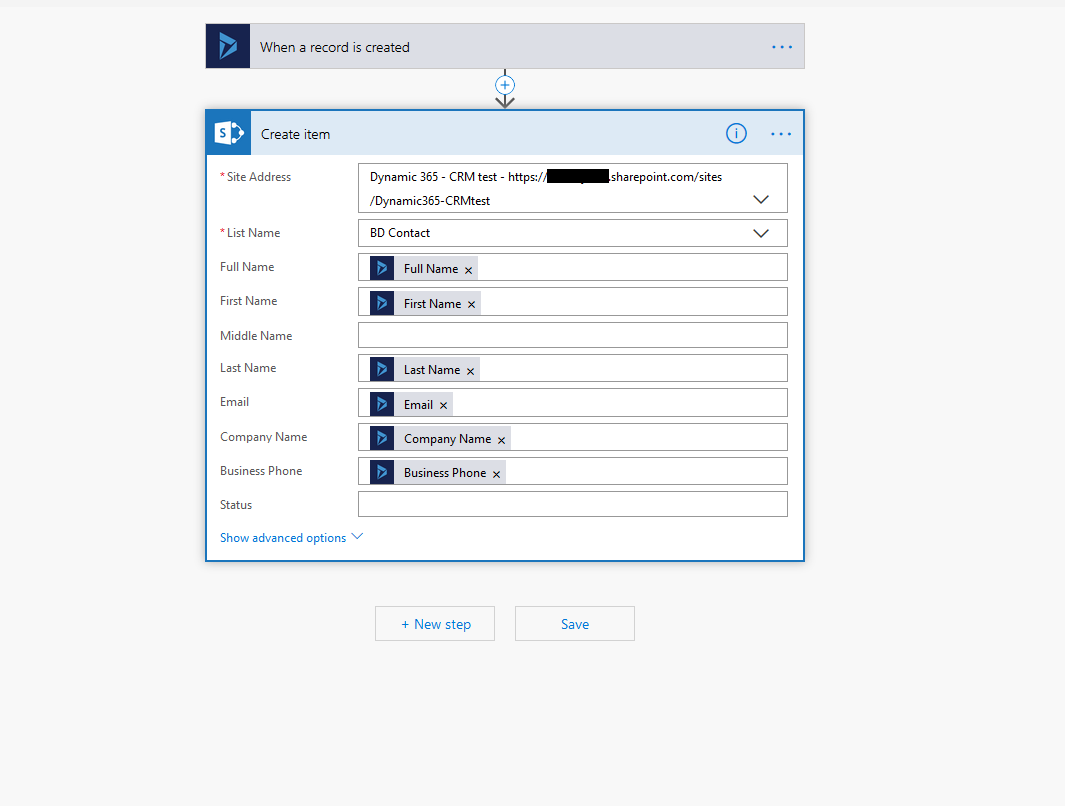
4670.Setting-Flow.png7750.Format-Flow.PNG7750.result.PNG

*This post is locked for comments

I have the same question (0)
  • RaviKashyap Profile Picture
    55,410 Moderator on at

    Hi,

    Can you share how the below is done? I don't think there is any out of box functionality to add the record in SharePoint list.

    "When a contact is created/modified in Dynamics 365,  the contact is added to a sharepoint list."

  • Wouter Madou Profile Picture
    3,392 on at

    Sounds like ms flow to me.

    You will need to execute a follow up step to get the company records data and write the companies name in the SharePoint list step.

    Or are you working with powerapps?

    Like Ravi requested, a more detailed screenshots/explanation is needed.

  • Wouter Madou Profile Picture
    3,392 on at

    Sounds like ms flow to me.

    You will need to execute a follow up step to get the company records data and write the companies name in the SharePoint list step.

    Or are you working with powerapps?

    Like Ravi requested, a more detailed screenshots/explanation is needed.

  • Radu Chiribelea Profile Picture
    6,667 on at

    Hello,

    Could you please provide some additional information, print screens that could help understand the issue better?

    Regards,

    Radu

  • mckennajj Profile Picture
    29 on at

    Just added screenshots

  • Verified answer
    RaviKashyap Profile Picture
    55,410 Moderator on at

    Hi,

    I am not an expert on flow [but hopefully some day :)], but it looks like you need to use Get Record to get the retrieve the account details and then use Account Name from there.

    Refer the similar thread-

    https://powerusers.microsoft.com/t5/Connecting-To-Data/Get-Account-Name-instead-of-Account-GUID-from-Dynamics-365/m-p/130108#M3071

    I tried and it worked-

    flowaccountname.png

    Hope this helps.

  • mckennajj Profile Picture
    29 on at

    It worked! Thank you!

Under review

Thank you for your reply! To ensure a great experience for everyone, your content is awaiting approval by our Community Managers. Please check back later.

Helpful resources

Quick Links

Season of Sharing Community Challenge Launch!

Jump in, show your community spirit, and win prizes!

Women in Power Builds Momentum

Expanding mentorship, skilling, and AI innovation

Congratulations to the April Top 10 Community Leaders

These are the community rock stars!

Leaderboard > 🔒一 Microsoft Dynamics CRM (Archived)

#1
ScottDurow Profile Picture

ScottDurow 2

#2
GJones Profile Picture

GJones 1

Last 30 days Overall leaderboard

Featured topics

Product updates

Dynamics 365 release plans