web
You’re offline. This is a read only version of the page.
close
Skip to main content

Announcements

No record found.

News and Announcements icon
Community site session details

Community site session details

Session Id :
Customer experience | Sales, Customer Insights,...
Answered

Missing form editor option in commandbar Dynamics 365 Online

(0) ShareShare
ReportReport
Posted on by 285

Hi, I have a System Admin security role in dynamics 365 sales professional. But missing the Form Editor option in all records.

example: When I go to leads to add a new lead I see the lead form but I am missing form editor option.

Whereas in the on-prem version I am getting the "FORM" option by which I am able to customize the form right away instead of going to solutions. 

Any way that I can get the same "Form" option to edit them in the online version?

I have the same question (0)
  • Verified answer
    LeoAlt Profile Picture
    16,331 Moderator on at

    Hi partner,

    Since you are using Online now, which client are you working?UCI or Classic client? 

    If you are using Classic Client, it shows the same as on-premise.
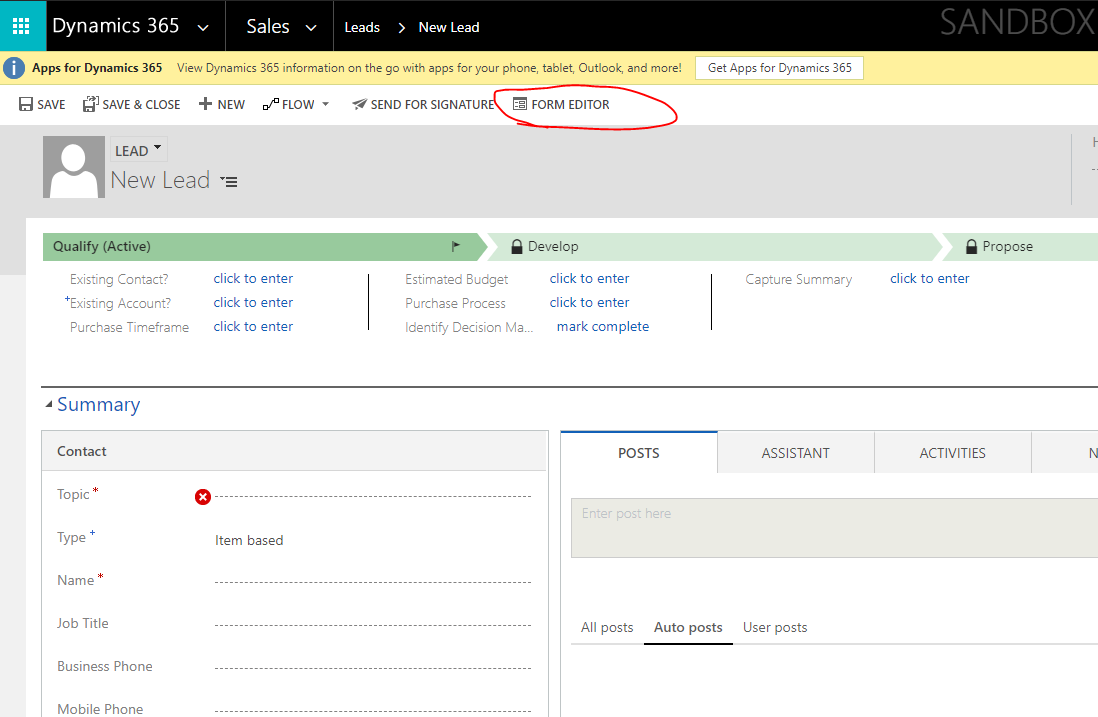
    pastedimage1579500889015v2.png

    If you are using UCI, it is a new client since V9.0, and there is no shortcuts to go to the form editor.
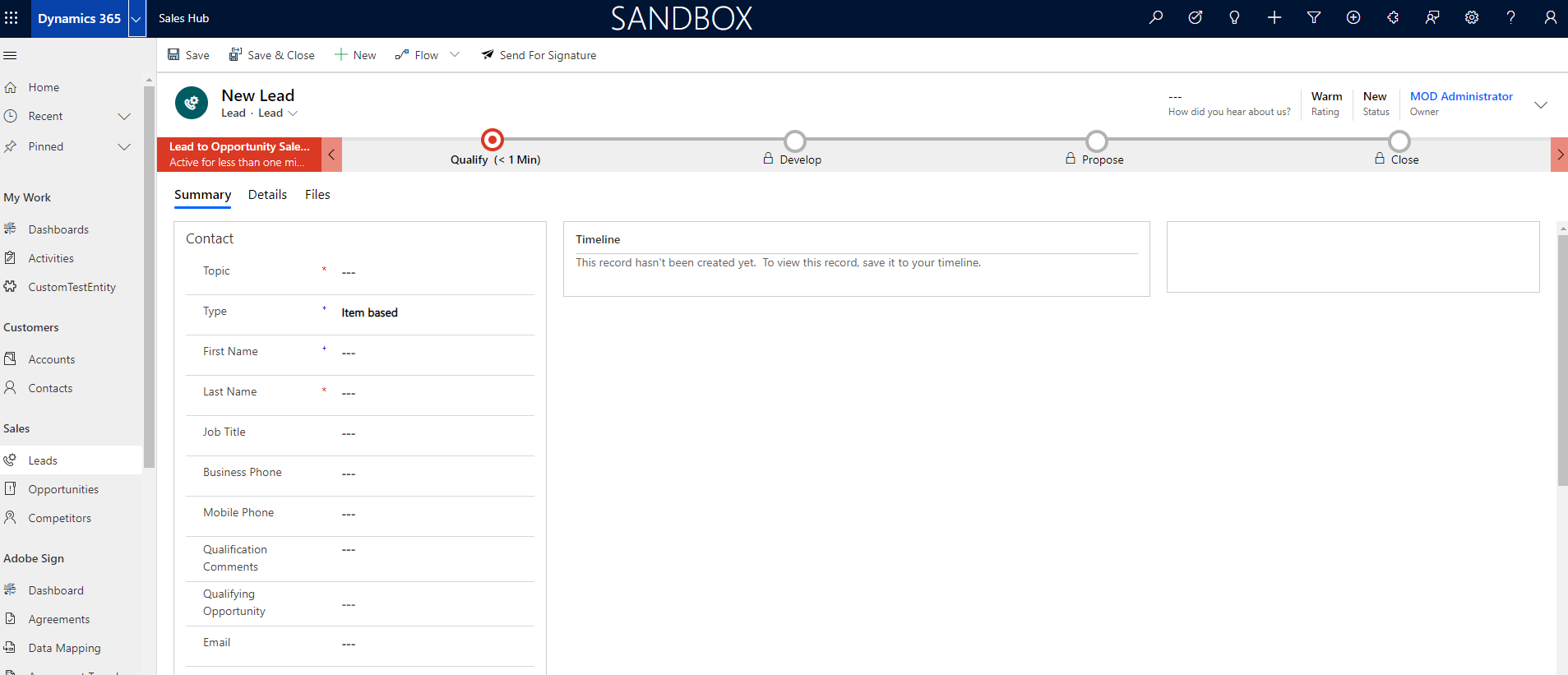
    pastedimage1579500750886v1.png

    I suggest that you could open the form editor in another tab of the browser for more convenient.

    There are 2 ways to open form editor in UCI.

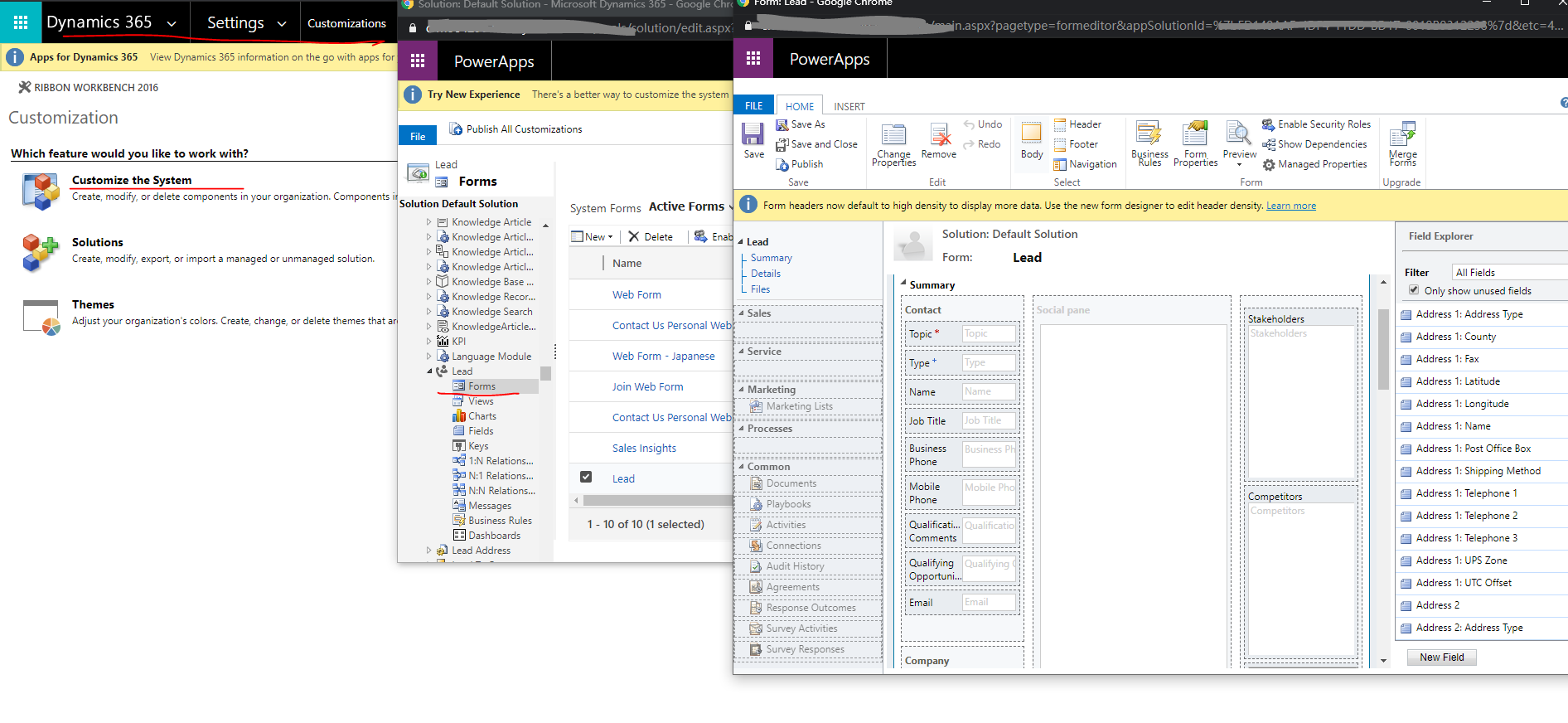
    1.Open the "Advanced Settings" ->Cusotmizations->Customize the System
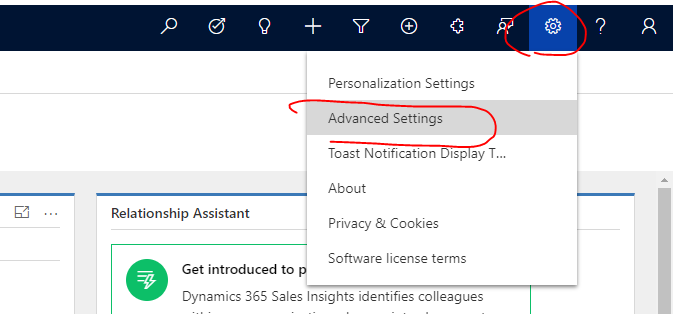
    pastedimage1579500970920v3.png

    pastedimage1579501086030v4.png

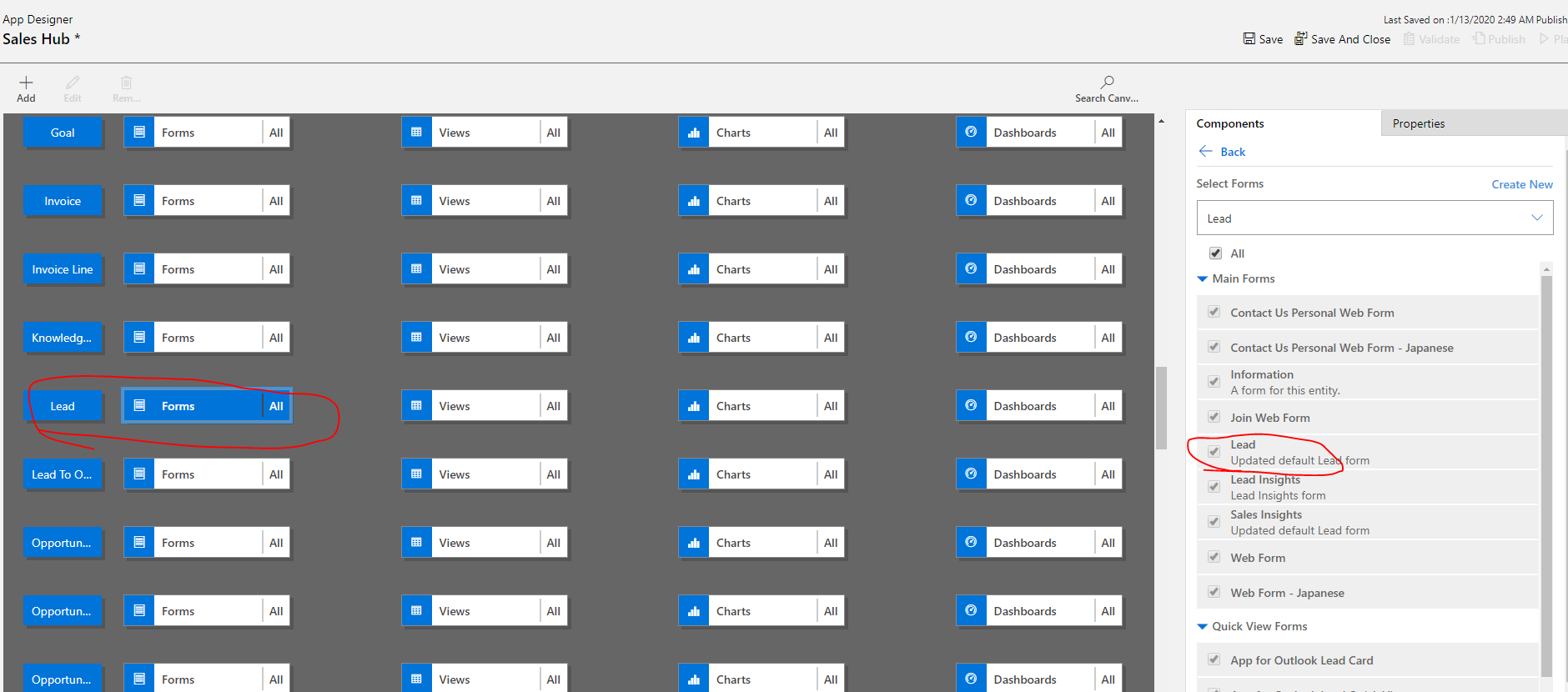
    2.Go to My Apps and open the app designer.
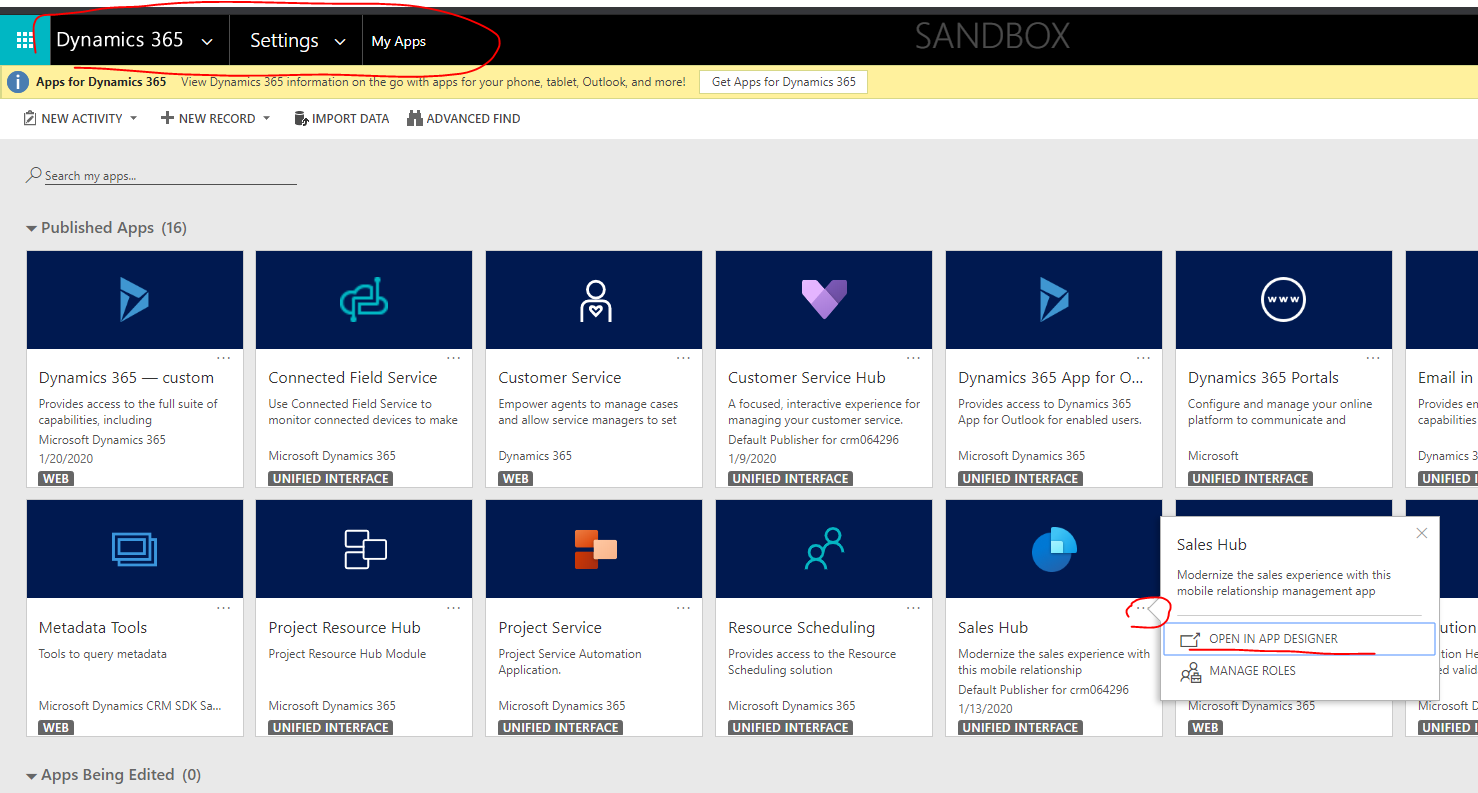
    pastedimage1579501149552v5.png

    pastedimage1579501191980v6.png

    Find the form and open the form editor.

    But unfortunately, we could not open the form editor directly in UCI form like On-premise now. We should use the above 2 ways to open form editor.

    Best Regards,

    Leo

  • nidnani Profile Picture
    285 on at

    Thank you so much, Leo, that answers the question.

    Yes, I am using UCI, I hope in the next update Microsoft adds the Form option in UCI as well.

    Also, do you know about Lookup Field?  "+New" option.

    I am also missing that from the lookup field that I created.

  • LeoAlt Profile Picture
    16,331 Moderator on at

    Hi partner,

    Do you mean you want find the add ribbon in lookup field like this?

    pastedimage1579661586331v1.png

    For example I have a lookup field related to account on my custom entity form. And you just need to click on the "search" button and then you will be able to see the "+ new account" button.

    Best Regards,

    Leo

Under review

Thank you for your reply! To ensure a great experience for everyone, your content is awaiting approval by our Community Managers. Please check back later.

Helpful resources

Quick Links

Introducing the 2026 Season 1 community Super Users

Congratulations to our 2026 Super Stars!

Meet the Microsoft Dynamics 365 Contact Center Champions

We are thrilled to have these Champions in our Community!

Congratulations to the March Top 10 Community Leaders

These are the community rock stars!

Leaderboard > Customer experience | Sales, Customer Insights, CRM

#1
ManoVerse Profile Picture

ManoVerse 184 Super User 2026 Season 1

#2
11manish Profile Picture

11manish 138

#3
CU11031447-0 Profile Picture

CU11031447-0 100

Last 30 days Overall leaderboard

Product updates

Dynamics 365 release plans