Hi Bohdan_Y,
Thank you for the question.
Unluckily, this scenario is currently not supported. Please suggest it to Ideas forum.
You could try the following approach though (note: this workaround is quite complex, hasn't been tested fully and requires a custom Subscription Center available on your website):
1) Define your custom Subscription Center (see: https://docs.microsoft.com/en-us/dynamics365/marketing/set-up-subscription-center#custom-or-additional-subscription-centers)
2) Update the Subscription Center in your Content Settings (so that it points to your custom Subscription Center)
3) Make the original "Unsubscribe link" pointing to your custom Subscription Center and not visible (e.g. change the font color to email bg color and/or make the font size much smaller) - in the screenshot below the original link is shown in yellow color.
Subscription Center link is required for commercial emails, so that's why it should stay in the email.
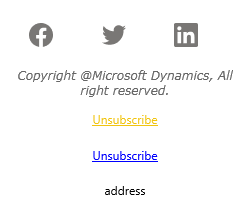
4) Add a second "Unsubscribe" link pointing to your custom Subscription Center with email information added as a parameter at the end of the URL (e.g. "www.microsoft.com/?emailID=123")
4) In PowerBI: create a dashboard based on the contacts who clicked specific unsubscribe links and unsubscribed.
Best Regards,
Aga


