Hi Marcus,
As stated in the message, there is a duplicate column heading in Excel.
Since column heading is the display name of the field, we will look for fields with duplicate display names.
I will introduce a quick way.
Go to https://make.powerapps.com/, select the D365 environment.
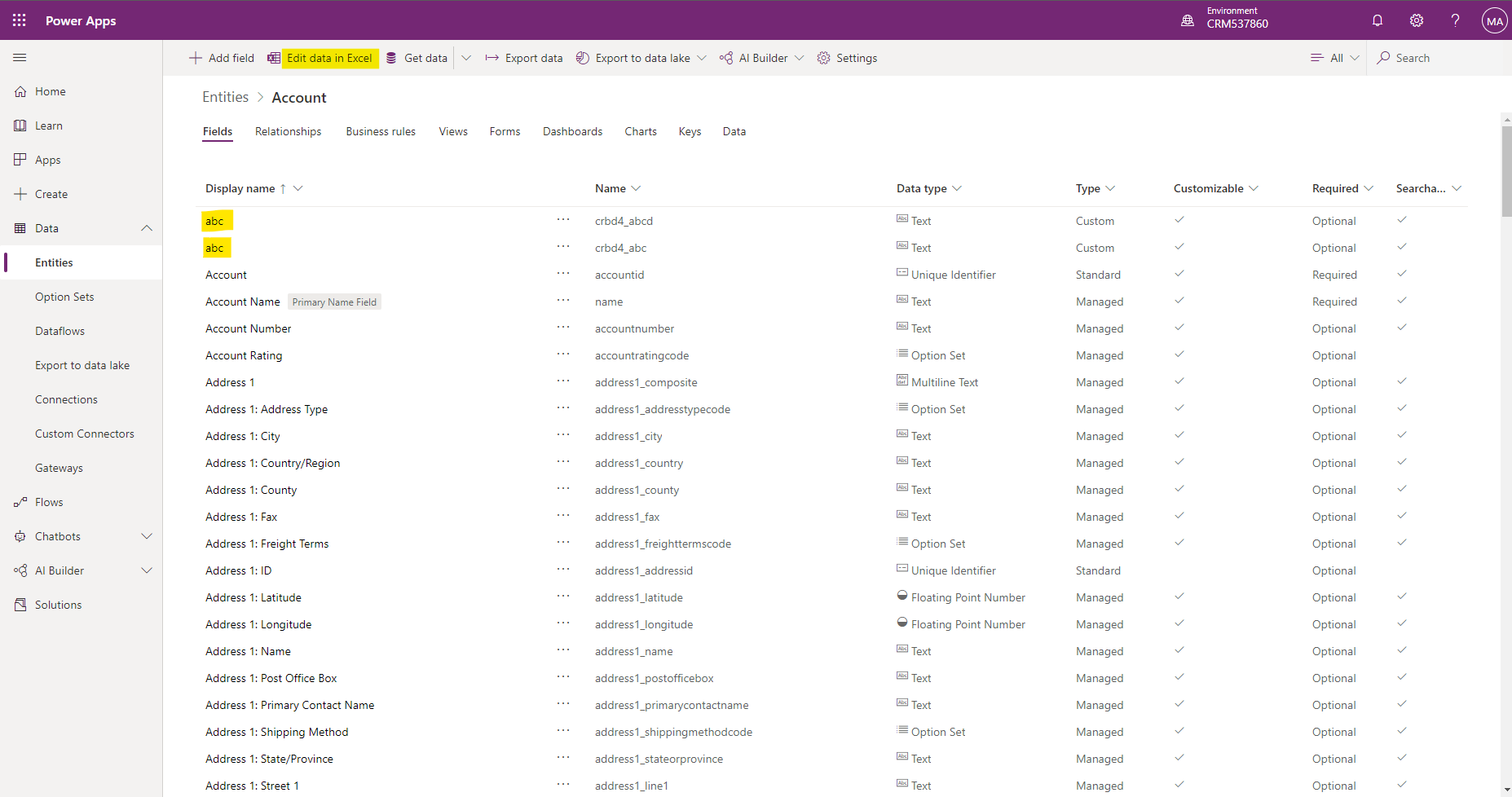
Click Entities > the entity of the template, then click Edit data in Excel. As a demonstration, I created two fields with the same display name.
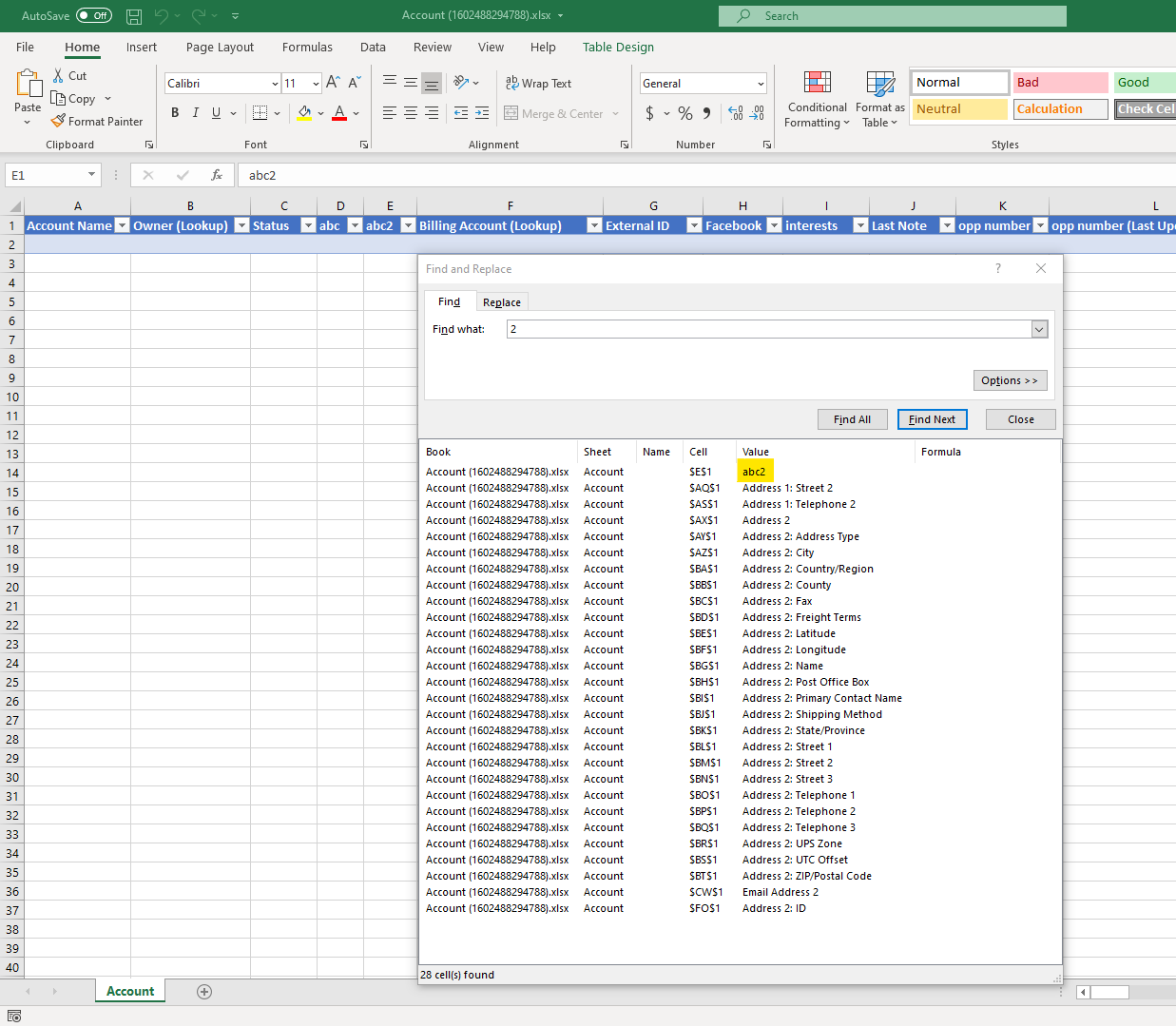
Open the download excel, find "2", then look for column heading that end with 2 and have no space before 2, this is the duplicate column heading.
Finally change this field's display name.







