web
You’re offline. This is a read only version of the page.
close
Skip to main content

Notifications

Announcements

No record found.

Community site session details

Community site session details

Session Id :
Microsoft Dynamics AX (Archived)

Trouble in fetching new location role logisticslocationRoletype enum in coding

(0) ShareShare
ReportReport
Posted on by 1,307

Hi,

LogisticsLocationRole table is used for creating addresses for customers.

I added a new location role to LogisticsLocationRole for our customers and I have a problem in using it for coding.
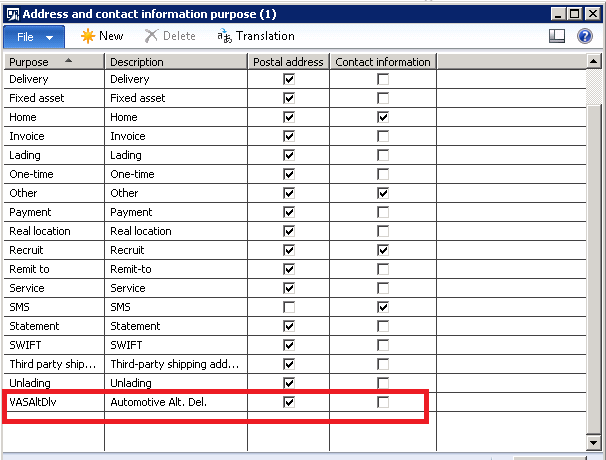
Logistics-Location-Role.png

I tried to see the value from AOT\Data Dictionary\Tables\LogisticslocationRole table.
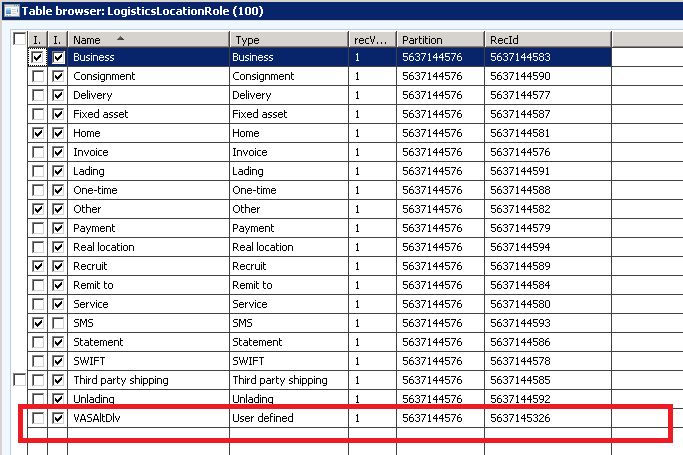
LogisticsLocationRole-table.png

here, the type of this new location role is "user Defined". This is a default value and it cannot be changed. But I have to change it to VASAltDLV to fetch VASAltDlv record. The record I am creating in the form is not taking the label from the VASAltDlv ENUM instead it is by default showing as "User Defined" only.

In logisticsLocationRoletype, the Enum "None" , label is also "user Defined".
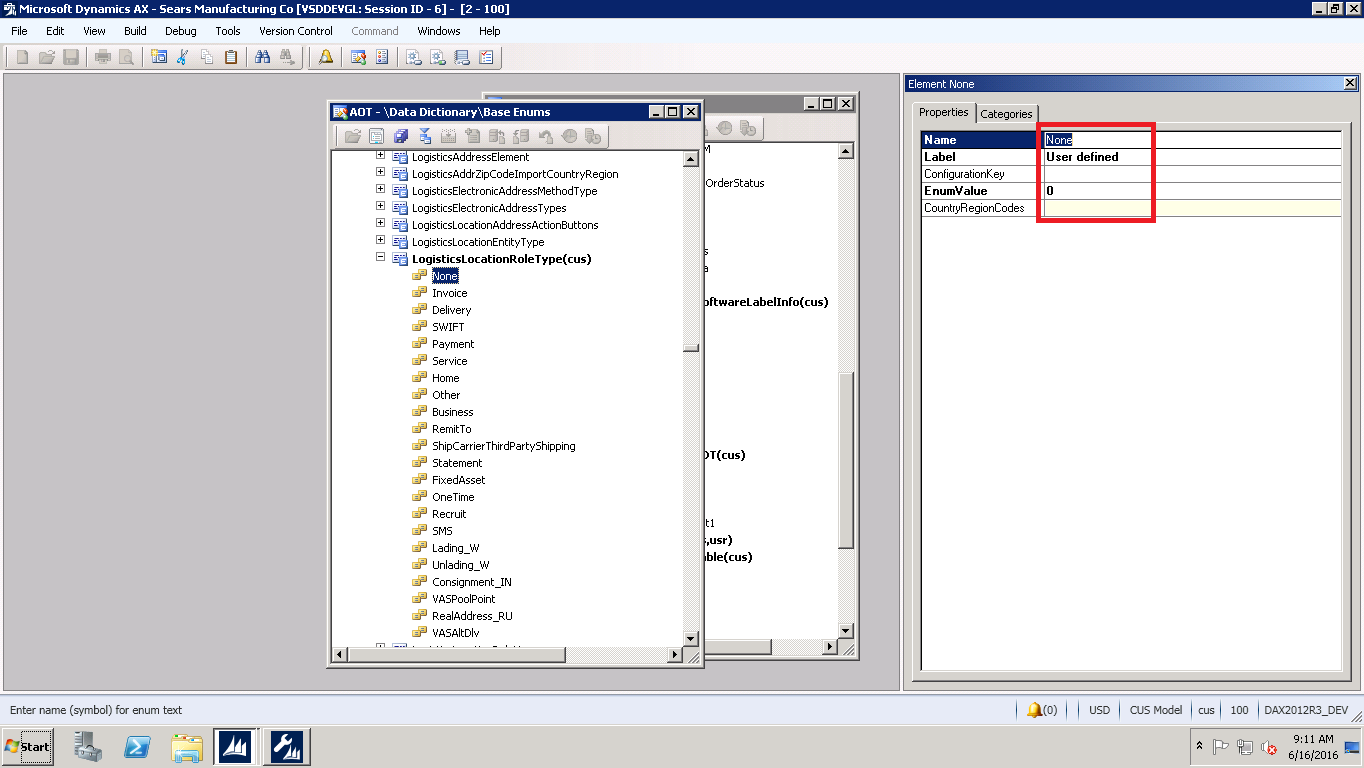
LogisticsLocationRoleType.png

So when I am trying to fetch VASALtDlv record, the system is giving me None Record information as both labels are "User Defined".
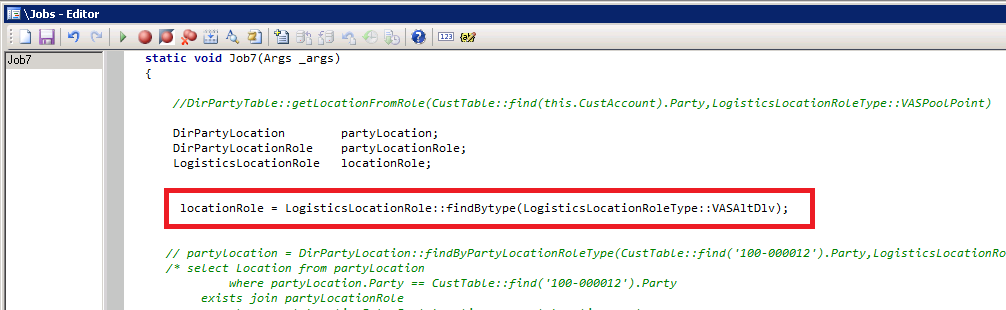
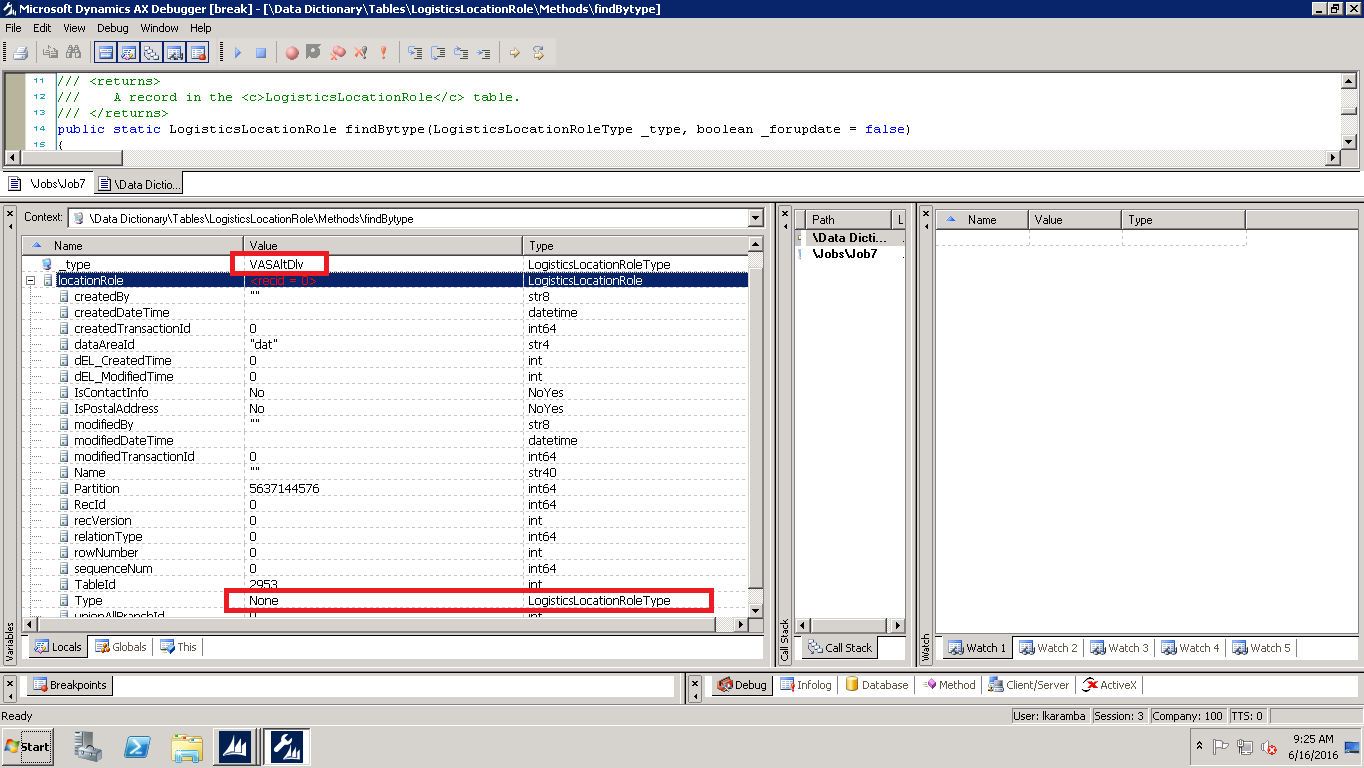
LogisticslocationRole-VASAltDlv-Job.pngVASAltDlv-Debugging.png

help me how to rectify this situation so that system can take the label information in ENUm as type in table.

Thanks,

lakshmi

*This post is locked for comments

I have the same question (0)
  • André Arnaud de Calavon Profile Picture
    301,210 Super User 2025 Season 2 on at

    Hi Lakshmi,

    If you have added the enumeration, you should also update the type in your new Role record.

  • Lakshmi Karambakkam Profile Picture
    1,307 on at

    In my system, the type field is uneditable in the LogisticsLocationRoletable. So I am not able to change/edit it.

    Is there any other way of editing it? In your AX instance, is it editable or uneditable?

  • Martin Dráb Profile Picture
    237,990 Most Valuable Professional on at

    First of all, avoid using the same label for two enum elements. Users wouldn't be able to distinguish between them.

    By the default, rule types created by users are "User defined" (LogisticsLocationRoleType::None). If you want different logic, you'll have to implement it. If users should be able to use both None and VASAltDlv, you'll have to give them a way to choose. If you want to always use VASAltDlv instead of None, what the advantage against simply using None?

  • Verified answer
    André Arnaud de Calavon Profile Picture
    301,210 Super User 2025 Season 2 on at

    Hi Lakshmi,

    The roles out of the box are created during installation and usually there is no need to change the type. If you now need another value, you could change it using a script or in the database. Probably you can add logic that it will insert a role with your type also during the installation/setup.

  • Lakshmi Karambakkam Profile Picture
    1,307 on at

    Thanks Andre. Inserting through code was simple and effective solution. It worked out. thanks a lot.

  • Suggested answer
    Community Member Profile Picture
    on at

    Just for completeness how to add a new system type for postal addresses, as I was also looking for the way in doing it here some further notes:

    - Add new enum entry to LogisticsLocationRoleType i.e. CollectionLetterWPC

    - under AOT\Resources\LogisticsLocationRoleData export the XML and put your new type in the exported file

    ...

    <Item>

     <Field IsTranslated="False" Name="Name">@SYS13960</Field>

     <Field IsTranslated="False" Name="Type">CollectionLetterWPC</Field>

     <Field IsTranslated="True" Name="Description">@SYS13960</Field>

     <Field IsTranslated="False" Name="IsPostalAddress">Yes</Field>

     <Field IsTranslated="False" Name="IsContactInfo">No</Field>

    </Item>

    ...

    - Import the changed xml in the resouce LogisticsLocationRoleData

    - Create a new job to load the new value

    static void createLogisticsLocationsRoles(Args _args)

    {

       ;

       DirDataPopulation::insertLogisticsLocationRoles();

    }

    - As last step. In case you don't like the Name you can change it using table browser on LogisticsLocationRole

    Hope this helps

    tom

Under review

Thank you for your reply! To ensure a great experience for everyone, your content is awaiting approval by our Community Managers. Please check back later.

Helpful resources

Quick Links

Responsible AI policies

As AI tools become more common, we’re introducing a Responsible AI Use…

Neeraj Kumar – Community Spotlight

We are honored to recognize Neeraj Kumar as our Community Spotlight honoree for…

Leaderboard > 🔒一 Microsoft Dynamics AX (Archived)

#1
Priya_K Profile Picture

Priya_K 4

#1
Martin Dráb Profile Picture

Martin Dráb 4 Most Valuable Professional

#3
MyDynamicsNAV Profile Picture

MyDynamicsNAV 2

Last 30 days Overall leaderboard

Featured topics

Product updates

Dynamics 365 release plans
