web
You’re offline. This is a read only version of the page.
close
Skip to main content

Announcements

No record found.

News and Announcements icon
Community site session details

Community site session details

Session Id :
Customer experience | Sales, Customer Insights,...
Answered

Case ID passed to CRM portal to CRM portal

(0) ShareShare
ReportReport
Posted on by 535

So the customer service asked me why the ID in the email that is sent from the Process flow from cases in the CRM hub is blank.

48420.Capture2.PNG

I looked at the Record ID GUID and 2 thinking that held the ID, but it's blank.
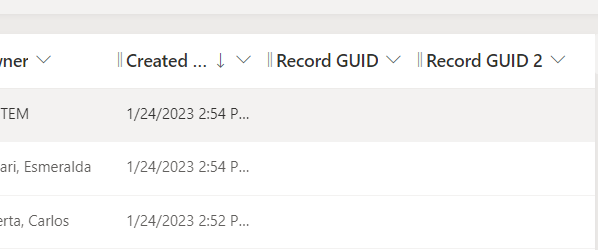
0815.Capture3.PNG

I can see an ID on cases that there is an ID if I rollover it and select that case in the hub.
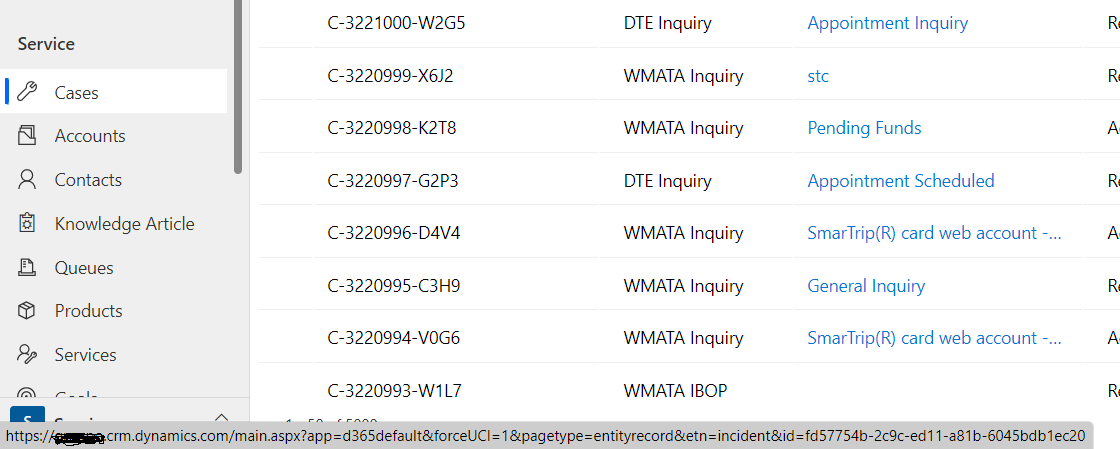
6545.Capture4.PNG

It matches the id in the crm portal, just unsure how to get that id. Is this something that isn't possible?

8546.Capture1.PNG

I have the same question (0)
  • Naveen Ganeshe Profile Picture
    3,397 User Group Leader on at

    Hi KeithM,

    Where do you want to get the Id?

  • KeithM Profile Picture
    535 on at

    In the process workflow, on a certain case(s) we send an email with a link to the crm portal. That link would have the id to the case in it, so the customer can go directly to that case.

    6204.Capture5.PNG

    8561.Capture2.PNG

  • Verified answer
    Naveen Ganeshe Profile Picture
    3,397 User Group Leader on at

    Hi Keith,

    I believe you can register a custom step to get the Id of the record to populate it in URL. You can utilize D365Workflow tools that you can import in your environment. It has get record Id workflow as well as many other useful utilities

    github.com/.../Dynamics-365-Workflow-Tools

    pastedimage1674662235432v1.png

  • KeithM Profile Picture
    535 on at

    I noticed there is a record case-url(dynamic) that may have what I need. Not sure what it will actually return. Going to test off hours.

    pastedimage1674672340246v1.png

  • KeithM Profile Picture
    535 on at

    Nevermind. I think that the caseid to the current hub not to the portal that is should be going....

  • Naveen Ganeshe Profile Picture
    3,397 User Group Leader on at

    Have you tried the solution that I shared?

  • KeithM Profile Picture
    535 on at

    They finally tested it this morning and it worked. Appreciate your help.

Under review

Thank you for your reply! To ensure a great experience for everyone, your content is awaiting approval by our Community Managers. Please check back later.

Helpful resources

Quick Links

Introducing the 2026 Season 1 community Super Users

Congratulations to our 2026 Super Stars!

Meet the Microsoft Dynamics 365 Contact Center Champions

We are thrilled to have these Champions in our Community!

Congratulations to the March Top 10 Community Leaders

These are the community rock stars!

Leaderboard > Customer experience | Sales, Customer Insights, CRM

#1
ManoVerse Profile Picture

ManoVerse 196 Super User 2026 Season 1

#2
11manish Profile Picture

11manish 129

#3
CU11031447-0 Profile Picture

CU11031447-0 100

Last 30 days Overall leaderboard

Product updates

Dynamics 365 release plans
