web
You’re offline. This is a read only version of the page.
close
Skip to main content

Announcements

No record found.

News and Announcements icon
Community site session details

Community site session details

Session Id :
Service | Customer Service, Contact Center, Fie...
Suggested Answer

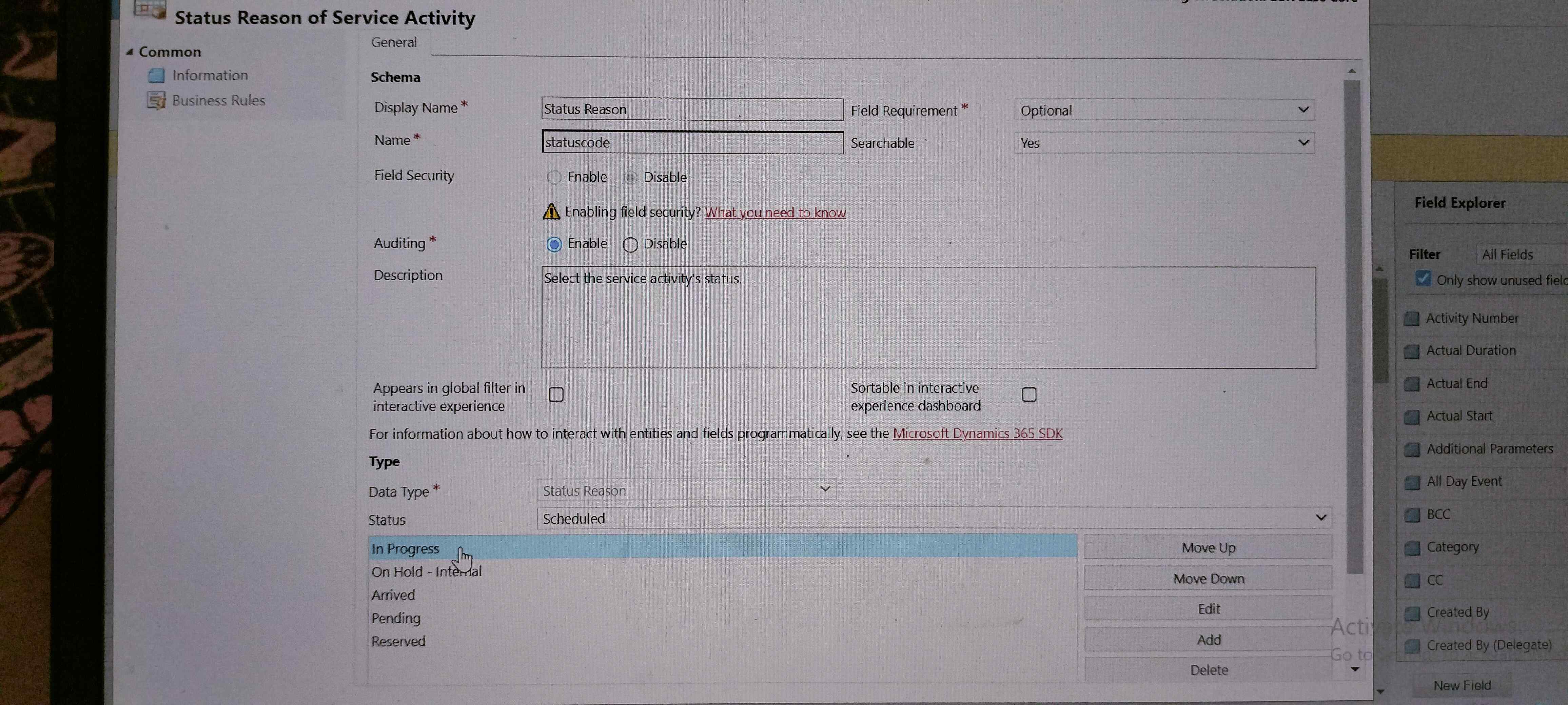
I want to change the status reason from "Not started" to "In progress" using Java script code.Pleas help me by providing some piece of code

(0) ShareShare
ReportReport
Posted on by 42

I want to change the status reason from "Not started" to "In progress" using Java script code16684942340606498206142777362165.jpg

I have the same question (0)
  • Suggested answer
    a33ik Profile Picture
    84,331 Most Valuable Professional on at

    Hello,

    I'm not sure what's the trigger for your code but here is how it should approximately look like:

    function changeStatusCode(executionContext){

    var formContext = executionContext.getFormContext();

    formContext.getAttribute("statuscode").setValue(<replace this with In Progress value>);

    }

  • saikrishna963 Profile Picture
    42 on at

    I have to change that on formonload event

  • Suggested answer
    a33ik Profile Picture
    84,331 Most Valuable Professional on at

    Then create a webresource, add it to the form and add OnLoad event handler pointing to changeStatusCode. Don't forget to check "Pass Execution Context" checkbox.

    Check this - debajmecrm.com/.../

  • saikrishna963 Profile Picture
    42 on at

    Hi, 

          async function serviceActivityOnLoad(executionContext)

    {
          debugger;
          var formContext =executionContext.getFormContext();
          var statusreason = formContext.getAttribute("statuscode").getValue();
          var serviceId = formContext.getAttribute("serviceid").getValue()[0].id;
          var fetchXml = "?fetchXml=<fetch>" +
    "<entity name='service'>"+
    "<attribute name='serviceid'/>"+
    "<filter type='and'>" +  "<condition attribute='serviceid' operator='eq' value='" + serviceId + "'/>" +
    "</filter>" +
    "<link-entity name='lgr_processtype' alias='processType' link-type='inner' from='lgr_processtypeid' to='lgr_processtypeid'>"+
    "<attribute name='lgr_isautoactivitychangetoinprogress' />" +
    "</link-entity>"+
    "</entity>"+ "</fetch>";
          
          await Xrm.WebApi.online.retrieveMultipleRecords("service", fetchXml).then(
                function success(result) {
                      
                      if (statusreason == 799900000 && result.entities[0]['processType.lgr_isautoactivitychangetoinprogress@OData.Community.Display.V1.FormattedValue'] == "Yes")
                             {
                            formContext.getAttribute("statuscode").setValue(6);
                      } else
                            {
                            formContext.getAttribute("statuscode").setValue(799900000);
                      }
                });
          

    }
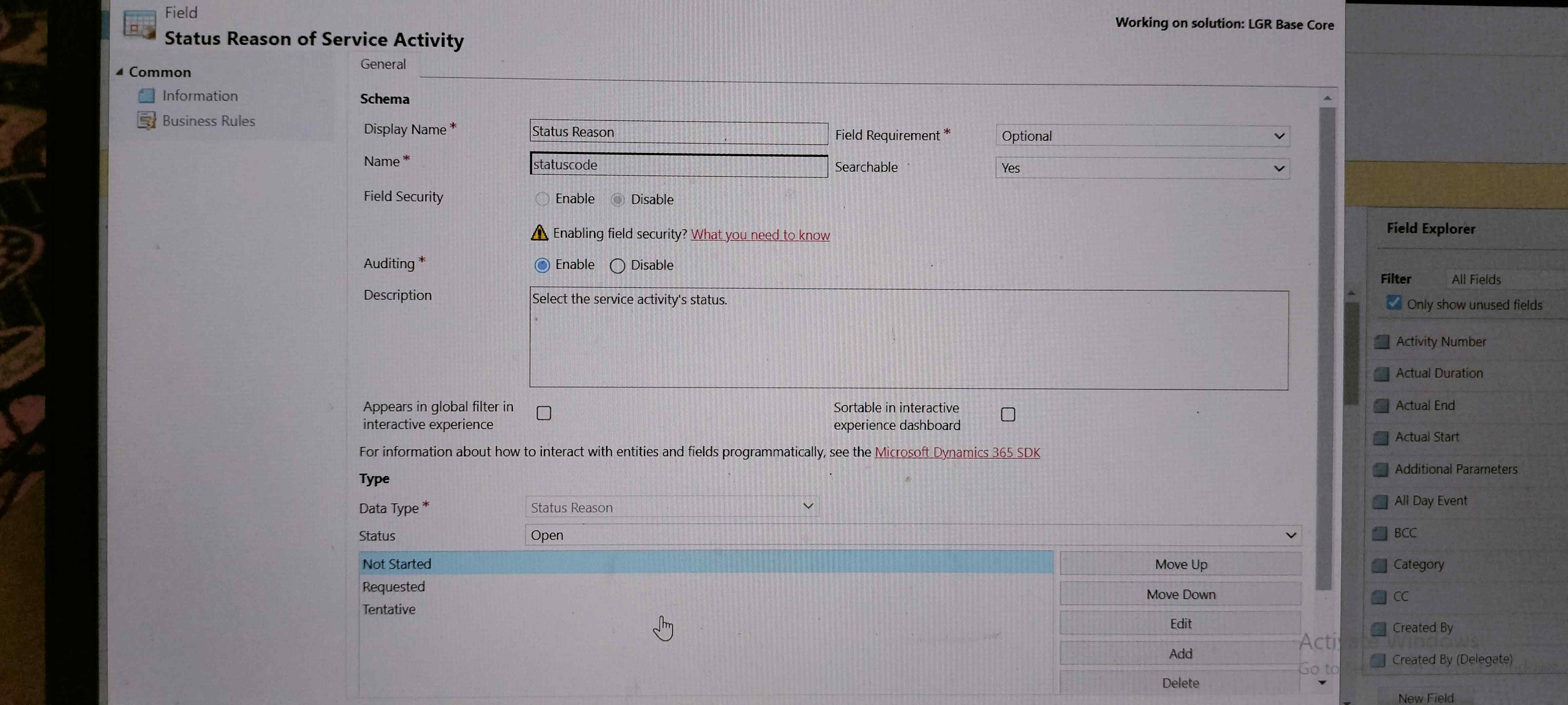
    6663.MicrosoftTeams_2D00_image-_2800_5_2900_.png4075.MicrosoftTeams_2D00_image-_2800_6_2900_.png

    That is my  code all the code works but in if condition the logic is failing to set statuscode to 6. while I am trying with setStatus(2) ( where 2 means requested ) it is working. But for 6 it is not working 6 means Inprogress which is from Scheduled, while Not started is from Open

  • Suggested answer
    a33ik Profile Picture
    84,331 Most Valuable Professional on at

    For your second part that doesn't work you will have to update statecode and statuscode the same time and I believe you will be able to do that using Xrm.WebApi.updateRecord

  • saikrishna963 Profile Picture
    42 on at

    Can you update my code with update record method

  • saikrishna963 Profile Picture
    42 on at

    Can you update my code with update record method

  • Suggested answer
    a33ik Profile Picture
    84,331 Most Valuable Professional on at

    learn.microsoft.com/.../updaterecord

    This post contains everything you need. Good luck.

Under review

Thank you for your reply! To ensure a great experience for everyone, your content is awaiting approval by our Community Managers. Please check back later.

Helpful resources

Quick Links

Introducing the 2026 Season 1 community Super Users

Congratulations to our 2026 Super Stars!

Congratulations to our 2025 Community Spotlights

Thanks to all of our 2025 Community Spotlight stars!

Leaderboard > Service | Customer Service, Contact Center, Field Service, Guides

#1
NeerajPawar Profile Picture

NeerajPawar 31

#2
Tom_Gioielli Profile Picture

Tom_Gioielli 19 Super User 2026 Season 1

#3
11manish Profile Picture

11manish 18

Last 30 days Overall leaderboard

Featured topics

Product updates

Dynamics 365 release plans