web
You’re offline. This is a read only version of the page.
close
Skip to main content

Announcements

No record found.

News and Announcements icon
Community site session details

Community site session details

Session Id :
Customer experience | Sales, Customer Insights,...
Suggested Answer

D365 Portal Cache Issue - Change Tracking

(0) ShareShare
ReportReport
Posted on by 10

We have created a custom entity “Portal Contact Token” and enabled the OData feed for the same on the portal to retrieve the data from this entity. We have enabled “Change Tracking” for this entity from the customization.

The problem we are facing is that the OData feed does not retrieves live data from the CRM. This works intermittently where it brings live data on every OData call, but this happens only for a short duration. Then it gives the same result every time, even after we have updated the records in the CRM. The data is refreshed when we clear the portal cache, however this is not a suitable solution since it gives updated data only once, and clearing cache is not a viable option.

We are expecting this OData feed to return us live data every time we hit the OData URL for the “Portal Contact Token". I also tried exposing the entity list for this entity, however the entity list also does not show the data in real time.

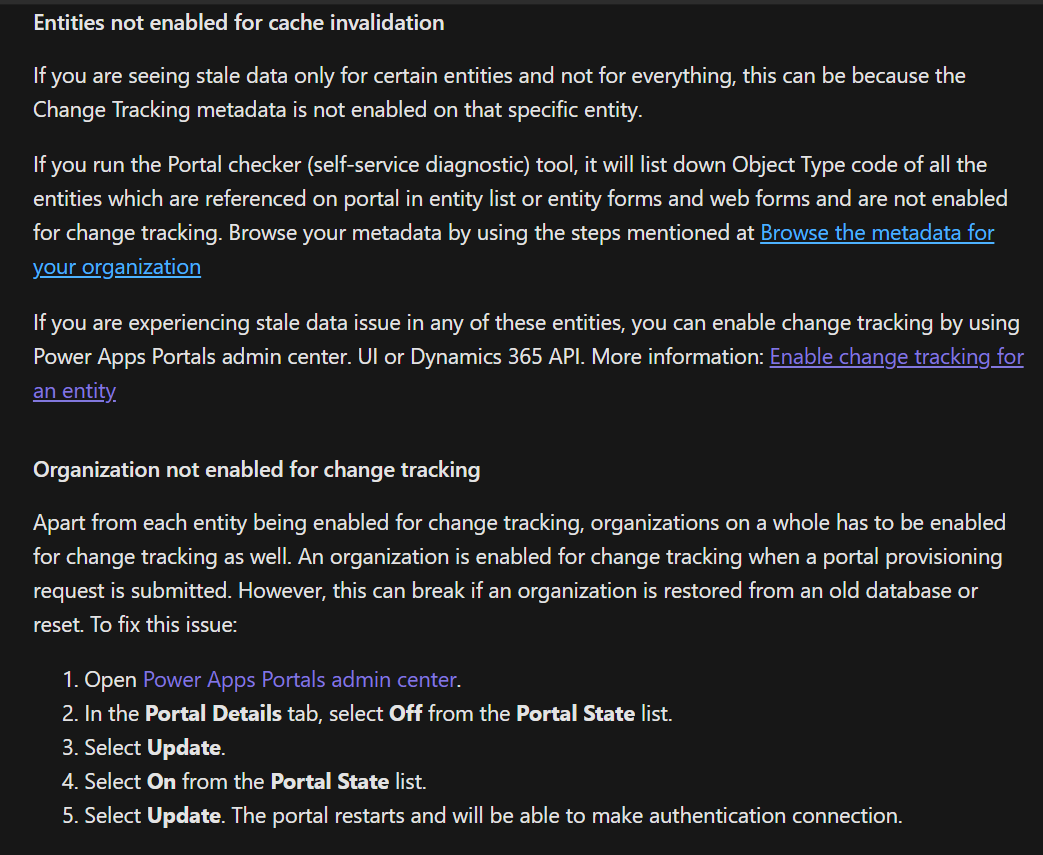
After looking for possible fixes and some research, I came across a documentation (please see the screen attached) and I'm slightly confused as to what is the relevance of "Change Tracking" feature and if it is possible to view real time data from the CRM in the portal?
pastedimage1588835199568v1.png

I have the same question (0)
  • Suggested answer
    oliver.rodrigues Profile Picture
    4,052 on at

    Have you clicked on "Enable change tracking for an entity" link? this might guide you how to do that

    you need to go to the solutions (classic editor via CRM interface, not via make.powerapps)

    open your entity and enable tracking

    this might help with your issue, caching SLA is 15min, but microsoft claims that the cache is refreshed pretty much usually in less than 5 min

    another thing you can try is querying your oData with a "different" filter every time

    for example "name != timestamp"

    your timestamp being the current date with milliseconds, this will make sure every time you are querying the data you have a different filter criteria

  • vennugopal Profile Picture
    5 on at

    Hope you're issue is resolved by now, if not then I have a solution for you. Don't use OData feed, instead create a web template fetch in liquid and add created on filter on or before now. using this fetch generate a JSON via liquid, create a web page with some partial URL and use this web template. Don't forget to exclude the header and footer. you'll get your real-time response. The key here is to add a variable parameter in fetch which brings fresh results every time rather than cached results.

Under review

Thank you for your reply! To ensure a great experience for everyone, your content is awaiting approval by our Community Managers. Please check back later.

Helpful resources

Quick Links

Introducing the 2026 Season 1 community Super Users

Congratulations to our 2026 Super Stars!

Meet the Microsoft Dynamics 365 Contact Center Champions

We are thrilled to have these Champions in our Community!

Congratulations to the April Top 10 Community Leaders

These are the community rock stars!

Leaderboard > Customer experience | Sales, Customer Insights, CRM

#1
ManoVerse Profile Picture

ManoVerse 81 Super User 2026 Season 1

#2
Muhammad Shahzad Shafique Profile Picture

Muhammad Shahzad Sh... 69 Most Valuable Professional

#3
11manish Profile Picture

11manish 62

Last 30 days Overall leaderboard

Product updates

Dynamics 365 release plans
