Hello,
I am trying to create a custom field that is part of my opportunity sales process in the stage of qualify. I want there to be a button that says "Client Presentation" with a multi opt choice of "Scheduled", "Sent Material", and "Presentation Completed". I have tried multiple ways to add this custom field to the "qualify" button. I want it to be a mandatory step in qualifying opportunities before moving to the next step.
Ways I have attempted to make it happen.
1. I have gone in through customization and clicked on the form associated with "opportunity sales process" and added the custom field I wanted but I cannot add it here.
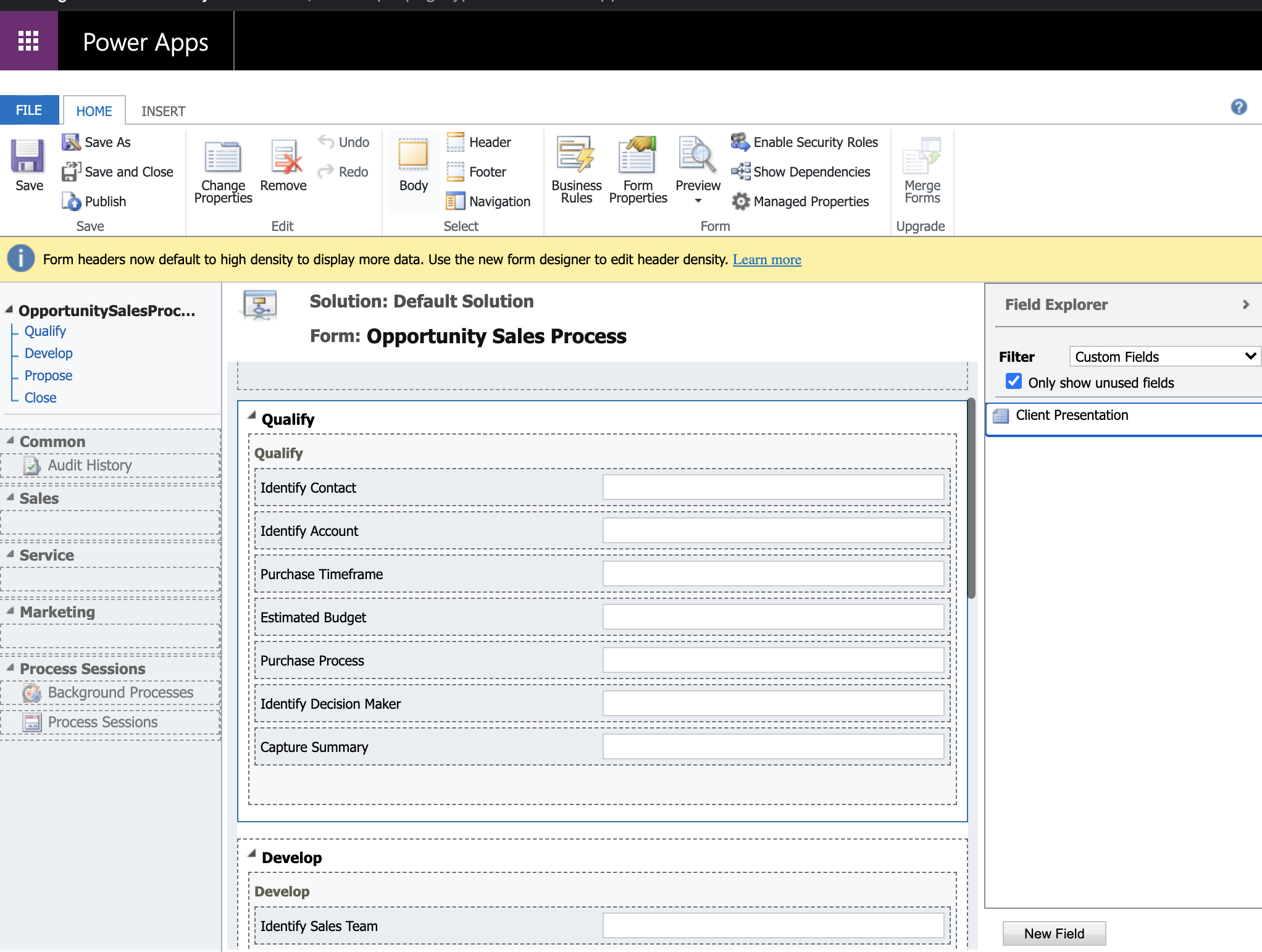
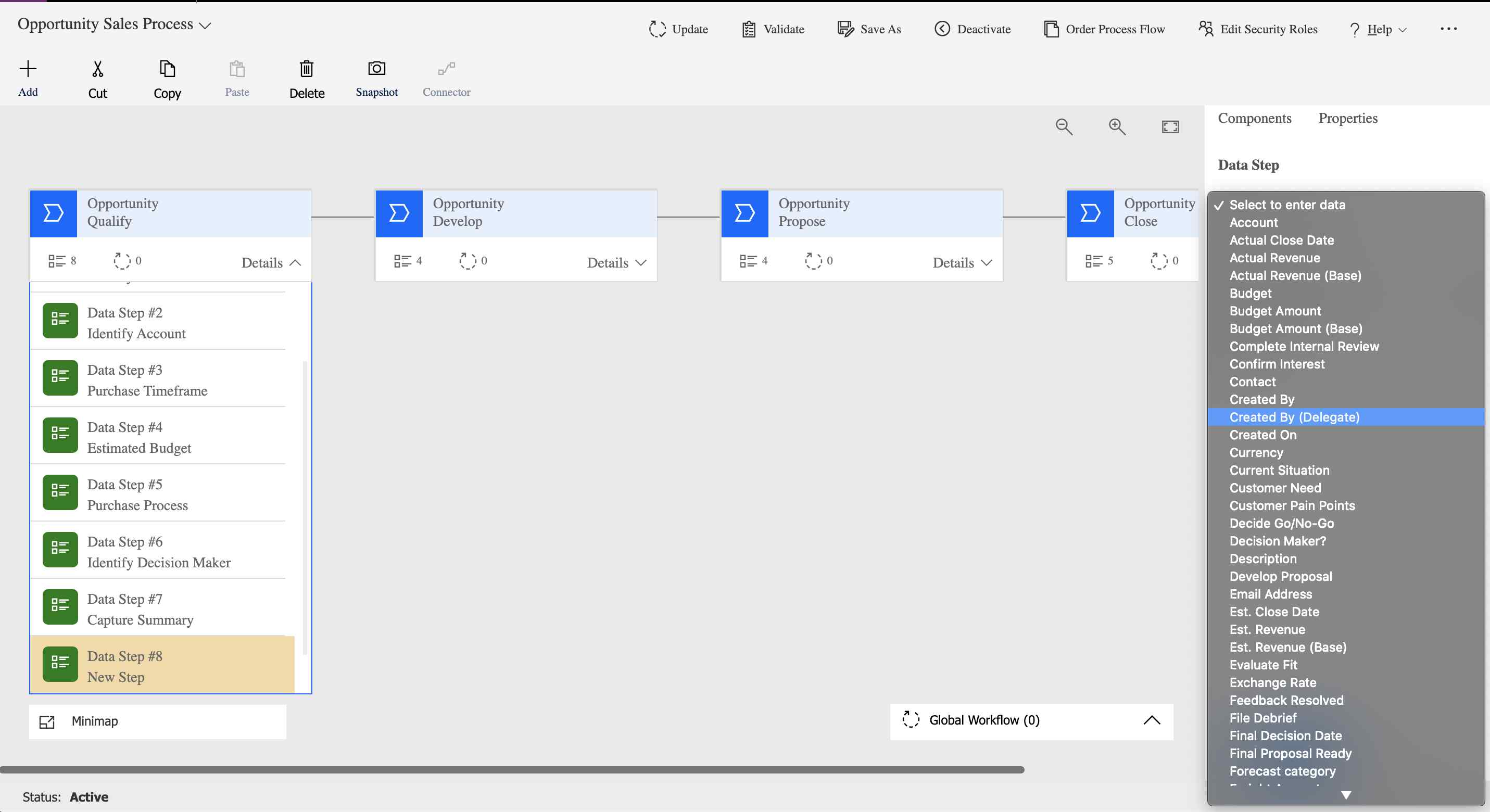
2. I have tried clicking on the "opportunity sales process" in business process flows and in power app adding a data task then selecting the custom field I created in this form, but it does not show up.
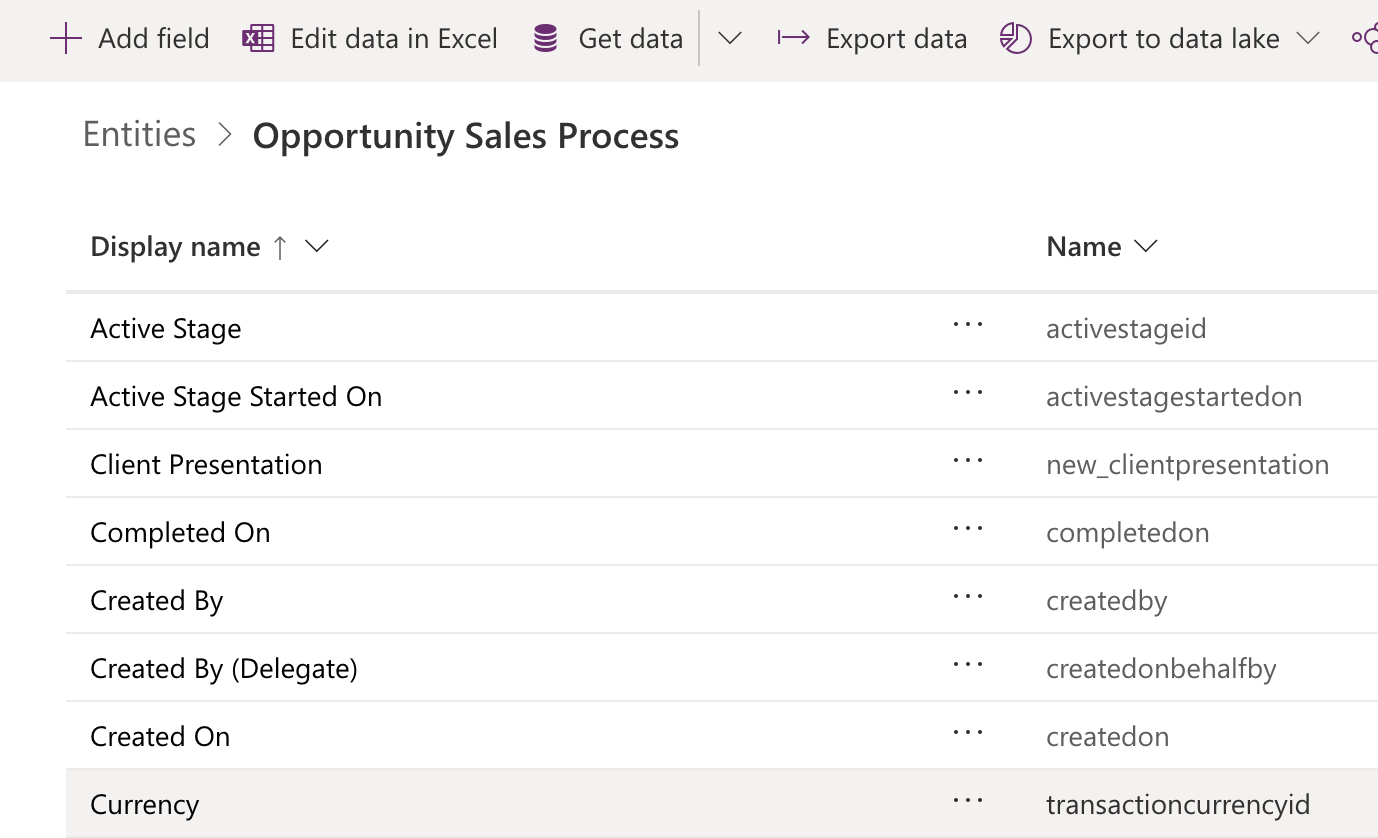
3. I tried using make.powerapp.com to manually create this field and add it to the qualify stage. Even after adding the field, I cannot add it to the section I want.
I need to be able to create custom checkpoints at each stage like this, and this is my first hurdle. Any help would be appreciated. I spent almost all day working on this one problem, unfortunately.
Thank you, Dynamics fam.
All the best,
Josh





