web
You’re offline. This is a read only version of the page.
close
Skip to main content

Notifications

Announcements

No record found.

Community site session details

Community site session details

Session Id :
Customer experience | Sales, Customer Insights,...
Suggested Answer

Automate creation of Contact/Account when creating a Lead

(0) ShareShare
ReportReport
Posted on by 71

Hi,

I want Dynamics to automatically create a Contact and an Account when I create a Lead in the Sales Hub
Is this done via a Business Process Flows and any suggestions on creating this plan as I'm new to Powerapps flows etc.
I've had a little play but I want to make sure I create it correctly. 

I have the same question (0)
  • Suggested answer
    JenDV Profile Picture
    181 on at

    Contact and Account is created when a Lead record is Qualified (this is a button in the Lead form).

    If you mean to create a contact and account record on the moment that lead record is created, you can achieve this via power automate flow and use the Microsoft Dataverse trigger for When a row is added, modified or deleted:

    pastedimage1647889243968v1.png

    and then followed by Microsoft Dataverse action for Add a new row for creation of contact and account record

    pastedimage1647889352781v2.png

    pastedimage1647889388250v3.png

    You can customize it the way you want.

  • Suggested answer
    Nya Profile Picture
    29,060 on at

    Hi,

    Here is an example for creating contacts, and creating account can be done in the same way.

    Please refer to the following steps to create the workflow.

    If a contact record is created for an existing lead record, it is created as on-demand workflow. For your case, it can be created as a normal one which starts when "Record is created".
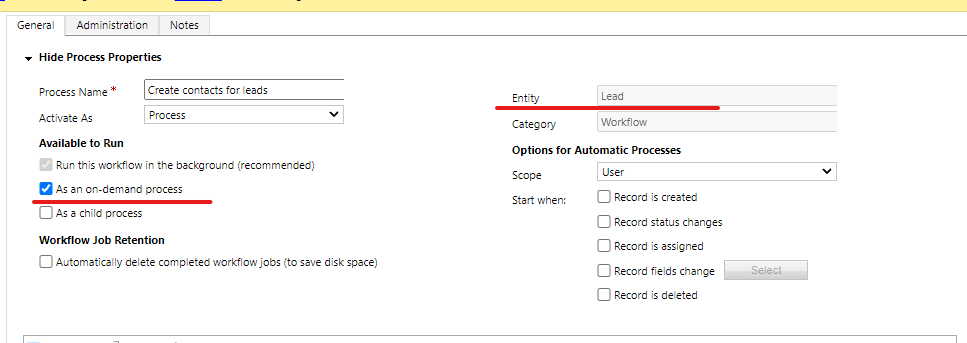
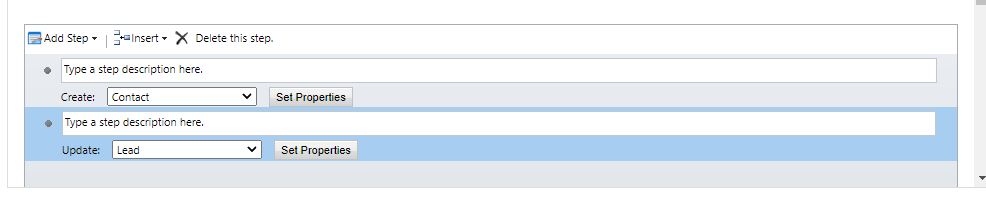
    Image

    Insert a step to create the related contact for the record.

    Image

    Set the value of the field in contact record with the existing value which you need in the lead record.
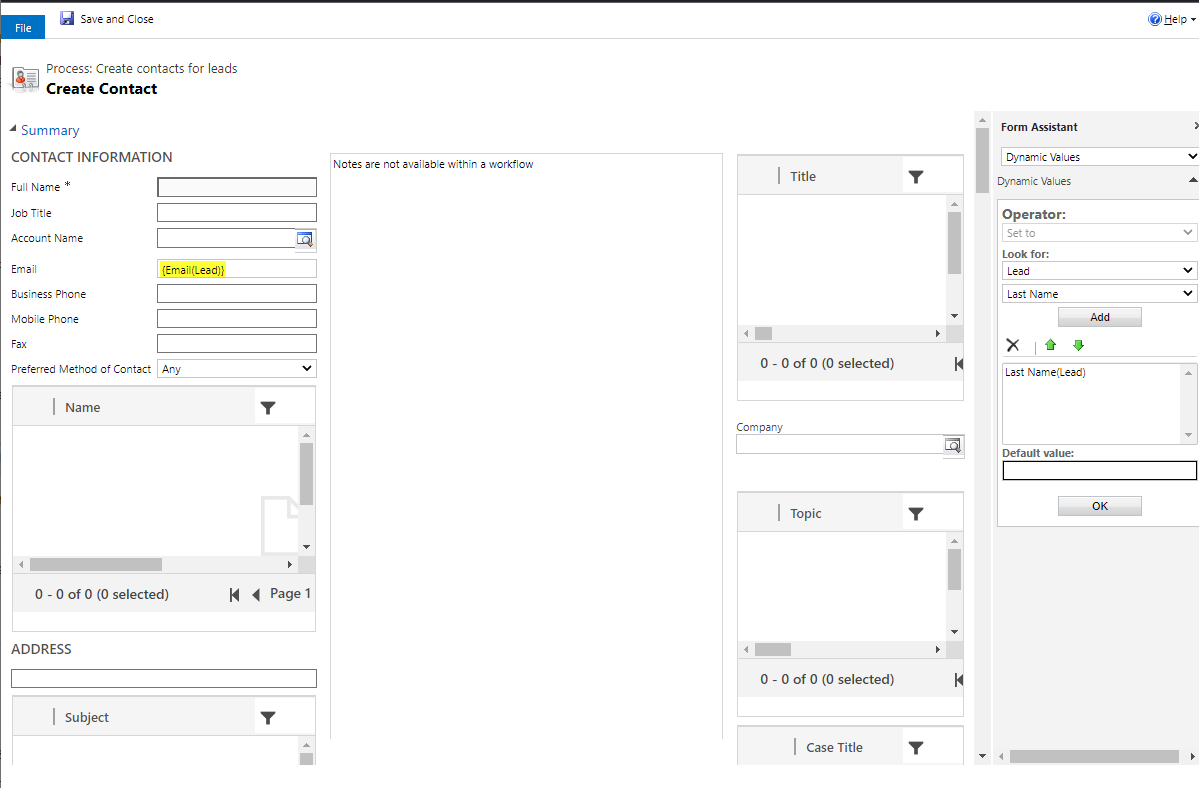
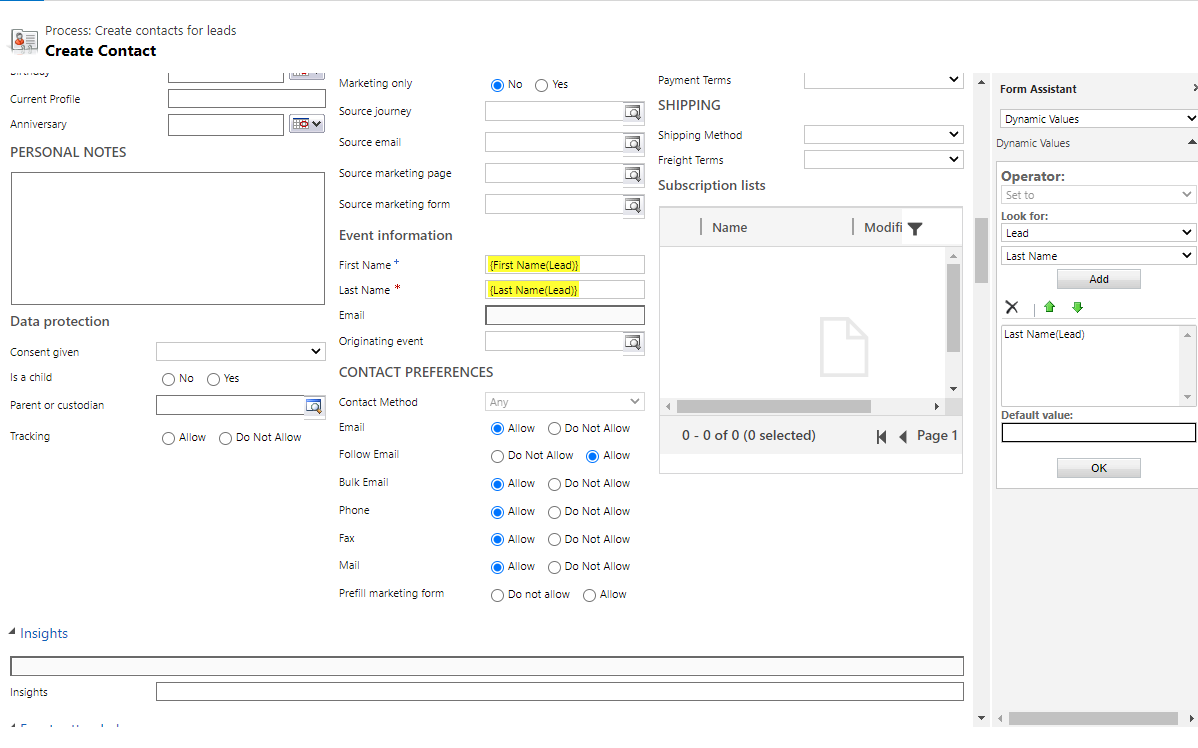
    Image

    Image

    Then update the lead record itself.

    Image

    Set the contact just created as the parent contact of the lead.
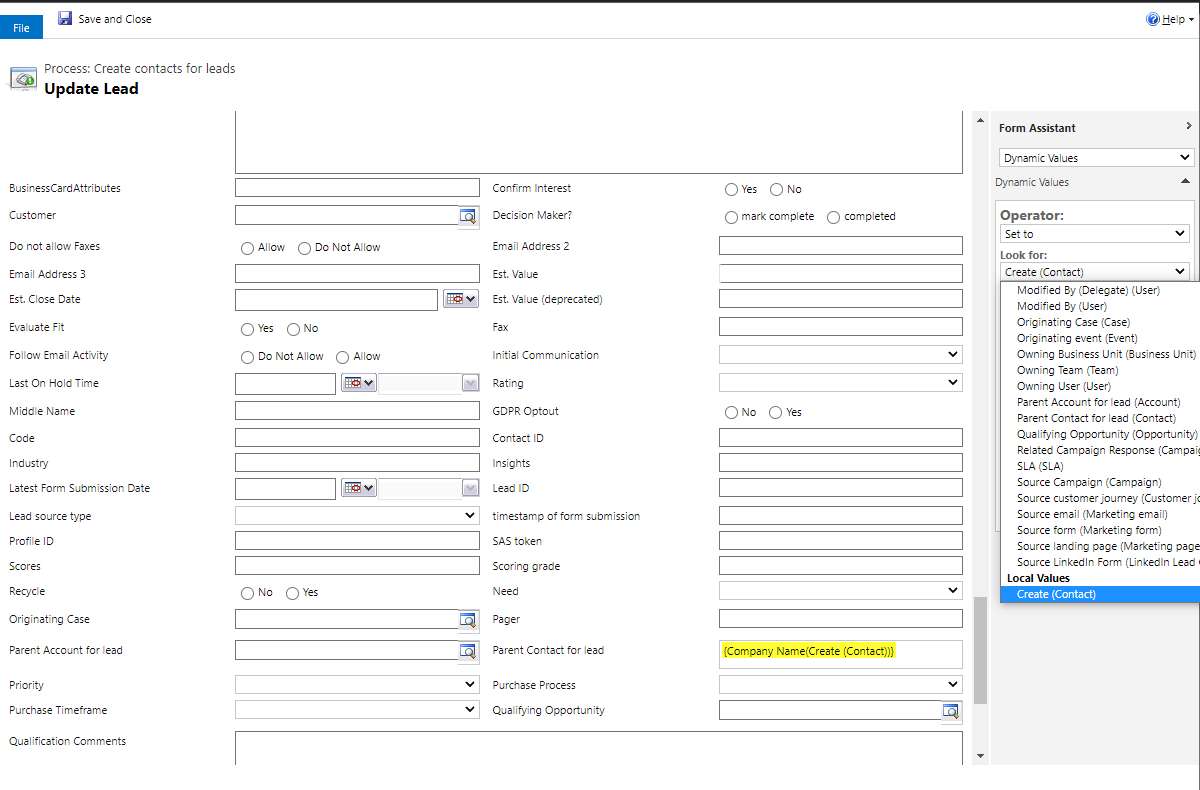
    Image

    After activating the workflow, you can select multiple / all leads and trigger the workflow for them manually. 

    This step can be ignored if it is not an on-demand workflow.
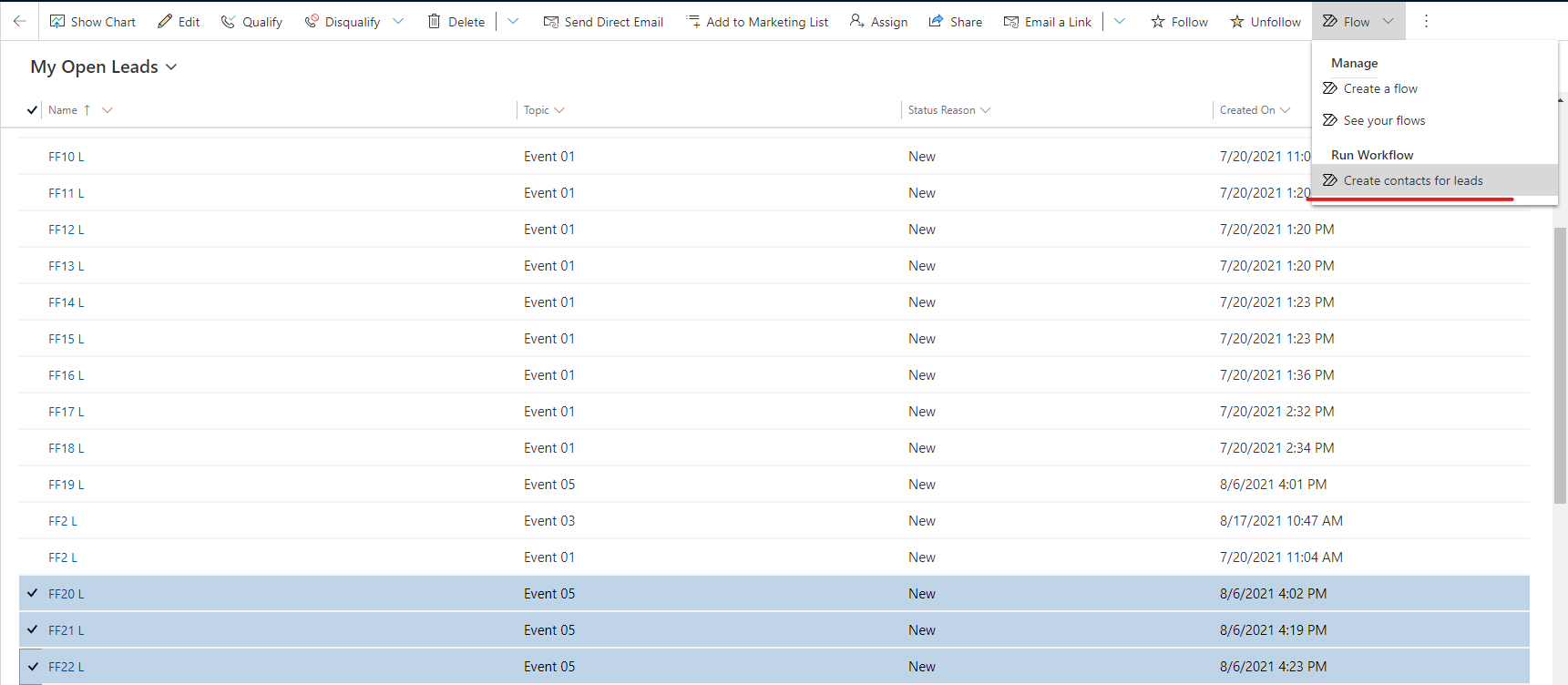
    Image

    It eliminates the challenge of having to create contacts for a large number of leads.
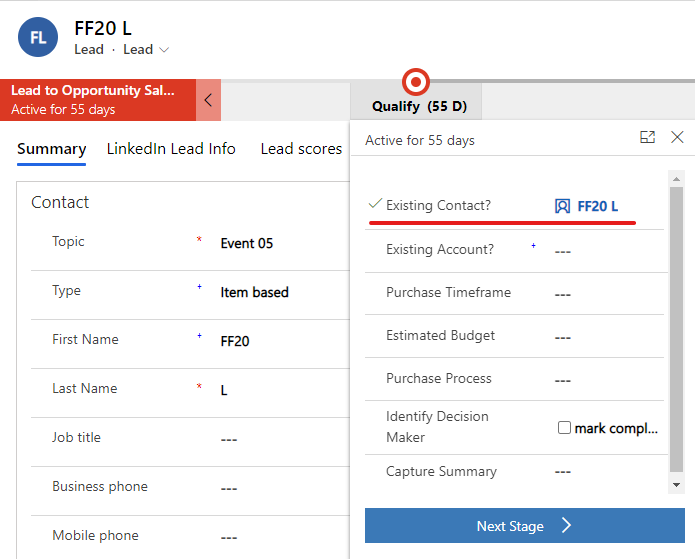
    Image

  • RachelColes Profile Picture
    71 on at

    Thank you for the comments

    We have decided to leave it as is and when a Lead changes to a Opportunity then it will create the Account and Contact  

  • Suggested answer
    Nya Profile Picture
    29,060 on at

    Hi,

    So you can set the trigger as "when an opportunity is created".

Under review

Thank you for your reply! To ensure a great experience for everyone, your content is awaiting approval by our Community Managers. Please check back later.

Helpful resources

Quick Links

Responsible AI policies

As AI tools become more common, we’re introducing a Responsible AI Use…

Neeraj Kumar – Community Spotlight

We are honored to recognize Neeraj Kumar as our Community Spotlight honoree for…

Leaderboard > Customer experience | Sales, Customer Insights, CRM

#1
Tom_Gioielli Profile Picture

Tom_Gioielli 170 Super User 2025 Season 2

#2
#ManoVerse Profile Picture

#ManoVerse 70

#3
Jimmy Passeti Profile Picture

Jimmy Passeti 50 Most Valuable Professional

Last 30 days Overall leaderboard

Product updates

Dynamics 365 release plans