web
You’re offline. This is a read only version of the page.
close
Skip to main content

Announcements

No record found.

News and Announcements icon
Community site session details

Community site session details

Session Id :
Finance | Project Operations, Human Resources, ...
Suggested Answer

Custom workflow nolonger working after Service Update 10.0.32

(0) ShareShare
ReportReport
Posted on by 35

Good day. I'm facing challenges with my custom workflow after the service update 10.0.32.

the submit button is no longer working for new records that will be created on the form. 

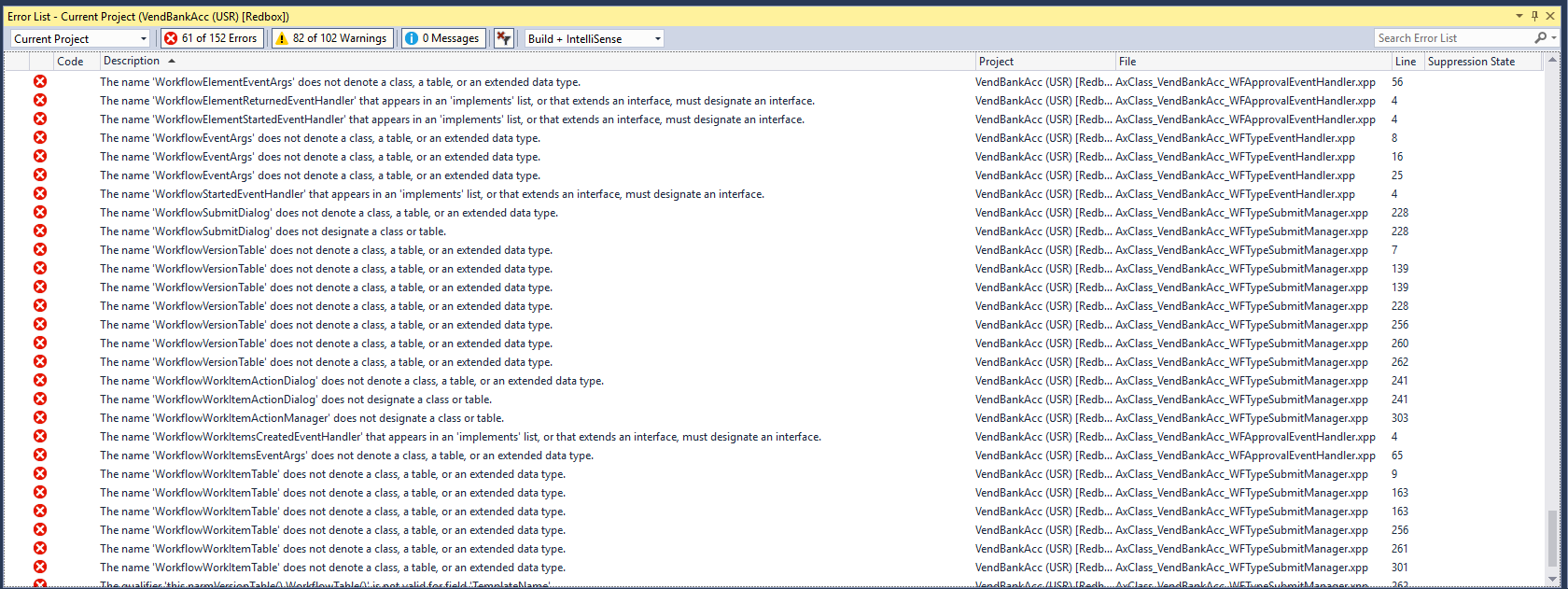
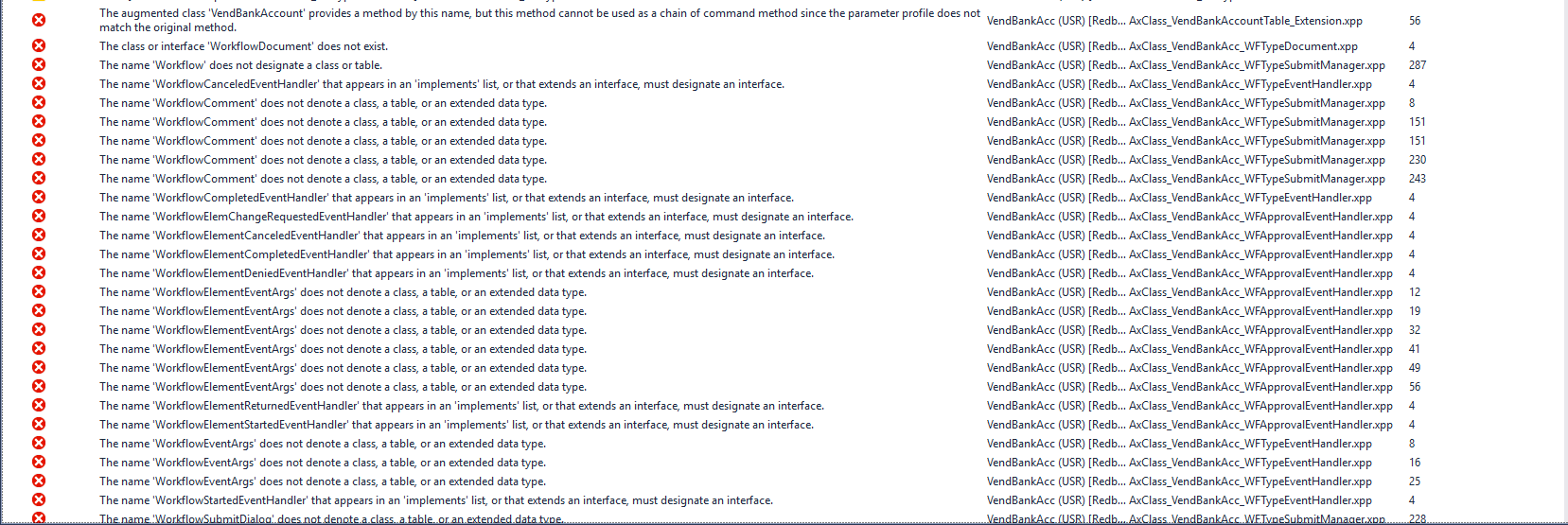
when i build the project on my dev environment i get a lot of errors that were not there prior to the the update.

some of the error messages are "the name 'workflowVersionTable' does not denote a class, a table or an extended data type"

please assist me.

4087.error3.PNG pastedimage1681795569381v1.pngpastedimage1681795572397v2.png

I have the same question (0)
  • Suggested answer
    Komi Siabi Profile Picture
    13,228 Most Valuable Professional on at

    First thing I would do is to confirm the model workflowVersionTable belongs to and check if that model is still referenced in my custom model.

    If answer is yes.

    Build your custom model. If errors still persist, build all models. The later would take a longer time. I presume you are already aware of that.

  • Mohit Rampal Profile Picture
    12,573 Moderator on at

    Hi, We have recently updated our environments to 10.0.32 and didn't faced this issue. Can you check if your custom model is still referencing Application Foundation model

    in Visual Studio, Extensions-->Dynamics 365-->Model Management-->Update model parameters

  • Tapiwa Louis Profile Picture
    35 on at

    Hi Mohit,

    I have referenced the Application Foundation from my model and rebuilt all models. The errors are all gone. However, the submit to workflow button is still not showing when you create a new record. It's only showing for older records created before the update. Is there something else I can try to fix this ?

    Regards,

    Tapiwa Louis

  • Tapiwa Louis Profile Picture
    35 on at

    Hi Komi,

    I have rebuilt all models. The errors are all gone. However, the submit to workflow button is still not showing when you create a new record. It's only showing for older records created before the update. Is there something else I can try to fix this ?

    Regards,

    Tapiwa Louis

  • Suggested answer
    Komi Siabi Profile Picture
    13,228 Most Valuable Professional on at

    Few things to check :

    * On form extension, check if the workflow type is still specified.

    * Confirm that, the workflow status is in draft when record is created.

    * You might also want to revisit your canSubmitToWorkflow method.

  • Suggested answer
    Mohit Rampal Profile Picture
    12,573 Moderator on at

    In addition to above suggestions, please ensure Workflow is Active and Activate Change Management is Enabled, if applicable or if the workflow is controlled by parameter.

  • TakundaMutowo Profile Picture
    20 on at

    There is a confict between the customised workflow and the newly released vendor bank account workflow. For the workflow button to show you need to enable the feature in feature management however due to the customised workflow ,it is still not working .

    How can you remove the custom workflow from the environment

  • Suggested answer
    Komi Siabi Profile Picture
    13,228 Most Valuable Professional on at

    Simply undo the creation of the workflow by removing the workflow objects.

    Don't forget to remove the workflow type on your form extension

  • Suggested answer
    Mohit Rampal Profile Picture
    12,573 Moderator on at

    Hi,

    I have written article on Vendor bank account workflow feature in 10.0.32. I believe this feature is not mandatory but it's interesting that it's impacting the custom workflow, probably due to changes in baseline code by Microsoft.

    mohitrampal.com/.../

    Please remove all your customizations for custom vendor bank approval workflow from Dev environment, build your model, test new standard feature for this workflow and deploy the changes to your Test and Production accordingly.

  • Komi Siabi Profile Picture
    13,228 Most Valuable Professional on at

    TakundaMutowo ,

    Please, give us update on this.

Under review

Thank you for your reply! To ensure a great experience for everyone, your content is awaiting approval by our Community Managers. Please check back later.

Helpful resources

Quick Links

Introducing the 2026 Season 1 community Super Users

Congratulations to our 2026 Super Stars!

Meet the Microsoft Dynamics 365 Contact Center Champions

We are thrilled to have these Champions in our Community!

Congratulations to the April Top 10 Community Leaders

These are the community rock stars!

Leaderboard > Finance | Project Operations, Human Resources, AX, GP, SL

#1
Giorgio Bonacorsi Profile Picture

Giorgio Bonacorsi 622

#2
André Arnaud de Calavon Profile Picture

André Arnaud de Cal... 532 Super User 2026 Season 1

#3
CP04-islander Profile Picture

CP04-islander 430

Last 30 days Overall leaderboard

Product updates

Dynamics 365 release plans