web
You’re offline. This is a read only version of the page.
close
Skip to main content

Notifications

Announcements

No record found.

Community site session details

Community site session details

Session Id :
Microsoft Dynamics AX (Archived)

CU 11 update after No module selected

(0) ShareShare
ReportReport
Posted on by 109

Hi,

I installed Ax 2012 R3 then installed CU 9, CU10 and C11 then when start the ax cant see any module at home page. I try software update checklist and loading lisanse and syncronize tables and compile and CIL but I still cant see any module. Could you plase help me.
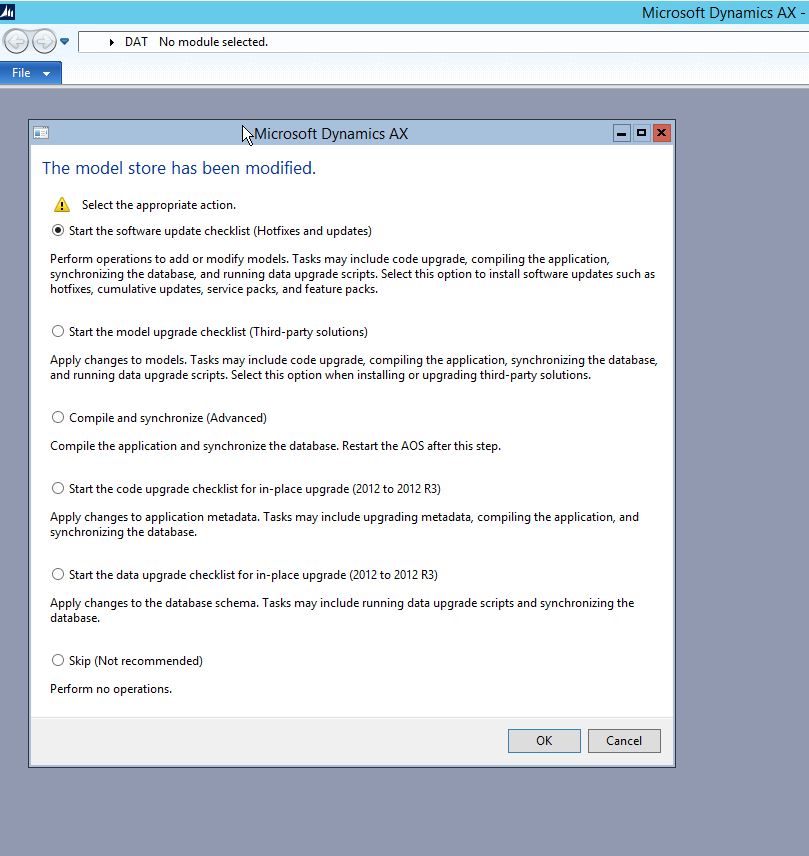
 no-module.jpg

*This post is locked for comments

I have the same question (0)
  • Juan Rafael Profile Picture
    405 on at

    Hi.

    I do the following.

    1. For the AOS service.
    2. Restart the Windows Server.
    3. Enter the AX, in the window you give the third option (Compile and synchronize).

    Regards,

  • Suggested answer
    Vilmos Kintera Profile Picture
    46,149 on at

    Adding a Cumulative Update is not just an install-and-forget activity. Did you go through the proper code and data upgrade steps, explained in the documentation? Here is the guide for the most recent CU12 version, but the same applies to the others. Also you do not need to go through each version one by one, since cumulative means previous ones are included in that patch.

    mbs.microsoft.com/.../CumulativeUpdate12InstallationGuideforMicrosoftDynamicsAX2012R3.pdf

  • Verified answer
    Faruk Durak Profile Picture
    109 on at

    Hi Juan  and Viloms,

    thank you for help. I created new Legal Entities and I can see moldules. Then I reset Usage Data for admin user so I can see all modules at DAT copany.

  • Vilmos Kintera Profile Picture
    46,149 on at

    Sorry but I do not understand how would creating legal entities be related to an already existing application being upgraded from an earlier version to the latest cumulative update. You have not stated whether you get the issue for the modules before, during, or after going through the upgrade checklist.

    Can you please explain you situation better for assisting others facing the same issue?

Under review

Thank you for your reply! To ensure a great experience for everyone, your content is awaiting approval by our Community Managers. Please check back later.

Helpful resources

Quick Links

Responsible AI policies

As AI tools become more common, we’re introducing a Responsible AI Use…

Neeraj Kumar – Community Spotlight

We are honored to recognize Neeraj Kumar as our Community Spotlight honoree for…

Leaderboard > 🔒一 Microsoft Dynamics AX (Archived)

#1
Martin Dráb Profile Picture

Martin Dráb 4 Most Valuable Professional

#1
Priya_K Profile Picture

Priya_K 4

#3
MyDynamicsNAV Profile Picture

MyDynamicsNAV 2

Last 30 days Overall leaderboard

Featured topics

Product updates

Dynamics 365 release plans



