web
You’re offline. This is a read only version of the page.
close
Skip to main content

Notifications

Announcements

No record found.

Community site session details

Community site session details

Session Id :
Customer experience | Sales, Customer Insights,...
Suggested Answer

Flow (Power Automate) Login in Dynamics not possible

(0) ShareShare
ReportReport
Posted on by 60

Hi,

we are facing a weird issue when our users try to use "run a flow" on the entity forms. Usually via Single Sign on they see their flows and can run them for the current record.

Since friday they are first promted to "Login to Flow" .
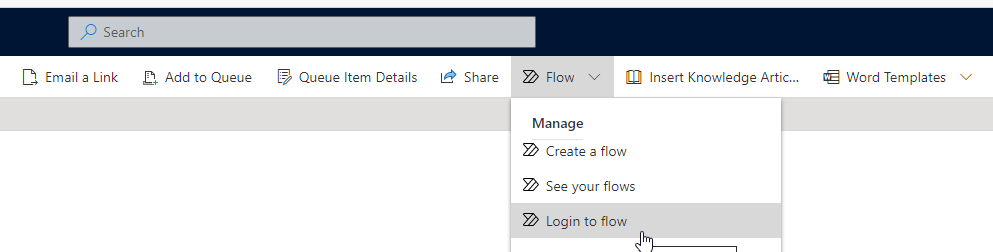
pastedimage1624535675625v3.png

This will open a window "Login to Flow" but the window stays empty instead of prompting for credentials.
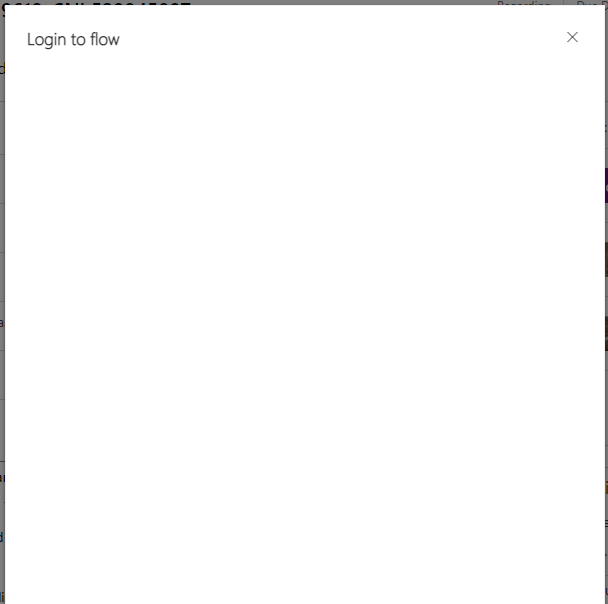
pastedimage1624535563063v1.png

In the browser consol I can see errors regarding authentication exceptions.

----

? Message Handler: Failure Response AttemptToSilentlyAuthenticate: Silent authentication failed Response:

 "Authentication failed, please authenticate at the provided Url"

Failed to read the 'sessionStorage' property from 'Window': Access is denied for this document.

 Failure Response AttemptToSilentlyAuthenticate: Silent authentication failed Response:

----

So there is something wrong with passing the credentials from flow.microsoft.com to dynamics.

Important: This is working fine for Google Chrome but not for Microsoft Edge.

So I tried changing settings for Microsoft Edge (3rd party cookies are allowed,...) but I can't get it to work.

Are there any other settings in the Edge Browser that could block the login?

I have the same question (0)
  • Suggested answer
    Ayaka Iwai Profile Picture
    on at

    Can you check if it works when using private browse or clear cache?

    I suggested to raise support ticket with fiddler trace if the issue isn't resolved.

  • Marcel Maier Profile Picture
    60 on at

    Thanks for the suggestion. I already tried clearing the cache. Now I also tried it in a private window. Still the same issue with both.

  • Suggested answer
    gupta.ambar2009@gmail.com Profile Picture
    797 on at

    Hi,

    One of the possible reason is , License .

    check whether user has per app plan or per use plan . if its per app then user can access only one app , if its user per plan then user can access power apps component as well

  • Marcel Maier Profile Picture
    60 on at

    Hello,

    how is that a possible reason? It's working in chrome but not in edge. So licensing really can't be a reason.

Under review

Thank you for your reply! To ensure a great experience for everyone, your content is awaiting approval by our Community Managers. Please check back later.

Helpful resources

Quick Links

Responsible AI policies

As AI tools become more common, we’re introducing a Responsible AI Use…

Neeraj Kumar – Community Spotlight

We are honored to recognize Neeraj Kumar as our Community Spotlight honoree for…

Leaderboard > Customer experience | Sales, Customer Insights, CRM

#1
Tom_Gioielli Profile Picture

Tom_Gioielli 70 Super User 2025 Season 2

#2
Gerardo Rentería García Profile Picture

Gerardo Rentería Ga... 43 Most Valuable Professional

#3
Daniyal Khaleel Profile Picture

Daniyal Khaleel 32 Most Valuable Professional

Last 30 days Overall leaderboard

Product updates

Dynamics 365 release plans
