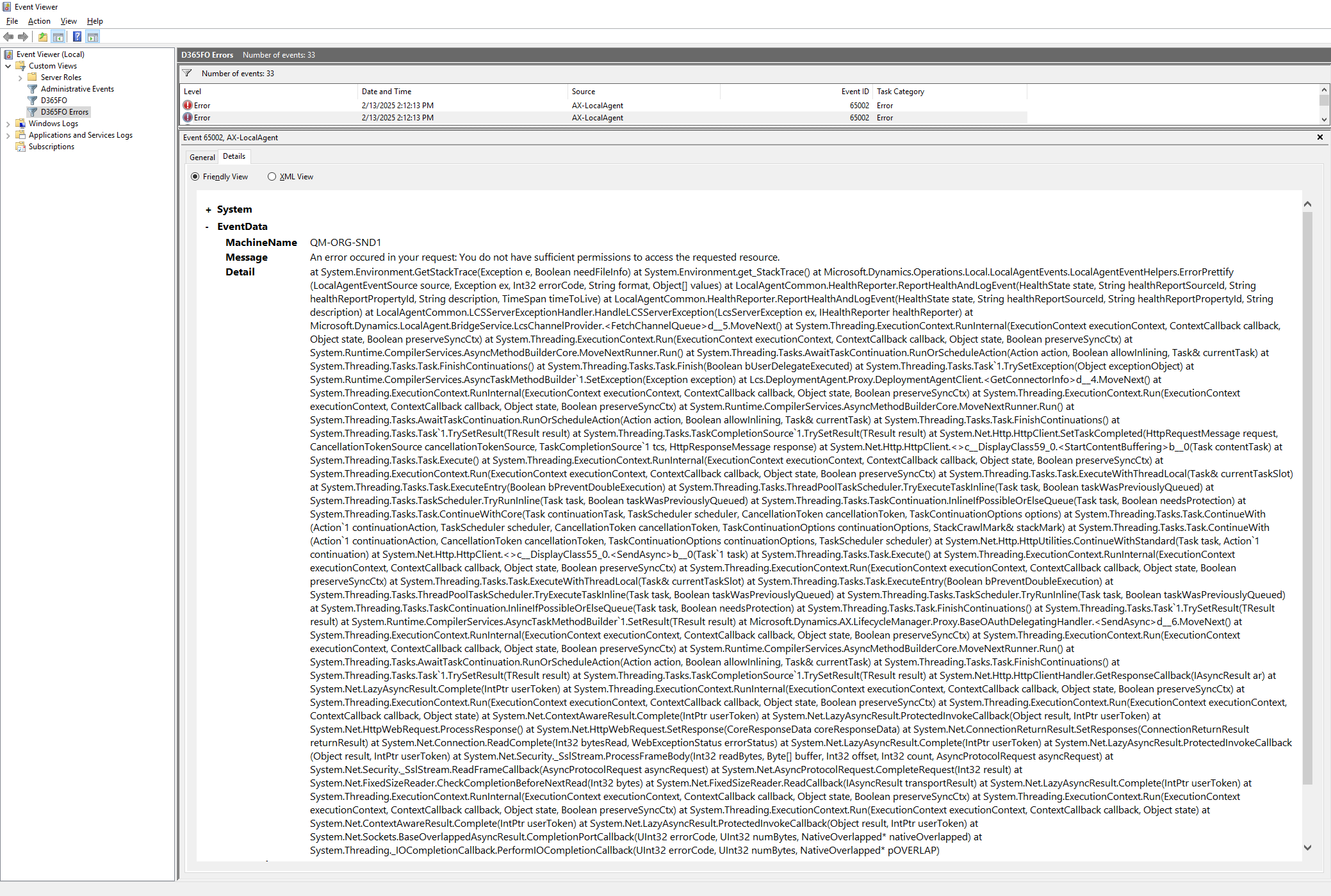
We are facing same issue from yesterday...
fabric:/LocalAgent/BridgeService
Microsoft-Dynamics-AX-LocalAgent/Operational
AX-LocalAgent
Event ID: 65002
An error occured in your request: You do not have sufficient permissions to access the requested resource
at System.Environment.GetStackTrace(Exception e, Boolean needFileInfo) at System.Environment.get_StackTrace() at Microsoft.Dynamics.Operations.Local.LocalAgentEvents.LocalAgentEventHelpers.ErrorPrettify(LocalAgentEventSource source, Exception ex, Int32 errorCode, String format, Object[] values) at LocalAgentCommon.HealthReporter.ReportHealthAndLogEvent(HealthState state, String healthReportSourceId, String healthReportPropertyId, String description, TimeSpan timeToLive) at LocalAgentCommon.HealthReporter.ReportHealthAndLogEvent(HealthState state, String healthReportSourceId, String healthReportPropertyId, String description) at LocalAgentCommon.LCSServerExceptionHandler.HandleLCSServerException(LcsServerException ex, IHealthReporter healthReporter) at Microsoft.Dynamics.LocalAgent.BridgeService.LcsChannelProvider.<FetchChannelQueue>d__5.MoveNext() at System.Threading.ExecutionContext.RunInternal(ExecutionContext executionContext, ContextCallback callback, Object state, Boolean preserveSyncCtx) at System.Threading.ExecutionContext.Run(ExecutionContext executionContext, ContextCallback callback, Object state, Boolean preserveSyncCtx) at System.Runtime.CompilerServices.AsyncMethodBuilderCore.MoveNextRunner.Run() at System.Threading.Tasks.AwaitTaskContinuation.RunOrScheduleAction(Action action, Boolean allowInlining, Task& currentTask) at System.Threading.Tasks.Task.FinishContinuations() at System.Threading.Tasks.Task.Finish(Boolean bUserDelegateExecuted) at System.Threading.Tasks.Task`1.TrySetException(Object exceptionObject) at System.Runtime.CompilerServices.AsyncTaskMethodBuilder`1.SetException(Exception exception) at Lcs.DeploymentAgent.Proxy.DeploymentAgentClient.<GetConnectorInfo>d__4.MoveNext() at System.Threading.ExecutionContext.RunInternal(ExecutionContext executionContext, ContextCallback callback, Object state, Boolean preserveSyncCtx) at System.Threading.ExecutionContext.Run(ExecutionContext executionContext, ContextCallback callback, Object state, Boolean preserveSyncCtx) at System.Runtime.CompilerServices.AsyncMethodBuilderCore.MoveNextRunner.Run() at System.Threading.Tasks.AwaitTaskContinuation.RunOrScheduleAction(Action action, Boolean allowInlining, Task& currentTask) at System.Threading.Tasks.Task.FinishContinuations() at System.Threading.Tasks.Task`1.TrySetResult(TResult result) at System.Threading.Tasks.TaskCompletionSource`1.TrySetResult(TResult result) at System.Net.Http.HttpClient.SetTaskCompleted(HttpRequestMessage request, CancellationTokenSource cancellationTokenSource, TaskCompletionSource`1 tcs, HttpResponseMessage response) at System.Net.Http.HttpClient.<>c__DisplayClass59_0.<StartContentBuffering>b__0(Task contentTask) at System.Threading.Tasks.Task.Execute() at System.Threading.ExecutionContext.RunInternal(ExecutionContext executionContext, ContextCallback callback, Object state, Boolean preserveSyncCtx) at System.Threading.ExecutionContext.Run(ExecutionContext executionContext, ContextCallback callback, Object state, Boolean preserveSyncCtx) at System.Threading.Tasks.Task.ExecuteWithThreadLocal(Task& currentTaskSlot) at System.Threading.Tasks.Task.ExecuteEntry(Boolean bPreventDoubleExecution) at System.Threading.Tasks.ThreadPoolTaskScheduler.TryExecuteTaskInline(Task task, Boolean taskWasPreviouslyQueued) at System.Threading.Tasks.TaskScheduler.TryRunInline(Task task, Boolean taskWasPreviouslyQueued) at System.Threading.Tasks.TaskContinuation.InlineIfPossibleOrElseQueue(Task task, Boolean needsProtection) at System.Threading.Tasks.Task.ContinueWithCore(Task continuationTask, TaskScheduler scheduler, CancellationToken cancellationToken, TaskContinuationOptions options) at System.Threading.Tasks.Task.ContinueWith(Action`1 continuationAction, TaskScheduler scheduler, CancellationToken cancellationToken, TaskContinuationOptions continuationOptions, StackCrawlMark& stackMark) at System.Threading.Tasks.Task.ContinueWith(Action`1 continuationAction, CancellationToken cancellationToken, TaskContinuationOptions continuationOptions, TaskScheduler scheduler) at System.Net.Http.HttpUtilities.ContinueWithStandard(Task task, Action`1 continuation) at System.Net.Http.HttpClient.<>c__DisplayClass55_0.<SendAsync>b__0(Task`1 task) at System.Threading.Tasks.Task.Execute() at System.Threading.ExecutionContext.RunInternal(ExecutionContext executionContext, ContextCallback callback, Object state, Boolean preserveSyncCtx) at System.Threading.ExecutionContext.Run(ExecutionContext executionContext, ContextCallback callback, Object state, Boolean preserveSyncCtx) at System.Threading.Tasks.Task.ExecuteWithThreadLocal(Task& currentTaskSlot) at System.Threading.Tasks.Task.ExecuteEntry(Boolean bPreventDoubleExecution) at System.Threading.Tasks.ThreadPoolTaskScheduler.TryExecuteTaskInline(Task task, Boolean taskWasPreviouslyQueued) at System.Threading.Tasks.TaskScheduler.TryRunInline(Task task, Boolean taskWasPreviouslyQueued) at System.Threading.Tasks.TaskContinuation.InlineIfPossibleOrElseQueue(Task task, Boolean needsProtection) at System.Threading.Tasks.Task.FinishContinuations() at System.Threading.Tasks.Task`1.TrySetResult(TResult result) at System.Runtime.CompilerServices.AsyncTaskMethodBuilder`1.SetResult(TResult result) at Microsoft.Dynamics.AX.LifecycleManager.Proxy.BaseOAuthDelegatingHandler.<SendAsync>d__6.MoveNext() at System.Threading.ExecutionContext.RunInternal(ExecutionContext executionContext, ContextCallback callback, Object state, Boolean preserveSyncCtx) at System.Threading.ExecutionContext.Run(ExecutionContext executionContext, ContextCallback callback, Object state, Boolean preserveSyncCtx) at System.Runtime.CompilerServices.AsyncMethodBuilderCore.MoveNextRunner.Run() at System.Threading.Tasks.AwaitTaskContinuation.RunOrScheduleAction(Action action, Boolean allowInlining, Task& currentTask) at System.Threading.Tasks.Task.FinishContinuations() at System.Threading.Tasks.Task`1.TrySetResult(TResult result) at System.Threading.Tasks.TaskCompletionSource`1.TrySetResult(TResult result) at System.Net.Http.HttpClientHandler.GetResponseCallback(IAsyncResult ar) at System.Net.LazyAsyncResult.Complete(IntPtr userToken) at System.Threading.ExecutionContext.RunInternal(ExecutionContext executionContext, ContextCallback callback, Object state, Boolean preserveSyncCtx) at System.Threading.ExecutionContext.Run(ExecutionContext executionContext, ContextCallback callback, Object state, Boolean preserveSyncCtx) at System.Threading.ExecutionContext.Run(ExecutionContext executionContext, ContextCallback callback, Object state) at System.Net.ContextAwareResult.Complete(IntPtr userToken) at System.Net.LazyAsyncResult.ProtectedInvokeCallback(Object result, IntPtr userToken) at System.Net.HttpWebRequest.ProcessResponse() at System.Net.HttpWebRequest.SetResponse(CoreResponseData coreResponseData) at System.Net.ConnectionReturnResult.SetResponses(ConnectionReturnResult returnResult) at System.Net.Connection.ReadComplete(Int32 bytesRead, WebExceptionStatus errorStatus) at System.Net.LazyAsyncResult.Complete(IntPtr userToken) at System.Net.LazyAsyncResult.ProtectedInvokeCallback(Object result, IntPtr userToken) at System.Net.Security._SslStream.ProcessFrameBody(Int32 readBytes, Byte[] buffer, Int32 offset, Int32 count, AsyncProtocolRequest asyncRequest) at System.Net.Security._SslStream.ReadFrameCallback(AsyncProtocolRequest asyncRequest) at System.Net.AsyncProtocolRequest.CompleteRequest(Int32 result) at System.Net.FixedSizeReader.CheckCompletionBeforeNextRead(Int32 bytes) at System.Net.FixedSizeReader.ReadCallback(IAsyncResult transportResult) at System.Net.LazyAsyncResult.Complete(IntPtr userToken) at System.Threading.ExecutionContext.RunInternal(ExecutionContext executionContext, ContextCallback callback, Object state, Boolean preserveSyncCtx) at System.Threading.ExecutionContext.Run(ExecutionContext executionContext, ContextCallback callback, Object state, Boolean preserveSyncCtx) at System.Threading.ExecutionContext.Run(ExecutionContext executionContext, ContextCallback callback, Object state) at System.Net.ContextAwareResult.Complete(IntPtr userToken) at System.Net.LazyAsyncResult.ProtectedInvokeCallback(Object result, IntPtr userToken) at System.Net.Sockets.BaseOverlappedAsyncResult.CompletionPortCallback(UInt32 errorCode, UInt32 numBytes, NativeOverlapped* nativeOverlapped) at System.Threading._IOCompletionCallback.PerformIOCompletionCallback(UInt32 errorCode, UInt32 numBytes, NativeOverlapped* pOVERLAP)