Hi Everyone,
I customized my InventJournalTransfer form to display a specific template I loaded to import inventory transfer lines(because it does not have the same root data source), using the steps on the page "Customize Open in Office menu" (https://docs.microsoft.com/en-us/dynamics365/fin-ops-core/dev-itpro/office-integration/customize-open-office-menu?toc=/dynamics365/commerce/toc.json)
using Microsoft.Dynamics.Platform.Integration.Office;
public static class InventJournalTransferForm_Extension
{
    [FormEventHandler(formStr(InventJournalTransfer), FormEventType::Initializing)]
    public static void ExportToExcel_DataEntityCustom_OnInitializing(xFormRun sender, FormEventArgs e)
    {
        FormRun formRun = sender as FormRun;
        if (formRun)
        {
            OfficeFormRunHelper officeHelper = formRun.officeHelper();
            if (officeHelper)
            {
                officeHelper.OfficeMenuInitializing  = eventhandler(InventJournalTransferForm_Extension::officeMenuInitializingHandler);
            }
        }
    }

    private static void officeMenuInitializingHandler(FormRun _formRun, OfficeMenuEventArgs _eventArgs)
    {
        OfficeMenuOptions _menuOptions = _eventArgs.menuOptions();

        //Create menu item
        OfficeTemplateExportMenuItem menuItem = OfficeTemplateExportMenuItem::construct(OfficeAppApplicationType::Excel, "MyInventoryTransferJournalTemplate", "MyInventoryTransferJournalTemplate");

        //Add the filters
        menuItem.getInitialTemplateFilters  = eventhandler(InventJournalTransferForm_Extension::getInitialTemplateFiltersHandler);
        menuItem.updateTemplateSettings  = eventhandler(InventJournalTransferForm_Extension::updateTemplateSettingsHandler);

        //Add the menu item
        _menuOptions.customMenuItems().addEnd(menuItem);
    }

}
The template was added correctly but it's displaying all the records instead of the one only related to the selected journal
I added the lines
menuItem.getInitialTemplateFilters = eventhandler(InventJournalTransferForm_Extension::getInitialTemplateFiltersHandler);
menuItem.updateTemplateSettings = eventhandler(InventJournalTransferForm_Extension::updateTemplateSettingsHandler);
to have the filter in place but now I get the following error:
Severity Code Description Project File Line Suppression State
Error ClassDoesNotContainMethod: Class 'InventJournalTransferForm_Extension' does not contain a definition for method 'getInitialTemplateFiltersHandler' and no extension method 'getInitialTemplateFiltersHandler' accepting a first argument of type 'InventJournalTransferForm_Extension' is found on any extension class.
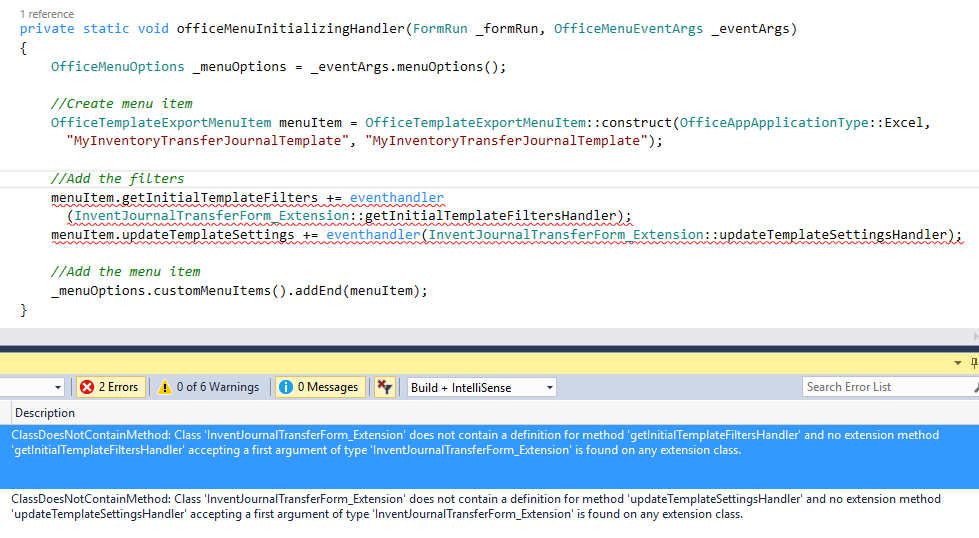
What am I doing wrong ? On the document it specifies the delegates have to be subscribed before the menu item is added and that's what I did.
Thanks!







