web
You’re offline. This is a read only version of the page.
close
Skip to main content

Notifications

Announcements

No record found.

Community site session details

Community site session details

Session Id :
Microsoft Dynamics AX (Archived)

RDP classes not showing in query selection drop down (D365)

(0) ShareShare
ReportReport
Posted on by 501

Hi all,

I am working in D365, creating a simple RDP report.

I created a report and selected Data source type = Report Data Provider. And when I open the drop down to select a class, it doesn't show any classe. While drop down is working fine for Data Source Type = Query and others. I have built and synch all models. Restarted VS, Restarted reporting services, IIS and AOS services. But still drop down is not showing any classes. See the screen shot.
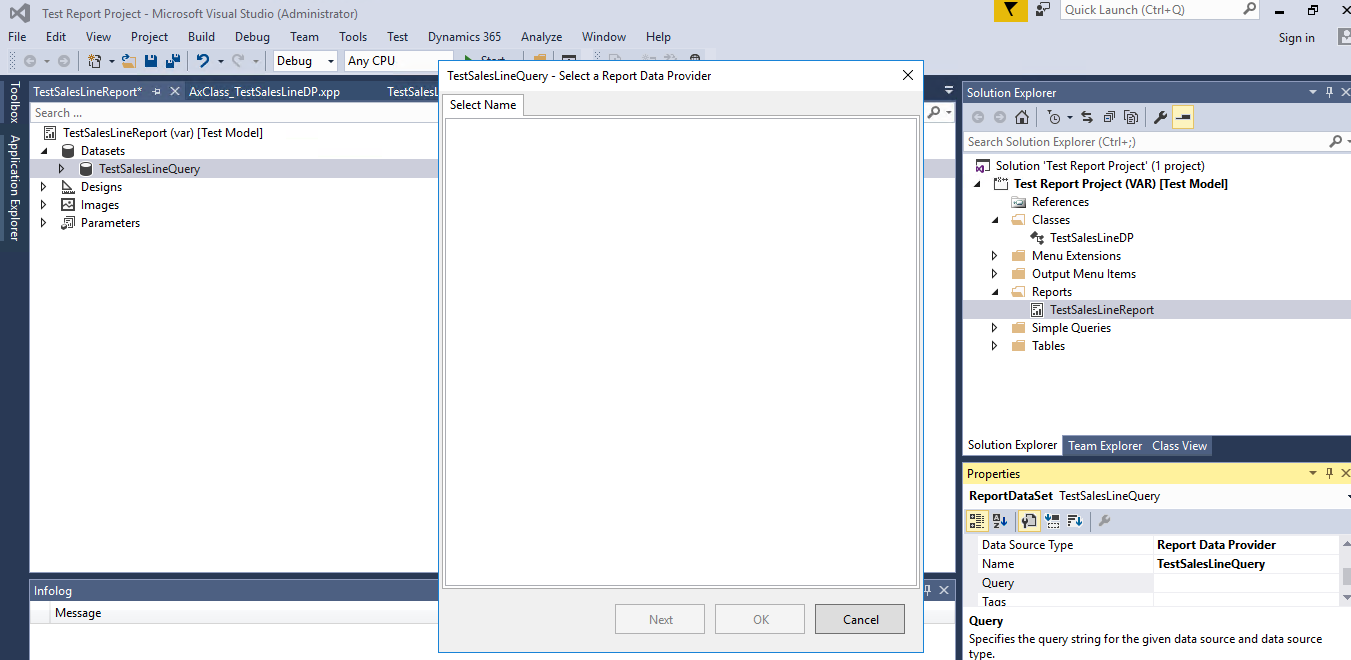
RDP-not-showing.png

*This post is locked for comments

I have the same question (0)
  • Shahrukh Profile Picture
    501 on at

    Can you please tell how to check if VS not connected with AOS? And If not connected, how to connect it with AOS? Plus, if not connected to AOS then how all other things are working?

  • Shahrukh Profile Picture
    501 on at

    Let me add one think,

    I am working in D365 update 8.

  • Shahrukh Profile Picture
    501 on at

    It is Connected with AOS, and all other things are running fine.. Just for class drop down it isn't showing anything. Even all queries are showing in drop down as I mentioned in the post.

  • Sohaib Cheema Profile Picture
    49,438 User Group Leader on at

    Just a random thought though I never faced this issue yet in D365

    If everything else is working, should I suspect the Models/packages for a moment. for example package of your test model may not be holding a RDP.

  • Shahrukh Profile Picture
    501 on at

    My model contains 1 RDP class, but it has reference to Application Suite, so it should show all classes from App suite as well. As it is showing all queries which are present in application suite in drop down when i select data source type = query.

    Another thing, it is not showing any class in drop down, but now I manually entered query like "Select * from MyClass.MyTable" and it has accepted it. and working fine. but still no class is showing in drop down.

  • Shahrukh Profile Picture
    501 on at

    I already have reference of Application Platform, foundation, Suite, directory etc.

    And i have completely built all models and complete synchronized DB, but still same issue.

    Note: I am using update 8 locally, not cloud VM. And this issue is not only on my machine, but some other machines as well.

  • Saulo Silva Profile Picture
    on at

    Hi Shahrukh Naeem,

    did you found any solution to the issue above?

Under review

Thank you for your reply! To ensure a great experience for everyone, your content is awaiting approval by our Community Managers. Please check back later.

Helpful resources

Quick Links

Responsible AI policies

As AI tools become more common, we’re introducing a Responsible AI Use…

Neeraj Kumar – Community Spotlight

We are honored to recognize Neeraj Kumar as our Community Spotlight honoree for…

Leaderboard > 🔒一 Microsoft Dynamics AX (Archived)

#1
Martin Dráb Profile Picture

Martin Dráb 4 Most Valuable Professional

#1
Priya_K Profile Picture

Priya_K 4

#3
MyDynamicsNAV Profile Picture

MyDynamicsNAV 2

Last 30 days Overall leaderboard

Featured topics

Product updates

Dynamics 365 release plans



