web
You’re offline. This is a read only version of the page.
close
Skip to main content

Announcements

News and Announcements icon
Community site session details

Community site session details

Session Id :
Customer experience | Sales, Customer Insights,...
Answered

Autofill field contact

(0) ShareShare
ReportReport
Posted on by 55

Hey Guys

I'm trying to figure out how to create an If-Else-string in the entities.

Basically, when selecting the gender, the salutation should automatically be displayed in the corresponding field.

As an example:
Gender: Man
Salutation (autofill): Mr

Is there a way to do this?pastedimage1581881438600v1.jpeg

Many thanks in advance and greetings from Switzerland

I have the same question (0)
  • Verified answer
    meelamri Profile Picture
    13,218 User Group Leader on at

    Hello, 

    You need to create a business rule

    If gender isEqual to 'Man' then set value 'Mr'

    Check this video, it will be helpfull: 

    https://youtu.be/Pg4UDppcrgk

  • Verified answer
    LuHao Profile Picture
    40,892 on at

    Hi partner,

    For "If else" between fields on the form, we could use business rules to achieve it.

    I will provide you with specific steps.

    Here I have these two fields on the Contact form.

    Go to Advanced Find > Customizations > Customize the System, expand Entities > Contact > Business Rules. New a business rule.

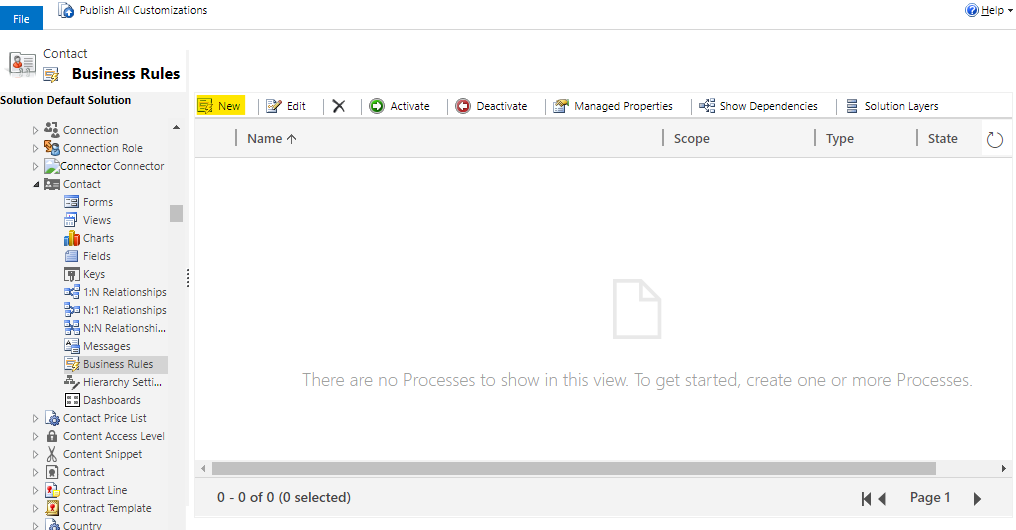
    pastedimage1581909534530v1.png    pastedimage1581910197116v2.png

    First select the scope in the upper right corner, which determines which forms the business rule will work on.
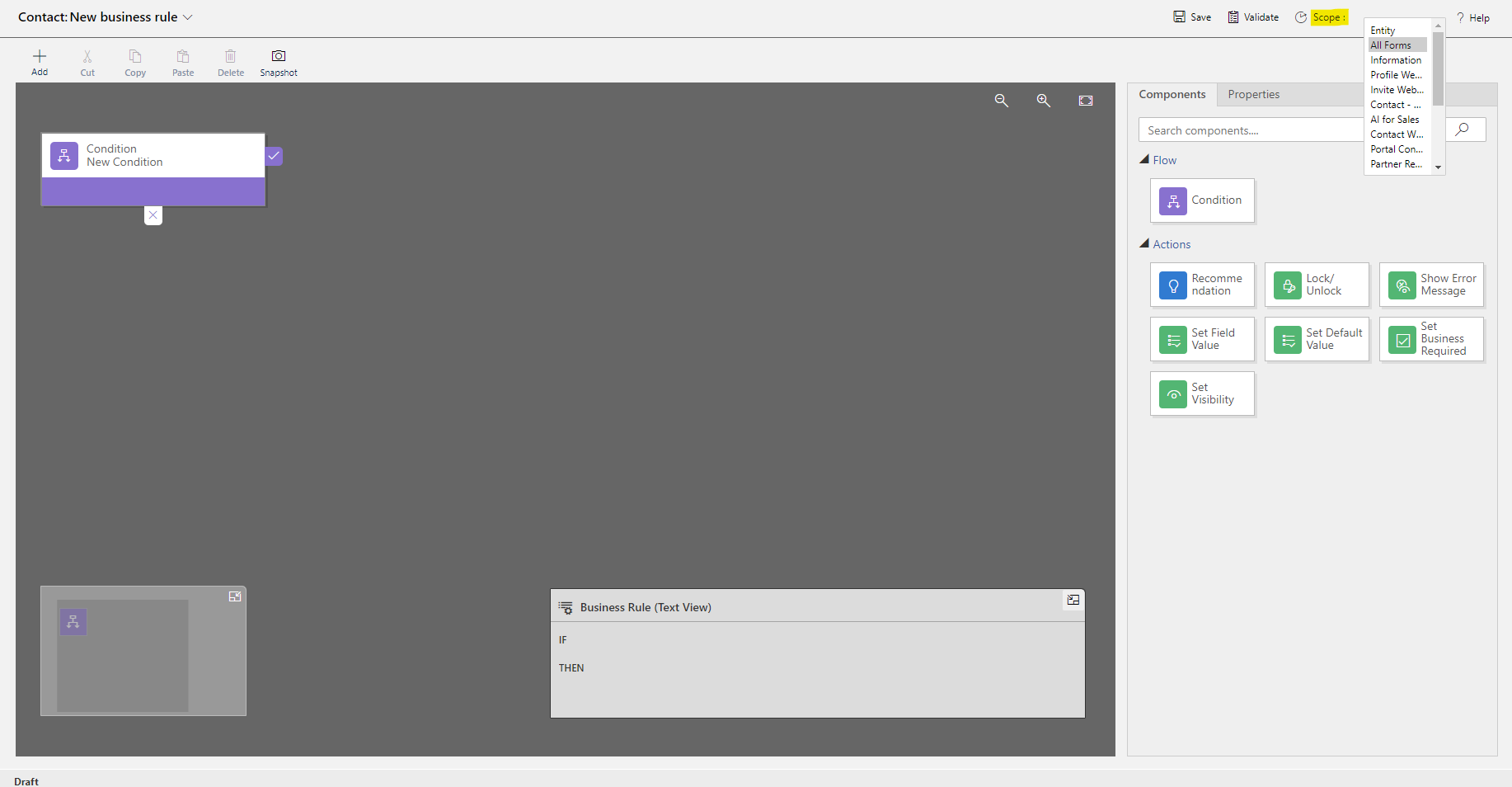
    pastedimage1581913293925v3.png

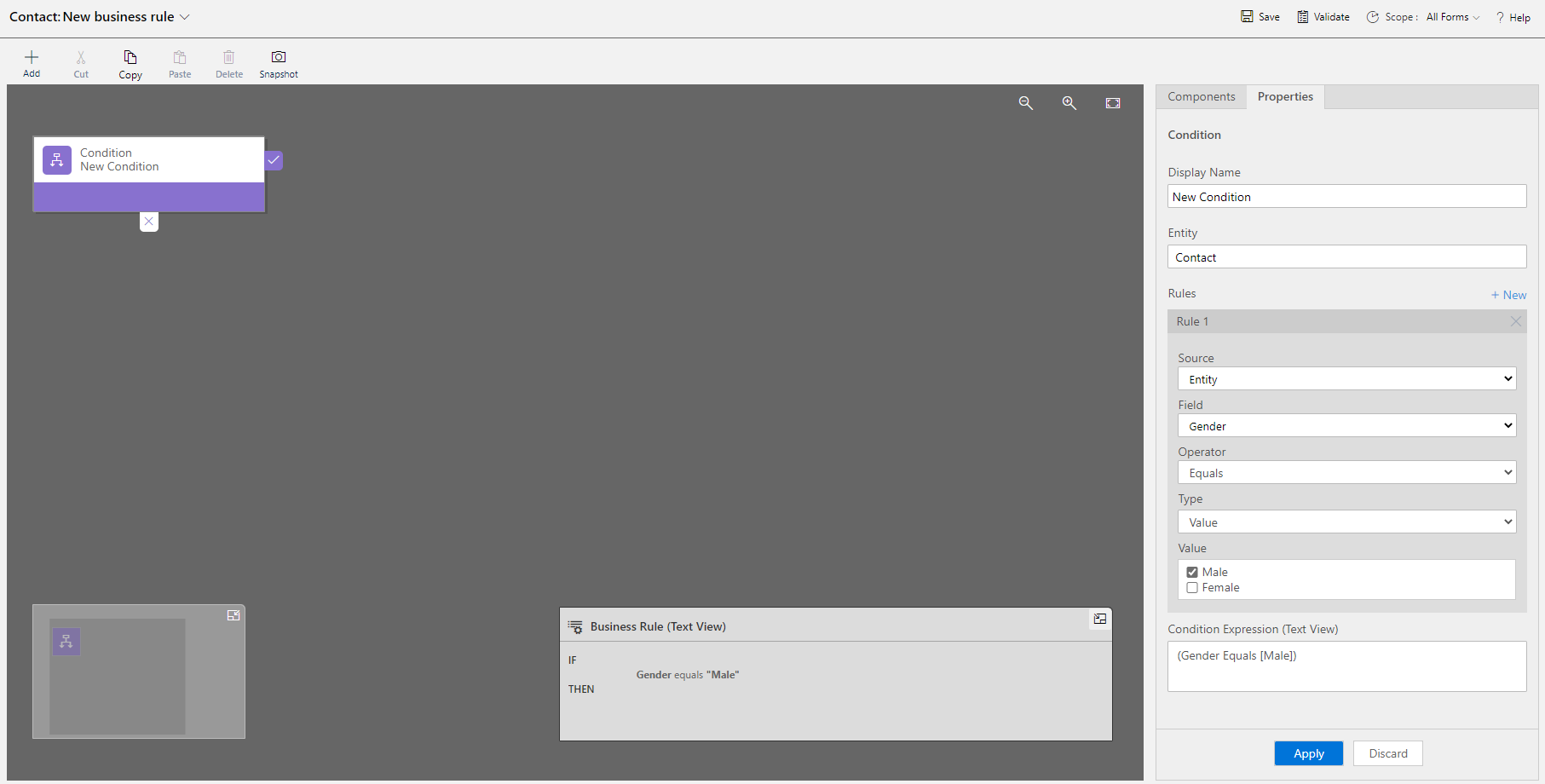
    Set the condition.

    pastedimage1581913657629v4.png

    Then add an action that Set Default Value.
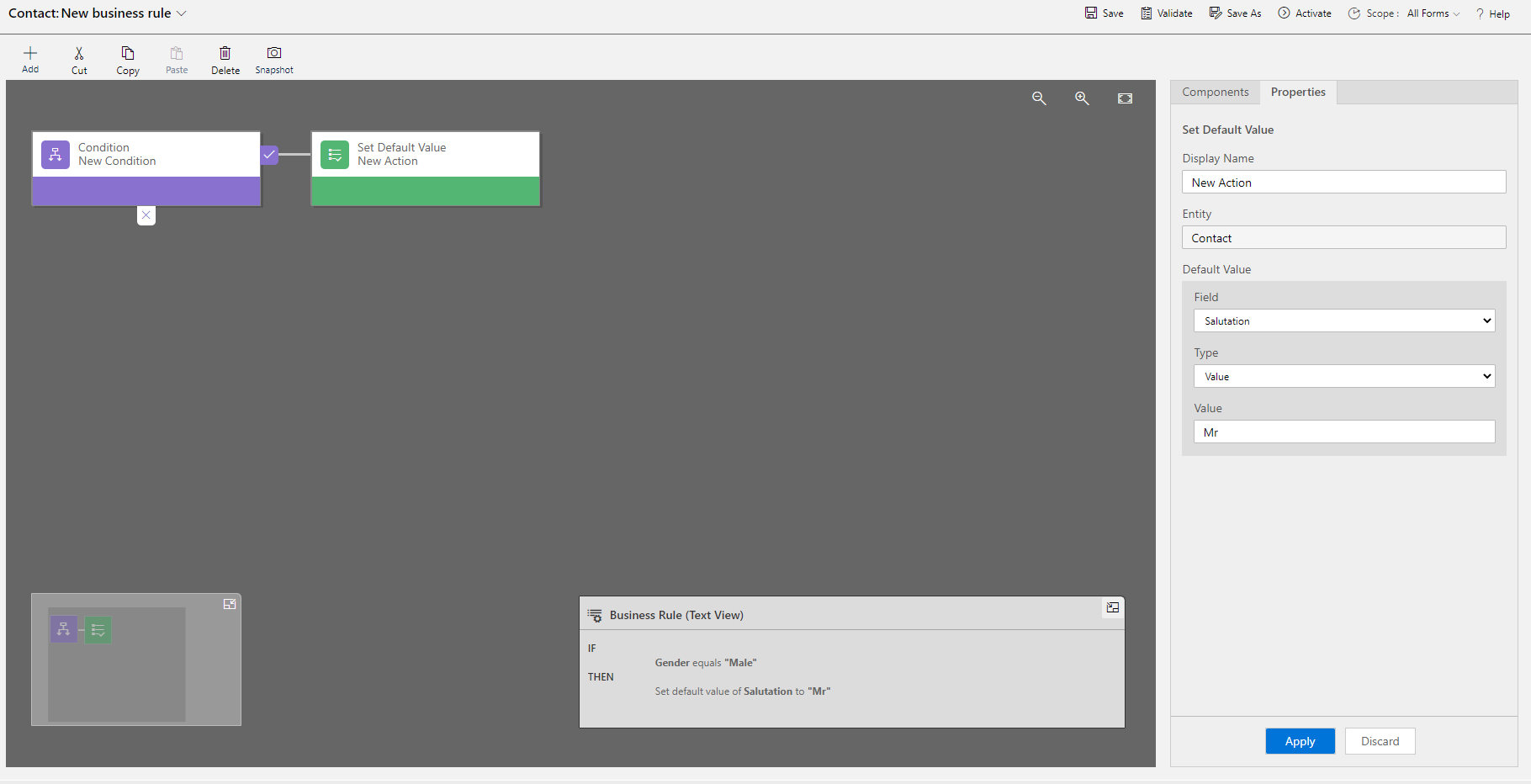
    pastedimage1581914202485v5.png

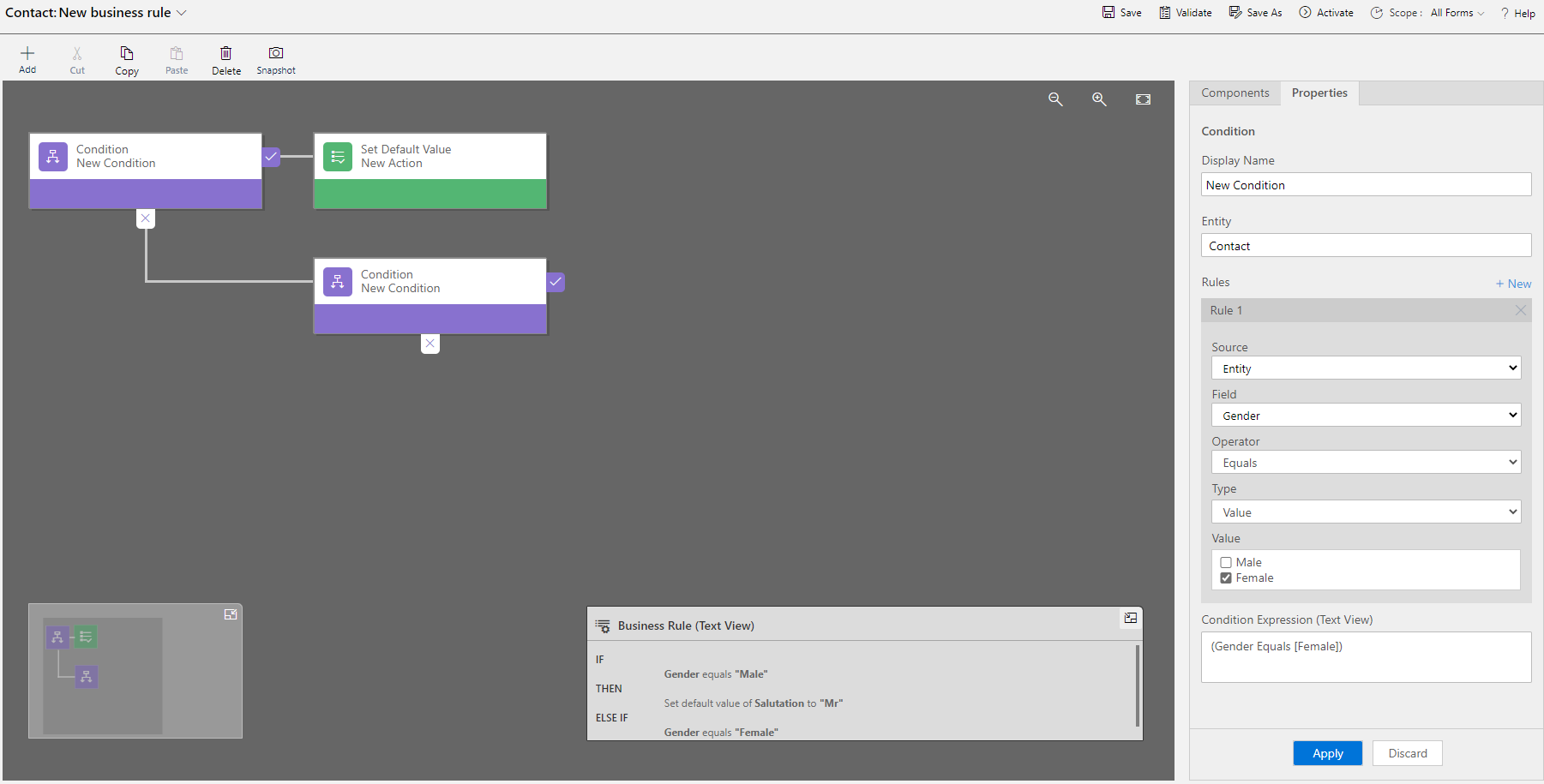
    Add another condition.

    pastedimage1581914257184v6.png

    Then add an action that Set Default Value.
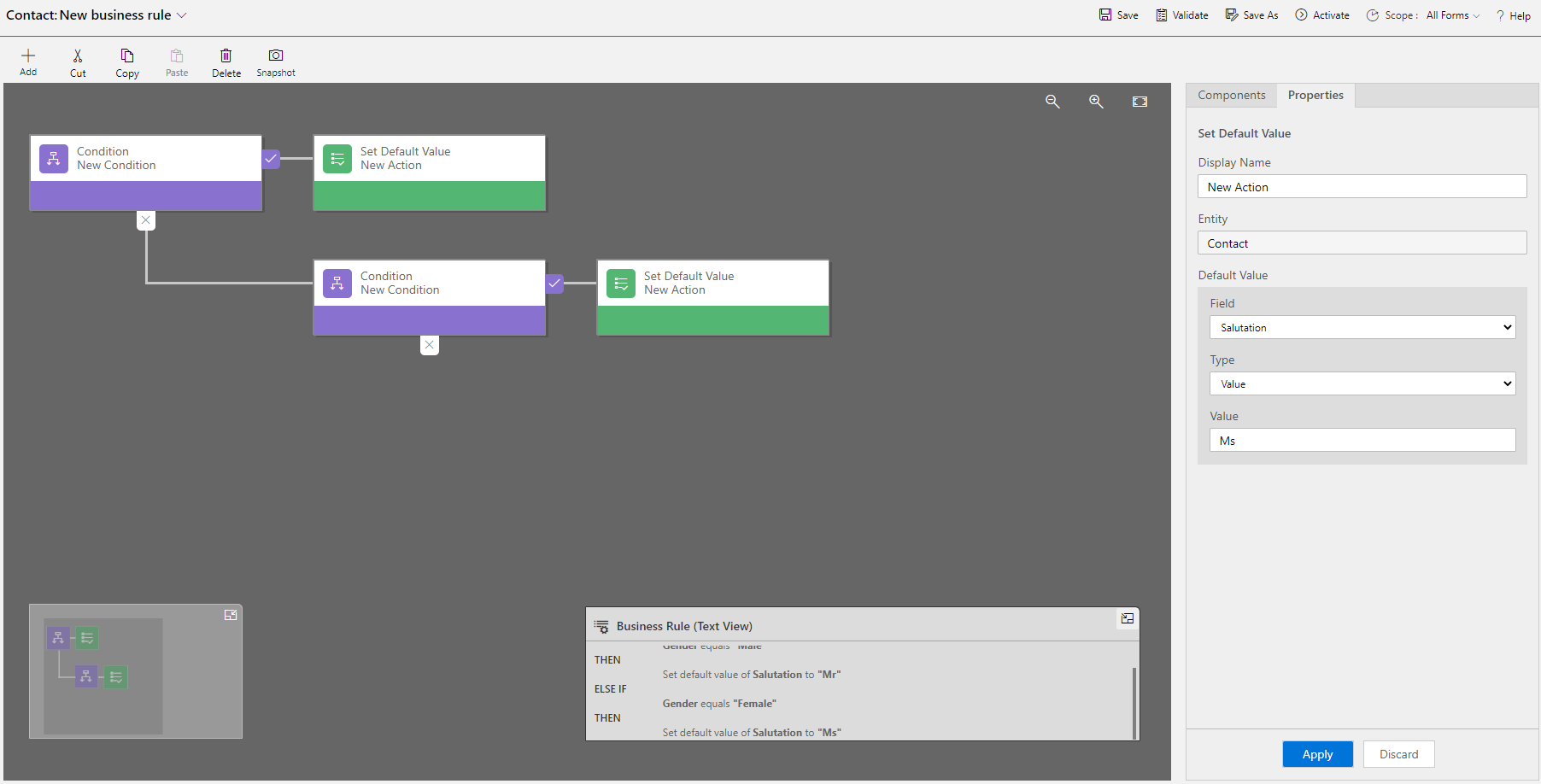
    pastedimage1581914331708v7.png

    IF

    Gender equals "Male"

    THEN
    Set default value of Salutation to "Mr"
    ELSE IF

    Gender equals "Female"

    THEN
    Set default value of Salutation to "Ms"
     
    Finally save and publish.

    Please note that in business rules you should choose Set Default Value instead of Set Field Value.
  • Verified answer
    CRMJetty Profile Picture
    3,514 on at

    Dear Dale,

    Greetings of the day!

    In regards to your concerns, we have found the link, which would help on your end to get the things done.

    Kindly find the reference link below:

    https://www.inogic.com/blog/2016/12/business-rules-dynamics-365/

    https://www.powerobjects.com/blog/2015/02/04/setting-field-values-vs-setting-default-values-business-rules/

    I hope it helps! Kindly go through the link and feel free to let us know in case of any other concerns, we would be happy to assist you further for the same.

    Kind Regards,

    CRMjetty

    Please mark as verified if the answer is helpful. Welcome to join hot discussions in Dynamics 365 Forums.

    DynamicsCRM Customer Portal for Wordpress


  • LuHao Profile Picture
    40,892 on at

    Hi Dale.Brunner,

    Please don't forget to click "Yes" under "Did this answer your question?" to close this thread.

    Thanks.  :)

Under review

Thank you for your reply! To ensure a great experience for everyone, your content is awaiting approval by our Community Managers. Please check back later.

Helpful resources

Quick Links

Season of Sharing Community Challenge Winners!

Congratulations to our community stars!

Women in Power Builds Momentum

Expanding mentorship, skilling, and AI innovation

Congratulations to the June Top 10 Community Leaders

These are the community rock stars!

Leaderboard > Customer experience | Sales, Customer Insights, CRM

#1
Manoj - ManoVerse Profile Picture

Manoj - ManoVerse 99 Super User 2026 Season 1

#2
11manish Profile Picture

11manish 57

#3
Chris1968 Profile Picture

Chris1968 20

Last 30 days Overall leaderboard

Product updates

Dynamics 365 release plans