web
You’re offline. This is a read only version of the page.
close
Skip to main content

Announcements

No record found.

News and Announcements icon
Community site session details

Community site session details

Session Id :
Customer experience | Sales, Customer Insights,...
Suggested Answer

Adding leads to a Dynamic Segment

(0) ShareShare
ReportReport
Posted on by 305

Hi all

I'm wanting to create a dynamic segment for a load of leads we've imported from recent webinars. 

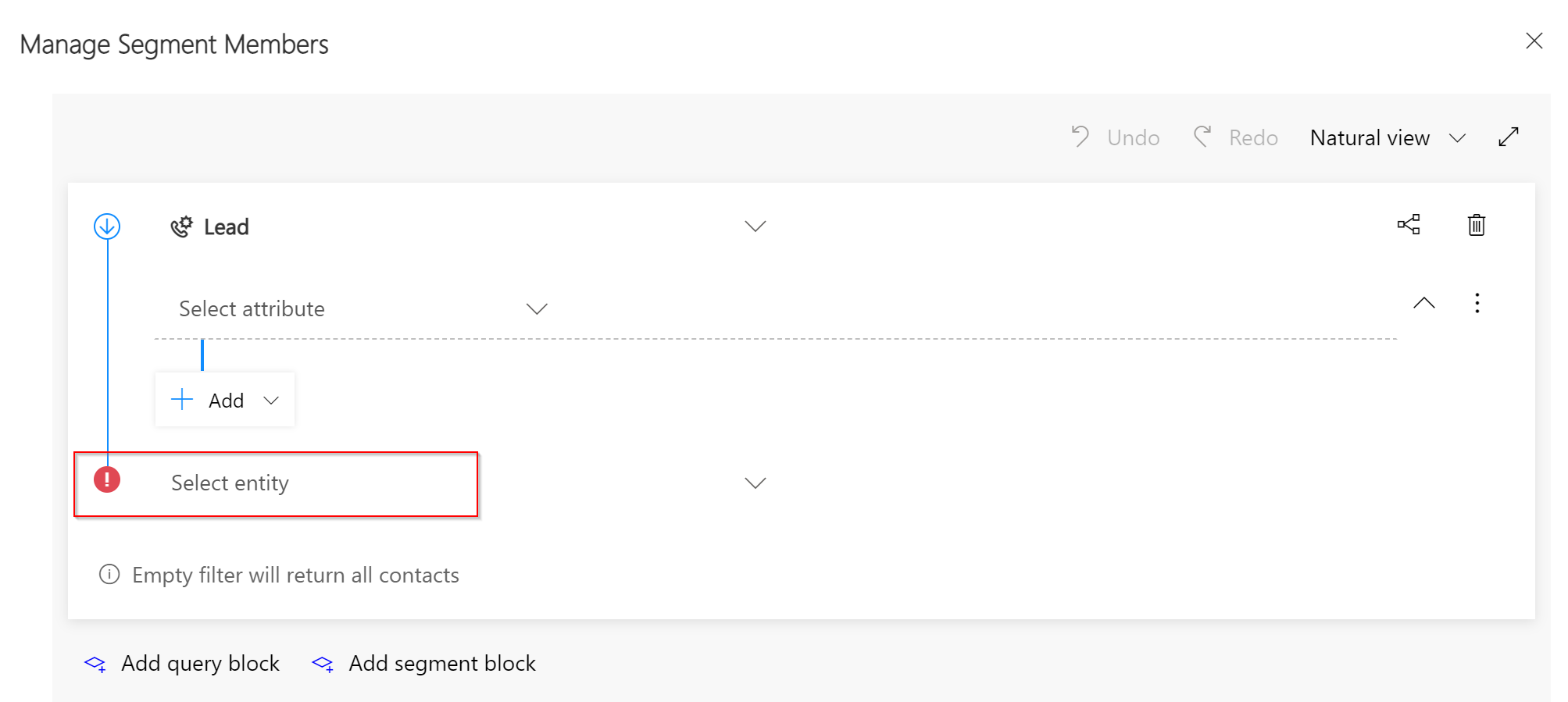
However I'm struggling to get the query builder in the Dynamic Segment to show any results, and I don't understand the error it makes me satisfy. 
2021_2D00_01_2D00_13-11_5F00_48_5F00_05_2D00_Segment_5F00_-Information_5F00_-Test-_2D00_-Dynamics-365-and-19-more-pages-_2D00_-Personal-_2D00_-Microso.png

It forces me to end the query with a contact record, but none of the prompts on the list show any results. 

I've imported the webinar attendees as Leads in the Marketing app with the webinar name as the description field in the Lead. Ideally I'd like a segment for each of the webinars, using the description field contents as the key. As we re-run each webinar we'll add to that lead list and keep sending out mailings of interest. 

Does anyone know what I need to put in the Entity field to make it work? My contact based segments are fine, and this is the first time we've done lead based ones. 

Olly

I have the same question (0)
  • Leipajuusto Profile Picture
    110 on at

    Hi

    A market segment is a collection of contacts that we target with a customer journey, it can be only to end the query with contact.

    https://docs.microsoft.com/en-us/dynamics365/marketing/segmentation-lists-subscriptions#segments-in-dynamics-365-marketing

    To send marketing emails to your leads, it is still required to associate these leads with parent contacts, which means you need to create corresponding contacts for your leads.(Do conversion from lead to contact, it can be done via custom workflow.)

    After that, mark the marketingonly field of these automatically generated contacts to Yes to differentiate the automatically generated (marketing-only) contacts from other types of contacts. 

    https://docs.microsoft.com/en-us/dynamics365/marketing/market-to-leads#keep-automatically-generated-contacts-from-confusing-users(This article talks about market to leads.)

  • OllyMUK Profile Picture
    305 on at

    Thanks. Very frustrating that you need to create a flow to convert Leads to Contacts, given that you can't mail out to Leads without them being contacts. I would have thought that, given the need for Leads to be Contacts, there would be a built in way to do that. You can't even Select All as it only selects one page at a time.

    There's also no pre-made Flow in PowerApps either from what I can see.

    You can't do it by hand using the Qualify button as that doesn't let you set the MarketingOnly field at the same time, and the field seems to be set to No by default when converting (you can also only do a page at a time)

    Is there an option I've missed?

  • Suggested answer
    Petit Hibou Profile Picture
    on at

    Hi Olly,

    another solution could be to import these data as contacts as you ultimately need to build segments on them and send them communications. If you re using Marketing app only and don;t use eg lead scoring, that will be fine.

    Also watch for updates/Ignite presentations/release notes to learn more on what's coming in that area.

    Br

    Elena

Under review

Thank you for your reply! To ensure a great experience for everyone, your content is awaiting approval by our Community Managers. Please check back later.

Helpful resources

Quick Links

Introducing the 2026 Season 1 community Super Users

Congratulations to our 2026 Super Stars!

Congratulations to our 2025 Community Spotlights

Thanks to all of our 2025 Community Spotlight stars!

Leaderboard > Customer experience | Sales, Customer Insights, CRM

#1
ManoVerse Profile Picture

ManoVerse 120 Super User 2026 Season 1

#2
Jimmy Passeti Profile Picture

Jimmy Passeti 46 Most Valuable Professional

#3
NeerajPawar Profile Picture

NeerajPawar 41

Last 30 days Overall leaderboard

Product updates

Dynamics 365 release plans
