web
You’re offline. This is a read only version of the page.
close
Skip to main content

Notifications

Announcements

No record found.

Community site session details

Community site session details

Session Id :
Finance | Project Operations, Human Resources, ...
Suggested Answer

New entity field with data management property not enabled

(0) ShareShare
ReportReport
Posted on by 700

Hi folks,

I want to add new fields to a data entity RosalieDataEntity.  I have to extend the RosaDataEntityBase data source first

: RosalieDataEntity

  -> Data Source RosaDataEntityBase

Data Source RosaDataEntityBase was in sys layer, with the property "Data management" is set to the value NO, and the property "Data management staging table" is empty.

I created an extension RosaDataEntityBase.Extension and added fields from its data source (they were there)   to my entity field list.

The new fields in the entity RosalieDataEntity does not appear in the UI. Since RosaDataEntityBase is not activated for data management, I cannot check in the UI either if it worked.

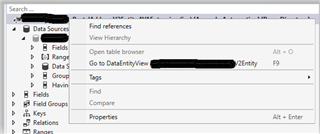
And also when I want to regenerate the staging table these options (1.regenerate the staging table, 2.update the staging table) won't show. So I aded my new fields manually to the staging table.
pastedimage1570523599063v1.png

Can you suggest what is the workaround for such data sources?

Thank you in advance!

I have the same question (0)
  • Martin Dráb Profile Picture
    237,987 Most Valuable Professional on at

    What UI do you mean (in "The new fields in the entity RosalieDataEntity does not appear in the UI")?

    If the data entity is public, you can test it via OData.

    Staging tables are used by data management. What's the point of having a stanging table if the entity doesn't support data management?

  • OrangeRocks Profile Picture
    700 on at

    Hello Martin,

    by UI I mean the web browser for users, ie or chrome.

    The entity that does not support data management  (RosaDataEntityBase) does not have the staging table either.

  • Martin Dráb Profile Picture
    237,987 Most Valuable Professional on at

    What do you open in the browser?

    I wonder why you want to regenerate the staging table and how you "added new fields manually to the staging table" if you agree that the entity doesn't have any staging table.

  • OrangeRocks Profile Picture
    700 on at

    Ok sorry, for the confusion.

    I could only extend the staging table for the "RosalieDataEntity". The other one (RosaDataEntityBase) does not have any staging table.

  • Martin Dráb Profile Picture
    237,987 Most Valuable Professional on at

    Sorry, I didn't notice that we're talking about two entities, that's why it didn't make sense to me. Now it does.

  • OrangeRocks Profile Picture
    700 on at

    Hi  Martin,

    allow me a question about testing the entity with OData:

    Why is it necessary to test the entity with OData if I can just go the D365 and look into the data entities in the Data Management? (D365->Data Management -> Data Entities -> Find my Data Entity and check the target fields)

  • Suggested answer
    nmaenpaa Profile Picture
    101,162 Moderator on at

    I think you are now mixing the data entity definition and the actual data that you can access with the entity.

    In Data Entities form you can see the entity properties, such as field mappings.

    OData is used to access data via this entity.

    So, you can't test the entity in the Data entities form.

  • OrangeRocks Profile Picture
    700 on at

    Thank you, yes, this is clear about the different ideas for Data entity and OData

  • OrangeRocks Profile Picture
    700 on at

    dear helpers,

    do you have any idea where to start?

    Thank you

  • nmaenpaa Profile Picture
    101,162 Moderator on at

    Where to start with what? At least I'm still confused about your requirement.

    Could you try to explain once again what are you trying to do, and what difficulties you are facing. Thanks!

Under review

Thank you for your reply! To ensure a great experience for everyone, your content is awaiting approval by our Community Managers. Please check back later.

Helpful resources

Quick Links

Responsible AI policies

As AI tools become more common, we’re introducing a Responsible AI Use…

Neeraj Kumar – Community Spotlight

We are honored to recognize Neeraj Kumar as our Community Spotlight honoree for…

Leaderboard > Finance | Project Operations, Human Resources, AX, GP, SL

#1
André Arnaud de Calavon Profile Picture

André Arnaud de Cal... 467 Super User 2025 Season 2

#2
Martin Dráb Profile Picture

Martin Dráb 420 Most Valuable Professional

#3
BillurSamdancioglu Profile Picture

BillurSamdancioglu 241 Most Valuable Professional

Last 30 days Overall leaderboard

Product updates

Dynamics 365 release plans
