web
You’re offline. This is a read only version of the page.
close
Skip to main content

Notifications

Announcements

No record found.

Community site session details

Community site session details

Session Id :
Microsoft Dynamics NAV (Archived)

Blank page on report

(0) ShareShare
ReportReport
Posted on by

Hello guys,

I have little problem with  blank page on Order confirmation Report in Nav 2015. Iam ussing Report builder from MS SQL Server 2014.

Here is my screen from builder. 
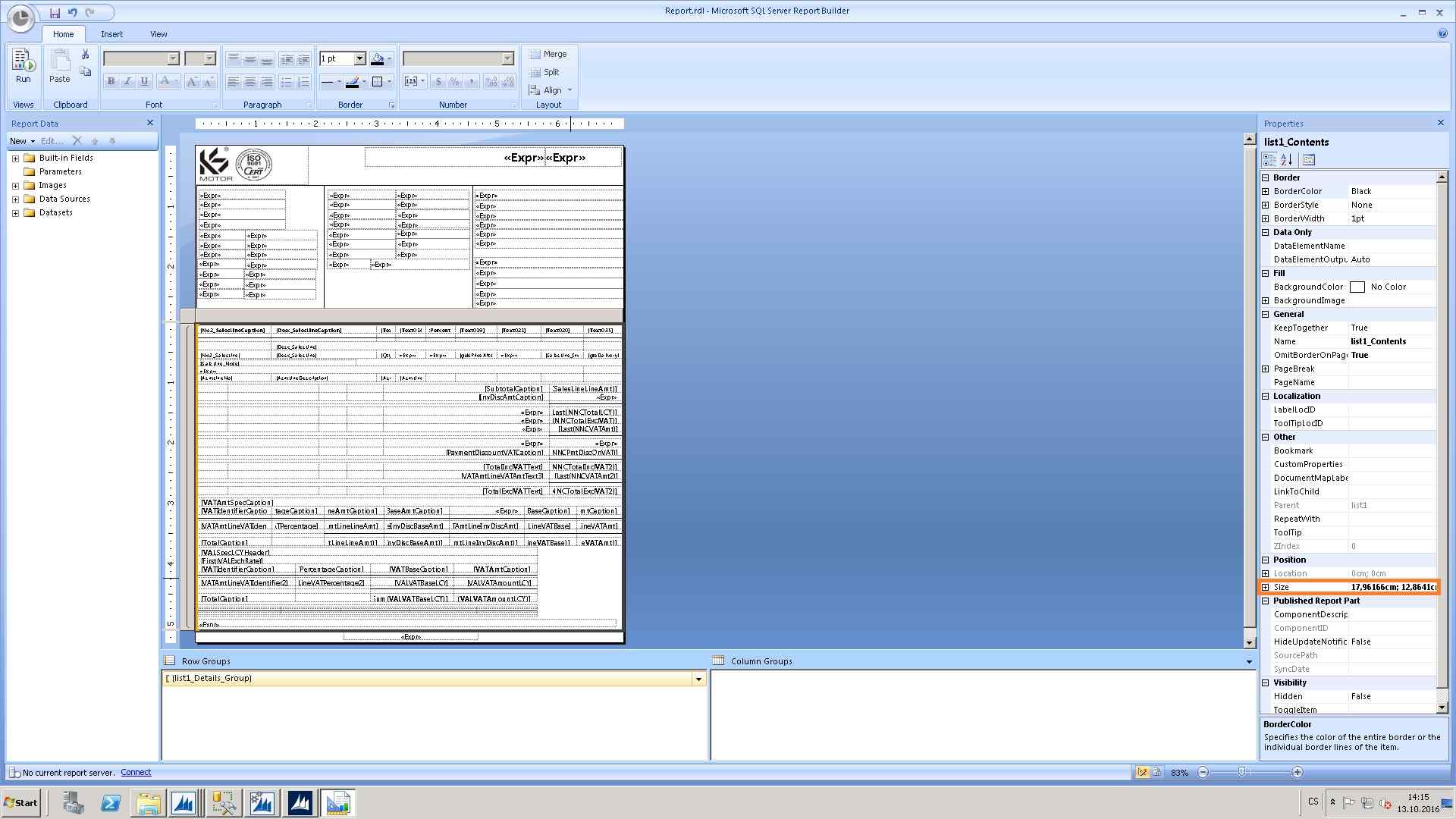
1258.report.jpg

If I print it into pdf, Navision will export report like this everytime: 
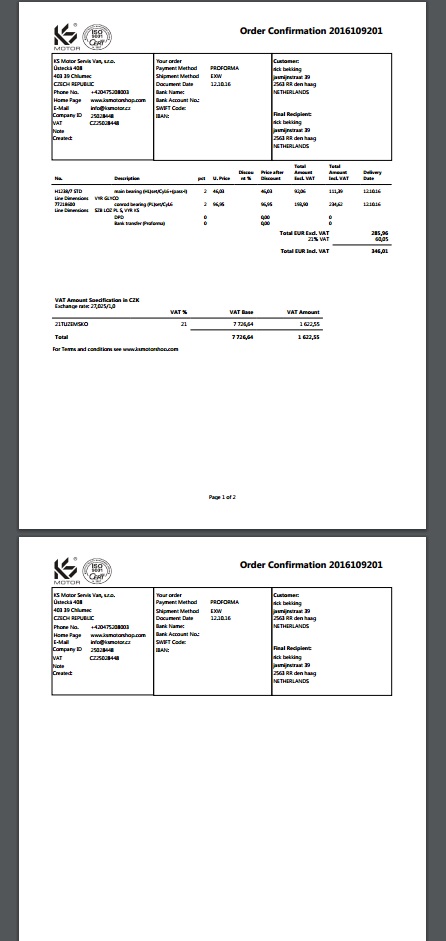
report2.jpg

I have lot of space between end of text and end of first page. Width of report is just 18 cm. 

Can some tell me how to deal with it? 

Thanks

With Regards

George

*This post is locked for comments

I have the same question (0)
  • Suggested answer
    Mohana Yadav Profile Picture
    61,005 Super User 2025 Season 2 on at

    Did you check left and right margins as well?

  • Suggested answer
    Nareshwar Raju Vaneshwar Profile Picture
    5,596 on at

    Hi George Husek,

    Go into the report properties and check all the margins and paper sizes.

    This also might because of any margins has been set on the printer setup as well.

    Hope it helps

  • Suggested answer
    Suresh Kulla Profile Picture
    50,247 Super User 2025 Season 2 on at

    Please check your margins, use the below formulae

    (Body Width + Left margin + Right margin) <= (Page width)

  • Suggested answer
    Amol Salvi Profile Picture
    18,698 on at

    Check the Page margins  as well as check any unwanted /blank record printing on page

  • George Husek Profile Picture
    on at

    yes, Page width is 21,59cm and left+ right margin+ page width is 21,268 cm.

  • George Husek Profile Picture
    on at

    Hello Nareshwar R.

    I checked them before. Page width is 21,59cm and left+ right margin+ page width is 21,268 cm.  Its not neccesary to print it, I need just pdf file. Prewiew mode is same like pdf.

  • Suggested answer
    Suresh Kulla Profile Picture
    50,247 Super User 2025 Season 2 on at

    What is the body width ? have you checked body width + left + Right <= Page Width ? do also check similary for height;

  • George Husek Profile Picture
    on at

    Hello Suresh Kulla,

    body width is 17,96166cm. Left is 1,76388cm , right 1,05834cm and page width(paper size) is 21,59cm. So i have 0,806 cm of free space.

    page height is 27,94cm, top 1,05834cm, botton 1,48166cm and  body height is just 13,0405 cm.

    I really dont understand ,what is wrong.

    Regards,

    George

  • Suggested answer
    Amol Salvi Profile Picture
    18,698 on at

    Try to make bottom as zero and check may be it will fit in one page

  • Suggested answer
    Rajasekhar@MS Profile Picture
    5,569 on at

    Hi

    Can you check whether Page Break is enabled "Also at the end of a group" in the Main group properties, if yes remove Page Break for "Also at the end of a group" and ensure Page Break is enabled "Between each Instance of a group only"

Under review

Thank you for your reply! To ensure a great experience for everyone, your content is awaiting approval by our Community Managers. Please check back later.

Helpful resources

Quick Links

Responsible AI policies

As AI tools become more common, we’re introducing a Responsible AI Use…

Neeraj Kumar – Community Spotlight

We are honored to recognize Neeraj Kumar as our Community Spotlight honoree for…

Leaderboard > 🔒一 Microsoft Dynamics NAV (Archived)

#1
HoangNam Profile Picture

HoangNam 7

Last 30 days Overall leaderboard

Featured topics

Product updates

Dynamics 365 release plans



