web
You’re offline. This is a read only version of the page.
close
Skip to main content

Notifications

Announcements

No record found.

Community site session details

Community site session details

Session Id :
Microsoft Dynamics AX (Archived)

Ax calculation for “Amount over budget” and “Amount over budget threshold” (budget control)

(0) ShareShare
ReportReport
Posted on by 3,111

Hi all,

I’m trying to figure out on budget check error how Ax calculate the “Amount over budget” and “Amount over budget threshold” in the Budget check errors or warnings form.
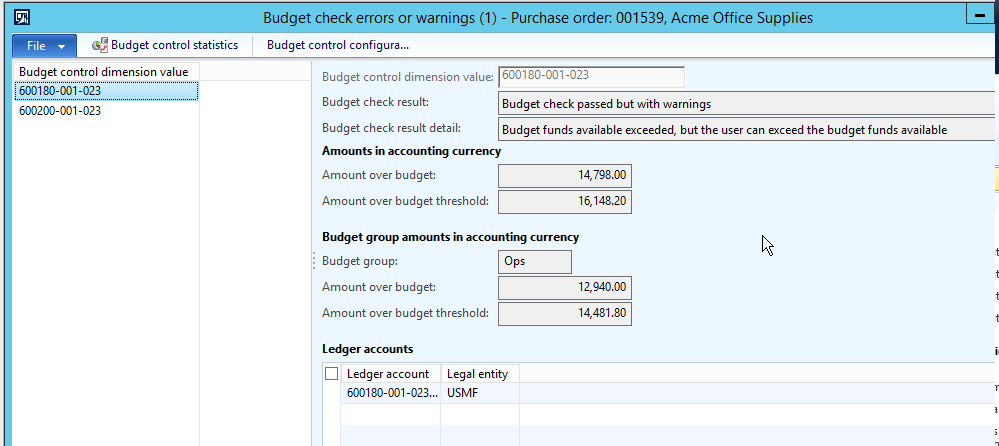
budgetCheckError.png

I assume the amount are based on the current budget cycle but I’m not 100% sure.

If I click on “Budget control statistics” I got (filtered on my 2015 budget cycle)
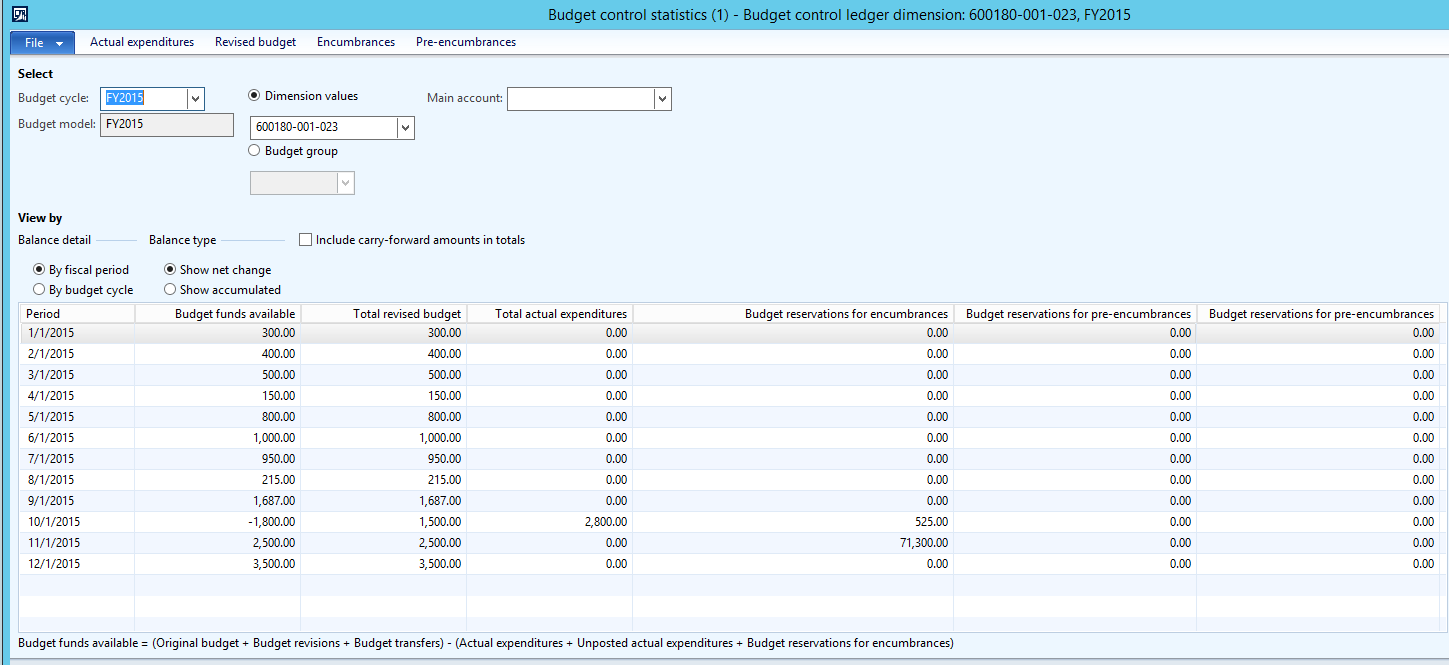
 1_2D00_Fiscal_2D00_net.png

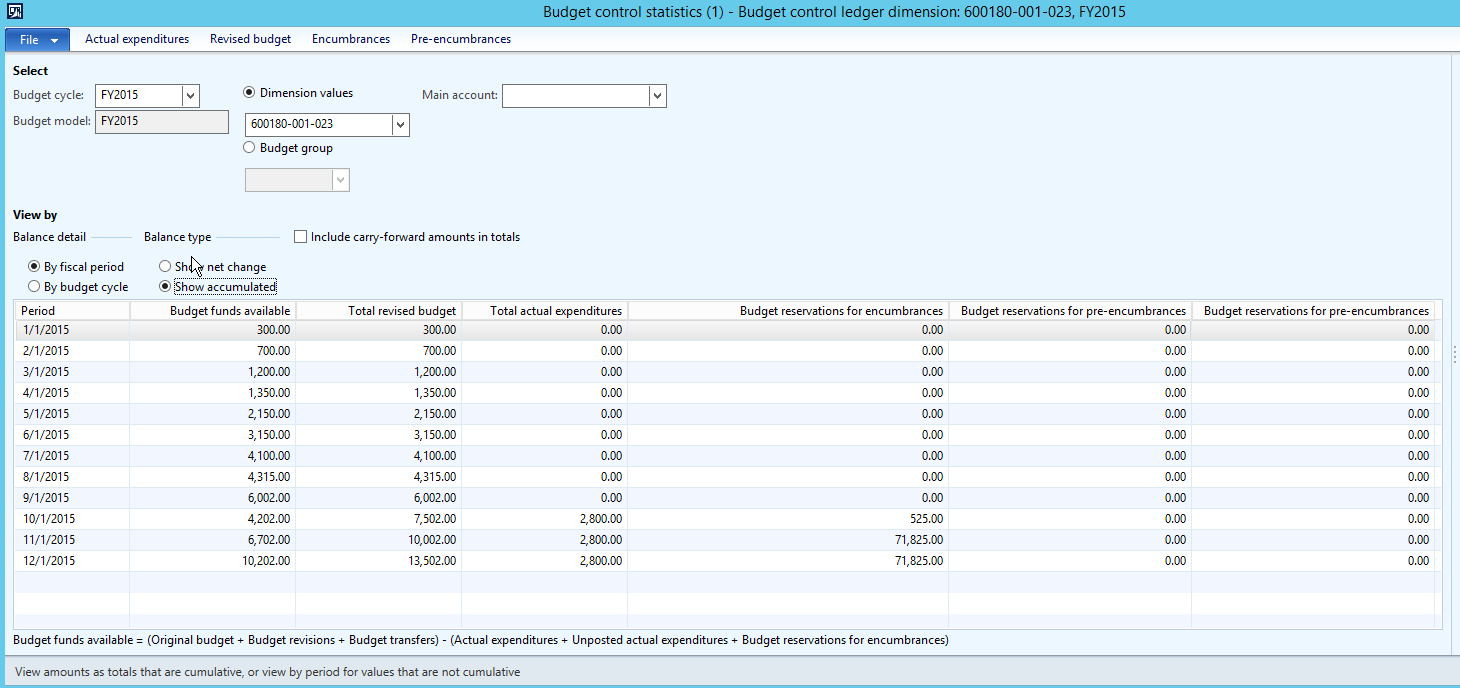
View cumulated :

2_2D00_Fiscal_2D00_cumul.png

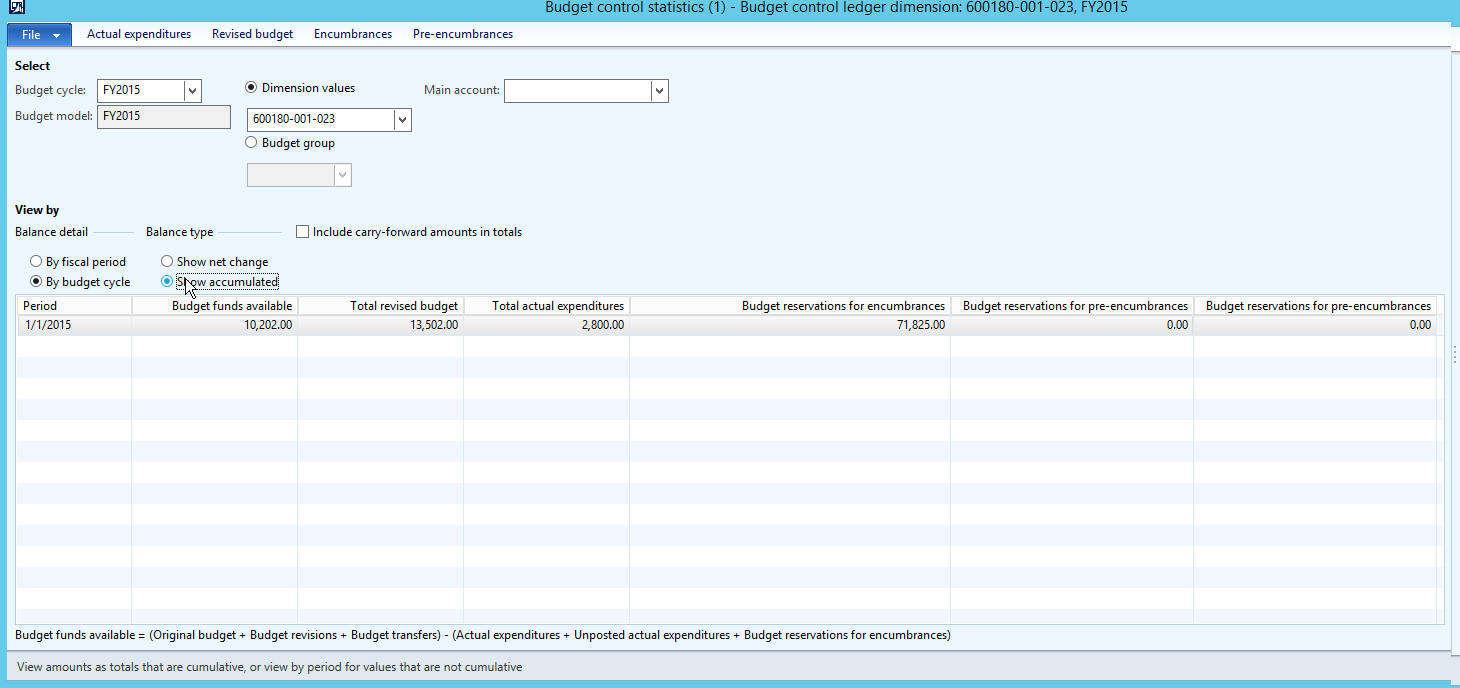
View by budget cycle :

3_2D00_cycle_2D00_cumul.png


Any help would be appreciated

Thanks in advance

Yohann


*This post is locked for comments

I have the same question (0)
  • Community Member Profile Picture
    on at

    Hi Yohann Rolland,

    I know this is an old question. Just in case somebody else face the same issue, I suggest you to do the following.

    - Open the database and you need to 'debug' store procedure BudgetControlCalculateAvailableFundProc

    2017_2D00_12_2D00_29_5F00_1136.png

    - These are the variables you need to check: @AvailableBudgetAmount, @AvailableRevisedBudgetAmountSummary, @AvailableUnrevisedBudgetAmountSummary, @AvailableRevisedBudgetAmountStage, @AvailableUnrevisedBudgetAmountStage

    - To debug a store procedure, I created a table from AX. Then add insert function in the SP.

    - So, when you perform budget checking on AX, the new table will have the record of values you debug.

    Happy debuggging,

    Dian

  • Yohann Rolland Axcible Profile Picture
    3,111 on at

    Thanks, it's been a long time indeed but next time I will be facing this case I will try your advice. Yohann

Under review

Thank you for your reply! To ensure a great experience for everyone, your content is awaiting approval by our Community Managers. Please check back later.

Helpful resources

Quick Links

Responsible AI policies

As AI tools become more common, we’re introducing a Responsible AI Use…

Neeraj Kumar – Community Spotlight

We are honored to recognize Neeraj Kumar as our Community Spotlight honoree for…

Leaderboard > 🔒一 Microsoft Dynamics AX (Archived)

#1
Martin Dráb Profile Picture

Martin Dráb 4 Most Valuable Professional

#1
Priya_K Profile Picture

Priya_K 4

#3
MyDynamicsNAV Profile Picture

MyDynamicsNAV 2

Last 30 days Overall leaderboard

Featured topics

Product updates

Dynamics 365 release plans