web
You’re offline. This is a read only version of the page.
close
Skip to main content

Announcements

No record found.

News and Announcements icon
Community site session details

Community site session details

Session Id :
Customer experience | Sales, Customer Insights,...
Answered

The panel looks different and Styles section missing

(0) ShareShare
ReportReport
Posted on by

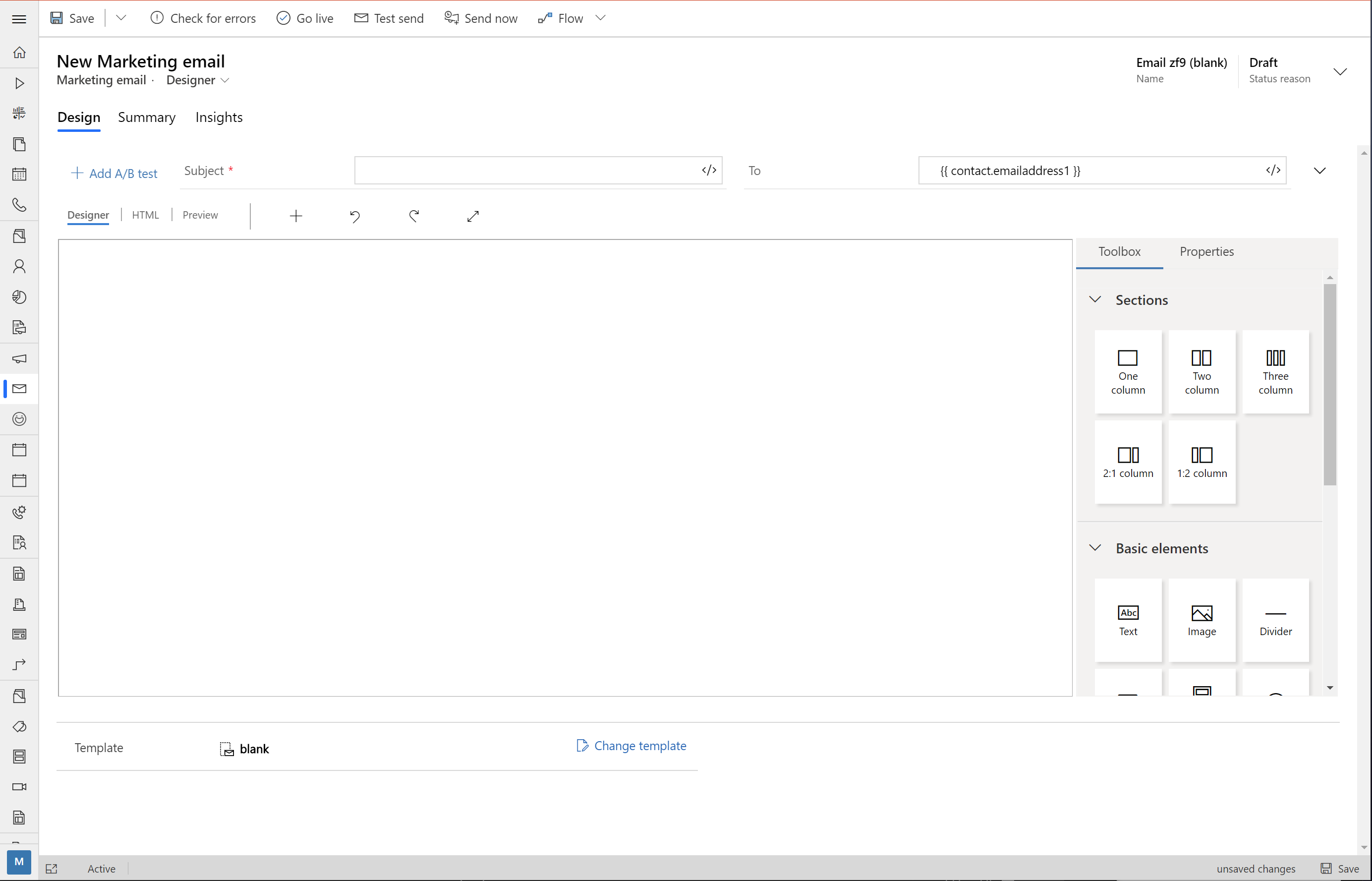
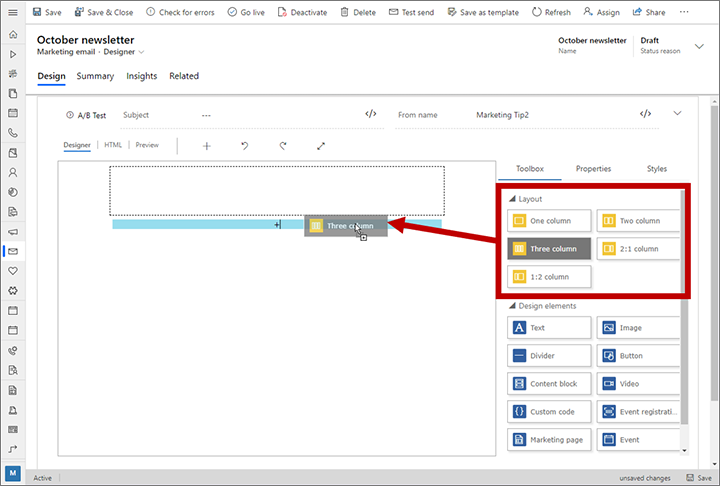
In Dynamics 365 Marketing, Marketing Email Designer, the panel differs from what it should look like according to the User Guide. The tiles aren’t colorized and the whole Styles section is missing.


What our Dynamics 365 Marketing looks like:
pastedimage1591105670445v1.png


What Dynamics 365 Marketing ought to look like according to the User Guide:
pastedimage1591106046972v2.png

Any suggestion on how to fix it?

2020 release wave 1 enabled
Server version: 9.1.0000.17751
Client version: 1.4.794-2005.1

I have the same question (0)
  • SEDE Profile Picture
    112 on at

    EDIT: Double-post (forums have been slow/unresponsive)

  • SEDE Profile Picture
    112 on at

    I believe this new look was recently rolled out per the Wave 1 Release update. Is there some functionality missing that you're looking to locate?

  • Verified answer
    cloflyMao Profile Picture
    25,210 on at

    Hi Kristofer,

    The source documentation of your posted image was published on October 4, 2019, so the UI of email designer is still old version.

    https://docs.microsoft.com/en-us/dynamics365/marketing/design-digital-content

    While your current email designer with un-colorized tiles is actually the latest version(2020 release wave 1 enabled).

    You could find updated introduction about the new email designer here:

    https://docs.microsoft.com/en-us/dynamics365-release-plan/2020wave1/dynamics365-marketing/improved-email-content-designer

    -> the whole Styles section is missing. 

    In previous version, the Styles section contains settings to apply color, spacing, and other graphical options for the overall design. (See introduction of old Styles section here.)

    Now these settings have been integrated into Properties section:

    If our cursor focuses on blank area of marketing email content, then we can find overall settings in Properties > General layout.

    pastedimage1591164324200v1.png

    Regards,

    Clofly

  • cloflyMao Profile Picture
    25,210 on at

    Hi Kristofer,

    Could it work for you?

    Regards,

    Clofly

    If you had found any answer helped, please kindly mark as verified to close the thread, it would be really appreciated.

    pastedimage1591264428754v2.jpeg

Under review

Thank you for your reply! To ensure a great experience for everyone, your content is awaiting approval by our Community Managers. Please check back later.

Helpful resources

Quick Links

Introducing the 2026 Season 1 community Super Users

Congratulations to our 2026 Super Stars!

Meet the Microsoft Dynamics 365 Contact Center Champions

We are thrilled to have these Champions in our Community!

Congratulations to the March Top 10 Community Leaders

These are the community rock stars!

Leaderboard > Customer experience | Sales, Customer Insights, CRM

#1
11manish Profile Picture

11manish 165

#2
ManoVerse Profile Picture

ManoVerse 156 Super User 2026 Season 1

#3
Zhilan Profile Picture

Zhilan 49

Last 30 days Overall leaderboard

Product updates

Dynamics 365 release plans
