web
You’re offline. This is a read only version of the page.
close
Skip to main content

Notifications

Announcements

No record found.

Community site session details

Community site session details

Session Id :
Customer experience | Sales, Customer Insights,...
Suggested Answer

Content block add custom code

(0) ShareShare
ReportReport
Posted on by 534

Hi All

I want to create a content block with custom iFrame code for example to pad a Map. 

When I use the IFrame code directly in a marketing page the Iframe loads perfect.

When i try to use it in a content block the iFrame does not load.

Is the content block only restricted to Images and text? 

I have the same question (0)
  • cloflyMao Profile Picture
    25,210 on at

    Hi Mariette,

    Unlike web page, javascript and iframe will be blocked in email by most of email service providers due to security protection.

    But you could take following method as reference if you would like to embbed a map in marketing email for your contacts.

    1. Create a Bing map account at Bing Maps Dev Center.

    https://www.bingmapsportal.com/

    2. Finish your personal profile(you can sign in with crm mailbox directly)
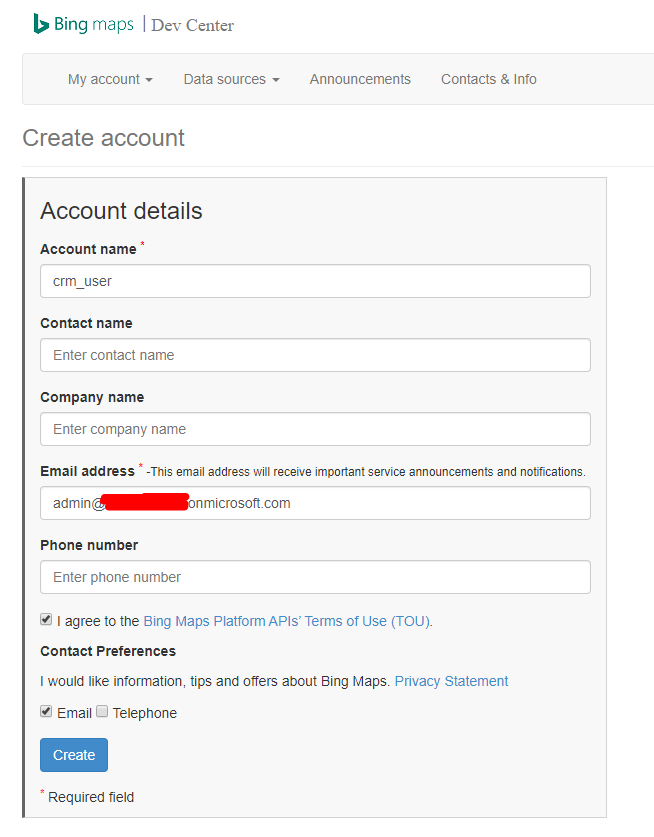
    7711.PNG

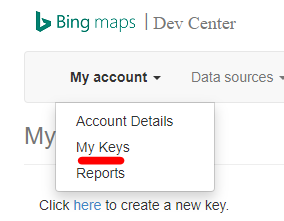
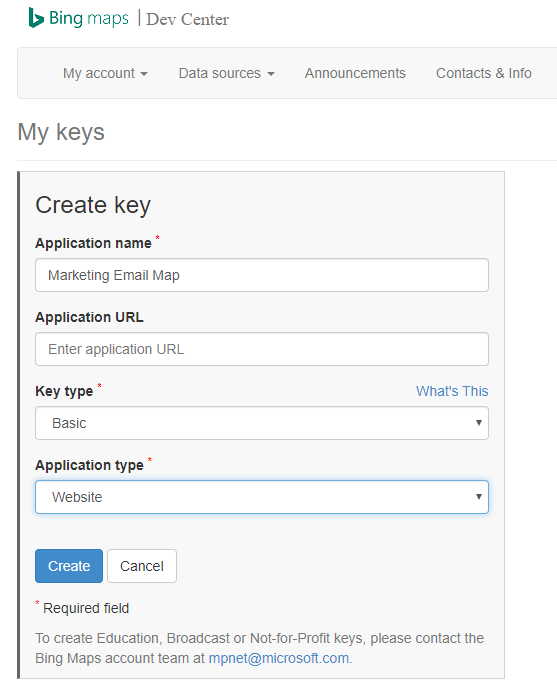
    3. Create a key to use Bing map

    pastedimage1579052463382v1.png

    Settings of a key

    7331.PNG

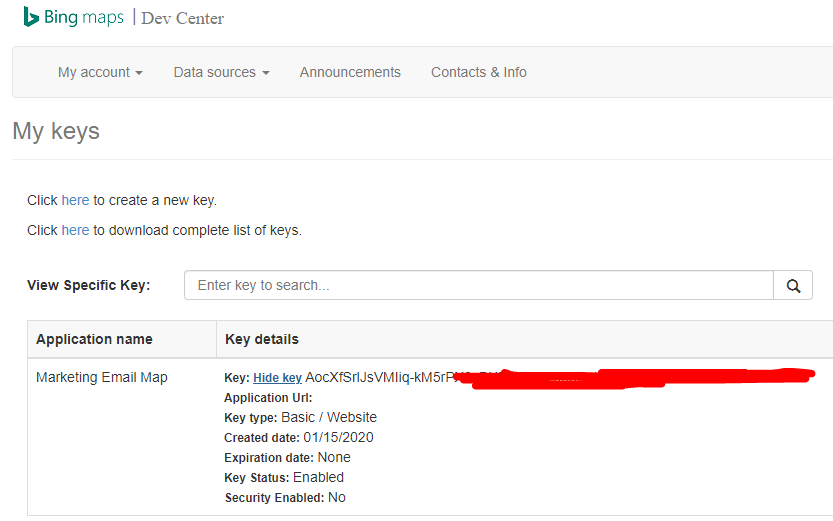
    A new key:

    pastedimage1579052537210v2.png

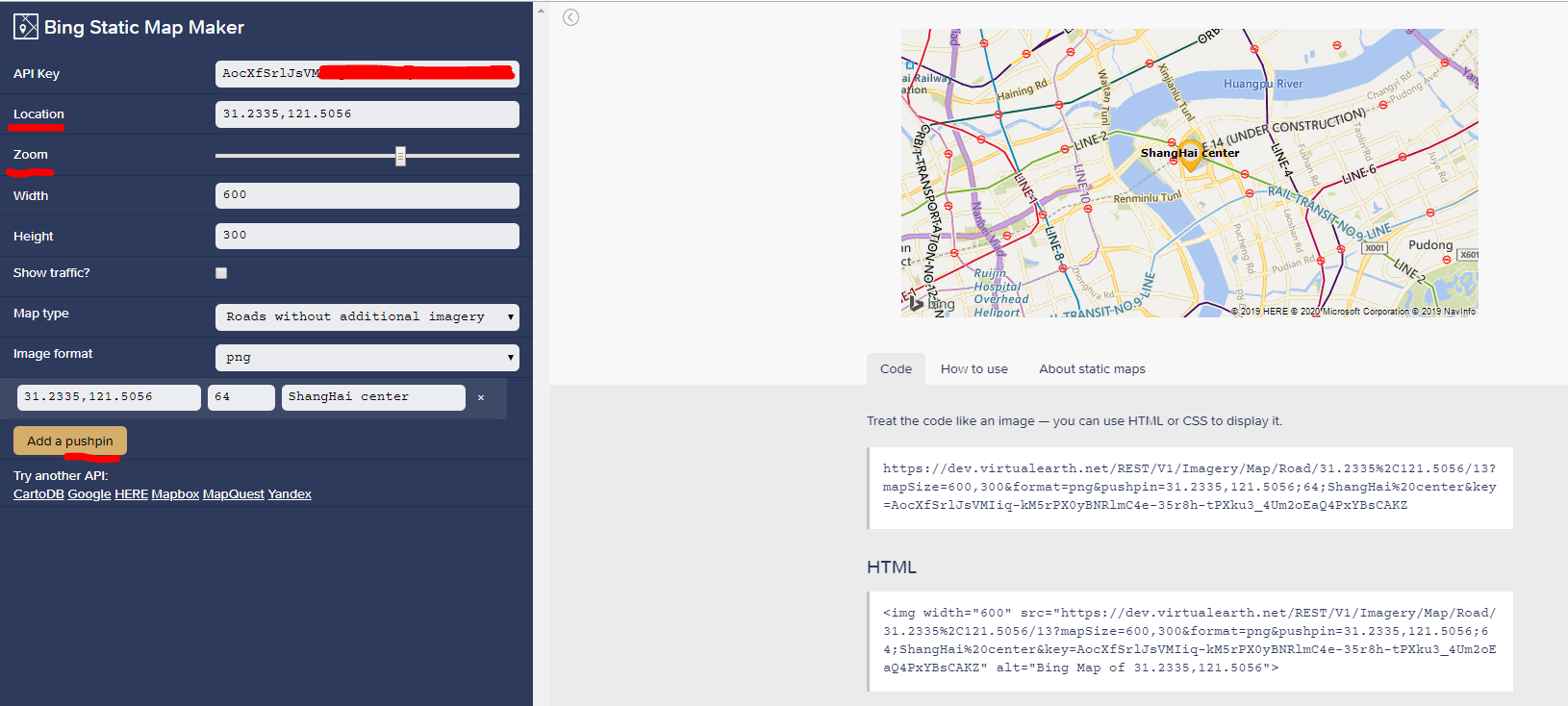
    4. There is a helpful website: https://staticmapmaker.com/, which can generate a static map(actually an image) in html embbed format code. Bing is one of supported map.

    Just apply the key to API Key field,

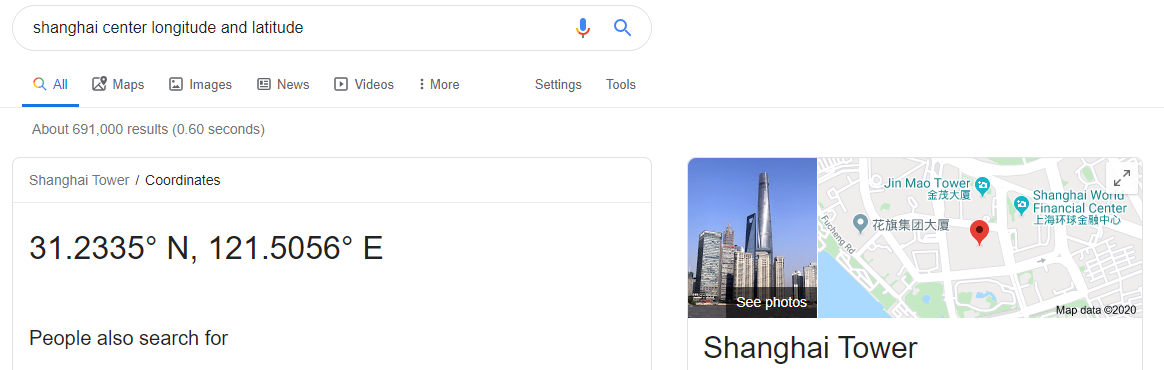
    add longitude and latitude of your location, e.g: find Shang hai center

    Google shanghai center longitude and latitude
    pastedimage1579052987908v4.png

    You can zoom it to a proper size and a pin on map to point out location.
    pastedimage1579052800399v3.png

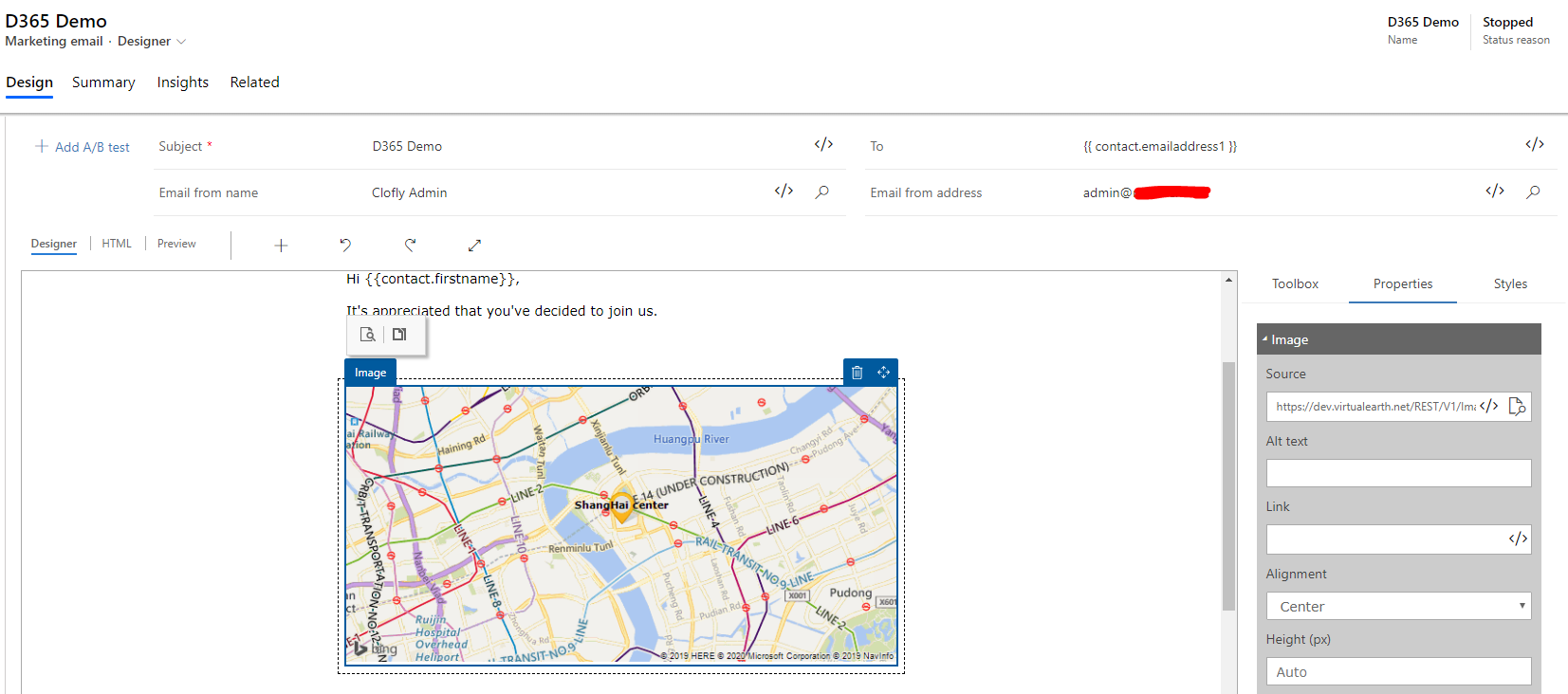
    5. Finally copy HTML embedded code in marketing email. (Or copy image's src directly and paste it to an image element src)
    pastedimage1579053287460v6.png

    Regards,

    Clofly 

  • Jetj25 Profile Picture
    534 on at

    Hi Clofly

    Thank you for your suggestion and work around for e-mail.

    This question it is not for e-mail issues but to make the customer to add a map on the marketing landing pages or maybe also on the portal event pages.

    Each time they have to put in the code in the html source itself to show a map on a landing page.

    A solution would be to make it possible to add HTML CSS and other code in a custom block like in other editors is possible also it makes life easier for a customer who does not have a lot of HTML and CSS experience.

    Other solution would be maybe to create a CRM field with Bing maps and add it to dynamic content the map

    Does someone tested this and does it show up when you use a dynamic content field ?

  • cloflyMao Profile Picture
    25,210 on at

    Hi Mariette,

    I found that HTML code inside content block will be surrounded with  <div data-editorblocktype="Content">

    if we open HTML output to see final output.

    pastedimage1579676008996v1.png

    From this introduction: 

    https://docs.microsoft.com/en-us/dynamics365/marketing/custom-template-attributes#identify-design-elements

    It seems that content block only allow text and image to be added in it, so other elements such as iframe would be filtered.

    pastedimage1579676111970v2.png

    Due to content block is the only reusable design element for marketing page,(and we can only add custom HTML code to content block)

    so my suggestion is that you could create a marketing page template that has already embedded map for use who doesn't have a lot of HTML and CSS experience.

    Regards,

    Clofly

  • Suggested answer
    Eduard Brown Profile Picture
    on at

    This is correct. Currently content blocks are restricted to static images and text. The static map work around is the best option at this time as dynamic maps aren't supported from within Marketing Pages.

    Please suggest this in our Ideas Portal as we are planning updates to content blocks in the future.

    Thanks,

    Eddy

Under review

Thank you for your reply! To ensure a great experience for everyone, your content is awaiting approval by our Community Managers. Please check back later.

Helpful resources

Quick Links

Responsible AI policies

As AI tools become more common, we’re introducing a Responsible AI Use…

Neeraj Kumar – Community Spotlight

We are honored to recognize Neeraj Kumar as our Community Spotlight honoree for…

Leaderboard > Customer experience | Sales, Customer Insights, CRM

#1
Tom_Gioielli Profile Picture

Tom_Gioielli 170 Super User 2025 Season 2

#2
#ManoVerse Profile Picture

#ManoVerse 70

#3
Jimmy Passeti Profile Picture

Jimmy Passeti 50 Most Valuable Professional

Last 30 days Overall leaderboard

Product updates

Dynamics 365 release plans