web
You’re offline. This is a read only version of the page.
close
Skip to main content

Notifications

Announcements

No record found.

Community site session details

Community site session details

Session Id :
Microsoft Dynamics AX (Archived)

I can't close Dynamics Debugger

(0) ShareShare
ReportReport
Posted on by 10

Hello!

I'm begginer in Dynamics and I have a problem since a few weeks.
 Sometimes when I start the ejecution of a class of something, the debugger appear and then Dynamics doesn't respond and I have to force the close.

The problem here is when I try to close the debugger, this message appear

"This comman will stop the debugger
Note that the code execution will continue in the Microsoft Dynamics Client

To stop the execution, choose "Stop Debugging" from the Debug menu before xiting the debugger"
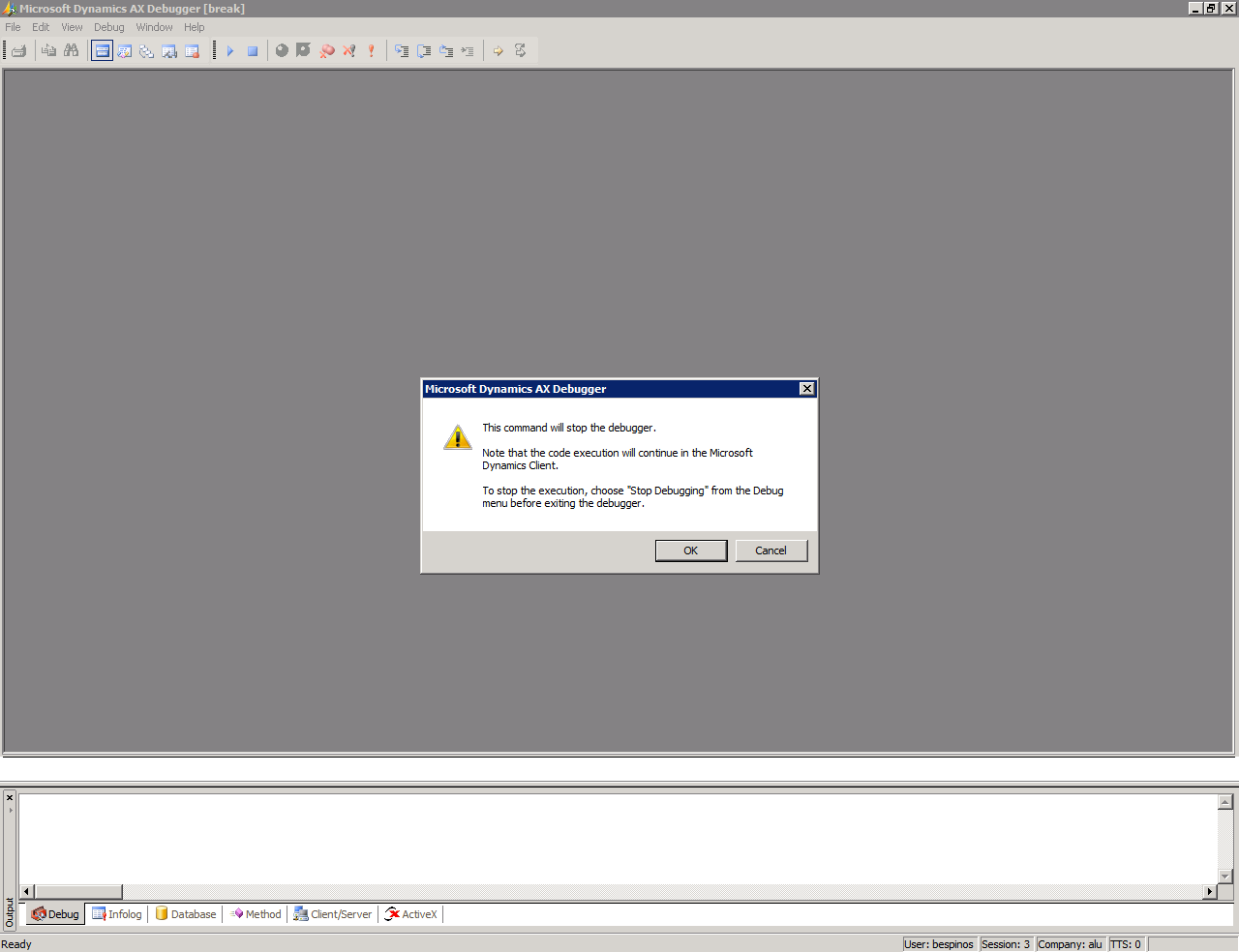
first-window.png

When i click in ok, another message appear and I can't close the debugger.

"An unkown error ocurred while accesing an unnamed file"
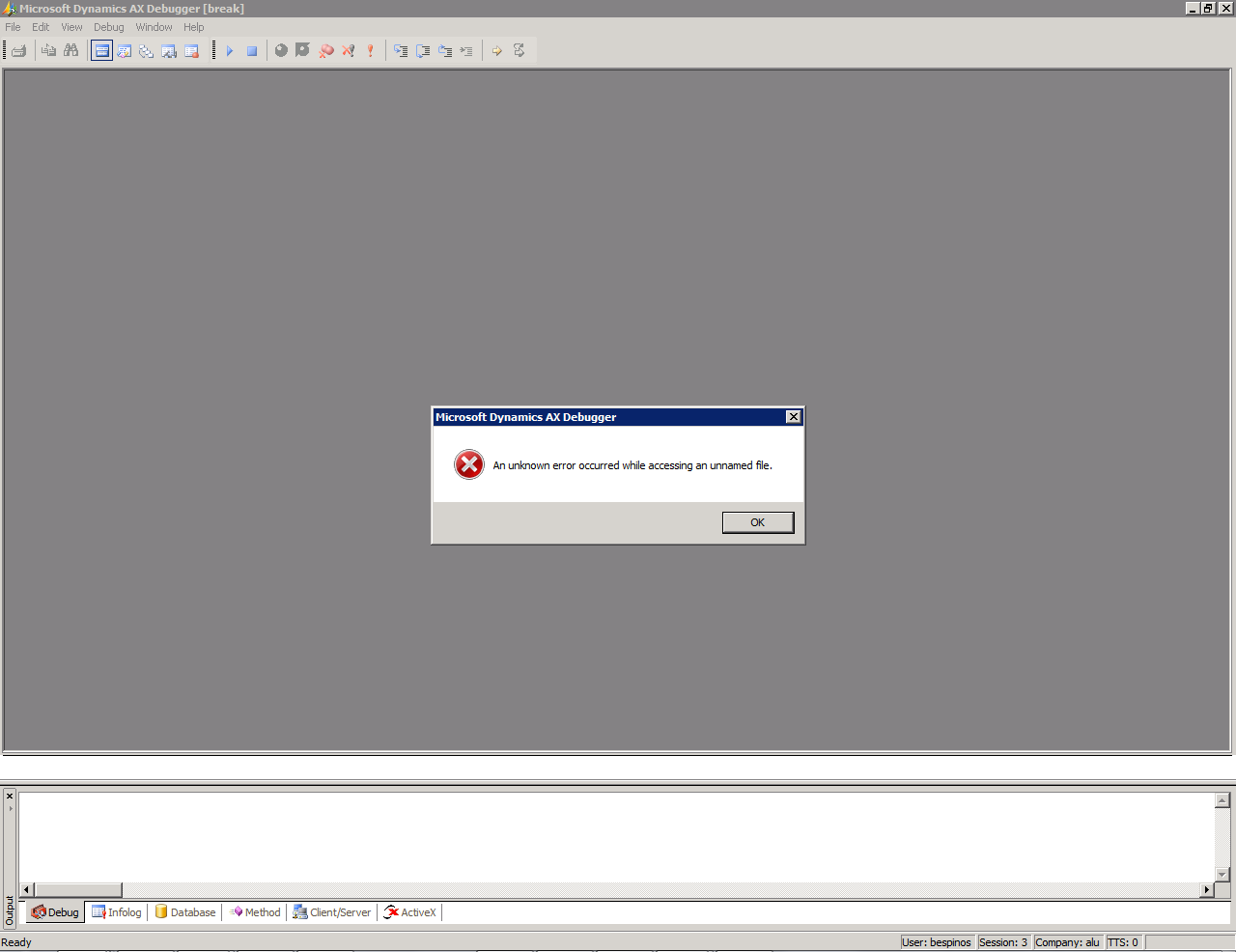
second-window.png


I tried restart the AOS service but it doesn't work, the debugger windows still be open and I actually have almost 20 windows of that open and It's really annoying.

Hopefully you can help me, thanks!! :)

P.D: My english is terrible, sorry.

*This post is locked for comments

I have the same question (0)
  • André Arnaud de Calavon Profile Picture
    301,146 Super User 2025 Season 2 on at

    Hi Brandon,

    I have never seen this issue before. You can try to de-install the AX debugger and/or remove all breakpoints from AX. Then try to reinstall the AX debugger.

  • Verified answer
    rolandsteber Profile Picture
    55 on at

    Hi Brandon,

    This behaviour is somehow "by design".

    Because the debugger depends on the corresponding client process, the debugger process becomes orphaned, when you you force close the not responding client window.

    You can then close the debugger by killing the process with the task manager.

    I think you are misinterpreting the not responding client window. Actually the client doesn't response because of the active debugger. So instead of killing the client, you should continue the program execution by pressing F5 inside the debugger and then try to find out the reason why the debugger starts without a defined breakpoint.

    Kind regards,

    Roland

  • Suggested answer
    Logendran Profile Picture
    1,394 on at

    Hello Brandon Espinosa

    I wont say this is the right answer for you.but i experience the same problem once. I try to uninstall my visual studio from my machine and the error was not found them..

    If the issue continues try to go with the different login user..

    Regards

    Logendran

  • Verified answer
    Community Member Profile Picture
    on at

    Dear Brandon,

    Restarting AOS won't help you, you can close the Debugger window from task manager.

    Open task Manager > Go to Process tab > find and right-click "AxDebug.exe" and then End Process it.

  • Brandon Espinosa Profile Picture
    10 on at

    Thanks everybody for your help!!

    I tried end the debugger proccess in task manager but I use Dynamics via remote Desktop so I don't know how to open task manager. I found a shortcut to do that: ctrl + alt+end and then I can open the window and close all debugger instances (almost 20) and it works normally again :)

    One more time, thanks everybody for the help and quickly response, I really aprecciate it.

    Thanks a lot!

Under review

Thank you for your reply! To ensure a great experience for everyone, your content is awaiting approval by our Community Managers. Please check back later.

Helpful resources

Quick Links

Responsible AI policies

As AI tools become more common, we’re introducing a Responsible AI Use…

Neeraj Kumar – Community Spotlight

We are honored to recognize Neeraj Kumar as our Community Spotlight honoree for…

Leaderboard > 🔒一 Microsoft Dynamics AX (Archived)

#1
Martin Dráb Profile Picture

Martin Dráb 4 Most Valuable Professional

#1
Priya_K Profile Picture

Priya_K 4

#3
MyDynamicsNAV Profile Picture

MyDynamicsNAV 2

Last 30 days Overall leaderboard

Featured topics

Product updates

Dynamics 365 release plans



