web
You’re offline. This is a read only version of the page.
close
Skip to main content

Notifications

Announcements

No record found.

Community site session details

Community site session details

Session Id :
Finance | Project Operations, Human Resources, ...
Answered

Electronic Reporting: Entered range name is not valid

(0) ShareShare
ReportReport
Posted on by 40

Hi

Curently I am learning the D365 Electronic Reporting. For this purpose, I just started with Showing Company Information in Excel.

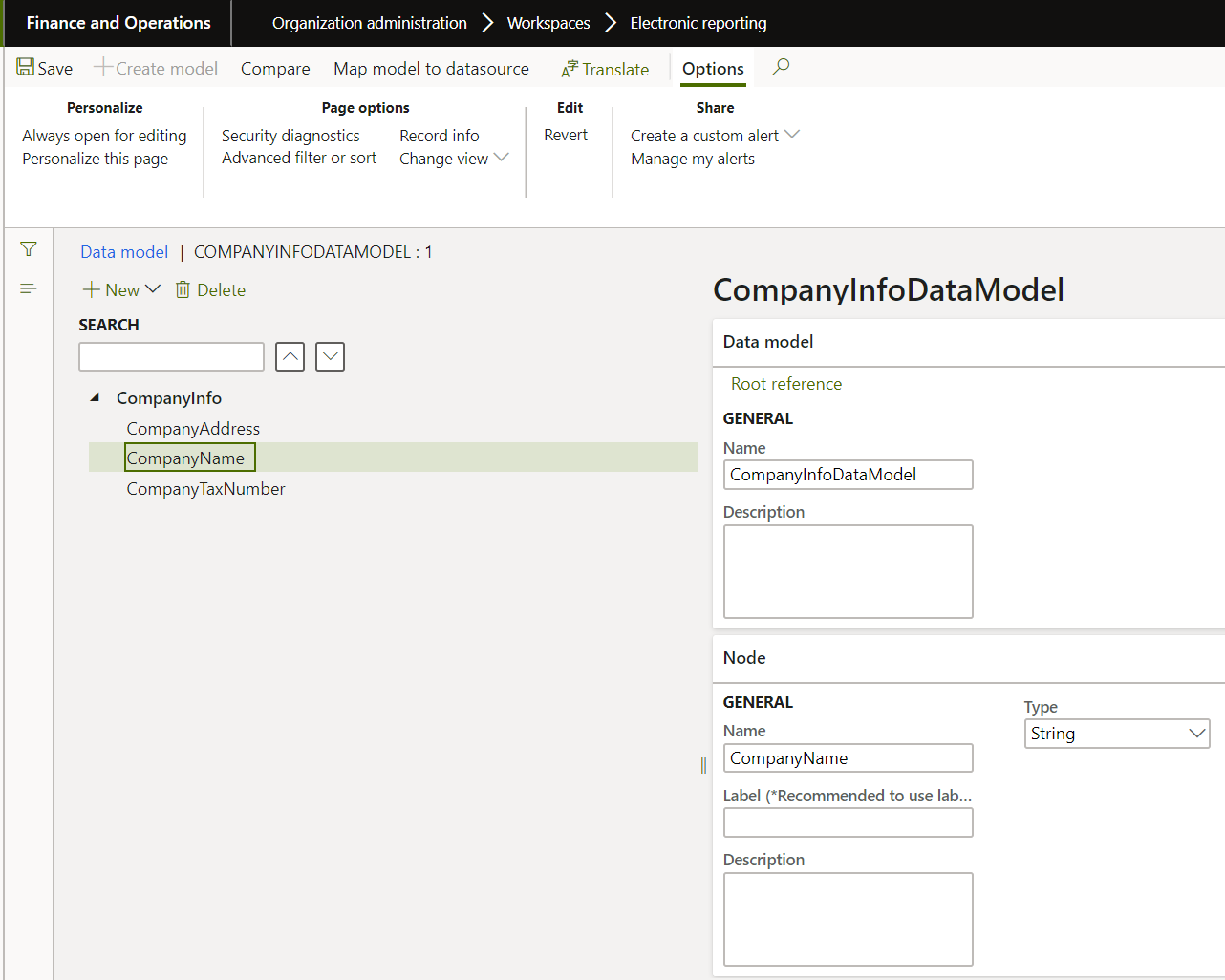
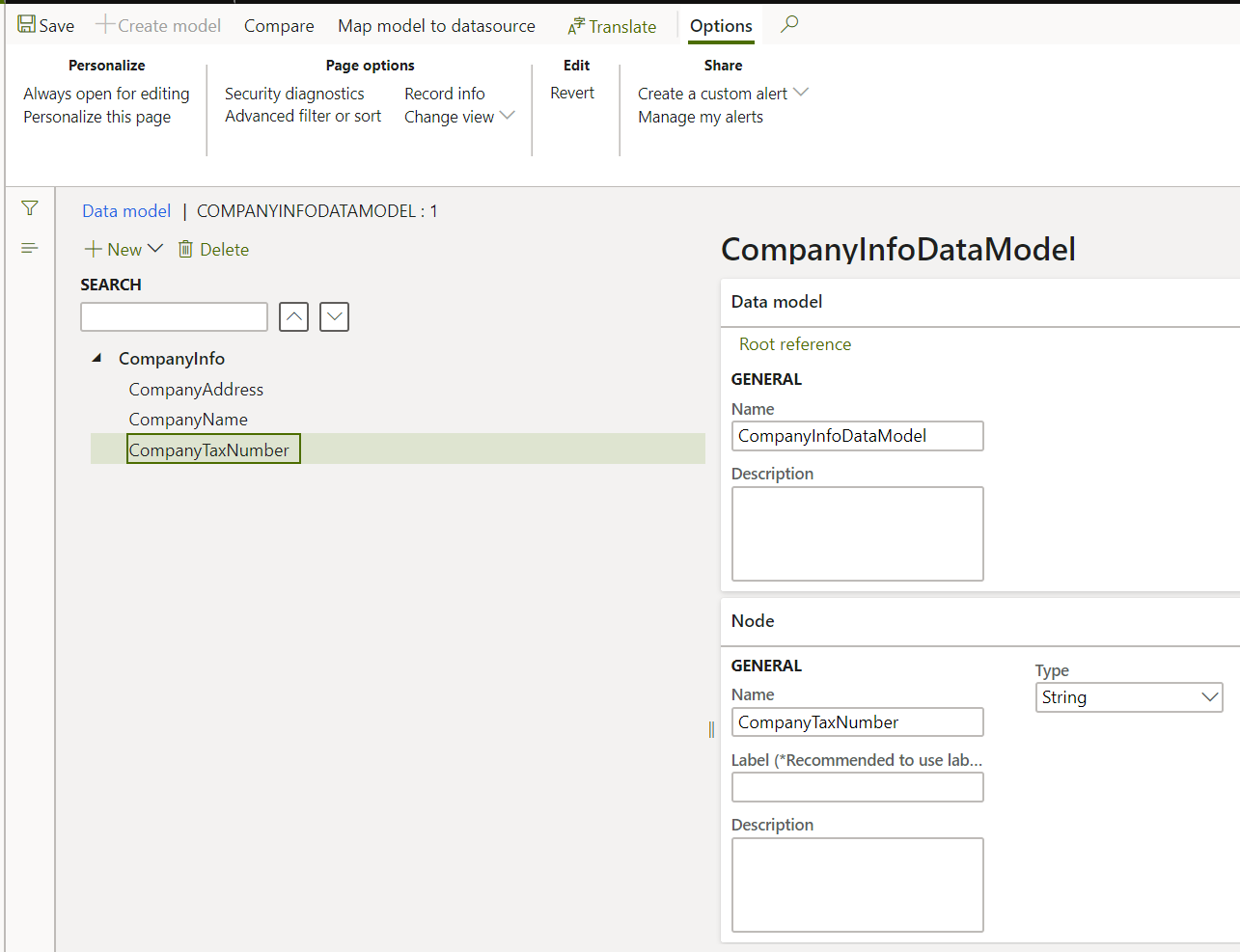
I create the Data Model called CompanyInfo

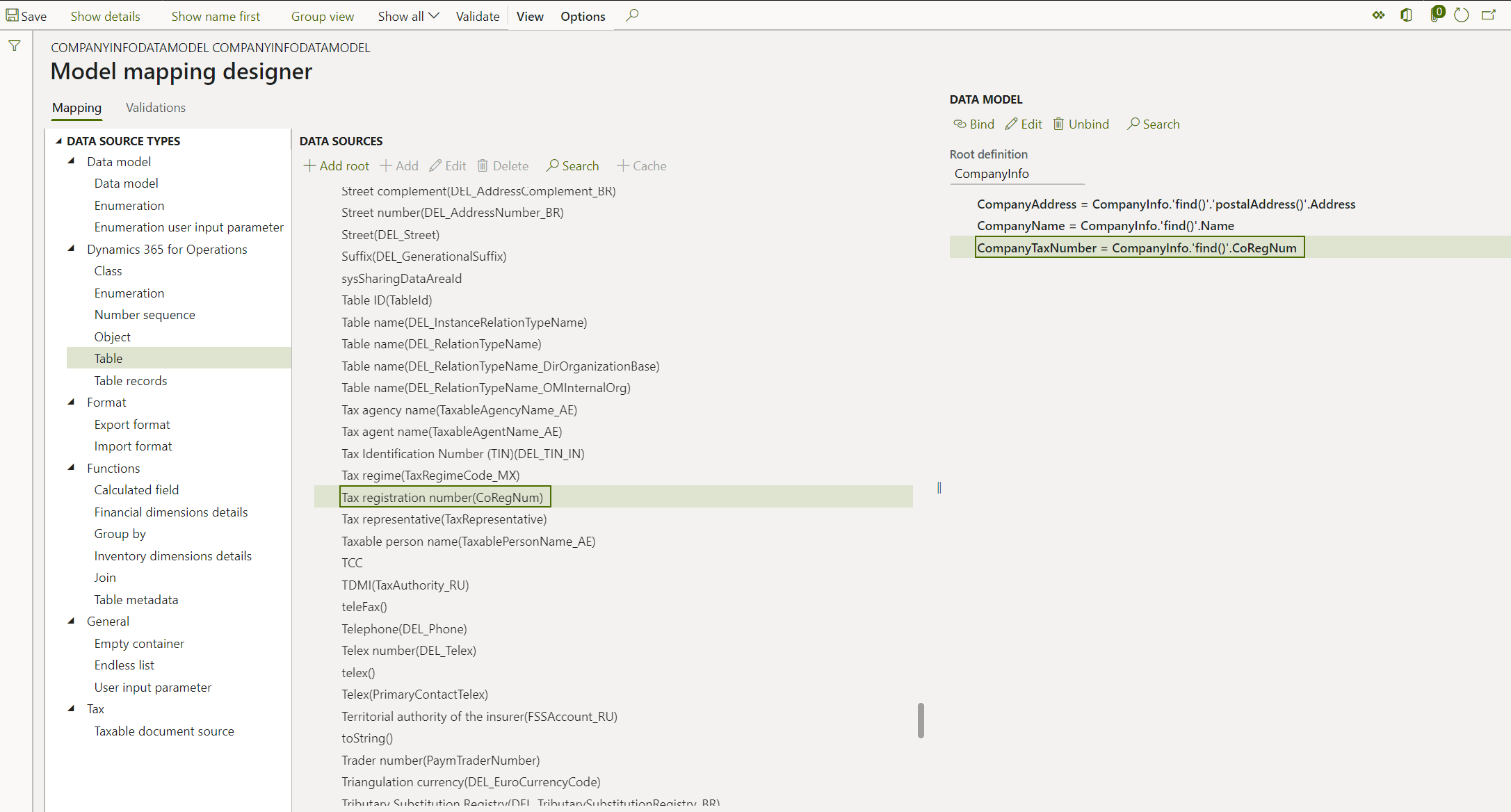
then Create the Model Mapping.

But stuck in Format Mapping. Please check below screen shots. (I got the error Entered range name is not valid). Please anyone guide me ?
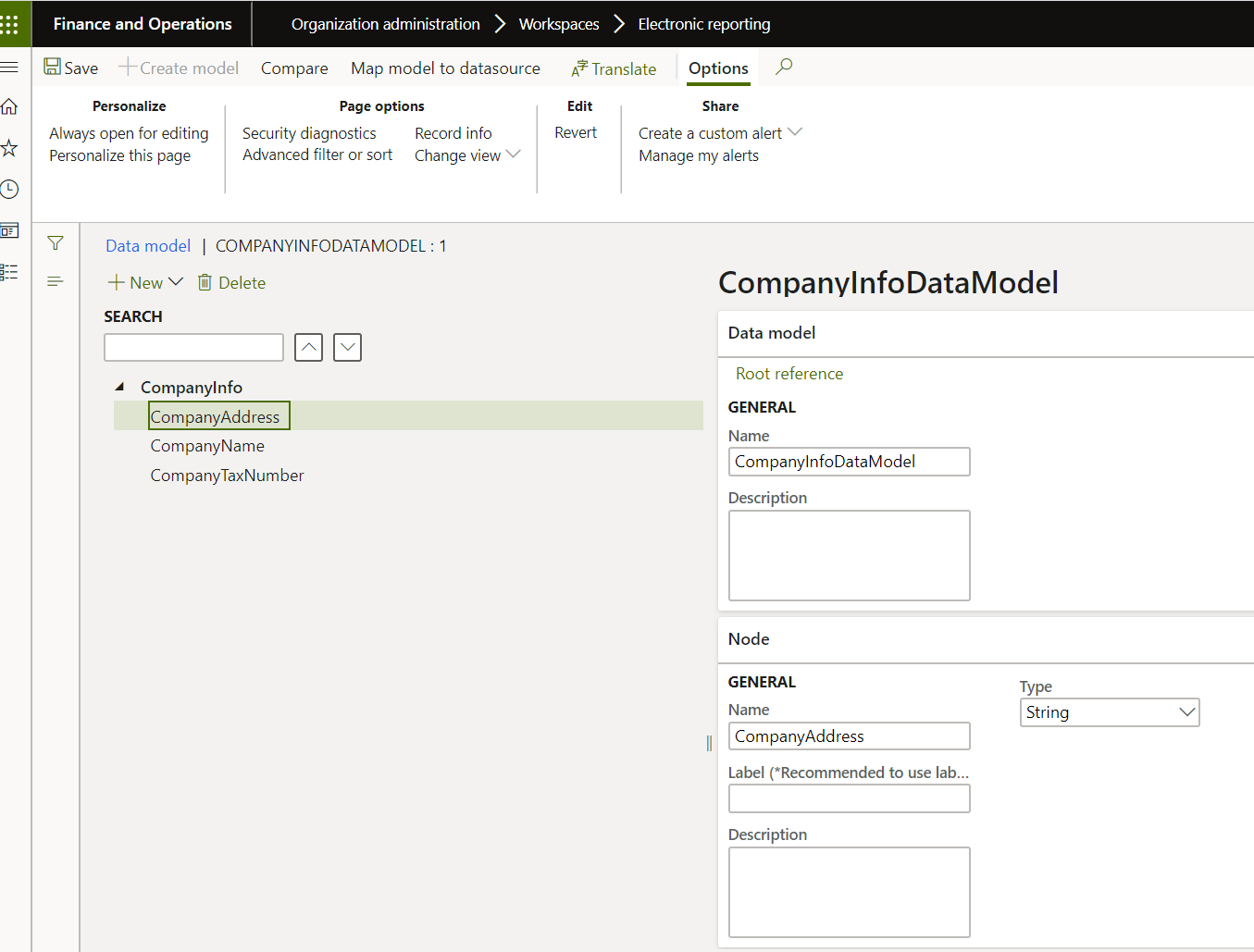
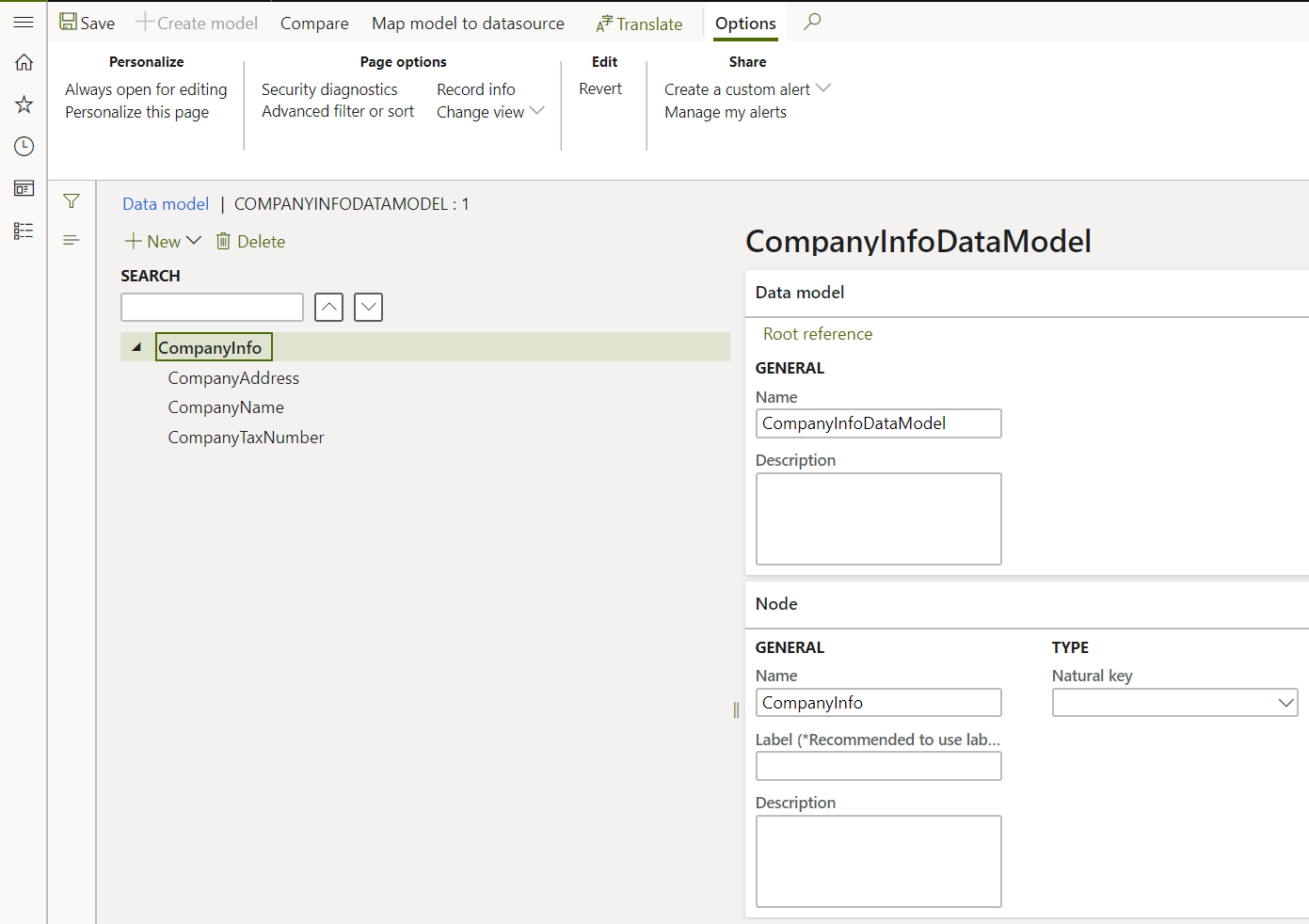
3005.1a-CompanyAddress-as-Child-having-Type-String.PNG

5353.1a-CompanyInfo-as-Root-in-Data-Model.PNG

7853.1c-CompanyName-as-sibling-of-an-Active-Node-having-Type-String.PNG

8311.1d-CompanyTaxNumber-as-sibling-of-an-Active-Node-having-Type-String.PNG

5305.2B-Maaping-the-Model-with-Data-Model.PNG

3034.3a-Format-Mapping.PNG

4747.3a-Format-Mapping.PNG

5460.3C-Entered-range-name-is-not-valid.PNG

I have the same question (0)
  • Suggested answer
    MhaU Profile Picture
    on at

    Dear Prashanth,

    Thank you for logging this issue on our community.

    Please consult the documentation below. You need to design the excel template, then Import the template. The framework then will populate the cells by reading the Excel file. Please check the task guide and let me know if you need any other information and I will be more than happy to assist further.

    https://docs.microsoft.com/en-us/dynamics365/fin-ops-core/dev-itpro/analytics/modify-electronic-reporting-format-reapply-excel-template

    Have a wonderful day!

  • Prashanth Shanker Profile Picture
    40 on at

    Dear Ursu

    I am bit confused to generate the Excel Format. Would you please let me know the steps:

    How to design the Excel Template and Import the Template.

    There are three Columns in Excel: CompanyName, CompanyAddress and CompanyTaxNumber.

    Please check the Excel File:

    CompanyInfoFormat.xlsx

  • Verified answer
    Mea_ Profile Picture
    60,284 on at

    You can just select a line in excel and create named range "line", then inside of that line create 3 names ranges for each column, like "CompanyName", "CompanyAddress" and "CompanyTaxNumber", then upload it to R format and it should give you 2 level structure:

    Line

    -CompanyName

    -CompanyAddress

    -CompanyTaxNumber

  • Prashanth Shanker Profile Picture
    40 on at

    Hi Ievgen

    Its working perfect. Thanks for guiding me correct direction instead of referring documentation.

    Now would please let me know How I will show all these three field in rows like:

    Company Name: ABC Corporation PVT LTD

    Company Address: 123 TEST STREET, GPO 001, UAE

    Comapny Tax Number: UAE2344444

    3d-Format-Mapping-is-working.PNG

  • Verified answer
    Mea_ Profile Picture
    60,284 on at

    First of all, you do not ask multiple questions in one thread. If original questions is answered, mark answer (s) that helped you as verified to close the thread and open new one for new question.

    ER put data into rangers if they are mapped to individual fields and copy the range if it is mapped to records. So in your case just remove "line" range from Excel, move 3 named ranges you created before where you want to see your data and upload Excel as a template again. 

  • Prashanth Shanker Profile Picture
    40 on at

    Hi Ievgen

    Would you please guide about this:

    community.dynamics.com/.../electronic-reporting-want-to-bind-the-registration-ids-of-company-in-model-mapping

    Thanks

Under review

Thank you for your reply! To ensure a great experience for everyone, your content is awaiting approval by our Community Managers. Please check back later.

Helpful resources

Quick Links

Responsible AI policies

As AI tools become more common, we’re introducing a Responsible AI Use…

Neeraj Kumar – Community Spotlight

We are honored to recognize Neeraj Kumar as our Community Spotlight honoree for…

Leaderboard > Finance | Project Operations, Human Resources, AX, GP, SL

#1
Martin Dráb Profile Picture

Martin Dráb 660 Most Valuable Professional

#2
André Arnaud de Calavon Profile Picture

André Arnaud de Cal... 549 Super User 2025 Season 2

#3
Sohaib Cheema Profile Picture

Sohaib Cheema 307 User Group Leader

Last 30 days Overall leaderboard

Product updates

Dynamics 365 release plans