web
You’re offline. This is a read only version of the page.
close
Skip to main content

Announcements

News and Announcements icon
Community site session details

Community site session details

Session Id :
Dynamics 365 Community / Forums / Human Resources forum / The leave request hour...
Human Resources forum

The leave request hours can't exceed 0.00 hours for 12/22/2019 Dynamics 365 for Talent

(0) ShareShare
ReportReport
Posted on by

I am facing this warning message as per screenshot whereby I am not allowed to book a leave request even though I assigned the calendar correctly.


Can you help with this?


ThanksScreenshot_5F00_2.png

Categories:
I have the same question (0)
  • HRTom Profile Picture
    1,171 User Group Leader on at

    Hi ttnavision - sure looks like the calendar thinks that 22nd December is not a working day. Can you provide some screenshots of the calendar setup you've done?

  • ezhu Profile Picture
    295 on at

    Hello,


    I tested in my environment and I can reproduce the same error under the following scenarios:

    >>>Scenario One<<<

    Although the calendar is assigned to an employee, but the leave date is not included in the calendar. For example: I created a calendar beginning from 6/16/2019, then generate days.
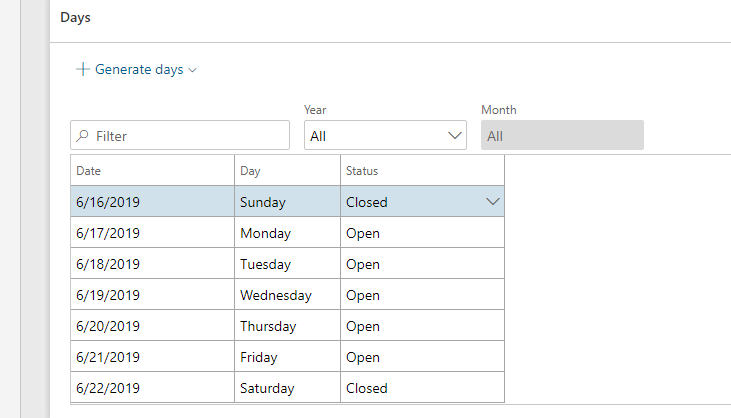
    calendar_2D00_02.png

    If I want to book a holiday on 6/14/2019, which is not included in the calendar, the system will give me the error message.
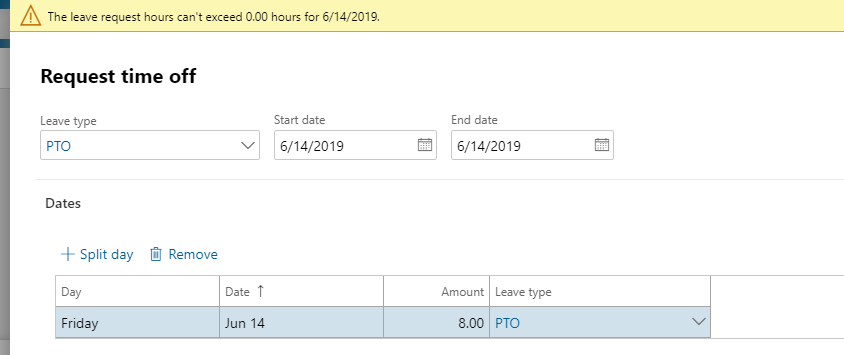
    calenda_2D00_01.png


    >>>Scenario Two<<<

    The date is included in the calendar, however, the non-working overlaps with working hours. For example, work time is 9am – 5pm. Non-work time overlaps with work time.
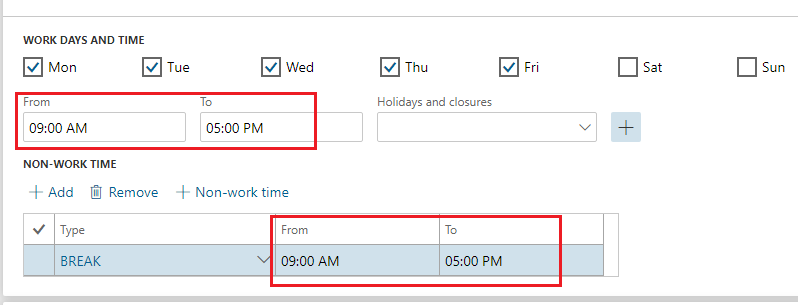
    calendar_2D00_2.PNG

    The system will also give me the same error:
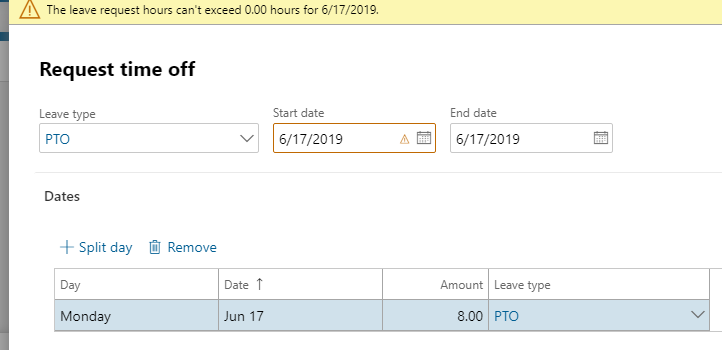
    calendar_2D00_02.png


    I recommend you double check if your situation is caused by scenario one(because the setup in scenario two is not an usual case), then include the date in your calendar to resolve the issue.


    >>>Additional information<<<

    Just for your information: If the date is marked as non-work day, the system will skip the date, which means it will not even show up when selecting dates. As we can see in following example 6/16/2019 is marked as Closed:
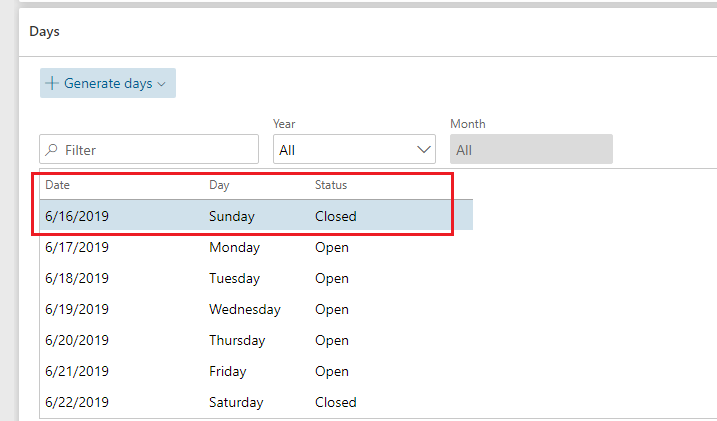
    calendar_2D00_4.PNG

    Even if we manually type the start date and end date 6/16/2019, the fields below are still greyed out. So I think it is probably not caused by non-working day setup.
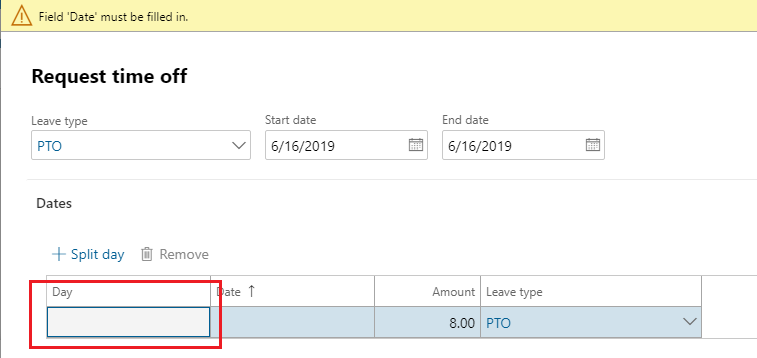
    calendar_2D00_3.PNG


    Regards,

  • PawanD Profile Picture
    457 on at

    Plz ignore my msg

Under review

Thank you for your reply! To ensure a great experience for everyone, your content is awaiting approval by our Community Managers. Please check back later.

Helpful resources

Quick Links

November Spotlight Star - Khushbu Rajvi

Congratulations to a top community star!

Forum Structure Changes Coming on 11/8!

In our never-ending quest to help the Dynamics 365 Community members get answers faster …

Dynamics 365 Community Platform update – Oct 28

Welcome to the next edition of the Community Platform Update. This is a status …

Leaderboard > Human Resources

Last 30 days Overall leaderboard

Featured topics

Product updates

Dynamics 365 release plans
