web
You’re offline. This is a read only version of the page.
close
Skip to main content

Notifications

Announcements

No record found.

Community site session details

Community site session details

Session Id :
Customer experience | Sales, Customer Insights,...
Answered

How to use value rule on single line of text fields on ribbon in dynamics 365

(0) ShareShare
ReportReport
Posted on by

i need to check "stage"  which is single line of text type field contains "Pre-Proposal" value in it , button should be visible else it should be hidden . please suggest a solution by using value rule.

I have the same question (0)
  • Verified answer
    Nya Profile Picture
    29,060 on at

    Hi,

    As you know, the "First Name" field is a single line of text type field.

    Here I use First Name as an example of how to implement this requirement.

    1. Create a Web Resource which contains JavaScript code to get the value of the field.

        You can adjust the JS with your owner field name and the condition.

    function preProposal(){
        var firstname = Xrm.Page.getAttribute("firstname").getValue();
        if (firstname.startsWith('FF')){
            return true;
        }
        else{
            return false;
        }
    }

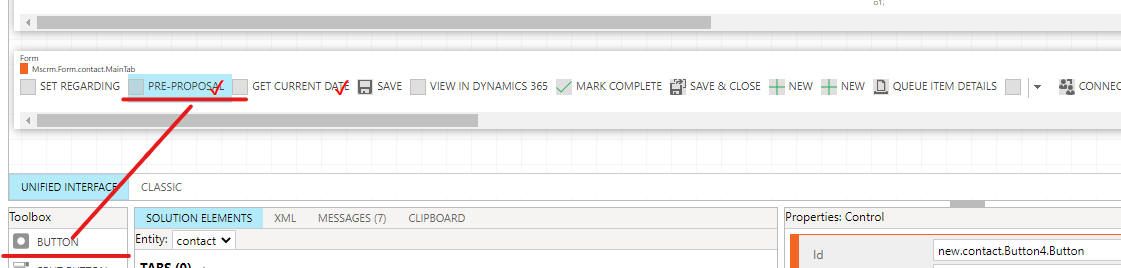
    2. Open the Ribbon Workbench and create a new button. Of course, if it exists, just right click it and choose the "Customise Command" option.
    pastedimage1636436716959v2.png

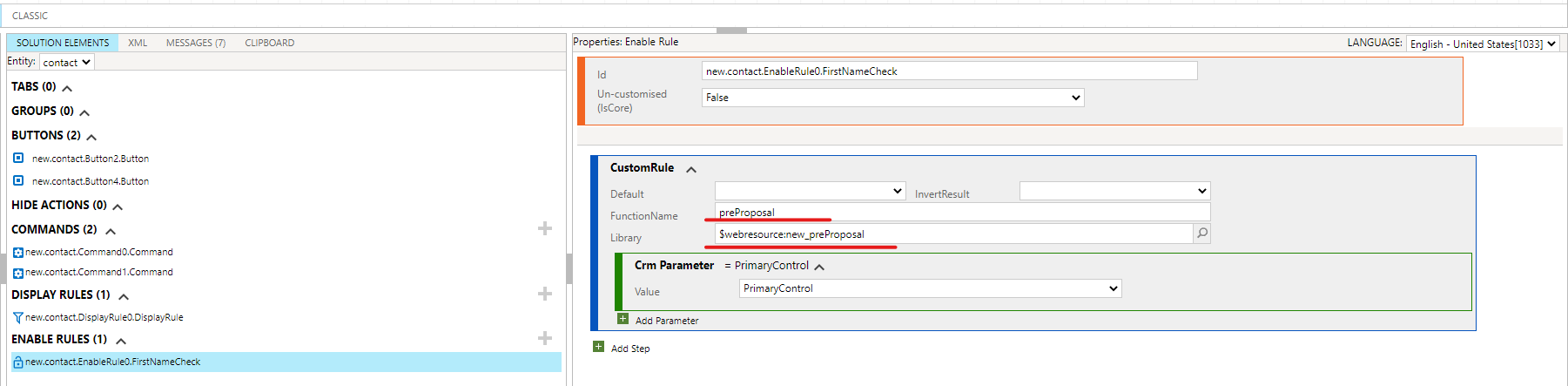
    3. Create an Enable Rule for the button. Select the web resource created in the step 1.
    pastedimage1636436776303v3.png

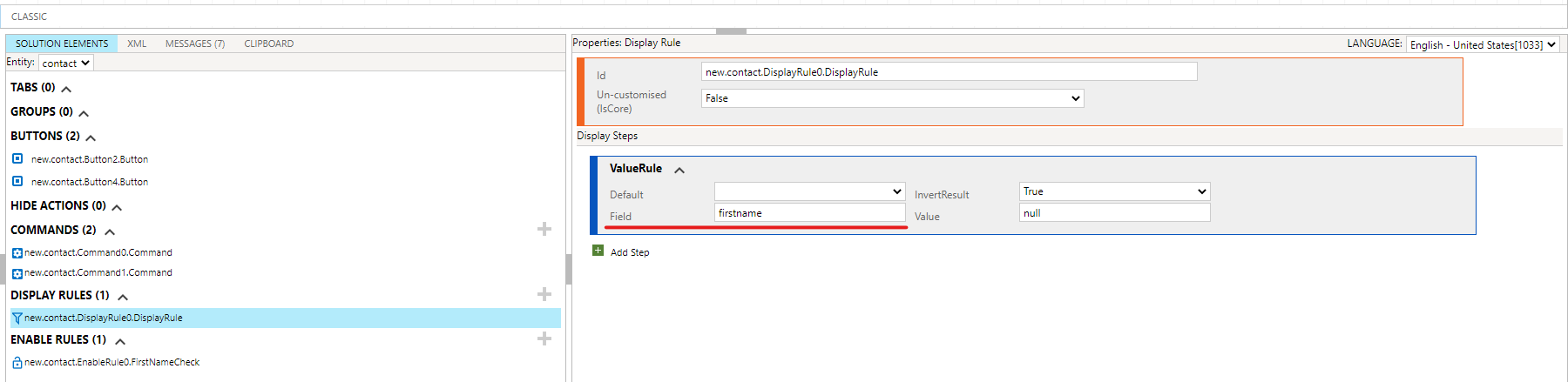
    4. If you don't want to show the button when a new record is created, a Display Rule should be created also.

        Fill in the following option with the name of your field.
    pastedimage1636436890618v4.png

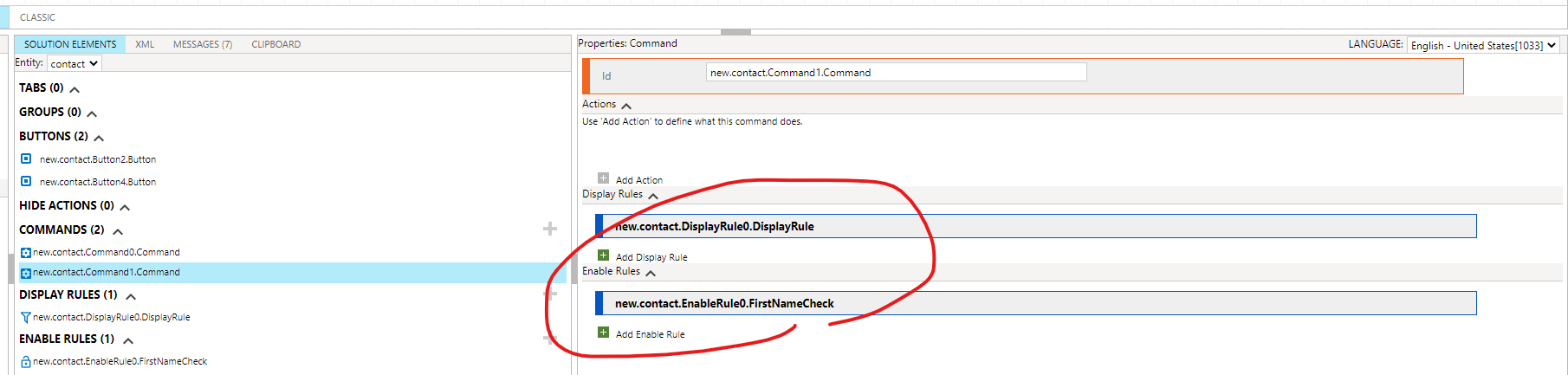
    5. Create a command for the button. Add the Enable Rule and the Display Rule into it.
    pastedimage1636436992370v5.png

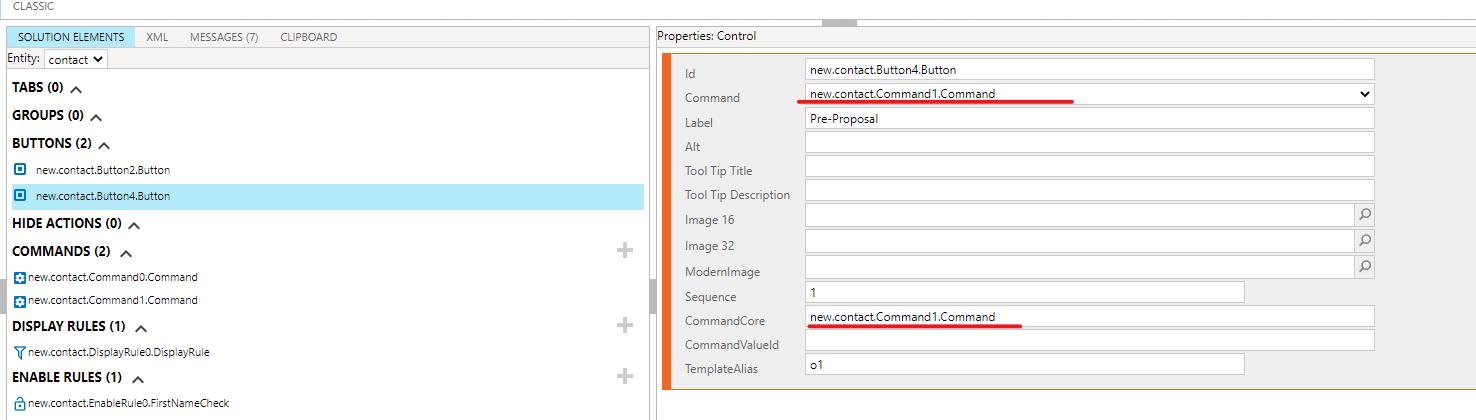
    6. Add the command to the properties of the button.
    pastedimage1636437045884v6.png

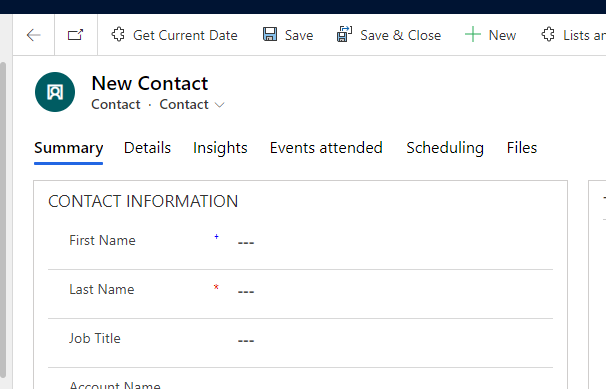
    7. Publish the solution. Refresh your environment and you'll see the effect.

    New:
    pastedimage1636437125179v7.png

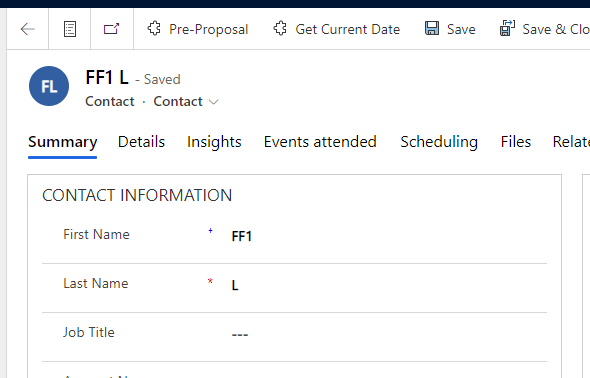
    Meet the condition:

    pastedimage1636437147722v8.png

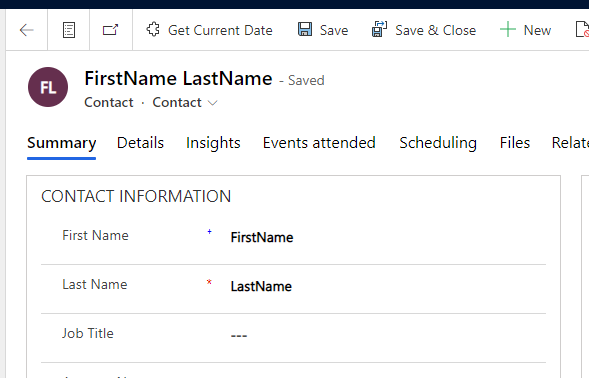
    Do not meet the condition:

    pastedimage1636437173958v9.png

  • Suggested answer
    Nya Profile Picture
    29,060 on at

    Hi,

    If the issue has been solved, it would be appreciated if you could click "Yes" to verify my answer.

    8204.pastedimage1631667187396v1.png

    If there is any further doubt, please do not hesitate to let me know.

Under review

Thank you for your reply! To ensure a great experience for everyone, your content is awaiting approval by our Community Managers. Please check back later.

Helpful resources

Quick Links

Responsible AI policies

As AI tools become more common, we’re introducing a Responsible AI Use…

Neeraj Kumar – Community Spotlight

We are honored to recognize Neeraj Kumar as our Community Spotlight honoree for…

Leaderboard > Customer experience | Sales, Customer Insights, CRM

#1
Tom_Gioielli Profile Picture

Tom_Gioielli 73 Super User 2025 Season 2

#2
Gerardo Rentería García Profile Picture

Gerardo Rentería Ga... 43 Most Valuable Professional

#3
Daniyal Khaleel Profile Picture

Daniyal Khaleel 32 Most Valuable Professional

Last 30 days Overall leaderboard

Product updates

Dynamics 365 release plans