web
You’re offline. This is a read only version of the page.
close
Skip to main content

Notifications

Announcements

No record found.

Community site session details

Community site session details

Session Id :
Microsoft Dynamics AX (Archived)

Mapping errors: ;

(0) ShareShare
ReportReport
Posted on by 2,259

Hello,

I'm trying to import products in AX 2012 R3 using the data import export framework.

when I try to Generate source mapping the following error shows up.

Mapping errors: ;
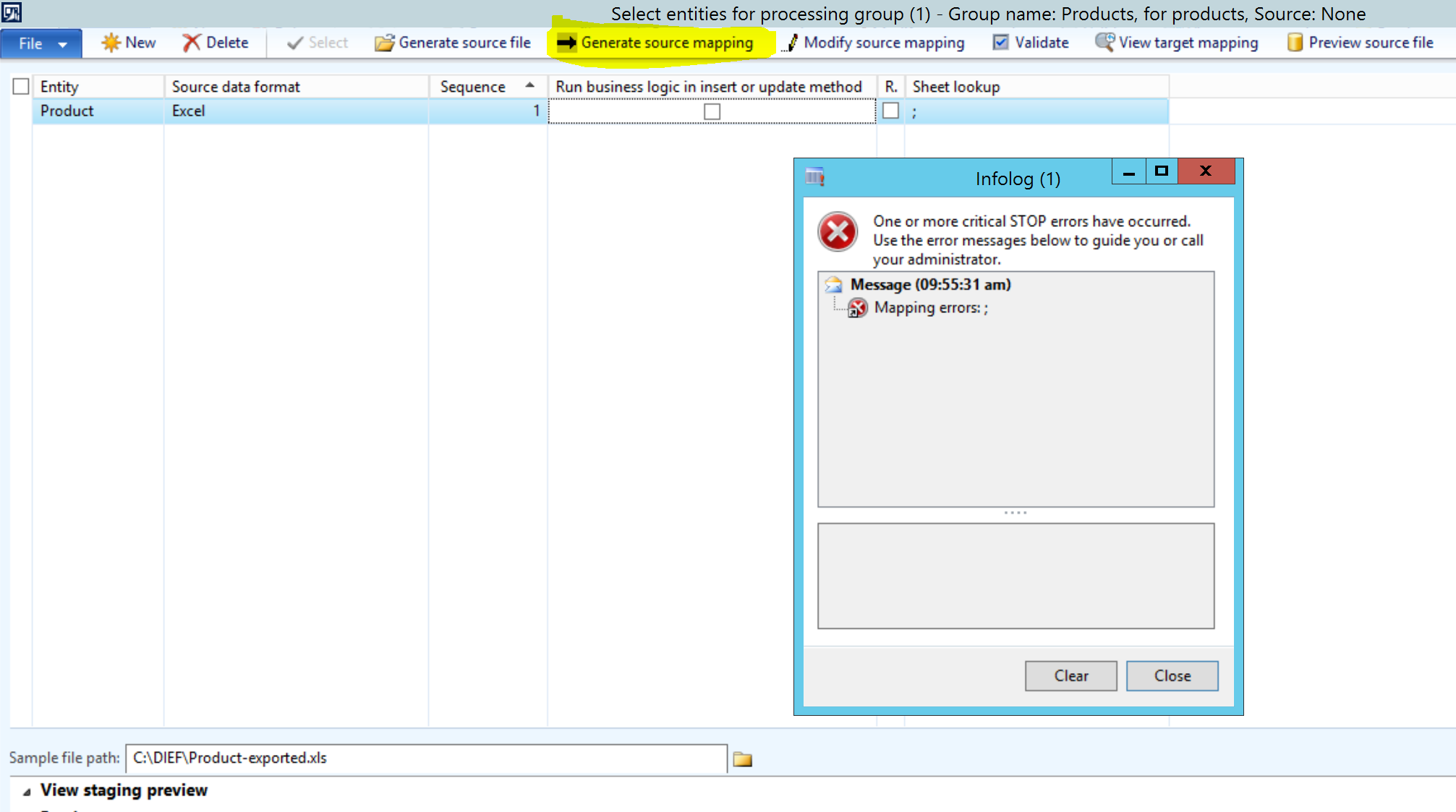
0508.Capture.PNG

event viewer shows this error,

The 'Microsoft.ACE.OLEDB.12.0' provider is not registered on the local machine.

at System.Data.OleDb.OleDbServicesWrapper.GetDataSource(OleDbConnectionString constr, DataSourceWrapper& datasrcWrapper)

at System.Data.OleDb.OleDbConnectionInternal..ctor(OleDbConnectionString constr, OleDbConnection connection)

at System.Data.OleDb.OleDbConnectionFactory.CreateConnection(DbConnectionOptions options, DbConnectionPoolKey poolKey, Object poolGroupProviderInfo, DbConnectionPool pool, DbConnection owningObject)

at System.Data.ProviderBase.DbConnectionFactory.CreateNonPooledConnection(DbConnection owningConnection, DbConnectionPoolGroup poolGroup, DbConnectionOptions userOptions)

at System.Data.ProviderBase.DbConnectionFactory.TryGetConnection(DbConnection owningConnection, TaskCompletionSource`1 retry, DbConnectionOptions userOptions, DbConnectionInternal oldConnection, DbConnectionInternal& connection)

at System.Data.ProviderBase.DbConnectionInternal.TryOpenConnectionInternal(DbConnection outerConnection, DbConnectionFactory connectionFactory, TaskCompletionSource`1 retry, DbConnectionOptions userOptions)

at System.Data.ProviderBase.DbConnectionInternal.OpenConnection(DbConnection outerConnection, DbConnectionFactory connectionFactory)

at System.Data.OleDb.OleDbConnection.Open()

at Microsoft.Dynamics.AX.Framework.Tools.DMF.DriverHelper.DMFOdbcDriver.GetColumnsFromExcel(String sql, String sourceFile)

*This post is locked for comments

I have the same question (0)
  • Verified answer
    Mea_ Profile Picture
    60,284 on at

    Hi Wasim Sallam,

    Please refer to this old thread community.dynamics.com/.../119952

  • w.sallam Profile Picture
    2,259 on at

    thanks Ievgen for reply ,

    I changed the sheet lookup to "Product" as in the excel file and checked the solution in the link you gave but still have the same error showing up

  • Mea_ Profile Picture
    60,284 on at

    You could find multiple solutions in that thread because this error could be caused because of different issues. One of them is incorrect version of Excel, please go through all of them and check if they could help you.

    Do you have same issue with different entities ? Did it work before?

  • Verified answer
    w.sallam Profile Picture
    2,259 on at

    thanks for your help,

    I the file format to Delimited and choose Comma {,} for column delimiter

    saved the excel files as CSV format .and it worked

  • Suggested answer
    Sangram Shinde Profile Picture
    2,114 on at

    This error may occur due to version mismatch of excel and system. If system's version is 64 bit and excel version is lesser than it then DIXF could not locate the sub sheets in excel, eventually source to staging mapping could not be generated. Both versions should be same to work this. Thanks.

  • w.sallam Profile Picture
    2,259 on at

    thanks Sangram

    so if I installed excel 64 bit, this should solve it?

  • Suggested answer
    Sangram Shinde Profile Picture
    2,114 on at

    It is one one of the reasons of the occurred error, It should definitely resolve if you have version mismatch issue.

  • w.sallam Profile Picture
    2,259 on at

    I installed 64 bit and it worked fine.

    thanks

Under review

Thank you for your reply! To ensure a great experience for everyone, your content is awaiting approval by our Community Managers. Please check back later.

Helpful resources

Quick Links

Responsible AI policies

As AI tools become more common, we’re introducing a Responsible AI Use…

Neeraj Kumar – Community Spotlight

We are honored to recognize Neeraj Kumar as our Community Spotlight honoree for…

Leaderboard > 🔒一 Microsoft Dynamics AX (Archived)

#1
Martin Dráb Profile Picture

Martin Dráb 4 Most Valuable Professional

#1
Priya_K Profile Picture

Priya_K 4

#3
MyDynamicsNAV Profile Picture

MyDynamicsNAV 2

Last 30 days Overall leaderboard

Featured topics

Product updates

Dynamics 365 release plans



